Quick answer: Nomora connects to Wialon from Settings → Telematics → Connect Wialon. You sign in to Wialon, preview which units match which cars, and apply. After that Nomora syncs each car's odometer every day, fills departure and return mileage at check-out and check-in, and shows distance, speed, fuel and eco-driving for each finished rental. With a tracker wired to the locks, customers can also unlock and lock the car from their booking link.
A lot of rental firms already pay for Wialon through a local tracking installer. Usually it lives in its own browser tab: someone checks the map when a customer is late, and copies odometer readings into a spreadsheet when a service is due. Connecting it to the booking system puts those readings where they are used.
What Nomora takes from Wialon
The odometer, every day. Nomora reads each linked unit's odometer once a day and updates the car's mileage. You can also click Sync Mileage on the vehicle at any time. The unit has to report an odometer for this to work.
Mileage at check-out and check-in. When you check a car out, click Fetch from Tracker instead of reading the dashboard. At check-in, do the same. Nomora works out the distance driven against the booking's allowance and shows any excess charge before you finish.
Service reminders by distance. Maintenance intervals by kilometres or miles run on the synced odometer. If you save service recipients, they get an email when a sync pushes a car into its service notice period.
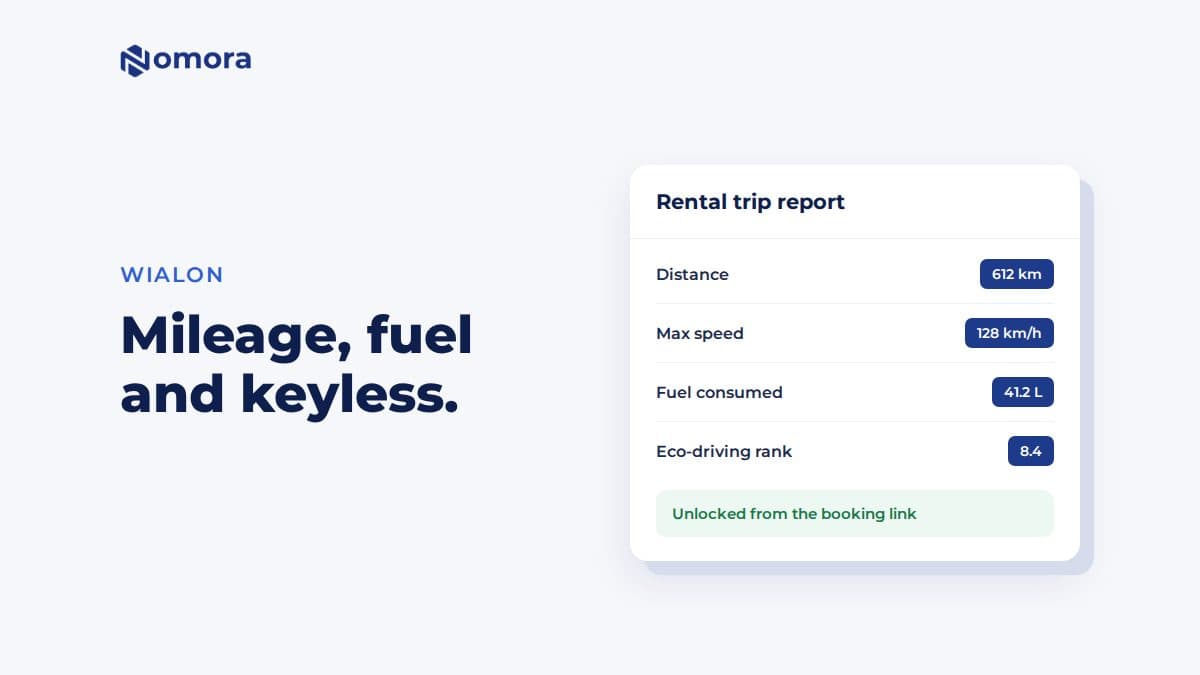
A trip report for each rental. Once a booking has ended, its page shows a telemetry card for the rental period: distance, maximum speed, and fuel consumed, filled and left at the start and end, when the unit's sensors and Wialon report supply them. It also shows Wialon's eco-driving penalties and rank. That is useful when a customer disputes a fuel charge or the car comes back with a smell of clutch.
Remote unlock and keyless handover
Wialon is the only provider Nomora sends commands through. With the right setup, a customer opens their booking link and taps to unlock or lock the car.
What it needs:
- A tracker wired to the locks. A GPS position is not enough. The unit has to be installed and configured to operate the doors. Confirm compatibility with Nomora before you promise keyless pickup to anyone.
- The Send commands permission in Wialon. Nomora asks for it when you connect, and tells you to reconnect if it is missing.
- The vehicle marked as supporting remote unlock.
- Remote access turned on for the booking, or inherited from a customer you have marked as trusted.
Access is limited in time. It opens an hour before the rental starts, or earlier if you check the car out early, and closes 15 minutes after it ends. Required signatures and customer inspection photos can block it until they are done, so a customer who has not signed the contract or photographed the car cannot unlock it.
The first successful unlock checks the booking out automatically and takes the starting mileage from Wialon. Locking does not check the car in.
Inside the same window, the customer can tap Show location to see where the car was last reported, with a map link. That helps when they cannot find it in a car park. It is not a live map of your fleet.
How to connect Wialon
- Open Settings → Telematics and set the Telemetry Timezone, so rental dates line up with Wialon's history.
- Click Connect Wialon and sign in. Grant the access Wialon asks for, including sending commands.
- Check that the card shows Connected.
- Click Preview Changes. Nomora reads the plates from your units and lists existing matches, cars it can link, and units that would become new vehicles.
- Untick anything you do not rent out, such as the owner's van, and click Apply Changes.
Then open one car, click Sync Mileage, and compare the reading with Wialon before you trust the rest.
Limits worth knowing
- No live fleet map in Nomora. Use Wialon for that.
- The trip report appears after the booking ends, not during the rental.
- Fuel data depends on the unit. Without fuel sensors in the Wialon report, the fuel lines stay empty.
- Kilometres or miles. Nomora converts distances to your organization's unit. Speed stays in km/h.
If you run another tracker alongside Wialon, see the guides for Mapon, FleetComplete, Linqo and GPS Live.
Get it set up
Book a free 30-minute setup call and send your vehicle list in any format. Your fleet, prices and contract template go live in Nomora within 48 hours, and the connection gets set up on the same call. If you would rather click through it yourself, start a 14-day free trial. No card needed.
Frequently asked questions
Can customers unlock a rental car with Wialon and Nomora?
Yes, if the tracker is wired and configured to operate the locks, the vehicle is marked as supporting remote unlock, and remote access is on for the booking. The customer unlocks from their booking link, from one hour before the rental until 15 minutes after it ends.
How often does Nomora sync the odometer from Wialon?
Once a day, plus whenever you click Sync Mileage on the vehicle or Fetch from Tracker at check-out or check-in.
Does Nomora show a live map of my fleet?
No. Nomora shows each rental's trip report after the booking ends, and the customer can see the car's last reported location during their rental. Use Wialon itself for a live map.
Does the Wialon integration work in miles?
Yes. Wialon reports kilometres, and Nomora converts odometer and trip distances for organizations that use miles. Speed stays in km/h.
Do I need to create my cars in Nomora before connecting Wialon?
No. Preview Changes lists units that match existing cars and units that would become new vehicles. You choose which to link and which to create.
Set this up on your own fleet
Book a free 30-minute setup call. Send your vehicle list in any format, and your fleet, bookings and contract template are live in Nomora within 48 hours. Or start a 14-day free trial on your own. No card needed.