Quote management in car rental is the process of turning a customer's inquiry into a priced, time-limited offer, checking that a vehicle is actually free, following up, and converting the accepted quote into a reservation and rental contract without retyping anything. Done well, it is one connected workflow. Done badly, it is a pile of emails, a spreadsheet and a calendar that nobody trusts. This guide shows how to run the process step by step, what a quote must contain, which software features matter, and how to judge cost and security before you commit.
TL;DR
- A good quote is an itemized, total-price estimate tied to specific dates, a vehicle class and a pickup location, with every mandatory charge and the mileage terms visible.
- Quote software earns its keep when it checks live availability and converts an accepted quote into a reservation and contract in one click.
- Speed and follow-up decide conversion: the operator who replies first with a clear total usually wins the booking.
- Compare tools on features, per-vehicle cost, setup time, integrations (payments, GPS) and how they handle customer data.
- Track quote-to-booking rate by channel and vehicle class, then fix the biggest leak first.
Table of Contents
What quote management actually covers
A quote is not a reservation. It is a priced offer that may or may not turn into a booking, and it has a life cycle: requested, sent, viewed, accepted, expired or lost. Managing quotes means controlling every stage of that life cycle so that no request is forgotten and no price is invented on the fly.
For a small rental company, quotes usually arrive from several places at once: a website form, a phone call, a message, an email from a corporate client or a wedding planner. Without a single place to record them, three things go wrong:
- Prices drift. Two staff members quote the same car for the same week at different totals.
- Availability is guessed. A quote goes out for a car that is already promised to someone else.
- Follow-up disappears. Nobody knows which quotes are still open, so none get chased.
Think of rental software as the central nervous system of the operation: quotes, availability, contracts and payments all send signals through the same system, so every part of the business reacts to the same facts.
Step by step: from first request to confirmed booking
1. Capture the request with the right details
A quote can only be as accurate as the inputs. Collect these before pricing anything:
- Pickup and return dates and times
- Pickup and return location (and whether delivery is wanted)
- Vehicle class or specific model, particularly for luxury and specialty fleets
- Driver age and whether additional drivers are needed
- Expected mileage, if your rates include an allowance
- Extras: child seats, tolls, GPS, insurance products
A web form with required fields saves a round of back-and-forth. For phone and email requests, staff should enter the same fields into the same screen, so every quote starts from identical data.
2. Check availability before you price
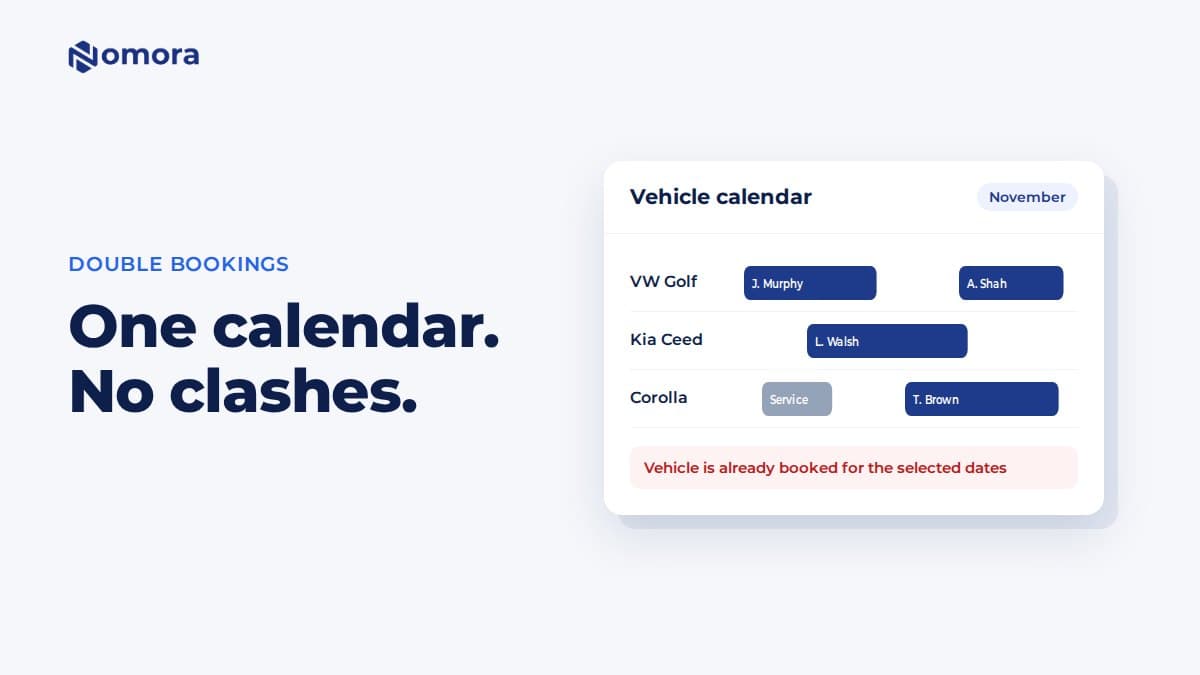
Pricing a car you cannot deliver is the most expensive mistake in this process. Check the fleet calendar for the whole rental period, including cleaning and maintenance buffers, before the quote leaves the building. If your vehicles are in a spreadsheet, this check depends on someone remembering to do it. In software, it should happen automatically, and the same system should stop the car from being double-booked once it is reserved.
3. Build the price from rules, not memory
A consistent quote comes from a rate structure: daily, weekly and monthly rates, seasonal adjustments, weekend minimums, one-way fees, extra-driver charges and deposits. When those rules live in the system, the quote is calculated, not improvised. If you are still shaping your rates, our guides on rental pricing strategy and vehicle rental pricing strategies cover how to set them.
4. Send a clear, itemized quote with an expiry
Show the customer what they will pay, line by line, and say how long the offer holds. A validity window (for example, 48 hours, or until a stated time for peak dates) protects you from holding a car indefinitely for someone who is shopping around, and it nudges the customer to decide.
5. Convert the accepted quote
When the customer says yes, the quote should become a reservation with one action. Dates, vehicle class, price and customer details carry over. Then the contract is generated from the same record, the deposit or payment is collected, and the vehicle is blocked on the calendar. Retyping at this stage is where errors creep in and where staff time disappears.
6. Follow up on the quotes that go quiet
Most quotes that do not convert are not rejected, they are simply left unanswered. A reminder a day or two after sending, and another shortly before expiry, recovers bookings at almost no cost.
What a rental quote must include
Beyond being good practice, clear quoting is a legal matter in some states, and consumer regulators watch rental pricing closely. In California, rental companies must give a total estimate of charges for the entire rental, including government taxes and fees, as soon as the customer provides the rental dates, location and vehicle class. The same law, effective January 1, 2026, also covers disclosure of mileage terms and the vehicle's fuel source before reservation. That rule applies to California rentals, but it is a useful template wherever you operate.
At the federal level, the FTC's consumer guidance tells renters to check that required taxes and other fees are included in a quote. Customers are told to look for exactly the gaps that sloppy quotes leave open, so a transparent quote is also your best defense against disputes at the counter.
A complete quote contains:
| Element | What to show |
|---|
| Rental period | Pickup and return date, time, location |
| Vehicle | Class or model, with a note on substitutions |
| Base rate | Daily, weekly or monthly rate and number of days |
| Mandatory charges | Taxes, airport or location fees, required surcharges |
| Optional extras | Additional drivers, equipment, insurance products, each priced separately |
| Mileage terms | Included allowance and per-mile charge beyond it |
| Fuel | Fuel type and refueling policy |
| Deposit | Amount, how it is held and when it is released |
| Total estimate | One clear figure for the whole rental |
| Validity | Date and time the quote expires |
Put the total where the customer sees it first, then the breakdown. Do not tuck mandatory charges into fine print; a low headline price that grows at pickup costs you repeat business.
How software checks availability and converts quotes
The heart of quote software is the link between three records: the quote, the fleet calendar and the contract. Here is what that link should do.
- Live availability. The tool reads the fleet calendar while the quote is built, so you never offer a car that is out, in service or already reserved.
- Soft hold on acceptance. When the customer accepts, the vehicle is blocked immediately to prevent a second booking.
- One-click conversion. The quote turns into a reservation, and the reservation into a contract, with all data carried across.
- Automatic contract generation. Terms, price and customer details are filled in from the record instead of typed.
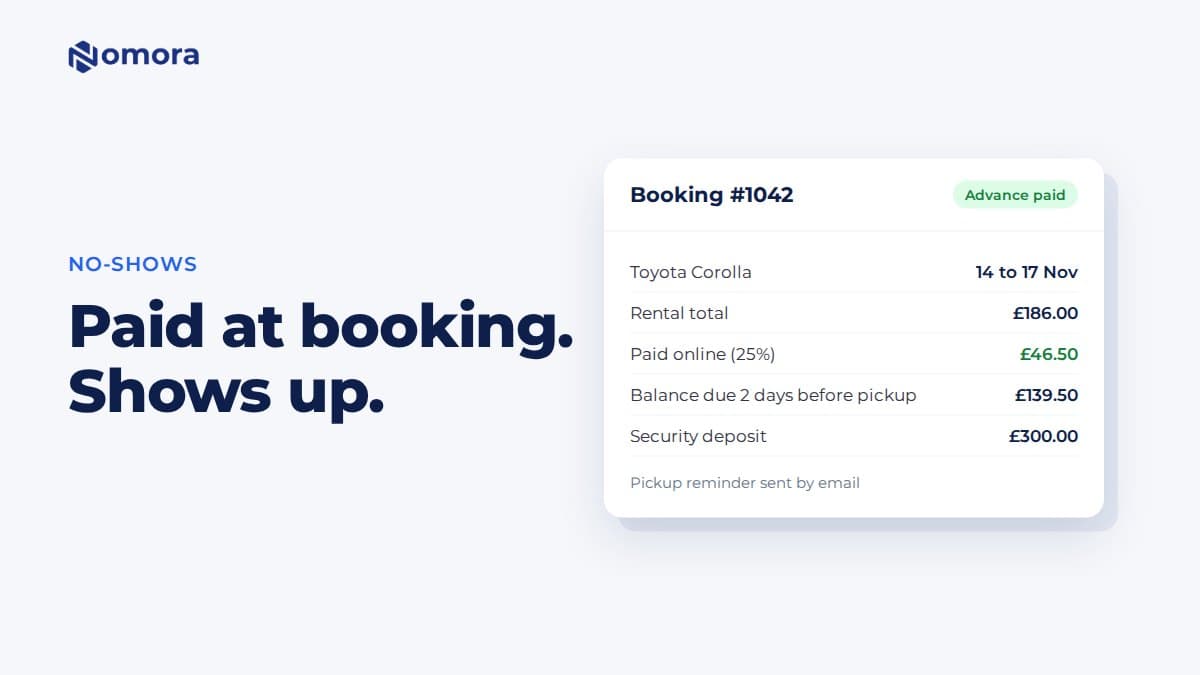
- Payment capture. A deposit or full payment can be collected as part of acceptance, which turns a soft yes into a firm commitment.
This is the territory where Nomora is built to help: reservations with conflict-free booking, fleet management, automated contract generation and integrated payments in one cloud platform. Because those pieces share one data set, a quote that becomes a booking does not have to be re-entered anywhere.
Features to look for in quote software
When you evaluate tools, whether they are dedicated quoting tools or part of a full rental platform, use this checklist.
- Rate rules and seasonal pricing. Can it handle your actual rate logic, not just a flat daily price?
- Availability check inside the quote. It should be impossible to quote a vehicle that is not free.
- Itemized, branded quotes. Customers should receive a clean document or link with your logo, a total and an expiry.
- Quote-to-reservation-to-contract conversion. Test this end to end during a demo.
- Digital acceptance and payment. The customer should be able to accept and pay from a phone.
- Status tracking and reminders. You need to see sent, viewed, accepted, expired and lost at a glance, with automated nudges.
- Customer records. Repeat renters and corporate accounts should be searchable, with past quotes attached.
- Integrations. Payment gateways, GPS tracking and your website booking form should connect without custom work.
- Reporting. At minimum, quote volume, conversion rate and revenue by vehicle class.
- Access from any device. Cloud software lets staff quote from the counter, the lot or the road.
If you are searching for the best rental quote software, resist the urge to pick the tool with the longest feature list. The best one is the tool whose quote, availability and contract steps match how your counter really works.
Comparing cost, setup time and integrations
Three numbers matter: what you pay each month, what it costs to get started, and how long until staff use it confidently.
Monthly cost. Rental software is usually priced either as a flat fee or per vehicle. Per-vehicle pricing scales with your fleet; flat pricing favors very small operations. Our car rental software cost guide walks through how to compare the two for small fleets, and the pricing page lists current plans.
Setup and migration. Ask how your existing fleet list, customer records and rate tables get imported, who does it, and how long it takes. Nomora states that businesses can be fully operational within 24 to 48 hours, which is worth testing in a trial against any alternative you consider.
Hidden extras. Check whether features are gated by plan, whether payment processing carries its own fees, and what support is included. Payment processing is billed separately at Nomora and has no published price, so you should ask for it during your demo.
Integration needs. List what your quote process touches: your website, a payment gateway, GPS devices, accounting. Each missing integration becomes manual work later.
Free tools. A spreadsheet or free tool can work for a handful of vehicles, but it will not check availability or protect you from double-booking. Our look at what free car rental software really costs explains where the trade-offs sit.
Using follow-up and reporting to lift conversion
Quote conversion, the share of quotes that become paid bookings, is the single most useful number in this process. Measure it, then improve it.
Speed of response
Customers often request quotes from several companies in the same hour. Replying within minutes, with a clear total, beats a better price delivered a day later. Automated acknowledgment and templates help a small team keep pace.
Structured follow-up
A simple cadence works:
- Same day: send the quote and confirm receipt.
- Day two: a short reminder that the quote is held until its expiry.
- Shortly before expiry: a final note, mentioning that availability for those dates is not guaranteed afterward.
Reports worth reviewing monthly
- Conversion rate by channel (web form, phone, email, corporate)
- Conversion rate by vehicle class and by season
- Average time from request to quote
- Reasons quotes were lost, if you record them
- Quotes sent for unavailable dates, a sign of demand you cannot serve
The last item is easy to miss. If you keep losing quotes for SUVs in July, that is a fleet decision, not a sales problem.
Security and data handling for quotes
A quote carries personal data: name, contact details, often a driver's license or company details. Treat it accordingly.
- Limit access by role. Counter staff need to quote; they may not need to see payment history or full license images.
- Keep data in one system. Quotes copied into email threads and spreadsheets multiply the places data can leak.
- Use payment gateways that handle card data. Your software should pass card details to a processor rather than store them in notes.
- Know your retention rules. Decide how long lost quotes are kept and delete them on schedule.
- Ask vendors about hosting and compliance. Nomora highlights GDPR compliance and cloud hosting, relevant if you serve renters from the EU; for U.S. operations, also check state privacy requirements that apply to your business.
Our perspective
We see the same pattern in small and mid-sized rental companies: the quote is where revenue is won or lost, yet it is the step most likely to live in a personal inbox. Operators tell us they are not short of demand; they are short of hours, and every quote retyped into a contract is an hour lost to avoidable work.
Our view is that quoting should not be a separate tool bolted on to the side. A quote is the first version of a reservation, so it belongs in the same system as your fleet calendar, your contracts and your payments. When it does, availability is checked once, the price is calculated from your rules, and the booking is created without another keystroke. That is why we build reservations, fleet management, contracts and payments into one platform, with every plan including all features.
If you remember one thing: speed with accuracy beats a clever price. Give customers a clear total fast, and make it easy to say yes.
— Dizzy
Where Nomora fits
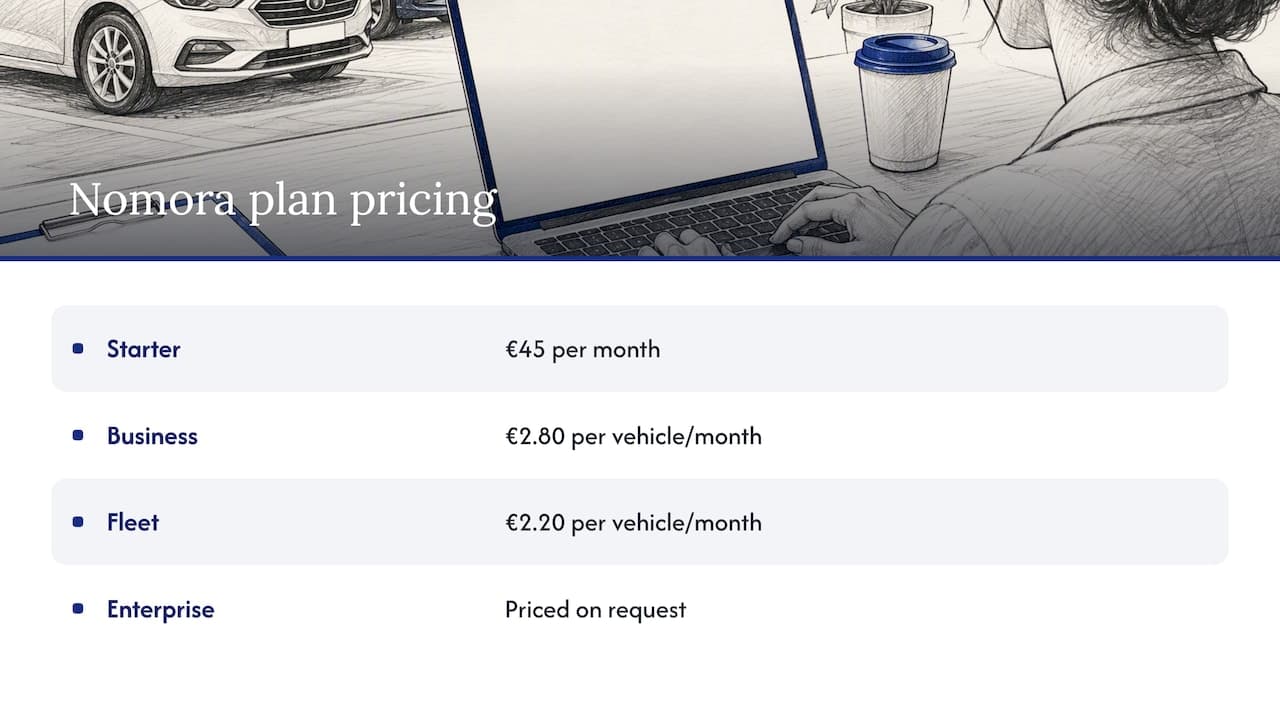
If you manage a fleet of any size and want quotes, bookings, contracts and payments in one place, take a look at Nomora's car rental software. Plans are published on the pricing page: Starter is €45 per month, Business is €2.80 per vehicle per month, and Fleet is €2.20 per vehicle per month. Enterprise is priced on request. To see how it works for your kind of operation, from luxury rentals to corporate fleets, browse the use cases by business type, or look at automated rental payments to see how deposits get collected.
FAQ
What is the difference between a rental quote and a reservation?
A quote is a priced offer that does not hold a vehicle unless you choose to hold it. A reservation commits a specific vehicle or class for specific dates, usually with a deposit or guarantee. In good software, an accepted quote converts directly into a reservation.
How long should a car rental quote stay valid?
Most operators use a short window, often one to three days, and shorter for peak dates when cars are in demand. The right length depends on your lead times and how quickly your fleet fills. Always print the expiry on the quote.
Do I need quote software, or is a spreadsheet enough?
For a very small fleet with few inquiries, a spreadsheet can work. Once you handle several quotes a day or several vehicles, the lack of live availability checks and automatic conversion leads to double bookings and slow replies. That is the point where software pays for itself.
What should I look for in the best rental quote software?
Prioritize a live availability check, rate rules that match your pricing, one-click conversion to reservation and contract, payment collection, and status tracking with reminders. Then check integrations, setup time and per-vehicle cost.
Sources
Recommended