Quick answer: Stop no-shows by making every booking cost something to abandon. Take part of the rental online when the customer books (20 to 30% is common, or the full amount for short rentals), state the security deposit and how it is returned before they pay, and send a reminder a day or two before pickup. A customer who has paid a share of the rental almost always turns up, or cancels early enough for you to rebook the car.
A no-show hurts a 10-car business more than a 300-car one. If one car out of ten sits on the drive for a long weekend because the customer never arrived, that is a tenth of your fleet earning nothing, and you probably turned someone else away for those dates.
The fix is not a stricter policy written in small print. It is a booking process where the customer commits money and gets reminded, so the ones who drop out tell you early.
Why customers don't show up
Most no-shows fall into three groups:
- Free bookings. Someone books with you and with two other firms, then picks one on the day. Nothing is lost by ignoring the other two.
- Forgotten bookings. A booking made six weeks ago for a Friday pickup slips their mind, or the flight changes and they never tell you.
- Unclear terms. The customer finds out at the counter that the deposit is £500 and their debit card can't cover it, so they walk.
Each one has a different fix, and you need all three.
1. Take part of the rental online at booking
An advance payment is the single biggest lever. It changes the booking from "I might come" to "I have paid for this".
How much to take:
- Short rentals (1 to 3 days): take the full rental. The amounts are small and the risk of a lost weekend is high.
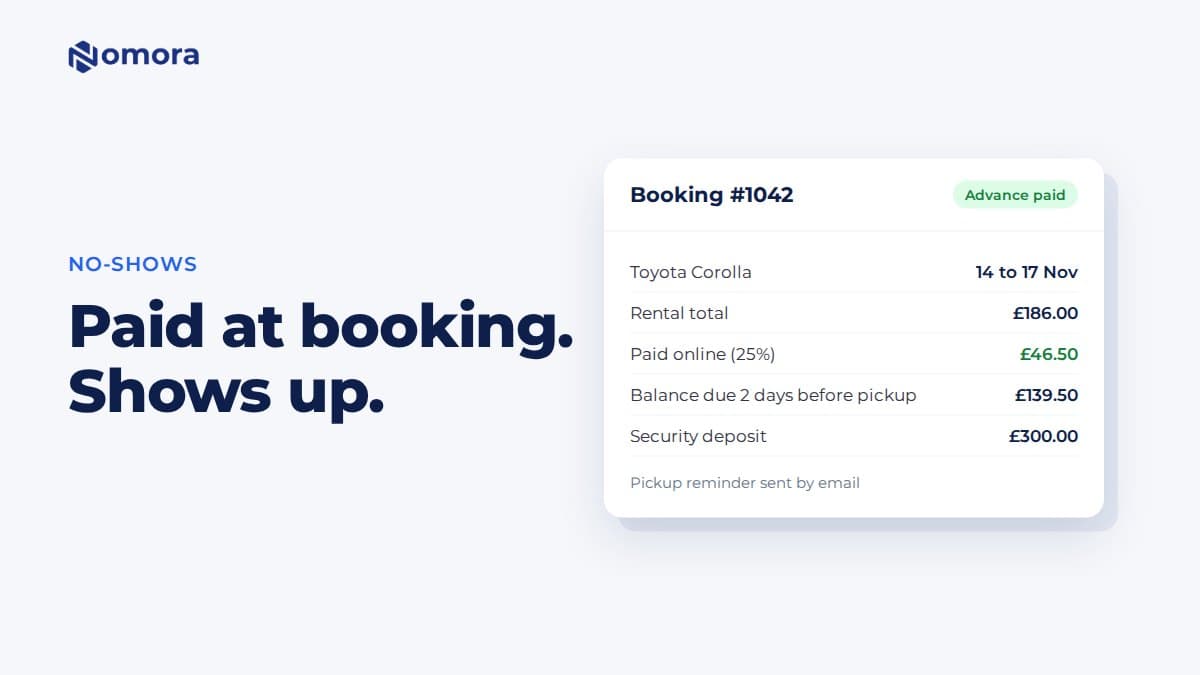
- Longer rentals: take 20 to 30% at booking and the balance before pickup.
- Bookings made close to pickup: take the full amount. If someone books on Thursday for Saturday, there is no time to chase a balance.
Make the online payment part of the booking itself, not a step you chase afterwards. If the customer has to wait for you to email a bank transfer reference, some of them will book elsewhere in the meantime.
In Nomora, you set the advance per vehicle class as a percentage or a fixed amount. You can also set a cut-off so that bookings made close to pickup pay in full, and a deadline for the remaining balance. Customers pay by card through your own Stripe account, in GBP, EUR or AUD. NZD checkout isn't supported yet, so New Zealand operators can record bank transfers and cash against the booking instead.
2. Be clear about the security deposit
The deposit protects you against damage, fuel and fines. It also causes a lot of no-shows when the customer only learns the amount at pickup.
Put three things on the booking page and in the confirmation:
- The amount for that vehicle class.
- How you take it: as a card payment, cash, or bank transfer.
- When it comes back: for example "refunded within 7 days of return, minus any agreed charges".
There are two ways to take a card deposit. A pre-authorisation (a hold) blocks the money without taking it, and the bank releases it later. A charge takes the money, and you refund it after the rental. Nomora takes the deposit as a payment, together with the first online payment if you turn that on, and you refund it to the card from the booking after return. Cash and bank transfer deposits are recorded on the booking, and you record the refund when you pay them back.
Whichever you choose, say it plainly. "£300 deposit, charged with your first payment and refunded within 7 days of return" removes the surprise at the counter.
3. Send reminders before pickup
Reminders catch the forgotten bookings. A short message a day or two before pickup does two jobs: it reminds the customer, and it gives them an easy moment to tell you plans have changed.
A good reminder includes:
- pickup date, time and address
- the car or vehicle class
- the balance still due, with a payment link
- what to bring (licence, card in the driver's name, proof of address if you ask for it)
- a phone number to call if plans change
Nomora sends an automatic pickup email a set number of days before the rental, and pickup reminder texts if you have the SMS add-on. It can also email a reminder about the remaining balance to customers who have paid part of the rental. Each booking can have a customer link where the customer sees the booking, fills in their details, accepts your terms and pays. You can send that link by email or SMS.
4. Write a cancellation policy you will actually apply
A policy only works if the customer sees it before paying and you stick to it. Keep it short:
- Free cancellation up to a set point, for example 48 hours before pickup.
- Inside that window, the advance payment is kept.
- No-show, the advance payment is kept and the car is released after a set time, for example two hours after the pickup time.
Ask customers to accept your terms in the booking form. Nomora saves the acceptance with a timestamp, which helps if someone later says they never saw the policy. Nomora doesn't apply cancellation fees automatically. You decide what to keep, and you record a refund only when you choose to.
5. Record why bookings are cancelled
After a few months you want to know whether no-shows come from one source, one vehicle class or one time of year. Pick a reason every time you cancel a booking: customer no-show, changed plans, found cheaper, flight cancelled. Nomora lets you set your own cancellation reasons and filter cancelled bookings by them.
If most no-shows come from bookings taken by phone without payment, start sending those customers a payment link at the end of the call.
A simple setup for a 5 to 30 car fleet
If you are starting from a spreadsheet, this is enough:
- Take 25% online at booking, or 100% inside 7 days of pickup.
- Show the deposit amount and refund timing on the booking page.
- Send an automatic reminder two days before pickup with the balance link.
- Free cancellation up to 48 hours before pickup, advance kept after that.
- Pick a cancellation reason every time.
You will still get the odd no-show. The difference is that it now costs the customer, not you.
For the payment side in more detail, see automated payment collection for car rental.
Frequently asked questions
How much should a car rental company take as a prepayment?
For rentals of one to three days, taking the full amount at booking works well. For longer rentals, 20 to 30% at booking with the balance due before pickup is common. Bookings made close to pickup should pay in full, because there is no time to chase a balance.
Is a pre-authorisation better than charging the deposit?
A pre-authorisation blocks the money without taking it, and the bank releases it later, so the customer sees no charge. A charged deposit takes the money and you refund it after return. Both work if the customer knows in advance. Nomora takes card deposits as a payment and you refund them from the booking after return.
Can I keep the deposit if a customer doesn't show up?
The security deposit is meant for damage, fuel and fines, so most operators keep the advance rental payment for a no-show instead. Write that in your terms, show it before the customer pays, and ask them to accept the terms in the booking form.
Does Nomora work for rental companies in Australia and New Zealand?
Yes for bookings, contracts, inspections and reminders. Online card payments run through Stripe in GBP, EUR and AUD. NZD checkout isn't supported yet, so New Zealand operators record bank transfers and cash against the booking.
Automatic pickup reminder emails are included. Pickup reminder text messages need Nomora's SMS add-on.
Set this up on your own fleet
Book a free 30-minute setup call. Send your vehicle list in any format, and your fleet, bookings and contract template are live in Nomora within 48 hours. Or start a 14-day free trial on your own. No card needed.