Quick answer: Nomora connects to Stripe under Settings → Payments → Stripe Connect. You create a Stripe payment account from Nomora or connect one you already have, finish Stripe's onboarding, and turn on Enable Stripe Payments. Customers then pay by card from their booking link, your Guest Book or the booking widget on your website. The money goes to your Stripe account, each payment is added to the booking, and a card deposit goes back to the card with Return.
Most small rental firms start with bank transfers and a card terminal. It works until the business grows past the owner's phone. Then payments arrive with no reference, deposits are returned from memory, and nobody is sure which customer still owes the balance.
Online payments through Stripe fix the matching problem. Every payment belongs to a booking from the moment it is made.
What the integration does
- Payments into your own Stripe account. Nomora uses Stripe Connect, so the account and the payouts are yours.
- Customers pay from the booking. Each booking can have a customer link where the customer checks the booking, fills in their details, accepts your terms and pays. The same checkout runs on your Guest Book and the website booking widget.
- Advance payments by class. Take a percentage or a fixed amount at booking, set per vehicle class, and the full amount for bookings made close to pickup.
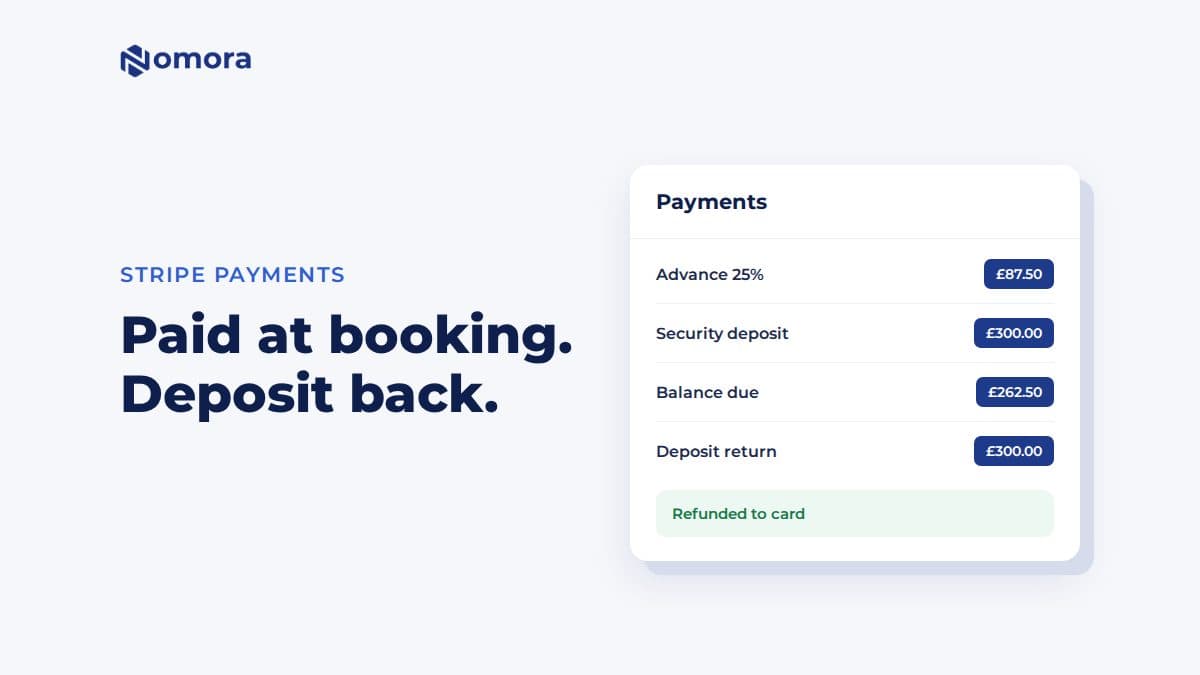
- Deposits in the first payment. With Collect security deposit upfront on, the deposit is taken together with the first online payment. It is a payment, not a hold on the card.
- Deposits back to the card. After return, settle any agreed charges from the deposit, then click Return on the deposit row and Refund to card. Nomora sends the refund through Stripe and records it once.
- Balance reminders. If the customer has paid part of the rental, Send reminder emails them a link to pay the balance.
- Refunds from the Stripe Dashboard are recorded. A refund you make in Stripe shows up on the booking. On a payment that included rent and deposit, it comes out of the deposit first.
How to connect Stripe
- Open Settings → Payments.
- Under Stripe Connect, choose your business country and click Create Stripe payment account, or connect an existing Stripe account.
- Finish Stripe's onboarding: business details, bank account, identity.
- Back in Nomora, turn on Enable Stripe Payments and save. Check that charges are enabled.
- Set the advance payment and deposit for each vehicle class.
- Send yourself a customer link and pay a small booking to see the whole flow.
Choose the business country carefully. It cannot be changed later through Nomora. New accounts created through Nomora can be in the UK, the US, Switzerland, or these eurozone countries: Austria, Belgium, Estonia, Finland, France, Germany, Ireland, Italy, Latvia, Lithuania, the Netherlands, Portugal and Spain.
Things to know
- Deposits are charged, not pre-authorised. The customer sees the deposit leave their account and come back after the rental. Say so on the booking page, so nobody is surprised at the counter.
- Recording is not charging. Add Payment on the booking records money you already received, such as cash or a terminal payment. It does not charge a card.
- One-off charges. For a damage, fuel or cleaning cost, add it to the booking's pricing first. It then becomes part of the balance the customer pays.
- Automatic card billing for monthly open-ended rentals is turned on per organization. Ask if you need it.
- Baltic operators who want bank payments in euros can use Montonio instead.
For the full payment setup, see automated payment collection for car rental and how to stop no-shows with deposits and online payment.
Get it set up
Book a free 30-minute setup call and send your vehicle list in any format. Your fleet, prices and contract template go live in Nomora within 48 hours, and the connection gets set up on the same call. If you would rather click through it yourself, start a 14-day free trial. No card needed.
Frequently asked questions
Does the money go to my own Stripe account?
Yes. Nomora uses Stripe Connect with your own Stripe account, created from Nomora or connected from an account you already have. Payouts go to your bank from Stripe.
Can Nomora hold a deposit on the card instead of charging it?
No. Nomora takes the deposit as a payment and you refund it to the card from the booking after return, with Return and Refund to card.
Which countries can create a Stripe account through Nomora?
The UK, the US, Switzerland, Austria, Belgium, Estonia, Finland, France, Germany, Ireland, Italy, Latvia, Lithuania, the Netherlands, Portugal and Spain. The business country cannot be changed later through Nomora.
If I refund in the Stripe Dashboard, does Nomora know?
Yes. Refunds made in the Stripe Dashboard are recorded on the booking automatically. When Nomora cannot tell how to record one, it leaves it for you to record.
Set this up on your own fleet
Book a free 30-minute setup call. Send your vehicle list in any format, and your fleet, bookings and contract template are live in Nomora within 48 hours. Or start a 14-day free trial on your own. No card needed.