What a Xero Integration for Rentals Actually Does
A rental platform can push data to Xero in two different ways, and the distinction matters more than most buyers realize. A one-way push sends invoices or contacts into Xero but never pulls anything back, which means a payment recorded in Xero has to be manually matched to the rental record. Two-way sync, by contrast, lets a change in either system update the other automatically, closing that gap and cutting the manual reconciliation work that eats up month-end.
A properly built Xero integration typically handles:
- Contacts (renters, owners, vendors)
- Invoices and bills
- Credit notes and refunds
- Payments and payment allocations
- Tax rates, and tax codes
- Tracking categories for property or asset-level reporting
Sync frequency varies by vendor. Some platforms sync frequently on a schedule; others rely on a manual trigger you run after each billing cycle. Either model works, but scheduled sync is the safer default for high-volume operators who can't afford a stale ledger.
Business Benefits for Rental Owners and Property Managers
The immediate payoff of connecting rental software to Xero rental management workflows is fewer hands touching the same invoice. Every manual re-entry is a chance for a typo, a missed tax code, or a duplicate charge, and eliminating that step tends to shorten month-end close by days, not hours, for operators running dozens of active leases.
Xero's own tracking categories let you report income and expenses by property or asset without building a separate ledger account for every unit or vehicle in the fleet. That single feature solves a headache that used to require spreadsheet gymnastics: comparing performance across a 40-vehicle fleet or a 15-unit portfolio inside one clean report.
Pro Tip: Set up tracking categories before you connect anything. Retrofitting them after months of unmapped transactions means going back and reclassifying every historical entry by hand.
Automated invoicing tied to lease terms also tightens cash flow. When an invoice generates itself the moment a lease period starts, and a payment link goes out with it, arrears drop because renters get billed the same day, every time, with no gap for a manual invoice run to slip.
Exactly What Data Syncs and How Two-Way Sync Works
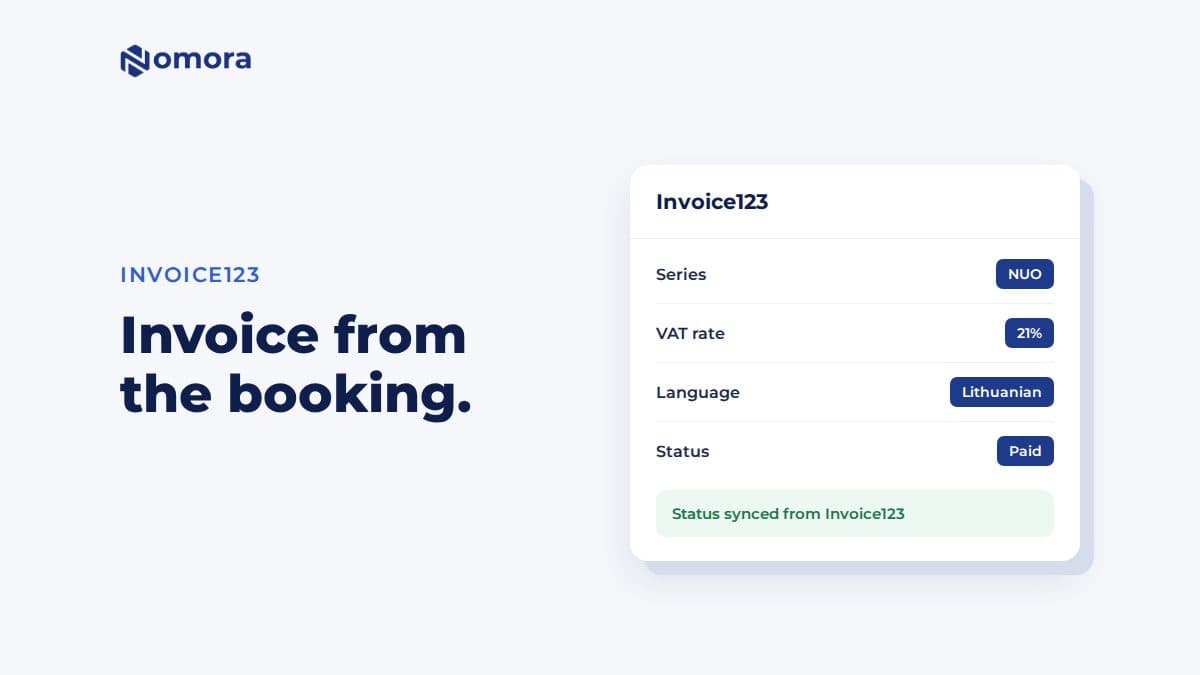
Field-level mapping is where most integrations either save you time or quietly create a mess. A contact synced from your rental platform needs to match a contact in Xero, not create a duplicate every time a name is spelled slightly differently. Invoice line items need to map to the correct Xero account code, whether that's rental income, late fees, or damage recovery. Tax codes need to align with how Xero itself categorizes the transaction, and payments need to reconcile against the exact invoice they settle.
The practical division looks like this:
- Rental software generates the lease-driven document (invoice, credit note, work order).
- Xero receives it, applies the mapped account code and tax rate, and becomes the system of record for the chart of accounts.
- Payments recorded in either system sync back, closing the loop.
- Sync logs flag mismatches, like a tax code that doesn't exist in Xero or a contact that failed to match.
A true two-way integration keeps both ledgers aligned in near real time. A one-way push leaves you running a manual reconciliation procedure on a schedule, which works fine until someone forgets to run it.
Sales Tax, Leasing Taxes, and Tax Engines in Rental Workflows
Sales and use tax on rentals gets complicated fast once you operate across more than one state or jurisdiction. Vehicle and equipment rentals often carry different tax treatment than a standard retail sale, and rates change by city, county, and sometimes by rental duration. Manually maintaining rate tables for every jurisdiction you touch is a losing game once you cross a handful of locations.
This is where a dedicated tax engine earns its cost. Avalara covers a large number of tax rules across thousands of U.S. sales and use tax jurisdictions, applying real-time rate updates so nobody on your team has to track a rate change in a county you barely operate in. Vertex takes a similar approach but with a sharper focus on leasing: Vertex's O Series for Leasing maintains rule libraries built specifically for lease and rental transactions, which simplifies audits when tax logic sits inside the billing system rather than bolted on afterward.
You probably don't need a tax engine on day one. Consider adding one when you:
- Operate rental locations in more than two or three states
- Handle vehicle or equipment categories with unusual tax treatment
- Have been flagged, or want to avoid being flagged, in a sales tax audit
Below that threshold, Xero's built-in tax rates paired with careful mapping usually get the job done.
Step-by-Step Setup Checklist and Mapping Best Practices
Connecting rental software to Xero rentals goes smoothly when you follow the same order every time:
- Authorize the app inside Xero, select the correct organization, and grant the requested scopes.
- Map each charge type (rent, deposit, late fee, damage charge) to its corresponding Xero account.
- Assign tax codes to every charge type and set tracking categories by property or vehicle.
- Import existing contacts and opening balances if you're migrating from spreadsheets.
- Run an initial sync, then process one full test cycle: invoice generated, pushed to Xero, payment applied, and confirmed in the sync log.
- Review the log for errors before switching over live billing.
Pro Tip: Watch for three warning signs before going live: duplicated contacts (usually a name-matching issue), invoices missing a tax code, and account types that don't match between systems. Fix the tax code issue first, since it's the one that creates compliance headaches later.
Why Nomora Fits the Integration Job
Nomora runs the operational side of a rental business, reservations, fleet management with GPS tracking, contract generation, and payment processing, while staying built to hand off the accounting work cleanly. That's the division-of-responsibility model at work: rental logic stays where it belongs, and Xero remains the source of truth for the ledger.
What that looks like day to day:
- Reservations and contracts generate the billing events that flow into your connected accounting workflow.
- Payment gateways integrated into Nomora handle collection without a separate manual entry step.
- Mapping controls, similar to what's outlined in the car rental software integrations guide, keep account codes and tax settings consistent.
- Additional automation, including Zapier-based workflows, extends what syncs beyond the basics.
Onboarding typically takes 24 to 48 hours, a fast enough turnaround that a small operator can be running live bookings before the week is out. For a deeper look at what Nomora supports across the fleet, the integrations guide covers the rest.
How Rental Income and Expenses Get Categorized in Xero
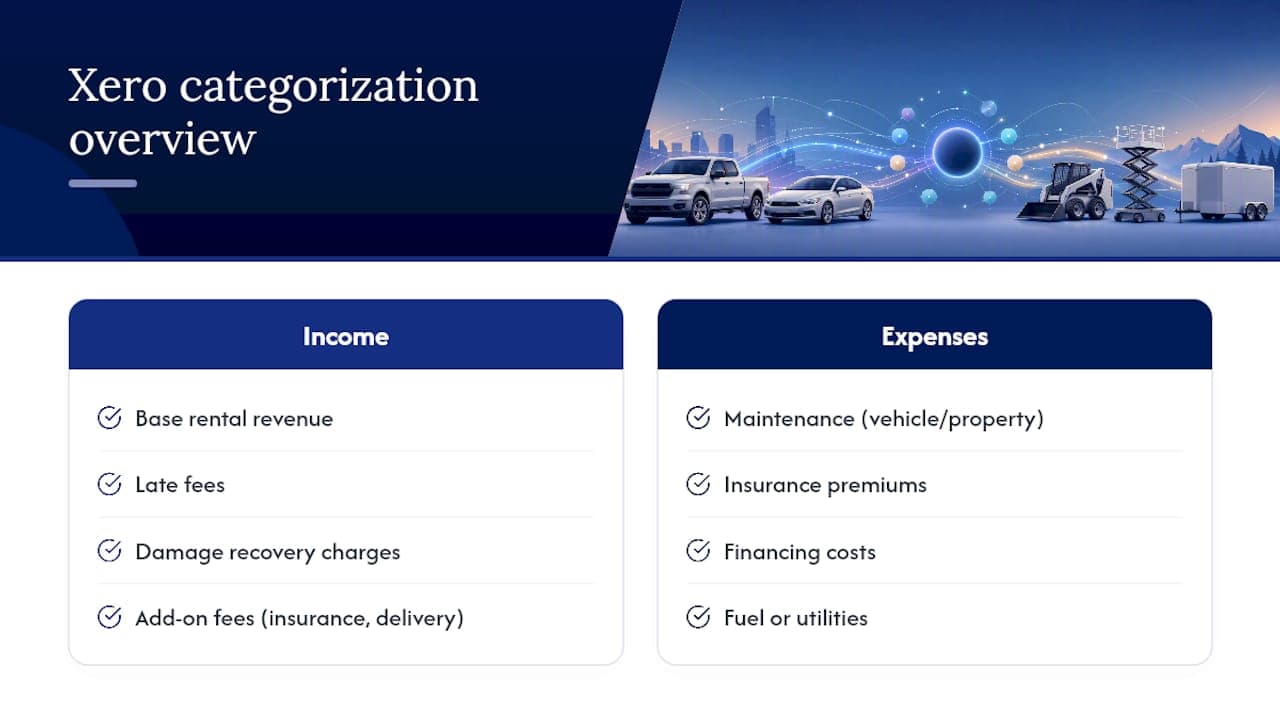
Once the integration is live, every transaction needs a home in your chart of accounts, and getting this categorization right up front saves you from a messy year-end cleanup. Rental income typically splits into a few clean buckets: base rental revenue, late fees, damage recovery charges, and add-on fees like insurance or delivery. Each of these should map to its own Xero account rather than dumping everything into a single "rental income" line, because that single line makes it impossible to see which revenue stream is actually driving your margin.
Expenses follow a similar logic. Vehicle or property maintenance, insurance premiums, financing costs, and fuel or utilities each need their own account code so your profit and loss statement actually tells you something useful. Xero's tracking categories then let you slice all of that by individual property or vehicle, so you can see that Unit 4 or Vehicle 22 is costing more in maintenance than it earns in rental income, something a single combined ledger would hide completely.
The integration's job is to apply this categorization automatically at the point the invoice or bill gets created, based on the mapping rules you set during setup. That means a late fee charged inside your rental platform lands in the correct Xero account without anyone touching a dropdown menu. Get the initial mapping wrong, though, and every transaction that follows inherits the same error, which is why testing a full billing cycle before going live matters more than it sounds.
Best Practices for Deposits, Bond Payments, and Refunds
Security deposits and bond payments need different accounting treatment than rental income, and integrations sometimes fumble this distinction if you don't set it up carefully. A deposit isn't revenue when it's collected. It's a liability, since you owe that money back (in whole or in part) once the lease or rental period ends. Mapping a deposit to a liability account in Xero rather than an income account keeps your books accurate and avoids overstating revenue in the period the deposit came in.
When a rental ends and you return part or all of a deposit, that transaction should flow through as a reduction of the liability, not as an expense. If you're withholding part of the deposit for damage, that portion typically moves into a damage recovery income account, while the returned portion clears the liability. Getting this two-step treatment right means your integration needs to support splitting a single deposit transaction into multiple destination accounts, something worth confirming before you commit to a platform.
Refund timing also deserves attention. A refund issued through the same payment gateway you used to collect the deposit usually syncs back into Xero as a credit note or a direct reduction against the original invoice. If your rental software and Xero don't communicate that refund in real time, you risk showing a deposit as outstanding long after the customer has been repaid, which throws off your cash position exactly when you're trying to trust it most.
Popular Rental Software Options That Connect to Xero
Several platforms in the rental software space maintain documented Xero connections, each aimed at a slightly different operator. Property-focused platforms like Re-Leased build specifically around lease administration, with sync behavior tuned for landlords and property managers running recurring rent rolls. Equipment and event rental platforms, including tools like Booqable and EZRentOut, lean into inventory tracking alongside the accounting sync, useful if your rental stock is physical gear rather than real estate or vehicles.
The common thread across nearly all of these tools is the same core sync: invoices, contacts, payments, and tax codes moving between systems, with setup steps that mirror the checklist covered earlier in this article. Where they differ is depth. Some stop at basic invoice push. Others handle credit notes, multi-currency, and tracking category assignment automatically during setup rather than requiring manual configuration after the fact.
For vehicle rental operators specifically, the calculation shifts. Fleet-specific needs, GPS tracking, contract generation tied to a specific vehicle, and payment processing built around reservation cycles, aren't something a general-purpose rental tool always handles well, even when its Xero connection is solid. That's the gap a platform built around vehicle and fleet operations is meant to close, and it's worth weighing fleet-specific functionality just as heavily as sync quality when comparing options.
Which Rental Software Stands Out for Xero Integration
For small to mid-size vehicle rental operators, the strongest fit combines the operational depth to run a fleet with an accounting connection that doesn't require a workaround. Nomora was built around that exact pairing: reservations, fleet management with GPS tracking, automated contract generation, and integrated payments running the operational side, with account and tax mapping designed to hand billing data cleanly to Xero.
The reason this combination matters more than a generic rental tool with a basic Xero plugin comes down to what happens after the invoice syncs. A platform built for general rentals might push an invoice into Xero just fine, but it won't tell you which vehicle in your fleet is generating the damage claims, or automatically generate a new contract the moment a reservation converts to a rental. Nomora's fleet-specific logic, conflict-free booking, real-time fleet visibility, and contract automation, feeds directly into the billing events that then flow to Xero, so the accounting side reflects what actually happened on the lot, not a manually reconstructed version of it.
Setup is designed to be efficient to help operators start running invoices without a lengthy transition period. Cloud access, data protection measures, and flexible pricing options support operators seeking an integrated accounting connection, without a separate software project.
Automation Beyond Basic Syncing
Sync is the floor, not the ceiling. Once contacts, invoices, and payments move automatically between your rental platform and Xero, the more interesting automation happens on the operational side, the parts that save actual staff hours rather than just bookkeeping time.
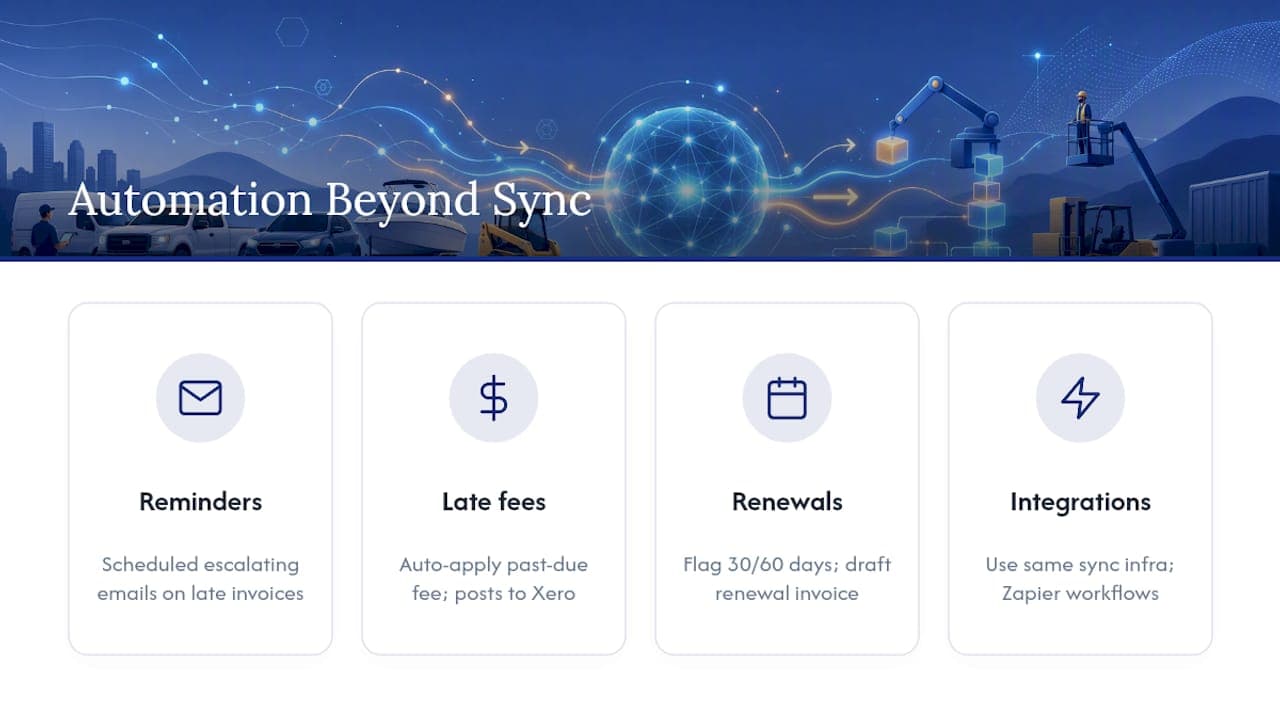
Automated payment reminders are the most immediately useful example. Instead of someone manually checking which invoices are overdue and sending a follow-up email, the system flags a lease payment as late and fires off a reminder on a set schedule, escalating in tone if it goes unanswered. Late fee application can follow the same logic: once a payment crosses a defined threshold past due, the fee applies automatically and generates as a new line item that flows into Xero through the same mapped account you'd use for any other charge type.
Lease and rental renewal tracking closes another gap that spreadsheets handle badly. A system that flags an upcoming lease expiration 30 or 60 days out, and automatically drafts a renewal contract or extension invoice, removes the scramble that happens when a renewal date gets missed and a vehicle or unit sits in limbo between contracts.
None of this requires a separate tool bolted onto your existing stack. The platforms built for this, including Zapier-connected workflows tied into rental operations, extend the same sync infrastructure that already moves your invoices and payments, just pointed at a broader set of triggers than basic accounting sync alone would cover.
Author Perspective: What Actually Works for Small Operators
Skip the temptation to bolt on every integration at once. Start with the core sync, contacts, invoices, payments, tax codes, prove it holds up through a full billing cycle, then decide whether a tax engine is worth the added cost. Most operators overestimate how much complexity they need on day one and underestimate how much mapping discipline matters six months in, once contact duplicates and mismatched tax codes have quietly piled up.
— Dizzy
If you've been weighing rental software options against how well each one plays with Xero, Nomora gives you the operational half of that equation without asking you to piece together separate tools for fleet management, contracts, and payments. It replaces the spreadsheets and disconnected apps that most small and mid-size operators are still running, and it's built to hand off billing data cleanly once your accounting mapping is in place.

Setup runs 24 to 48 hours, so you're not stuck in a lengthy implementation before you see reservations, contracts, and payments running through one system. Explore how Nomora fits your specific type of rental operation, or get a full look at the platform on the Nomora car rental software page and request a demo to see the setup process firsthand.
Primary Sources and Documentation
Sources
FAQ
What Is the Best Accounting Software for Rental Properties?
Xero is one of the most widely integrated accounting platforms for rental businesses because of its open API and large ecosystem of rental software connections, though the right choice depends on whether your rental operations software syncs cleanly with it.
Dozens of rental, property management, and fleet platforms connect to Xero through its App Store, including operations-focused tools like Nomora that handle reservations, fleet management, and contracts while syncing billing data into Xero.
Who Is Xero's Biggest Competitor?
Xero competes primarily with QuickBooks Online in the small business accounting space, though the two differ in ecosystem size and regional strength rather than core functionality.
What Are the Downsides of Using Xero?
Xero relies on connected apps for industry-specific functions like fleet management or lease administration, so rental businesses still need a dedicated operations platform, and integration quality varies significantly between vendors.
Does Xero Support Two-Way Sync with Rental Software?
Many rental platforms offer two-way sync with Xero, meaning updates in either system, like a payment or a new invoice, reflect automatically in the other rather than requiring a one-way manual push.
Recommended