Every rental account handling bookings, payments, or guest data should run two-factor authentication, no exceptions. Prefer app-based TOTP, push notifications, or passkeys over SMS whenever a platform supports them. The one move to make today: enable 2FA on your property management system, payment provider, and booking portals, then set an admin policy that requires it for every staff login.
TL;DR:
- Enabling stronger second-factor methods like authenticator apps, push notifications, or passkeys significantly reduces the risk of unauthorized access from stolen passwords or SIM-swap attacks.
- Always require 2FA for staff with payout, admin, or fleet management access, and reserve SMS or email as a fallback for guest verification only.
- Implement clear policies for onboarding, offboarding, and recovery, including secure storage of backup codes and secondary devices, to prevent account lockouts or social engineering.
- Limit staff permissions based on role to minimize damage in case of a breach, and regularly review access lists and audit admin actions for operational security.
- Expect an initial adjustment period of around two weeks, after which 2FA becomes a seamless part of daily operations and enhances fraud prevention efficiency.
Table of Contents
What Happens During a Two-Factor Rental Login?
Two-factor authentication adds a second proof of identity beyond a password. A guest or staff member enters credentials, then confirms a one-time code, push approval, or biometric prompt tied to a device only they control. Industry references describe this second layer as protection specifically for booking systems and guest data, since a rental account often holds payment details, ID scans, and reservation histories in one place.
Rental platforms typically trigger this second check at a few key moments:
- Initial login from a new device or browser
- Changes to payout or bank account details
- Password resets or email address changes
- High-value bookings or fleet-wide administrative actions
The mechanism matters because passwords alone fail constantly. A leaked or reused password only gets an attacker halfway in. Without a second factor, that's enough to drain a payout account or lock a manager out of their own fleet dashboard. With 2FA in place, a stolen password becomes far less useful on its own.
Which Second-Factor Method Should You Use?
Not all second factors carry equal weight. SMS codes are the most familiar option, but they're also the weakest, since attackers can intercept texts or hijack a phone number through a SIM swap, as explained in Unlocking the power of virtual phone numbers. Security teams increasingly steer users toward app-based codes or hardware-backed methods instead, and Cisco Duo's guidance on phishing-resistant authentication explains why TOTP and passkeys hold up better under real attack conditions than a text message ever will.
Here's how the common options stack up for rental use:
- SMS codes: Easy for guests, but vulnerable to SIM-swap fraud and carrier-level interception.
- Authenticator apps (TOTP): Strong security, works offline, ideal for staff and admin accounts.
- Push notifications: One-tap approval, fast for staff who log in from the same device repeatedly.
- Passkeys: Phishing-resistant by design, increasingly supported across booking and payment platforms.
- Email codes: Convenient fallback, but only as strong as the inbox securing it.
Pro Tip: Match the method to the role. Require authenticator apps or passkeys for anyone who touches payouts or fleet settings, and reserve SMS or email as a guest-facing fallback rather than your default for staff.
Twilio Verify's documentation covers all of these channels and notes that SMS still has a place for low-risk, high-volume guest verification, even as TOTP and push take over for anything touching money or admin controls.
How Do You Enable 2FA on Rental Accounts?
Enrollment follows roughly the same pattern across booking platforms, payment processors, and property management systems, even though menu labels differ. Rental help centers, including Booqable's 2FA setup guide, walk through a version of this flow:
- Open account or security settings and find the two-factor authentication section.
- Choose a method: authenticator app, SMS, push, or passkey, depending on what the platform offers.
- Scan the QR code with an authenticator app, or enter a phone number for SMS delivery.
- Enter the verification code generated to confirm the setup worked.
- Save the backup codes somewhere secure, such as a password manager or a locked physical file.
- Repeat the process for every connected system, including your payment gateway and any integrated software that touches guest or financial data.
Rolling this out across a team takes more than flipping a switch on your own account. Send a short heads-up email a few days before enforcement begins, explain which systems are affected, and give staff a fixed date by which enrollment must be complete. Keep the message specific: name the systems, the deadline, and where to get help if someone gets stuck mid-setup.
On the admin side, look for a handful of settings worth toggling immediately: force 2FA for all users rather than making it optional, require a secondary phone number on file for account recovery, and set a reasonable "remember this device" window so staff aren't re-verifying every single shift. A reasonable "remember this device" window balances convenience against the risk of a stolen laptop staying trusted indefinitely.
How Do You Enforce 2FA Across a Rental Team?
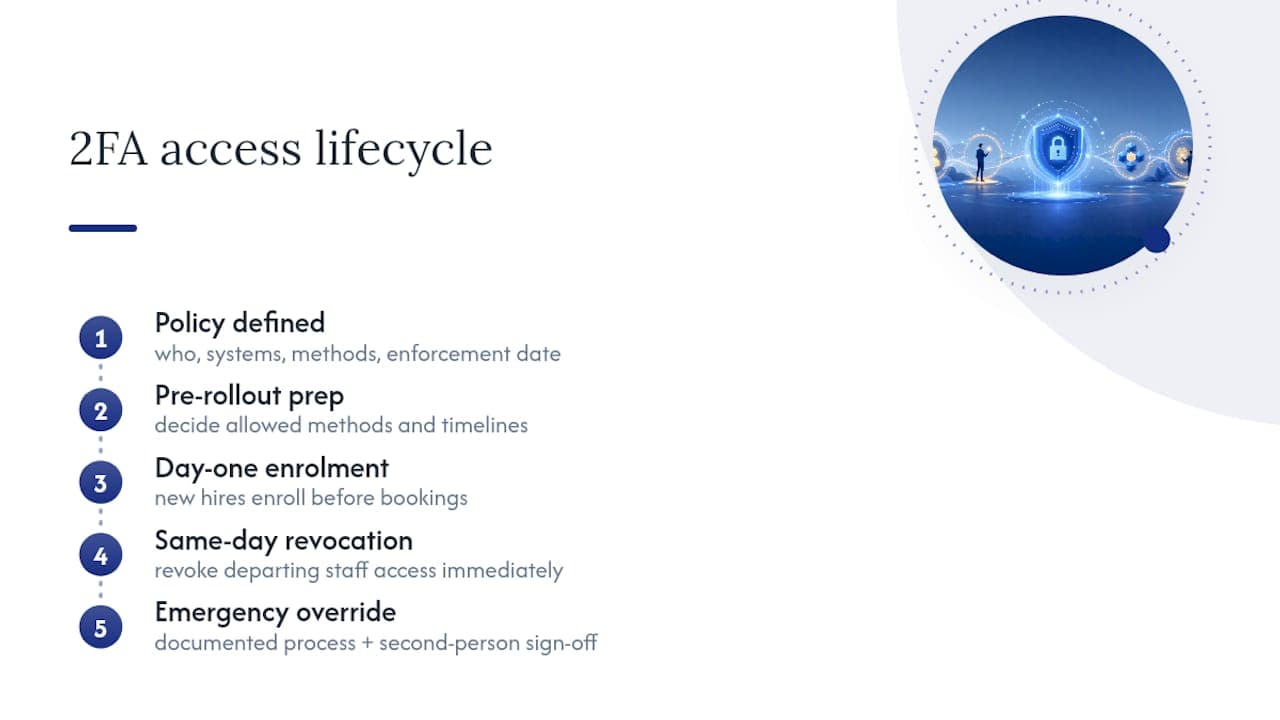
A policy only works if it's specific enough to enforce without guesswork. Before rolling anything out fleet-wide, decide in writing who must comply, which systems are included, the allowed methods (e.g., authenticator apps or passkeys for admin roles and SMS as a guest-facing fallback), and set a firm enforcement date allowing reasonable time before locking anyone out.
Onboarding and offboarding deserve the same rigor. New hires should enroll in 2FA on day one, before they touch a single booking. Departing staff need their access revoked the same day they leave, not at the end of a pay cycle, since orphaned accounts are one of the quieter ways rental operations get exploited months after someone's gone. For emergency access, build a documented override process that requires a second person's sign-off, so no single employee can talk their way past security through a phone call alone.
What Happens If a Manager Loses Their Phone?
Recovery planning matters as much as setup. According to Twilio's guidance on account recovery, backup codes and secondary devices reduce lockout risk without forcing teams into insecure reset shortcuts.
- Generate backup codes at enrollment and store them in a password manager or a locked drawer, never in an unencrypted note.
- Register a secondary phone or device ahead of time so a lost primary device isn't a dead end.
- Route reset requests through a documented admin process that checks employment status and ID before restoring access.
Skipping that third step is how social engineering slips through. A reset request should never be honored on a phone call alone.
What Security Practices Cut Rental Fraud Fastest?
A few habits do most of the work. Favor app-based TOTP, push, or passkeys over SMS for anyone with admin or payout access, and watch for SIM-swap warning signs like a sudden loss of cell service right before a login attempt.
For high-value pickups, vehicle handoffs, or equipment rentals, pair 2FA with identity verification. CLEAR's rental industry tools use reusable, selfie-based verification to confirm a renter's identity in seconds at pickup, cutting both fraud and wait time. Findigs takes a similar approach for document-heavy rentals, cross-checking IDs and credentials against issuing sources to catch synthetic identities before approval.
Pro Tip: Give every staff account the minimum access it actually needs. A front-desk login doesn't need payout permissions, and limiting that scope shrinks what a compromised account can do even after a breach.
Round it out with basic operational hygiene: log every admin action, review access lists quarterly, and remove permissions the moment a role changes. For deeper tactics on catching fraud before it hits your books, rental fraud prevention strategies cover the patterns worth watching for.
What Rolling Out 2FA Across a Rental Fleet Actually Teaches You
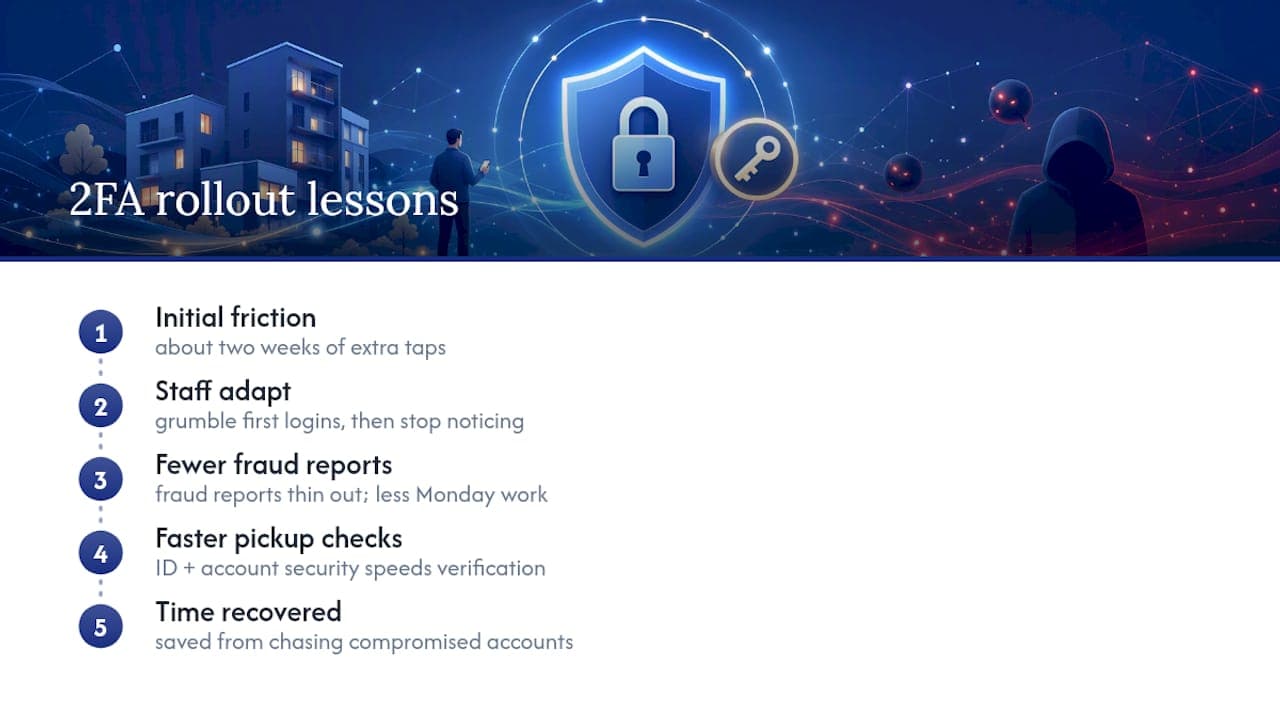
The friction is real for about two weeks, then it disappears. Staff grumble about the extra tap on their first few logins, then stop noticing it entirely, while the fraud reports that used to eat up a Monday morning start thinning out. The bigger shift shows up at pickup, where identity checks paired with account security let front-desk staff verify a renter faster than the old paper-and-photocopy routine ever did.
What surprises most managers isn't the security gain. It's how much time comes back once nobody's chasing down a compromised payout account or explaining to a fleet owner why a stranger logged into the booking system at 2 a.m.
— Dizzy
Roll Out 2FA Without Slowing Down Your Fleet
Enforcing two-factor authentication across a growing rental team gets complicated fast when logins, payouts, and fleet tools all live in different systems with different security settings. Nomora consolidates that into one platform, with admin controls that let you require 2FA fleet-wide, manage staff access by role, and connect payment processing without juggling separate security policies for every tool.

Onboarding can be completed quickly, allowing a new location or a growing team to operate under one consistent security policy rather than patching together settings across multiple disconnected systems. If your fleet spans multiple locations or franchise partners, the car rental software platform handles reservations, contracts, and payment processing under a single login structure your team already understands. Consider booking a demo to explore how such a platform might fit your current setup.
Sources
FAQ
Is 2FA Being Phased Out?
No, it's moving toward stronger versions rather than disappearing. SMS-based codes are losing favor because of SIM-swap risk, while passkeys and push-based approval are becoming the preferred standard across booking and payment platforms.
How Do I Get Two-Factor Authentication on My Rental Accounts?
Open the security settings on each platform (your booking software, payment processor, and PMS), select a second-factor method such as an authenticator app or passkey, and follow the enrollment prompts to scan a QR code or verify a phone number.
How Much Does 2FA Cost for a Rental Business?
Most authenticator apps and built-in platform 2FA features are free to enable. Costs only appear if you add dedicated services like SMS verification at volume through providers such as Twilio, or identity verification tools for high-value pickups.
What's the Main Disadvantage of Two-Factor Authentication?
The biggest trade-off is friction. Staff and guests need an extra step to log in, and SMS-based methods in particular carry SIM-swap and interception risks that app-based or passkey methods avoid.
Recommended
Ready to streamline your car rental business?
Book 30 minutes with the founder. We set up everything in this guide on your own vehicles, and migrate you out of Excel for free.