How a modern waitlist system works from capture to fill
The process begins the moment a customer finds their preferred vehicle unavailable. A modern rental reservation system captures that interest automatically rather than letting it walk out the door.
Capture happens across multiple touchpoints: a web form on your booking page, a phone inquiry logged by staff, a chat widget, or even a walk-in entry at the counter. Multi-channel capture yields the highest conversion because prospects are reached on their preferred channel the moment availability opens.
Qualification follows immediately. Before someone enters the queue, the system collects the minimum fields needed to confirm they are a viable renter: desired vehicle class, rental dates, driver's license status, and contact preferences. This step prevents the list from filling with unqualified inquiries that waste staff time later.
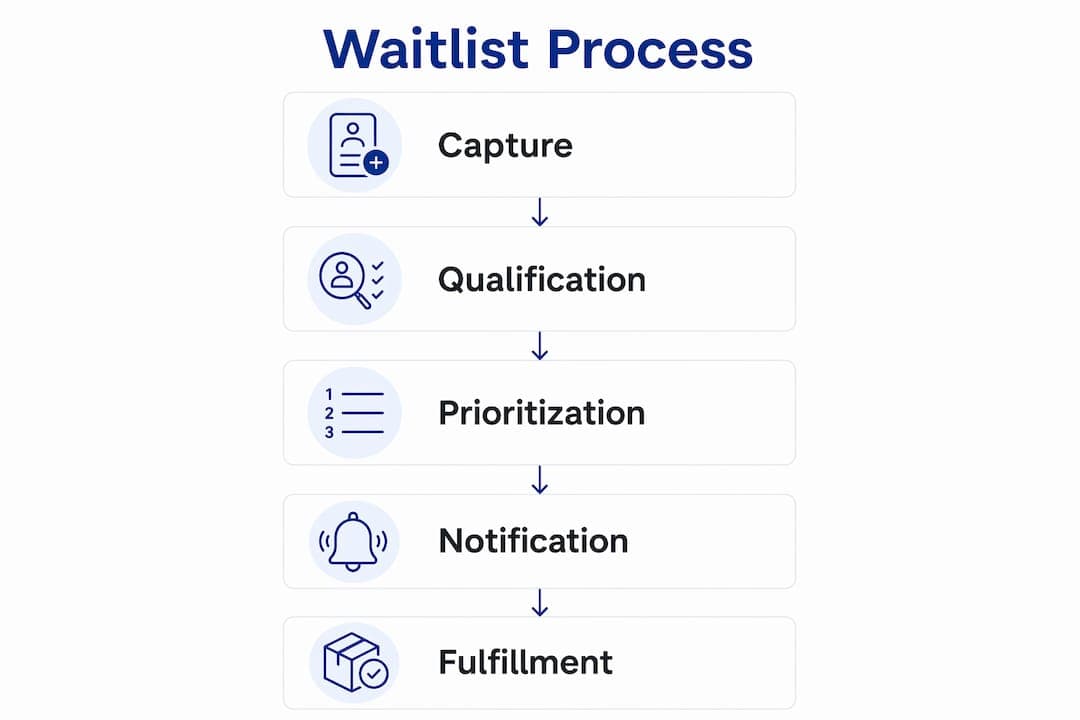
Prioritization is where the system earns its keep. Rules determine who gets first right of refusal. Long-term or recurring renters typically rank above one-off weekend requests, and customers with a verified payment method on file move ahead of those without one. Treating the waitlist as a living database and categorizing prospects by urgency and rental duration is what enables a genuine 24-hour turnaround strategy.

Notification fires the moment a vehicle is released. The system sends an alert via the prospect's preferred channel, SMS, email, or voice, and opens a response window. That window should match your operational reality: 30–90 minutes for high-demand short-term fleets, 12–24 hours for long-term lease vehicles.
Fulfillment closes the loop. If the prospect confirms, the system moves them into a booking flow, collects a deposit or hold, and locks the reservation. If they do not respond within the window, the system automatically rolls to the next qualified prospect, no staff intervention required.
Pro Tip: Set your response window conservatively at first. A 60-minute window sounds tight, but it forces you to staff notifications properly and prevents vehicles from sitting in limbo while you wait on a prospect who has already moved on.
What capabilities to look for in a waitlist management system
Not every rental platform handles waitlists the same way. When evaluating a solution, or deciding what to build internally, these are the capabilities that separate a functional system from one that creates more work than it saves.
| Capability | What to look for | Why it matters |
|---|
| Automated multi-channel notifications | SMS, email, and voice alerts with configurable response windows | Reaches prospects on their preferred channel without staff involvement |
| Prioritization rules | Configurable ranking by rental duration, customer value, urgency, and payment status | Fills vehicles with the highest-value bookings first |
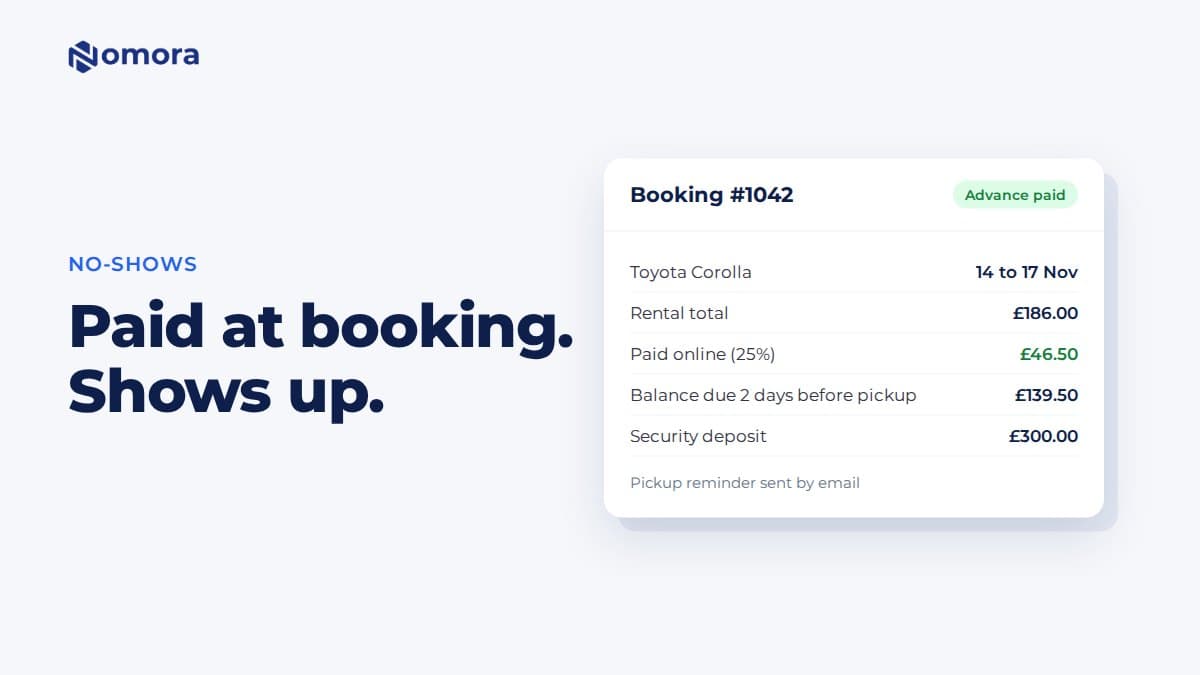
| Hold and deposit workflows | PCI-compliant card storage and automated hold collection at confirmation | Secures the booking and reduces no-shows before staff touches the file |
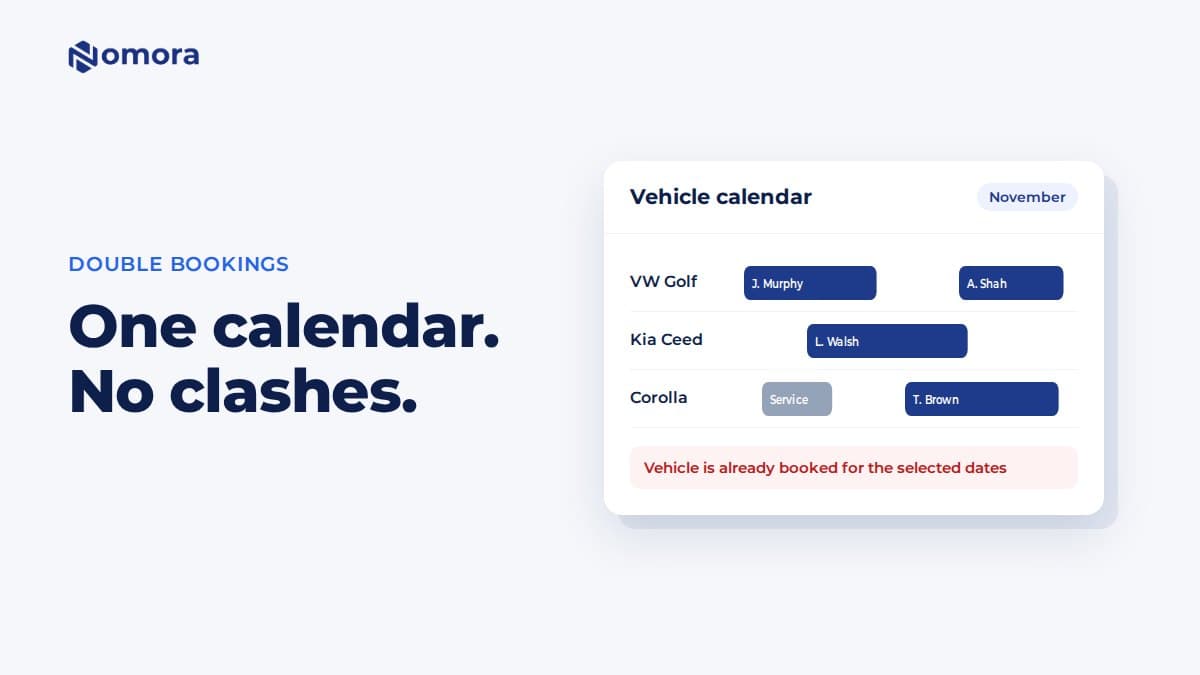
| System integrations | Booking calendar, fleet management, CRM, and GPS/telematics | Prevents double-bookings and gives real-time vehicle availability tracking |
| Reporting and audit logs | Fill rate, conversion, time-to-rent, and timestamped consent records | Supports KPI tracking and U.S. compliance documentation |
A modern rental management platform replaces spreadsheets and disconnected tools by centralizing bookings, contracts, and fleet data in one place. Waitlist features belong inside that same system, not in a separate tool, because a disconnected waitlist cannot see real-time fleet status and will generate conflicts.
The integrations column deserves particular attention. GPS and telematics data can tell your system exactly when a vehicle is back on the lot and ready, which means the notification trigger fires on actual availability, not an estimated return time. That precision alone can shave hours off your average idle time.
Business outcomes operators see from waitlist management
The clearest benefit is utilization. Every day a vehicle sits unrented is revenue that cannot be recovered. A waitlist system attacks that problem directly by ensuring demand is queued before the vehicle is even returned.
- Reduced idle days: When the next renter is already confirmed before the current rental ends, the gap between rentals collapses to the time needed for inspection and cleaning.
- Faster revenue per asset: Daily rental revenue is a function of days rented divided by days available. Cutting idle days by reducing time between rentals has a measurable impact on monthly gross.
- Improved customer satisfaction: Customers who receive a prompt, automated notification feel prioritized. That experience builds loyalty and reduces the frustration of calling back repeatedly to check availability.
- Lower staff overhead: Automated waitlist platforms in adjacent industries report saving significant staff hours per update cycle. For rental operations, that translates to fewer manual callbacks and less time spent chasing cold leads.
Fleet utilization insight: Operators who capture detailed customer needs and revalidate intent regularly can convert returned vehicles into new rentals within hours instead of days, directly reducing idle time and increasing monthly revenue per asset.
There is also a less obvious benefit: scarcity perception, which premium operators can enhance through premium car consignment strategies to boost fleet value. A well-managed waitlist signals to customers that your fleet is in demand. That perception can support premium pricing on high-demand vehicles and selective referrals, which raises the overall value of your inventory without adding a single vehicle.
Step-by-step implementation playbook for rental operators
Getting a waitlist system live does not require a months-long IT project. Most operators can move from zero to a functioning pilot in two to four weeks by following a structured sequence.
-
Define your prioritization policy. Decide who gets first right of refusal before you write a single notification template. Common rules: long-term rentals outrank short-term, verified payment methods outrank unverified, and returning customers outrank first-time inquiries. Write these rules down so staff and the system apply them consistently.
-
Set your required capture fields. Collect only what you need to qualify a prospect: desired vehicle class, rental start and end dates, contact information, and SMS or email consent. Fewer fields mean higher completion rates. Add driver's license verification as a secondary step after the prospect confirms interest.
-
Configure notification windows. Match the response window to your fleet type. A high-turnover daily rental operation needs a short window, 30–60 minutes, so vehicles are not held in limbo. A long-term lease fleet can afford 12–24 hours. Build in an auto-escalation rule: if prospect one does not respond, the system moves to prospect two without staff involvement.
-
Build your message templates. Write one SMS template (160 characters or fewer), one email template, and one follow-up message for non-responders. Keep the language direct: vehicle class, available dates, response deadline, and a single confirmation link or reply keyword. See the Nomora workflow section below for sample language.
-
Set up deposit and hold flows. Decide whether you require a hold at the time of waitlist confirmation or at the time of booking. Credit card and debit holds take varying clearance times, which affects how you communicate timelines to customers. Integrate your payment processor so holds are collected automatically when a prospect confirms.
-
Train staff and run a two-week pilot. Choose one vehicle class or one location for the pilot. Have staff log every manual override and every notification that did not fire correctly. Use that data to refine your rules before rolling out fleet-wide.
-
Estimate your cost components. Budget for platform subscription or feature add-on fees, SMS sending costs (typically per-message), payment processing fees on holds, and staff training time. Most operators find the cost is recovered within the first month of reduced idle days.
Tracking the right metrics tells you whether your waitlist is working or just adding complexity. These four KPIs cover the full picture from list health to revenue impact.
| KPI | Formula | Data required | Review cadence |
|---|
| Fill rate | Vehicles filled via waitlist ÷ total vehicles released × 100 | Waitlist confirmations, total releases | Weekly |
| Waitlist-to-book conversion | Bookings completed ÷ notifications sent × 100 | Notification logs, completed bookings | Weekly |
| Time-to-rent | Average hours between vehicle return and next rental start | Return timestamps, next booking start times | Monthly |
| Marginal revenue per asset | Additional revenue from waitlist-filled days × daily rate | Idle days before vs. after waitlist, daily rate | Monthly |
Fill rate is your headline number. If it is below 60%, your list is either too short, your notification windows are too long, or your prioritization rules are filtering out viable prospects. Waitlist-to-book conversion below 30% usually points to a notification UX problem: the message is unclear, the response window is too short, or the booking link is broken.
Time-to-rent is the metric most operators overlook. It connects directly to fleet utilization best practices and shows whether your waitlist is actually closing the gap between rentals or just adding a layer of process. A healthy target for a daily rental fleet is under four hours from vehicle return to next rental start.
Pro Tip: Assign fill rate and conversion to your operations manager and marginal revenue per asset to your general manager or owner. Splitting ownership by role keeps each metric tied to someone who can actually act on it.
Operational mistakes to avoid and U.S. compliance considerations
Most waitlist failures trace back to one of three problems: rules that are too complicated to execute consistently, notifications that confuse customers, or lists that grow stale because no one is removing cold leads.
- Overcomplicated prioritization rules: If your rules require staff to make judgment calls, they will not be applied consistently. Keep the logic to three or four clear criteria that a system can apply automatically.
- Poor notification UX: A notification that does not tell the customer exactly what vehicle is available, for what dates, and what they need to do in the next 60 minutes will generate low response rates. Test your templates on a non-technical colleague before sending them to customers.
- Stale lists: Automated 48-hour revalidation messages keep the list clean by removing prospects who are no longer looking. Without this, staff waste time notifying people who booked elsewhere weeks ago.
- No escalation logic: A list without a rolling "next in line" rule means a single non-responsive prospect can hold up a vehicle for hours.
U.S.-specific compliance points every operator should address:
- TCPA (SMS consent): Before sending any automated SMS notification, you must have explicit written consent from the customer. Capture that consent at signup, record it with a timestamped audit log, and honor opt-out requests immediately. Violations carry per-message penalties.
- PCI compliance (payment holds): Any system that stores or processes card data for deposit holds must meet PCI DSS standards. Use a payment processor that handles tokenization so raw card data never touches your servers.
- Data privacy: Collect only the fields you need to qualify and notify a prospect. Document your data retention policy and provide a clear way for customers to request deletion of their information.
Pro Tip: Add a single checkbox at waitlist signup: "I agree to receive automated SMS notifications about vehicle availability." Store the timestamp and IP address. That one record is your primary TCPA defense.
How Nomora handles waitlist management in practice
Nomora functions as the central nervous system of a rental operation, connecting reservations, fleet status, payments, and customer data in one cloud-based platform. Its waitlist workflow follows the same sequence described above, but with the integrations already built in.
A typical Nomora-based implementation looks like this:
- Customer submits a waitlist request via the booking page or staff logs it at the counter.
- Nomora qualifies the prospect against required fields and adds them to the prioritized queue.
- When a vehicle is released, Nomora fires an automated notification via SMS or email with a configurable response window.
- The prospect confirms, and Nomora collects a deposit through its integrated payment gateway.
- The booking is created, the contract is generated automatically, and the fleet record is updated in real time.
Sample SMS template:
Sample email subject line:
Nomora's car rental software integrations include GPS tracking, payment gateways, and booking calendars, which means the availability trigger is based on real fleet data, not a manual update. Onboarding takes 24–48 hours, and the platform supports operators from single-location independents to multi-location franchise networks.
For operators who want to go deeper on automating rental bookings, Nomora's blog publishes implementation checklists and workflow guides that complement the setup process.
Key Takeaways
A vehicle rental waitlist management system fills released vehicles faster, cuts idle days, and generates measurable revenue gains when built on clear prioritization rules, automated notifications, and consistent list hygiene.
| Point | Details |
|---|
| Automate the full cycle | Capture, qualify, notify, and collect deposits without manual steps to maximize fill speed. |
| Prioritize by rental value | Long-term and recurring rentals should rank above one-off requests when availability is scarce. |
| Keep the list clean | Run automated 48-hour revalidation to remove cold leads and keep staff focused on contactable prospects. |
| Track four core KPIs | Fill rate, waitlist-to-book conversion, time-to-rent, and marginal revenue per asset tell the full performance story. |
| Nomora as your platform | Nomora connects waitlist capture, notifications, deposits, and fleet tracking in one system with 24–48 hour onboarding. |
Why most operators underestimate their waitlist
The conventional wisdom is that waitlist management is a "nice to have" for large fleets and unnecessary overhead for smaller operators. That framing gets it backwards. Smaller fleets feel idle days more acutely, not less, because every unrented vehicle represents a larger share of total capacity. A small rental operation losing idle days per vehicle is losing a significant share of its available rental days. A 100-vehicle fleet losing the same rate has more revenue to absorb the loss.
The other thing operators consistently underestimate is list hygiene. Most teams focus on building the list and forget that a long list of cold leads is worse than a short list of warm ones. It creates false confidence in demand, wastes notification credits, and burns staff time. Automated revalidation is not a nice-to-have feature. It is what separates a waitlist that converts from one that just looks busy.
One non-obvious prioritization tip: do not rank solely by signup order. A customer who signed up three weeks ago for a two-day weekend rental should not automatically outrank someone who signed up yesterday for a 30-day corporate lease. Build your rules around rental value and duration, and you will consistently fill your fleet with higher-revenue bookings.
Start small. Pick one vehicle class, run a two-week pilot, and measure fill rate and time-to-rent before and after. The data from that pilot will tell you more about your specific operation than any general benchmark.
Nomora gives rental operators a faster path to full utilization
Running a rental fleet without a structured waitlist means leaving revenue on the table every time a vehicle comes back and sits for even a few hours. Nomora closes that gap by connecting every part of the rental cycle, from the moment a customer expresses interest to the moment the next contract is signed, in a single cloud-based platform built specifically for vehicle rental businesses.

The platform handles waitlist capture, automated notifications, PCI-compliant deposit collection, GPS-linked availability triggers, and contract generation without requiring a stack of separate tools. Operators across the United States, from independent lots to multi-location networks, use Nomora to cut idle days and increase monthly revenue per vehicle. Setup takes 24–48 hours, and the onboarding team walks you through integrations and configuration from day one.
See how Nomora fits your specific operation by visiting the rental software use cases page, or explore the automated payments workflow to understand how deposit holds and card storage work in practice. If you are ready to run a pilot this quarter, the demo takes less than 30 minutes.
Useful sources and resources for U.S. rental operators
- Building a waitlist to ensure 24-hour turnaround — Operational framework for prioritization, list hygiene, and 24-hour turnaround strategy.
- Car Rental Management System: Features and CRM Role — Overview of how rental management platforms centralize bookings, contracts, and fleet data.
- AI Apartment Waitlist Management — Frontdesk — A cross-industry reference for multi-channel capture, configurable notification windows, and deposit flows.
- Automated Waitlist Management by Haven Connect — Evidence of staff time savings and faster fill rates from waitlist automation in adjacent verticals.
- Nomora vehicle reservation system guide — Implementation templates, checklists, and deeper how-to guidance for U.S. rental operators.
- Nomora automated bookings guide — Explains how automating bookings improves utilization and removes manual steps from daily operations.
- California car hire deposit hold release times explained — Practical reference for credit card and debit hold timelines relevant to U.S. deposit policy.
Recommended