TL;DR:
- Accurate rental vehicle categorization standardizes fleet classes, improving pricing, distribution, and dispute management.
- Implementing and maintaining a dynamic taxonomy aligned with ACRISS codes reduces conflicts and optimizes revenue.
Rental vehicle categorization is the process of grouping fleet vehicles into standard booking classes — Economy, Compact, Intermediate, Full-size, Premium, Luxury, and Elite tiers — so customers reserve a class, not a specific model. For rental managers, this taxonomy is the foundation of pricing, OTA distribution, and dispute prevention. Get it wrong, and you face booking conflicts, mismatched customer expectations, and broken channel feeds.
Here is what accurate categorization delivers:
- Pricing clarity: each class carries a defined rate tier, making ADR management predictable
- OTA/GDS compatibility: booking platforms require ACRISS codes to list inventory correctly
- Dispute prevention: customers who know they booked a class, not a model, have fewer grounds for complaints at the counter
- Distribution transparency: the Association of Car Rental Industry System Standards (ACRISS) exists specifically to create consistent expectations across channels
- Software readiness: platforms like Nomora map attribute-level vehicle records to these classes for conflict-free reservations
Table of Contents
What does rental vehicle categorization actually cover?
At its core, categorization assigns every vehicle in your fleet to a booking group defined by physical attributes: passenger capacity, luggage volume, body type, transmission, and fuel type. Customers on OTAs see that group label, not a VIN or trim level. That separation is what lets you substitute a Toyota Camry for a Nissan Altima within the same Standard class without triggering a dispute.
The operational payoff is real. Clean categories support rate parity across channels, reduce counter friction, and give your revenue manager a lever to adjust pricing by class rather than by individual unit. Utilization improves when vehicles are grouped by customer utility rather than by spec sheet alone.
- Categories affect ADR directly: a well-defined Premium tier commands a higher rate than a blurred "mid-to-large" bucket
- Counter performance improves when agents can explain the class guarantee confidently
- OTA feeds stay accurate when internal codes map cleanly to distribution standards
Pro Tip: Treat your category taxonomy as a live data asset. Every model-year changeover or new vehicle acquisition is a trigger to review and update your mapping, not just your inventory count.
On OTAs and GDS platforms, booking groups — not specific models — are what customers see and purchase. Your internal taxonomy must match those groups exactly for your inventory to display and price correctly.
How do ACRISS codes and the "Elite" flag work?
ACRISS is the de facto standard for rental vehicle classification across GDS platforms and major OTAs. Its four-character SIPP-style code describes a vehicle group in a format every major distribution channel recognizes.

Each character position carries a specific meaning:
| Position | What it encodes | Example values |
|---|
| 1st — Category | Size/class tier | E (Economy), C (Compact), F (Fullsize), L (Luxury) |
| 2nd — Type | Body style | D (4-5 Door), S (Sport), F (SUV), V (Passenger Van) |
| 3rd — Transmission/Drive | Gearbox and drivetrain | M (Manual), A (Auto Unspecified), D (Auto AWD) |
| 4th — Fuel/AC | Power source and air conditioning | V (Petrol Air), E (Electric), H (Hybrid Air), I (Hybrid Plug-in Air) |
So the code CDAV decodes as: Compact / 4-5 Door / Auto Unspecified Drive / Petrol with Air Conditioning.
The Elite designation is a separate layer. ACRISS introduced "Elite" to identify vehicles that offer higher specification within the same body-size category. A Compact Elite (code C in the first character) might share dimensions with a standard Compact but carry a more powerful engine, premium interior, or a prestige brand badge. That distinction justifies a separate price point without creating an entirely new size class.
Pro Tip: Map your fleet to ACRISS codes as your distribution baseline, but keep a local override layer in your software. A "Full-size" in the U.S. Southwest may need a different label on regional OTAs than the same class in the Northeast.
Common U.S. rental categories and typical capacity metrics
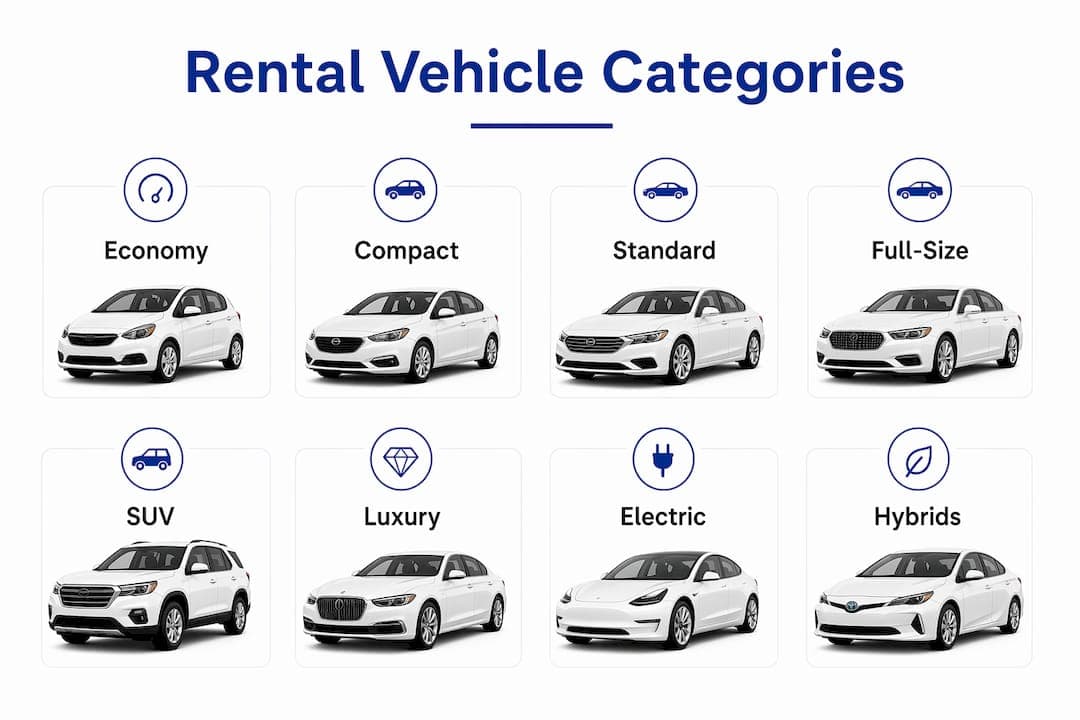
U.S. rental operators use a broadly consistent set of consumer-facing categories, though label names can vary by brand. The table below gives the standard bands and typical metrics your fleet records should reflect.
| Category | Typical passengers | Typical bags | Notes |
|---|
| Economy | 4 | Generally small and fuel-efficient | |
| Compact | 5 | Typically 4-door; more legroom than smallest cars | |
| Intermediate/Midsize | 5 | Often used interchangeably by operators with moderate luggage capacity | |
| Standard | 5 | Larger sedan; between Intermediate and Full-size | |
| Full-size | 5 | Comfortable for longer trips with more luggage space | |
| Premium | 5 | Higher quality and performance; a step below Luxury | |
| Luxury | 5 | High-end brands with premium features | |
| SUV (Compact–Full-size) | 5–8 | 4–5 | Range from Compact SUV to full 8-passenger |
One important caveat: category naming is not universal. What one operator calls "Intermediate," another lists as "Midsize." Before publishing your taxonomy to a new OTA, check how that platform labels the equivalent class in your market.
Special categories to account for separately:
- People carriers/minivans: typically 7–8 passengers, distinct from SUV groups
- Oversize: Hummer-type or large-format vehicles with their own ACRISS code (O)
- Electric-only groups: BEV vehicles increasingly warrant a dedicated category rather than a fuel-type flag alone
How to map categories to an internal taxonomy in your software
Every vehicle record in your fleet-management software should capture these canonical attributes at minimum:
- Category (ACRISS first character)
- Body type (ACRISS second character)
- Seats and luggage capacity
- Transmission type
- Drive type (2WD, 4WD, AWD)
- Fuel/power type (Petrol, Diesel, Hybrid, PHEV, BEV)
- ACRISS four-character code
- Elite flag (yes/no)
- Notable features: AWD, child-seat anchors, tow hitch
The mapping process follows a clear sequence:
- Audit inventory — pull every vehicle record and identify missing or inconsistent attributes
- Extract attributes — standardize seats, luggage, transmission, drive, and fuel for each unit
- Assign ACRISS code — use the four-character matrix; apply Elite flag where warranted
- Create local category label — align with how your primary OTAs display the class
- QA sample vehicles — spot-check 10–15% of records against the matrix
- Publish — push updated codes to your channel mapper and GDS/OTA feeds
Distribution problems almost always trace back to internal codes that don't map cleanly to ACRISS, or to software that lacks override rules for channel-specific requirements. Your mapping layer needs to be flexible, not hardcoded.
Pro Tip: Keep a versioned mapping table — a dated CSV or database snapshot — so you can audit exactly what code a vehicle carried on any given booking date. This protects you in disputes and simplifies model-year transitions.
Why EVs and hybrids require updated category rules
EVs and PHEVs don't fit neatly into legacy category rules built around engine displacement and fuel type. Placing a BEV in a standard "Compact" class with no additional flags misrepresents the vehicle to customers who need to plan for charging, and it creates counter friction when the customer expected a gasoline car.
The ACRISS expanded matrix now includes explicit fuel/power codes in the fourth character: E for Electric, I for Hybrid Plug-in Air, H for Hybrid Air. These codes belong in your software records, not just on a spec sheet.
New attributes worth capturing for electrified vehicles:
- BEV vs. PHEV flag (distinct metadata field, not just the ACRISS fourth character)
- Range tier (e.g., under 200 miles, 200–300 miles, over 300 miles)
- Charging port type (CCS, CHAdeMO, Tesla/NACS)
- Battery capacity band (useful for logistics and fleet planning)
Example workflow: A Tesla Model 3 Long Range maps to ACRISS code CDAE (Compact / 4-5 Door / Auto Unspecified / Electric). In your internal taxonomy, it also carries a BEV-LongRange metadata tag and a CCS/NACS port field. The ACRISS code handles OTA distribution; the metadata fields handle customer communication and logistics.
As ACRISS continues updating its matrix to reflect EV and autonomous vehicle classifications, rental managers must treat taxonomy as a living document — syncing software records with distribution partners whenever the matrix changes.
Pro Tip: Create a dedicated EV category in your customer-facing inventory, even if the underlying ACRISS code maps to an existing size class. Customers searching for EVs specifically will filter by fuel type, and a clean EV group improves conversion.
Implementation steps, timeline, and cost drivers
A typical categorization rollout for a small to medium fleet follows this sequence, with a 4–8 week timeline being realistic for most operators. Multi-location enterprises should budget longer.
- Weeks 1–2 — Inventory audit: pull all vehicle records; identify attribute gaps and inconsistencies
- Weeks 2–3 — Mapping build: assign ACRISS codes, Elite flags, and local labels; build the versioned mapping table
- Week 3–4 — Data import: bulk-import updated records into your fleet-management software
- Week 4–5 — QA and testing: sample-check records; test OTA/GDS feed output against expected category display
- Week 5–6 — Staff training: brief counter and reservations staff on the new taxonomy and how to explain class guarantees
- Week 6–8 — Go-live and monitoring: publish to channels; monitor for mismatches and disputes in the first booking cycle
Key cost drivers to budget for:
- Inventory size and data quality (more vehicles, more cleansing time)
- Number of locations and channel connections
- GDS/OTA connectivity setup fees
- Custom mapping rules for regional OTA requirements
- Vendor onboarding or consulting support
Governance matters as much as the initial build. Assign one person or team as the owner of mapping updates. Every new model acquisition and every model-year changeover should trigger a mapping review, not just a fleet count update. A multi-location fleet adds complexity here: each location may have different OTA relationships and local category conventions.
What software features does accurate categorization require?
Your fleet-management platform needs to support more than a "vehicle type" dropdown. Here is the functional checklist to evaluate before committing to a rollout:
- Attribute-level records: individual fields for seats, bags, transmission, drive, fuel/power, ACRISS code, and Elite flag
- Bulk import/export: CSV or XLS import for initial data load and ongoing updates
- Rule engine: flexible mapping logic that translates internal codes to ACRISS and channel-specific labels
- Channel mapper: direct OTA/GDS feed integration with per-channel override capability
- QA reporting: sampling reports that flag records with missing or inconsistent attributes
- Audit log: versioned history of mapping changes with timestamps
- API access: for integration with reservation engines, GPS/telematics, and payment gateways
- EV metadata fields: dedicated fields for BEV/PHEV flag, range tier, and charging port type
| Feature | Affects distribution | Affects internal ops | Affects revenue management |
|---|
| ACRISS channel mapper | Yes | No | Indirect |
| Rule engine with overrides | Yes | Yes | Yes |
| EV metadata fields | Yes | Yes | No |
| Audit log / versioned mapping | No | Yes | Yes |
| QA sampling reports | Yes | Yes | Yes |
| API integration | Yes | Yes | Indirect |
Software that lacks a rule engine or channel mapper will force manual workarounds, which is where distribution errors compound over time. Prioritize these two features above all others when evaluating platforms.
How Nomora supports categorization in practice
Nomora captures attribute-level vehicle records and connects them to a mapping engine that handles ACRISS codes, Elite flags, and channel-specific overrides without manual intervention. The platform is built to replace the spreadsheet-and-email workflows that create mapping drift over time.
Relevant Nomora features for categorization projects:
- Attribute-level fleet records with fields for ACRISS code, Elite flag, fuel/power type, and EV metadata
- Bulk CSV import for initial inventory load and model-year updates
- Channel mapping rules with per-OTA override capability
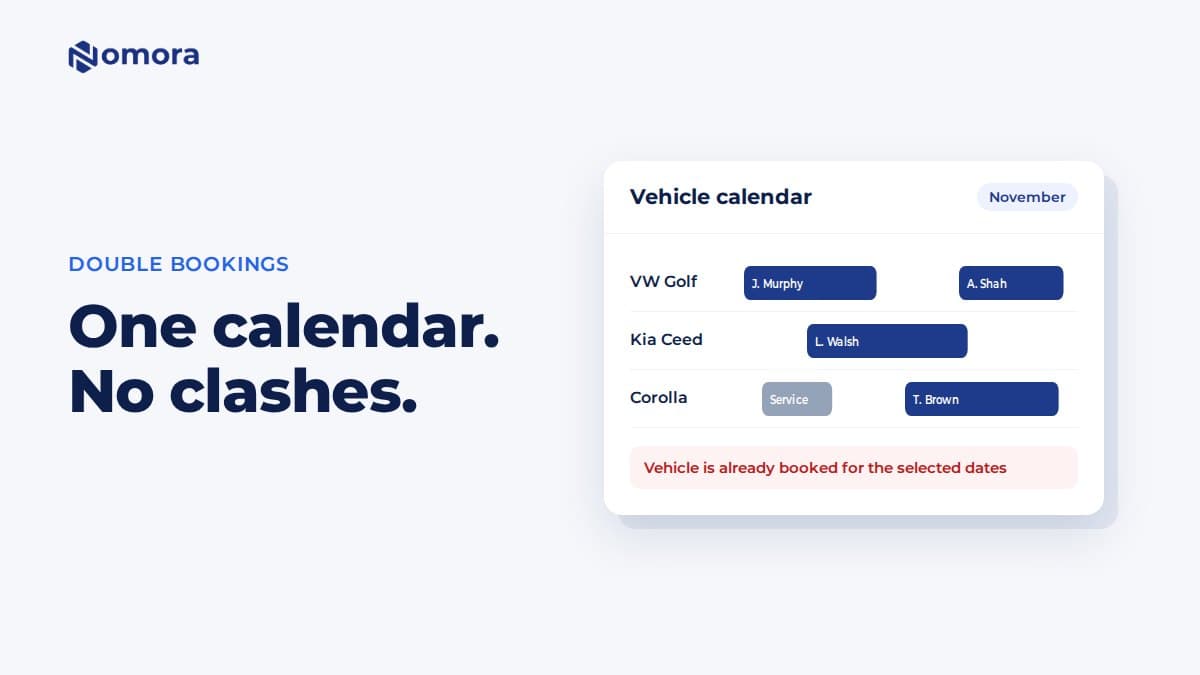
- Real-time reservation visibility to catch booking conflicts before they reach the counter
- API integration with GPS/telematics and payment gateways
- QA reporting to surface records with missing or inconsistent attributes
A typical Nomora workflow runs: audit existing records → bulk import updated attributes → configure mapping rules → run QA report → publish to channels. Onboarding takes 24–48 hours, so the taxonomy work, not the software setup, is the long pole in the timeline.
Pro Tip: Use Nomora's QA report after every model-year changeover to catch attribute gaps before they surface as OTA mismatches or counter disputes.
Nomora's fleet management platform supports the full categorization workflow, from attribute capture to channel distribution, for rental businesses of all sizes.
Key Takeaways
Accurate rental vehicle categorization requires a structured taxonomy, ACRISS-compatible mapping, EV-ready attributes, and software that supports rule-based channel distribution.
| Point | Details |
|---|
| Categorization drives revenue | Clean booking classes support rate tiers, ADR management, and fewer counter disputes. |
| ACRISS is the distribution standard | The four-character code maps category, body type, transmission/drive, and fuel to every major OTA and GDS. |
| EVs need explicit attributes | BEV/PHEV flag, range tier, and charging port type belong in your software records, not just the ACRISS fourth character. |
| Implementation takes 4–8 weeks | Audit, map, import, QA, train, and publish in sequence; governance ownership prevents mapping drift. |
| Nomora automates the workflow | Nomora handles attribute records, ACRISS mapping, channel rules, and QA reporting in one platform. |
The taxonomy problem most managers underestimate
The operational pain of poor categorization rarely shows up as a single dramatic failure. It accumulates: a dispute here, a mismatched OTA listing there, a rate that should have been higher but wasn't because the class definition was fuzzy. Most managers I've spoken with describe the same moment of clarity — when they finally mapped their fleet to a clean ACRISS taxonomy, their counter disputes dropped and their channel feeds stopped throwing errors.
What the software checklist in this article reflects is a hard-won lesson: categorization is not a labeling task you complete once. It is a governance function. The managers who treat it that way, with versioned mapping tables, assigned ownership, and a QA cycle tied to every model-year changeover, are the ones who see it pay off in utilization and ADR. The ones who treat it as a one-time setup project are the ones rebuilding it from scratch every two years.
Nomora makes categorization a built-in workflow, not a side project
Fewer booking conflicts, faster channel setup, and EV-ready metadata from day one — that is what Nomora delivers for rental managers who are done managing taxonomy in spreadsheets.

Nomora's cloud platform handles the full categorization workflow: attribute-level fleet records, ACRISS mapping rules, per-channel overrides, and QA reports that catch gaps before they reach your OTA feeds. Onboarding takes 24–48 hours, so your team is working with clean, distribution-ready data almost immediately. Whether you run a single-location independent operation or a multi-site franchise, Nomora scales to the complexity of your fleet without requiring custom development.
See how rental businesses of different sizes use Nomora's categorization and fleet tools on the use cases page.
Useful sources for further reference
- ACRISS Car Classification Matrix — the canonical four-character code reference; primary source for standard_frameworks
- ACRISS Expanded Matrix — EV/hybrid codes, Elite definitions, and drive-type additions; primary source for tech_and_evolution
- Wikipedia — ACRISS Car Classification Code — background on the system's purpose and structure
- KAYAK — Rental car sizes in the U.S. — consumer-facing category descriptions and naming variation notes
- Enterprise — U.S. rental car categories — practical U.S. capacity metrics by class
- Sixt — How to read ACRISS codes — Elite handling, mapping overrides, and practical distribution notes
Recommended