TL;DR:
- Multi-vehicle booking management centralizes reservations, improves fleet utilization, and reduces double-bookings through real-time inventory control.
- Implementing such systems automates conflict detection, auto-assigns resources, and streamlines dispatch, saving time and increasing revenue.
Multi-vehicle booking management is the practice of running all vehicle reservations, dispatch assignments, and availability controls through a single centralized system, so that booking one vehicle, one fleet, or an entire multi-branch operation never creates a conflict somewhere else. For transportation and rental managers, the bottom-line benefit is straightforward: every booking updates inventory in real time, every resource is locked the moment a reservation is confirmed, and your team stops firefighting double-bookings.
If you manage more than a handful of vehicles, this approach directly affects three things:
- Double-booking rate drops because the system, not a spreadsheet, controls what is available.
- Fleet utilization rises because real-time visibility surfaces idle vehicles that manual workflows miss.
- Dispatch becomes a structured workflow rather than a radio call or a text thread.
The sections below give you a complete operational picture: what the system covers, why it pays off, which features matter most, how to implement it, and how Nomora maps to those requirements.
Table of Contents
What does multi-vehicle booking management actually cover?
The phrase covers more ground than a basic vehicle booking system (VBS). A standard VBS assigns one vehicle to one reservation and marks it unavailable. Multi-vehicle booking management adds a layer of coordination: it handles bookings that span several vehicles simultaneously, multi-leg trips where different vehicles carry the same passengers across route segments, and multi-branch operations where inventory must stay synchronized across locations.

The core engine has four components: a centralized inventory layer that treats every vehicle time slot as a discrete unit, a channel manager that pushes availability changes to every sales channel in real time, a dispatch module that auto-assigns drivers and vehicles while checking for qualification and hours-of-service conflicts, and a manifest system that delivers trip details to a driver mobile app.
What falls outside the scope: single-vehicle scheduling tools, basic shared calendars, and standalone GPS trackers. Those tools solve narrower problems. They do not prevent a booking made through your website from conflicting with one taken over the phone, and they cannot coordinate a mixed fleet across two branches on the same day.
Operator scenarios that fall inside scope:
- Tour operators running multiple coach sizes on the same departure date
- Airport shuttle fleets with overlapping pickup windows and shared vehicles
- Multi-branch car rental companies where a vehicle returned early at one location becomes available for a booking at another
- Corporate pool fleets where employees book vehicles across departments and locations
- Charter operators combining buses, vans, and sedans into a single multi-leg itinerary
Why should operators invest in a multi-vehicle booking system?
The business case comes down to three levers: revenue protection, utilization, and labor cost. Operators that replace spreadsheets and radio dispatch with a centralized reservations system eliminate missed deposits, weak cancellation tracking, and fragmented data that blocks growth. Those are not edge cases; they are the daily cost of running a manual operation.
Revenue protection is the most immediate gain. A booking pipeline that locks vehicles in the resource calendar at the deposit stage prevents overlapping reservations and keeps availability accurate across every sales channel. CRM integration means warm leads that did not convert immediately stay in automated follow-up sequences rather than disappearing into a lost-call log. CRM-integrated booking pipelines convert those prospects into confirmed reservations without additional manual effort from your team.
Utilization improves because the system surfaces idle time that a whiteboard or spreadsheet never shows clearly. When every vehicle's schedule is visible in one calendar, dispatchers can fill gaps, reassign vehicles from low-demand routes to high-demand ones, and reduce the number of empty legs.
Labor efficiency follows from automation. Auto-assignment of drivers and vehicles, automated manifests, and real-time conflict alerts cut the time dispatchers spend on coordination. That time goes back into customer service or fleet planning.
Operator use-cases that illustrate the payoff:
- An airport shuttle operator with a fleet and overlapping morning pickup windows uses buffer rules to prevent back-to-back bookings that leave no turnaround time, cutting missed pickups.
- A multi-leg charter company books a sedan for airport pickup, a coach for a group tour, and a van for the return, all in one transaction, with each vehicle locked in the calendar immediately.
- A corporate pool fleet manager sees which vehicles are sitting idle on Tuesday afternoons and opens those slots to a second department, raising utilization without adding assets.
Signals that indicate readiness to invest: recurring double-bookings that require manual resolution, dispatch time exceeding 20% of a coordinator's day, or booking data spread across more than two systems that do not sync automatically.
Which features must a multi-vehicle booking system include?
Think of a well-configured system as the central nervous system of your operation. Every booking, every vehicle, every driver, and every payment runs through it. Missing one critical feature means a nerve ending goes dark, and that is where conflicts and revenue leaks appear.
Core feature checklist:
- Centralized inventory and multi-item cart: Customers can reserve multiple vehicles or seats across several vehicles in a single transaction, with add-ons and services bundled into the same booking.
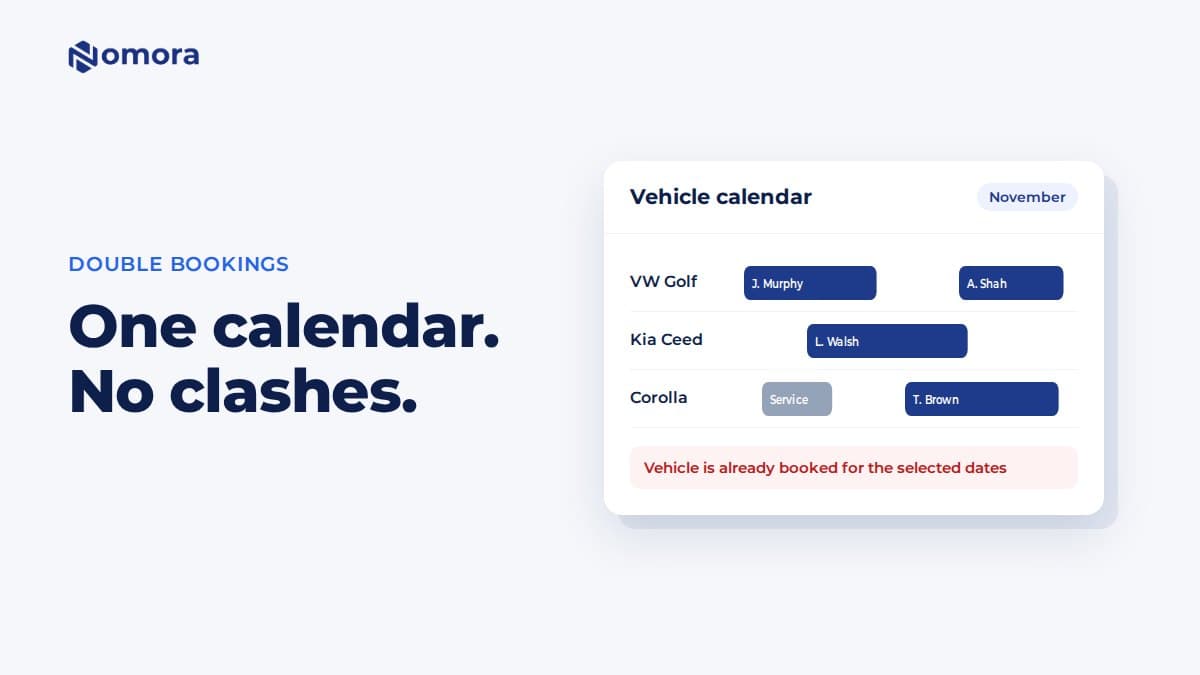
- Real-time availability engine: Each vehicle time slot is treated as a single inventory unit. Buffer rules, cutoff times, and hold windows prevent oversells while keeping sellable inventory maximized.
- Auto-assigned dispatch and conflict detection: The system verifies driver qualifications and hours-of-service before assigning resources, then pushes the assignment to a central dispatch calendar visible to the whole team.
- Manifests and driver app: Live trip details reach drivers on a mobile app, replacing radio calls and paper manifests.
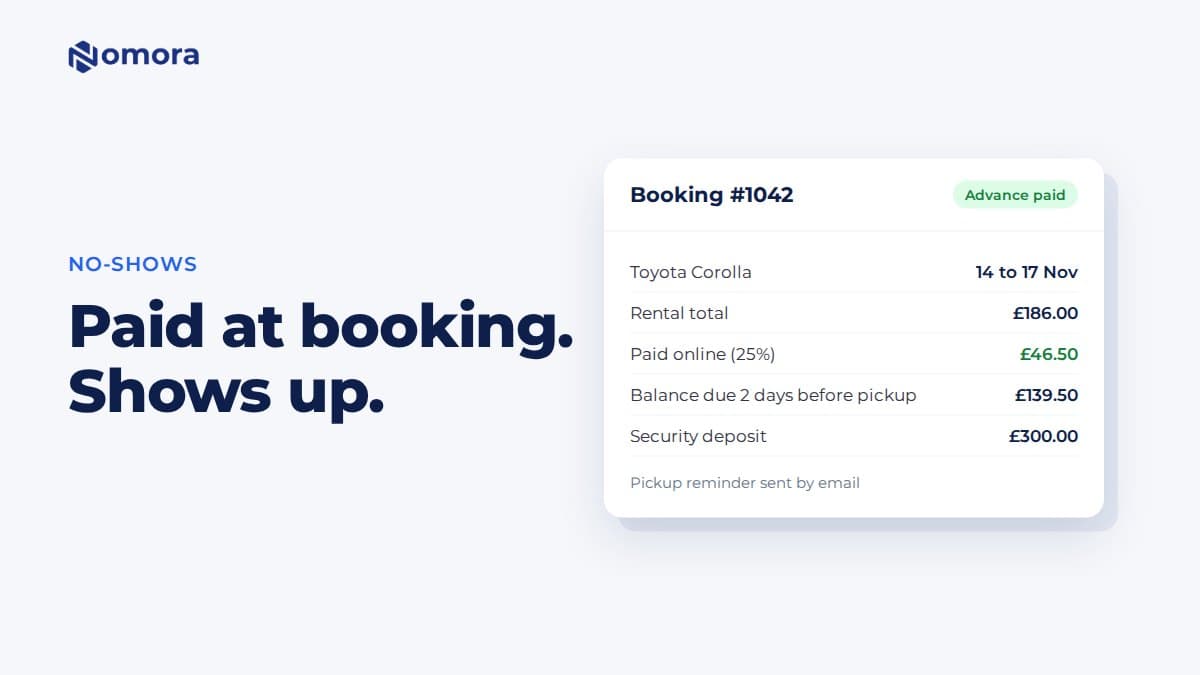
- Payments and deposits: Deposit collection triggers the resource lock. Cancellation windows and refund rules are enforced automatically, not manually.
- CRM pipeline integration: Leads from web forms, phone, and messaging apps move into defined stages and automated nurture sequences, protecting revenue from warm prospects.
- Maintenance blocking: Vehicles scheduled for service are removed from availability without manual calendar edits.
- Multi-branch support: Inventory stays synchronized across locations, and role-based access controls which staff can see and edit which assets.
- Flexible pricing and add-ons: Per-vehicle, per-seat, per-leg, and package pricing can coexist in the same system.
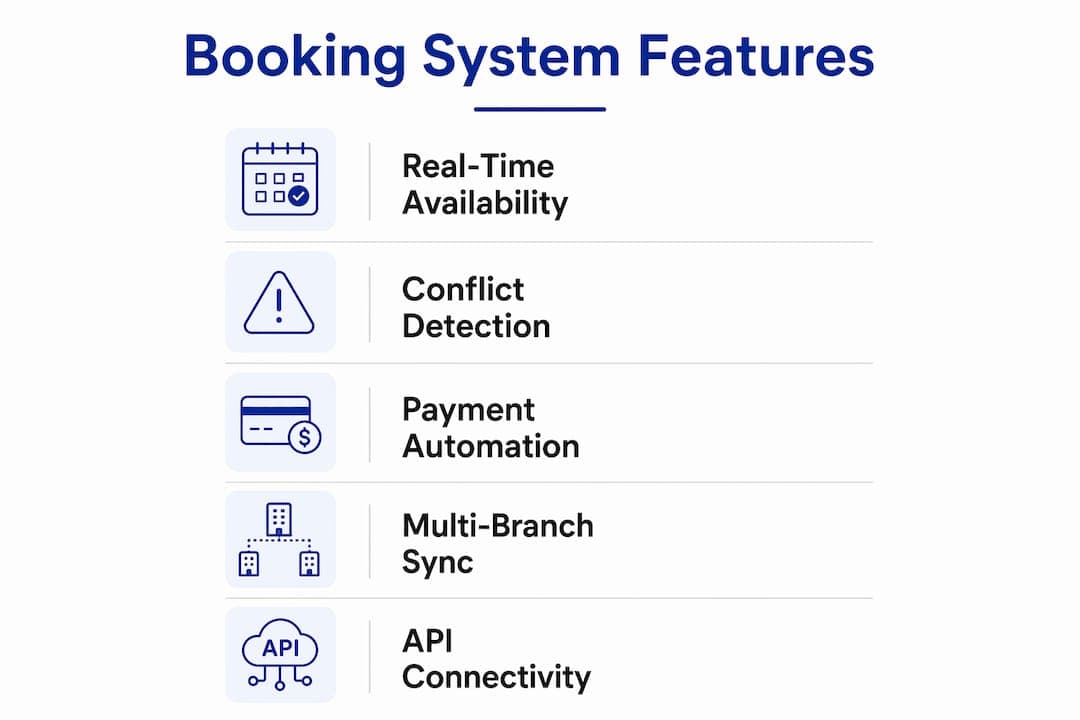
Small operators should prioritize real-time availability, conflict detection, and payment automation first. Those three features eliminate the most common daily problems without requiring a complex setup.
Enterprise operators need multi-branch synchronization, API connectivity to existing CRM and accounting systems, and granular role-based permissions from day one.
Pro Tip: Set buffer rules before you go live. A 30-minute buffer between reservations on the same vehicle prevents the turnaround-time conflicts that cause the most customer complaints in shuttle and rental operations.
How does a booking move from inquiry to return without creating conflicts?
The workflow has six stages, and the conflict-prevention logic runs at every one of them.
- Quote or checkout: A customer selects vehicles, dates, add-ons, and a route. The system checks real-time availability across all channels simultaneously. If a vehicle is already held by another session, it is not offered.
- Inventory lock: When the customer pays a deposit or confirms the booking, the system locks the vehicle in the resource calendar. That lock propagates instantly to the website, OTA channels, and any connected marketplace, so no other booking can claim the same asset.
- Auto-assignment: The dispatch module assigns a driver based on qualifications, availability, and hours-of-service rules. For a multi-vehicle booking, each vehicle gets its own driver assignment in the same workflow.
- Pre-departure manifest: The system generates a manifest for each vehicle and pushes it to the driver app. The manifest includes passenger details, pickup points, special instructions, and any add-ons.
- On-trip updates: If a booking changes mid-trip (a pickup is added, a vehicle breaks down, a passenger cancels), the system updates the manifest and rechecks availability for any replacement vehicle before confirming the change.
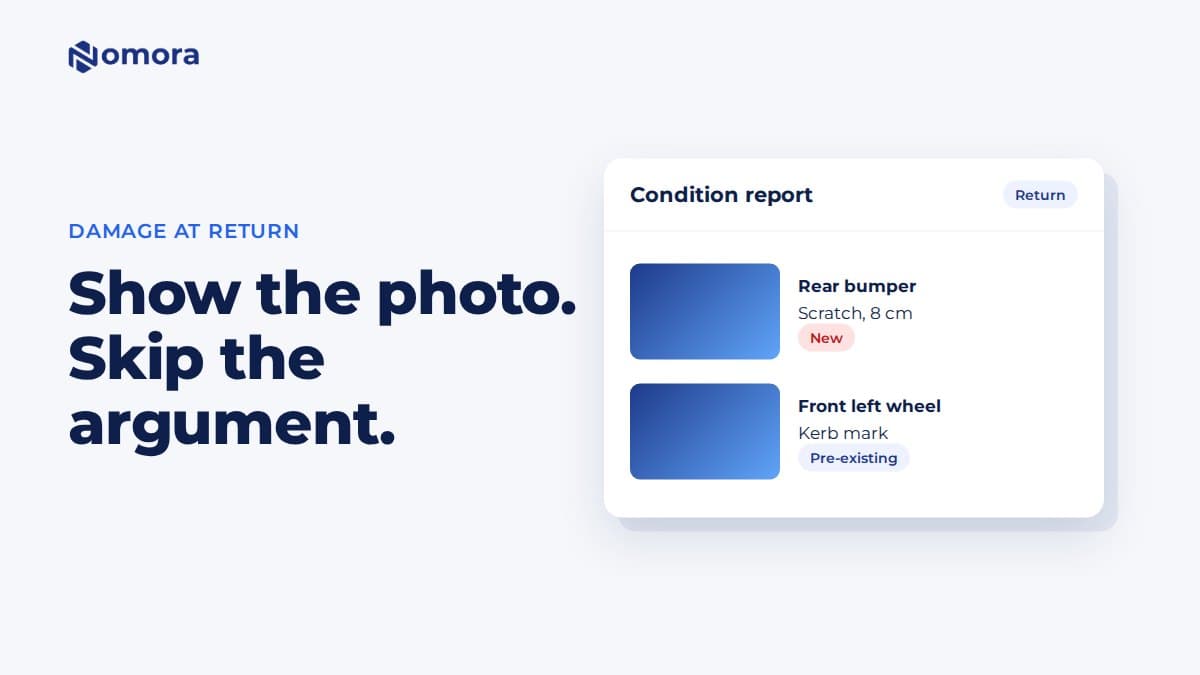
- Return and reconciliation: When the vehicle is returned, the system closes the booking, releases the vehicle back into available inventory, and triggers any post-trip billing or deposit release.
Edge cases the system handles automatically:
- Mixed fleet on the same route: a coach and two vans booked together are each tracked as separate inventory units with their own lock, driver, and manifest.
- Overlapping returns: a vehicle returned 30 minutes early becomes available for a new booking only after the buffer window clears.
- Marketplace bookings: a reservation taken through an OTA updates the central calendar in real time, preventing a simultaneous booking on the direct website.
How to implement multi-vehicle booking management: a practical checklist
A reliable sequence matters more than speed. Operators who skip fleet modeling or data cleanup before going live spend weeks correcting availability errors that undermine staff confidence in the new system.
Phase 1: Pre-launch preparation (weeks 1–2)
- Audit your current fleet data: vehicle IDs, categories, capacity, maintenance schedules, and home branch.
- Map every booking channel: direct website, phone, OTAs, corporate accounts, and any affiliate partners.
- Define resource rules: buffer times, turnaround minimums, deposit thresholds, and cancellation windows for each vehicle category.
- Identify integration requirements: payment gateway, accounting software, CRM, and telematics provider.
- Import historical bookings to validate that the system's availability logic matches your actual operational patterns.
Phase 2: Pilot deployment (weeks 3–4)
- Launch on one branch or one vehicle category first.
- Run the pilot for at least two weeks with real bookings, not test data.
- Validate buffer and turnaround settings with your operations team before expanding.
- Train dispatchers and front-desk staff on the new workflow before adding channels.
Phase 3: Channel rollout (weeks 5–6)
- Connect OTA and marketplace channels one at a time, confirming real-time sync after each connection.
- Enable CRM integration and test the lead-to-booking pipeline with a sample of warm prospects.
- Activate maintenance blocking for scheduled service windows.
Phase 4: Full launch (week 7 onward)
- Open all branches and vehicle categories.
- Set a 30-day review checkpoint to assess double-booking rate, utilization, and dispatch time against pre-launch baselines.
Pro Tip: Assign one operations lead as the system owner from day one. Without a named owner, rule updates and permission changes stall, and the system drifts from your actual policies within weeks.
Common pitfalls that derail implementation and how to avoid them
Most implementation failures trace back to three root causes: incomplete data going in, partial integrations that leave channels out of sync, and under-specified resource rules that the system cannot enforce.
Common problems and their fixes:
- Spreadsheets running in parallel: When staff keep a backup spreadsheet "just in case," bookings get entered in one place but not the other. Fix: disable the old system on go-live day, not gradually.
- Partial channel integration: Connecting the website but not the OTA means the OTA channel still operates on stale availability. Fix: audit every booking source before launch and connect them all in Phase 3, not as an afterthought.
- Under-specified buffer rules: A system with no buffer between reservations will schedule back-to-back bookings that are operationally impossible. Fix: model your actual turnaround time for each vehicle category and encode it before the pilot.
- Missing deposit automation: Preventing double bookings requires that the resource lock triggers at payment, not at confirmation email. If deposits are collected manually outside the system, the lock never fires.
- Inadequate staff training: Dispatchers who do not trust the auto-assignment logic override it manually, reintroducing the conflicts the system was built to prevent. Fix: run a structured training session before go-live and document the override policy clearly.
Best practices for policy settings:
- Set cancellation windows that match your vehicle category's demand pattern. High-demand vehicles warrant longer windows.
- Use role-based access to prevent front-desk staff from editing resource rules they do not own.
- Schedule a monthly data audit to catch vehicles that have been decommissioned but remain in the active inventory.
Which KPIs show your booking management system is working?
Measuring the right metrics separates operators who know their system is working from those who assume it is. Build a weekly operations dashboard around these core indicators.
Fleet and operations KPIs:
- Fleet utilization rate: Percentage of available vehicle hours that are booked. A rising rate after go-live confirms the system is surfacing idle inventory.
- Double-booking rate: Should trend to zero within the first 30 days. Any recurring double-bookings after that point to a channel that is not syncing in real time.
- On-time departure rate: Measures whether dispatch automation is actually improving execution, not just scheduling.
- Average turnaround time: Tracks whether buffer rules are set correctly for your operational reality.
Revenue KPIs:
- Booking lead time: Longer average lead times indicate that online availability is visible and trusted by customers.
- Commission leakage: The share of bookings taken through high-commission OTA channels versus direct. A well-configured direct booking engine should shift this ratio over time.
- Deposit capture rate: Percentage of confirmed bookings that collected a deposit through the system. Low rates indicate the payment automation is not triggering correctly.
Maintenance KPI:
- Maintenance block compliance: Percentage of scheduled service windows that were blocked in the system before the vehicle was booked. Gaps here mean vehicles are being dispatched into service windows.
Real-time data architecture is what makes these dashboards accurate. Batch reporting on a 24-hour lag cannot catch a double-booking before it becomes a customer complaint. Your system's reporting module should refresh at least hourly for operational metrics and in real time for availability and conflict alerts.
A realistic 30-day target after full launch: double-booking rate at zero, fleet utilization up from baseline, and dispatch coordination time reduced measurably for your team.
What integrations does a multi-vehicle booking system need?
Integration depth determines whether your booking system becomes the true operational hub or just another silo. The minimum viable integration stack for a US transportation or rental operator covers five categories.
Payment gateways: Stripe, Braintree, and similar processors need to connect so that deposit collection triggers the resource lock automatically. Manual payment collection outside the system breaks the conflict-prevention chain.
Accounting software: QuickBooks and similar platforms should receive booking revenue, deposit, and refund data automatically. Manual export creates reconciliation errors and delays month-end close.
CRM: A connected CRM keeps the full lead-to-booking lifecycle visible. Well-structured CRM rental pipelines use defined stages from initial inquiry through completed rental, with automated follow-up at each stage. Leads that do not convert immediately stay in nurture sequences rather than disappearing.
Telematics and GPS: Real-time vehicle tracking feeds into the booking system to confirm on-time departures, flag breakdowns that require vehicle reassignment, and support fleet utilization analytics.
Channel managers and OTAs: Every distribution channel must connect via real-time sync, not batch updates. A 15-minute lag between a booking confirmation and an OTA availability update is long enough for a second booking to land on the same vehicle.
Architecture considerations:
- Prefer webhook-based integrations over polling. Webhooks push data the moment an event occurs; polling checks on a schedule and introduces lag.
- Map your data fields before connecting any system. A vehicle ID in your booking system must match the asset ID in your accounting and telematics platforms, or reconciliation becomes a manual job.
- Build a dispute reconciliation flow for payments: define who owns the resolution process when a charge fails or a refund is disputed, and make sure the booking system's record is the authoritative source.
Who owns the system and how should governance work?
A multi-vehicle booking system without clear ownership drifts. Rules go unupdated, permissions accumulate, and the availability data that the whole operation depends on becomes unreliable.
Role and responsibility structure:
- System owner (operations manager or GM): Approves rule changes, owns the master vehicle list, and signs off on any integration changes.
- Dispatcher / ops lead: Manages daily booking assignments, handles conflict escalations, and monitors the dispatch calendar.
- IT or integrations lead: Maintains API connections, monitors sync health, and manages user access provisioning.
- Finance lead: Owns deposit rules, payment gateway settings, and reconciliation between the booking system and accounting software.
- Customer support: Handles booking modifications and cancellations within defined policy limits; escalates anything that requires a rule change.
Routine governance tasks:
- Monthly data audit: verify that all active vehicles are correctly listed, decommissioned vehicles are removed, and maintenance blocks are current.
- Quarterly permission review: remove access for staff who have changed roles or left the organization.
- Policy review after each peak season: adjust buffer times, deposit thresholds, and cancellation windows based on what the KPI data showed.
For multi-location fleet operations, governance also requires a clear escalation path when a booking conflict crosses branches. Define that path before go-live, not after the first incident.
How Nomora supports multi-vehicle booking management
Nomora is built as an all-in-one cloud-based platform that maps directly to the feature requirements described above. The table below shows how its core capabilities align with the checklist from the earlier section.
| Requirement | Nomora capability |
|---|
| Centralized inventory and multi-item cart | Single inventory engine across all vehicle categories and branches |
| Real-time availability and channel sync | Live availability updates pushed to all connected channels on booking confirmation |
| Auto-assigned dispatch and conflict detection | Automated driver and vehicle assignment with qualification and availability checks |
| Driver app and manifests | Mobile manifest delivery to drivers with live trip details |
| Payments and deposits | Integrated payment gateway with deposit-triggered resource locking |
| CRM pipeline | Lead-to-booking pipeline with automated follow-up stages |
| Maintenance blocking | Scheduled service windows block vehicle availability automatically |
| Multi-branch support | Role-based access and synchronized inventory across locations |
Typical onboarding timeline with Nomora:
- Days 1–2: Data import (fleet list, vehicle categories, historical bookings) and account configuration.
- Days 3–5: Resource rule setup (buffers, deposits, cancellation policies) and payment gateway connection.
- Days 6–10: Staff training on dispatch workflow, booking management, and reporting.
- Days 11–14: Pilot on one branch or vehicle category with live bookings.
- Day 15 onward: Full launch with channel integrations and ongoing support.
Nomora's setup time of 24–48 hours for core configuration means most operators are taking live bookings within two weeks. The platform is cloud-based, so there is no on-premise infrastructure to manage, and it is built with security and GDPR compliance standards that satisfy both US data protection expectations and international requirements for operators with cross-border customers.
Pro Tip: Use Nomora's pilot phase to validate your buffer rules against real operational data before opening all channels. Two weeks of live pilot bookings will surface turnaround-time assumptions that looked correct on paper but do not hold under actual dispatch conditions.
Key Takeaways
Multi-vehicle booking management works when a centralized inventory engine, real-time channel sync, and automated conflict detection operate together, replacing the manual workflows that cause double-bookings, missed deposits, and idle fleet capacity.
| Point | Details |
|---|
| Centralized inventory is the foundation | Every booking must update a single inventory engine in real time to prevent conflicts across channels. |
| Buffer rules prevent the most common conflicts | Encode turnaround times for each vehicle category before go-live, not after the first missed pickup. |
| Phased implementation reduces risk | Pilot on one branch first, validate buffer and payment settings, then scale channels and locations. |
| KPIs to track from day one | Monitor double-booking rate, fleet utilization, on-time departures, and deposit capture rate weekly. |
| Nomora covers the full feature set | Nomora maps to every core requirement, with a 24–48 hour setup and a two-week path to full launch. |
The operational shift most managers underestimate
The technology decision is actually the easier part. Choosing a system with the right feature set takes a few weeks of evaluation. What takes longer, and what most implementation guides skip over, is the cultural shift inside the operation.
Dispatchers who have run bookings on whiteboards and radio for years do not automatically trust an auto-assignment algorithm, even when it is objectively more accurate. That skepticism is not irrational. It comes from years of experience where the system, whatever it was, had gaps that human judgment filled. The first time the new platform makes an assignment that looks wrong to an experienced dispatcher, the instinct is to override it. And one override leads to another, until the system's data no longer reflects reality.
The operators who get the most out of multi-vehicle booking management are the ones who treat the go-live as a process change, not just a software installation. They document the override policy before launch. They run the pilot with the most skeptical dispatcher in the room, not the most enthusiastic one. They review the KPI data weekly for the first 90 days and use it to have specific conversations about where the system's rules need adjustment versus where the team's habits need to change.
The technology does what it promises. The gap between a successful rollout and a stalled one is almost always in that human layer, and closing it is a management job, not an IT job.
Nomora gives rental and transport operators a faster path to conflict-free bookings
Running a multi-vehicle operation without a purpose-built system means your team absorbs the coordination cost that software should handle. Nomora eliminates that overhead directly: its centralized inventory engine, real-time channel sync, and automated dispatch cover every requirement in the feature checklist above, without the months-long implementation that enterprise platforms typically require.

Operators across car rental, shuttle, charter, and corporate fleet use cases have gone from manual dispatch to fully automated booking management in under two weeks with Nomora. The platform handles payments, deposits, CRM follow-up, maintenance blocking, and multi-branch inventory in one place, so your team focuses on customers rather than conflict resolution. Explore the rental use cases by business type to see how Nomora fits your specific operation, then request a demo to walk through the setup for your fleet.
Useful sources and further reading
- Centralized Reservations for Fleets — Zaui's overview of how centralized booking systems replace radio and spreadsheet dispatch workflows, with detail on real-time inventory and conflict prevention.
- Intermodal Transportation Management — Zaui's platform documentation for multi-mode, multi-leg trip management across buses, ferries, trains, and charters.
- Vehicle Booking System overview — AllRide Apps' breakdown of VBS features including route optimization, maintenance scheduling, and analytics.
- Car rental booking software — Anolla's feature guide covering multi-item cart and multi-resource booking capabilities.
- Fleet vehicle booking for offices — Spots App's documentation on role-based access and shared vehicle calendars for conflict prevention.
- CRM integration with booking software — The Access Group's guide to CRM and booking pipeline integration for automated lead nurture.
- Bitrix24 for car rental — Practical documentation on CRM pipeline stages, resource locking, and deposit automation for rental operations.
- Real-time data for business operations — Ridiculous Engineering's analysis of real-time data architecture and its impact on operational decision-making.
- Nomora car rental use cases — Nomora's primary resource for multi-vehicle and multi-branch rental management scenarios.
- How to prevent double bookings — Nomora's practical guide to conflict prevention features and deposit-triggered resource locking.
- Fleet management guide for car rentals — Nomora's fleet optimization and scheduling reference for rental managers.
Recommended