Key Takeaways
| Point | Details |
|---|
| Error reduction and utilization | Cloud based systems reduce errors and improve fleet utilization. |
| System preparation | Identify requirements, assess integration with current workflow, and align the solution to fleet size and operations. |
| Structured implementation | Follow a phased deployment with data entry, rule configuration, and testing to prevent gaps. |
| Double booking prevention | Verify that the system reduces double bookings and enhances customer satisfaction. |
Understanding what you need to prepare before adopting a vehicle reservation system
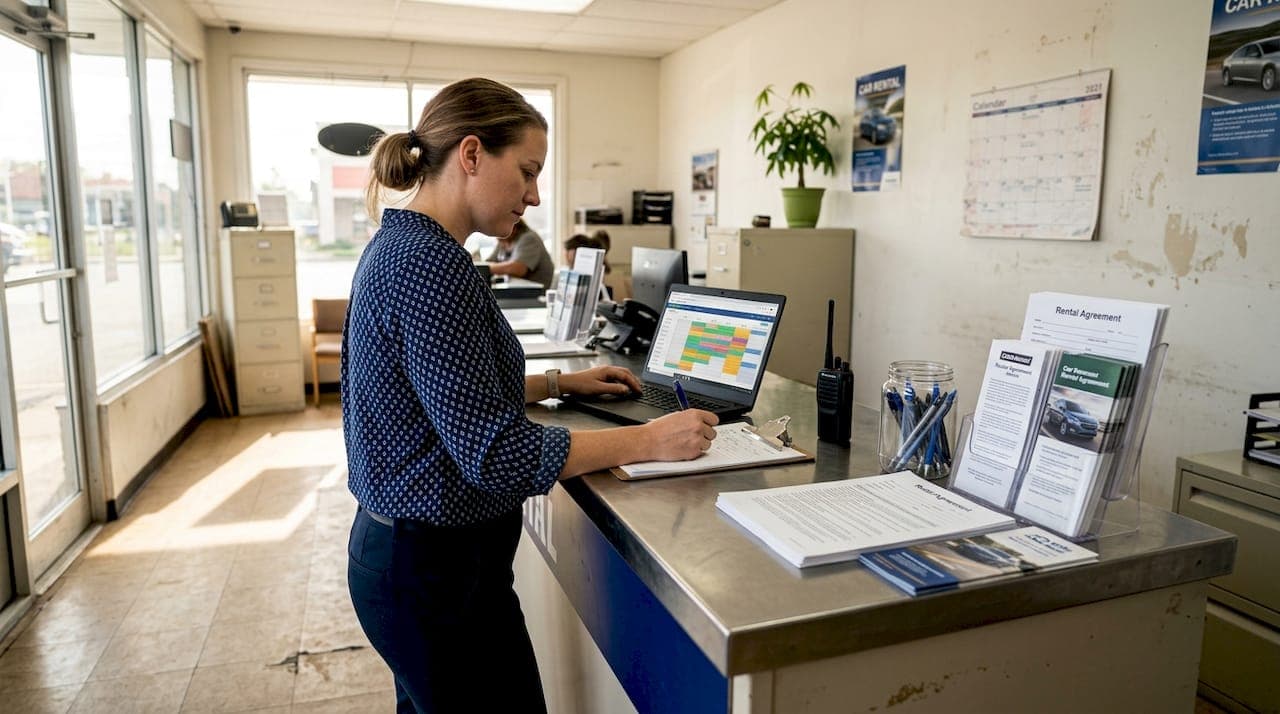
Successful system adoption starts with honest assessment of your current operations. Preparation includes assessing fleet size, booking volume, and system integration capabilities to match the right solution to your business needs. Small fleets with 5 to 20 vehicles need different features than medium operations managing 50 to 100 cars across multiple locations.
Start by documenting your current booking volume. Track daily, weekly, and seasonal patterns to understand peak demand periods. This data reveals whether you need basic reservation tools or advanced capacity planning features. A fleet experiencing 200 bookings monthly has different requirements than one processing 1,500 reservations.
System compatibility determines how smoothly new software integrates with existing tools. Review your current accounting software, payment processors, and customer databases. Cloud-based platforms typically offer API connections to popular business tools, but verifying compatibility before purchase saves implementation headaches. Check whether the system supports your preferred payment gateways and accounting platforms.
Hardware and connectivity requirements matter more than most businesses realize. Cloud systems need reliable internet connections for real-time updates. Evaluate your office bandwidth and consider backup internet options for uninterrupted service. Most modern systems run on standard computers and tablets, but verify minimum specifications before committing.
| Fleet Size | Essential Features | Optional Enhancements |
|---|
| Small (5-20 vehicles) | Basic booking calendar, customer database, payment processing | GPS tracking, mobile app |
| Medium (20-100 vehicles) | Multi-location support, advanced reporting, automated notifications | Integration with accounting software, custom contract templates |
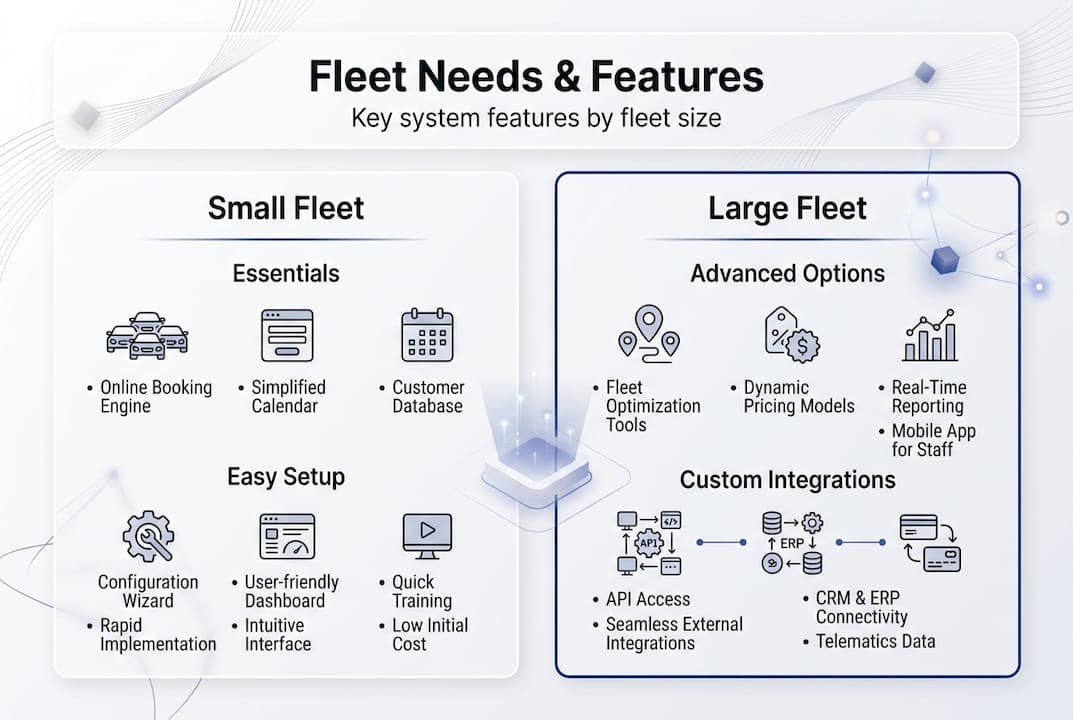
Pro Tip: Engage your team early to gather input on workflow pain points. Front-line staff who handle daily bookings often identify inefficiencies management overlooks. Their insights ensure the new system addresses real operational challenges rather than theoretical improvements.
Budget planning extends beyond software subscription costs. Factor in training time, potential productivity dips during transition, and integration expenses. Most businesses underestimate the time required for data migration from old systems. Allocating 40 to 60 hours for initial setup and staff training creates realistic expectations and smoother adoption.
Step-by-step implementation of a cloud-based vehicle reservation system
Implementation success depends on following a structured deployment sequence. Rushing through setup creates gaps that cause problems later. Automating rental bookings helps prevent double bookings and improves operational efficiency when configured correctly from the start.
-
Build your fleet database by entering complete vehicle details including VIN numbers, license plates, make, model, year, and maintenance schedules. Include photos and specific features like GPS, child seats, or roof racks. Accurate vehicle data prevents booking conflicts and helps customers select appropriate vehicles.
-
Configure booking rules that reflect your business policies. Set minimum and maximum rental periods, advance booking windows, and buffer times between reservations for cleaning and maintenance. Define pricing structures for different vehicle categories, seasonal rates, and promotional periods. These rules automate decision making and ensure consistency.
-
Train staff thoroughly on platform navigation and standard procedures. Create role-based access so front desk staff, managers, and maintenance teams see relevant information without overwhelming interfaces. Schedule hands-on practice sessions where employees process mock bookings, handle modifications, and resolve common scenarios. Record training sessions for future reference and new hire onboarding.
-
Test the system extensively with dummy bookings before going live. Create realistic scenarios including same-day rentals, long-term bookings, early returns, and vehicle swaps. Verify that notifications trigger correctly, payment processing works smoothly, and reports generate accurate data. Testing reveals configuration issues in a controlled environment rather than during actual customer transactions.
-
Activate real-time notifications to keep everyone informed. Configure alerts for new bookings, upcoming returns, maintenance due dates, and payment confirmations. Customize notification preferences so staff receive relevant updates without notification fatigue. Mobile alerts ensure managers stay connected even when away from the office.
-
Establish backup procedures for system downtime or connectivity issues. Document manual processes for accepting bookings and recording them in the system once connectivity restores. Keep printed copies of current reservations accessible during internet outages.
Pro Tip: Use automation features to streamline routine tasks and reminders. Automated pre-rental confirmations reduce no-shows, while post-rental feedback requests improve customer engagement. Set up automatic invoice generation and payment reminders to reduce administrative workload and improve cash flow.
Integration with existing tools amplifies system value. Connect your reservation platform to accounting software for automatic transaction recording. Link GPS tracking systems to monitor vehicle locations and mileage accurately. These integrations eliminate duplicate data entry and ensure information consistency across platforms.

Avoiding common mistakes and troubleshooting your reservation system
Even well-implemented systems encounter challenges. Recognizing frequent pitfalls early prevents minor issues from becoming operational crises. Double bookings can be prevented with proper system setup and real-time synchronization, but only if you actively maintain system integrity.
Common mistakes undermine system effectiveness:
- Ignoring software updates leaves your system vulnerable to bugs and missing new features that improve functionality
- Poor data entry creates cascading problems when vehicle details, customer information, or booking parameters contain errors
- Incomplete staff training results in underutilized features and workarounds that defeat automation benefits
- Neglecting regular data backups risks catastrophic loss if hardware fails or systems crash
- Failing to review system logs means missing patterns that indicate configuration problems or user errors
Preventing double bookings is not just about technology but about maintaining data integrity and ensuring every team member follows consistent processes. A single manual override without proper system notation can create conflicts that frustrate customers and damage your reputation.
Troubleshooting starts with systematic investigation. When issues arise, check synchronization settings first. Many problems stem from delayed updates between booking channels or disconnected integrations. Verify that all access points, whether office computers, mobile devices, or online booking portals, communicate with the central database in real time.
Audit logs provide invaluable troubleshooting information. Review user activity to identify who made changes, when modifications occurred, and what data was altered. This transparency helps pinpoint whether problems result from system bugs, user errors, or configuration issues. Regular log reviews also reveal training gaps or process violations before they cause customer-facing problems.
System reports identify recurring problems that require process adjustments. Run weekly utilization reports to spot vehicles consistently underbooked or patterns suggesting pricing issues. Analyze booking modification rates to determine whether initial reservation processes need improvement. High cancellation rates for specific vehicle types might indicate misleading descriptions or photos.
Implement fallback manual checks during high-demand periods as a safety net. Peak seasons when booking volume spikes increase error risk. Quick visual scans of the booking calendar before confirming reservations catch conflicts automated systems might miss due to timing overlaps or synchronization delays. This hybrid approach balances efficiency with reliability.
Establish clear escalation procedures for system issues staff cannot resolve independently. Designate a system administrator responsible for advanced troubleshooting and vendor communication. Document common problems and solutions in an internal knowledge base so staff can resolve recurring issues without waiting for management intervention.
Measuring success and optimizing your vehicle reservation system
System value becomes clear through measurable performance improvements. Monitoring key performance indicators helps optimize fleet utilization and customer satisfaction while identifying opportunities for refinement. Tracking the right metrics transforms raw data into actionable business intelligence.
Track these essential KPIs consistently:
- Booking volume trends reveal whether marketing efforts and system convenience drive customer growth
- Fleet utilization rates show the percentage of time vehicles generate revenue versus sitting idle
- Average booking value indicates whether upselling and pricing strategies work effectively
- Customer satisfaction scores measured through post-rental surveys identify service quality trends
- Booking-to-inquiry conversion rates highlight whether your reservation process removes friction or creates barriers
- Double booking incidents track system reliability and staff adherence to proper procedures
| KPI | Target Range | Action if Below Target |
|---|
| Fleet utilization rate | 65-75% | Review pricing strategy, increase marketing, optimize vehicle mix |
| Booking conversion rate | 40-60% | Simplify reservation process, improve vehicle descriptions, add online booking |
| Customer satisfaction | 4.5+ out of 5 | Address specific complaint patterns, improve vehicle condition, enhance communication |
| Average booking value | Varies by market | Train staff on upselling, bundle services, review pricing tiers |
System analytics reveal patterns invisible in daily operations. Identify peak booking times to optimize staffing levels and ensure adequate vehicle availability. Analyze which vehicle types book fastest to inform future fleet purchases. Geographic data shows where customers originate, guiding targeted marketing investments.
Continuous staff training on new features ensures your team leverages system capabilities fully. Schedule quarterly refresher sessions covering updates and advanced features. Share best practices discovered by team members to spread knowledge across your organization. Encourage staff to suggest system improvements based on their daily interactions.
Regular stakeholder feedback sessions keep your reservation system aligned with business needs. Meet monthly with staff to discuss pain points and gather improvement ideas. Survey customers about their booking experience to identify friction points. Review vendor roadmaps to understand upcoming features and plan how they might benefit your operations.
Optimization never stops. As your business grows and market conditions shift, your system configuration should evolve. Seasonal adjustments to pricing rules, booking windows, and vehicle availability keep your operations responsive. Regular competitive analysis ensures your reservation process matches or exceeds industry standards.
Discover Nomora's all-in-one car rental software solutions
Managing vehicle reservations effectively requires tools built specifically for rental operations. Nomora offers cloud-based solutions tailored for small to medium fleets that eliminate manual processes and spreadsheet chaos. Our comprehensive platform manages bookings, contracts, and fleet operations in one integrated system designed to prevent errors and maximize profitability.
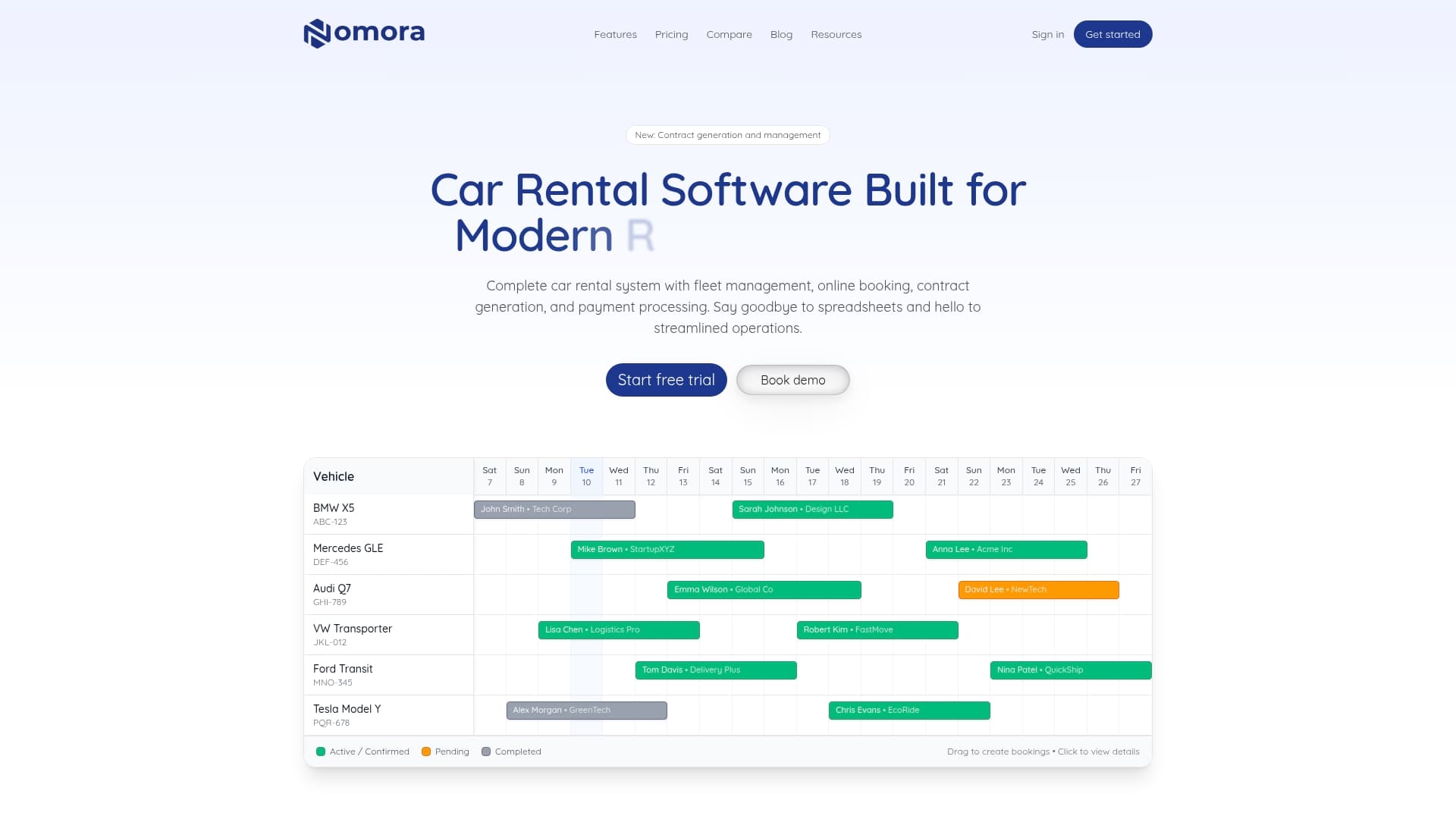
Specialized features address the exact challenges this guide covers. Fleet management software provides real-time visibility into vehicle availability, maintenance schedules, and utilization rates. Our double bookings prevention system uses automatic conflict detection and real-time synchronization to protect your reputation and revenue. Setup takes 24 to 48 hours, getting your team productive quickly without lengthy implementation projects. Explore how Nomora transforms rental operations from reactive firefighting to proactive growth.
FAQ
How does a vehicle reservation system improve fleet utilization?
A vehicle reservation system provides real-time availability visibility, reducing idle vehicles and maximizing booking potential across your entire fleet. It improves scheduling accuracy by preventing gaps between reservations and optimizing vehicle allocation based on demand patterns. Automated reminders and notifications ensure vehicles return on time, making them available for subsequent bookings without delays.
What are the key features to look for in a vehicle reservation system?
Real-time booking updates, integration capabilities with accounting and payment systems, user-friendly interfaces, and comprehensive reporting tools are critical features. Automation for routine tasks like confirmations and reminders significantly reduces administrative workload. Mobile access allows staff to manage reservations from anywhere, while customizable booking rules ensure consistency with your business policies.
How can I prevent double bookings in my rental business?
Use systems with real-time syncing across all booking channels and configure booking rules that block overlapping reservations automatically. Regularly audit system logs to identify configuration issues or staff errors before they cause customer problems. Train staff thoroughly on proper booking procedures and establish clear protocols for manual overrides. Implement visual calendar checks during peak periods as an additional safety layer.
Can cloud-based reservation systems be accessed remotely?
Yes, cloud systems allow access from multiple devices and locations with internet connectivity, enabling remote management and real-time updates. Managers can monitor operations, approve bookings, and review reports from smartphones or tablets while away from the office. This flexibility supports multi-location operations and ensures business continuity even when key staff members travel. Secure login credentials and role-based permissions protect sensitive data while enabling necessary access.
Recommended
Ready to streamline your car rental business?
Book 30 minutes with the founder. We set up everything in this guide on your own vehicles, and migrate you out of Excel for free.