An integrated car-rental management platform with built-in corporate-account profiles, billing-code handling, automated invoicing, and payments integration is the right approach to managing corporate billing. Nomora is the recommended all-in-one option — request a demo to see the corporate-accounts flow in action. Three capabilities define a suitable platform: structured company profile fields (billing reference numbers, cost centers, authorized vehicle categories, CD numbers); direct-bill number storage and automatic application at booking; and real-time receivables tracking with credit-control workflows.
Key Takeaways
Corporate billing software must unify company profiles, billing codes, invoicing, and payments in one platform to reduce disputes and accelerate collections.
| Point | Details |
|---|
| CDP vs. DBN distinction | Store discount codes and direct-bill numbers separately but apply both automatically at booking. |
| Auto-populated profiles | Company profile fields should populate cost centers and billing refs at booking to prevent errors. |
| Tokenization for payments | Network tokenization handles post-rental charges and reduces disputes without re-entry. |
| Onboarding sequence | Import profiles via CSV, set credit limits, configure templates, then validate with a sample booking. |
| Nomora recommendation | Nomora covers company profiles, billing codes, consolidated invoicing, and payments — demo in 24–48 hours. |
Table of Contents
What operators need to know about corporate billing car rental
Corporate billing in rental software is the central nervous system of your accounts-receivable operation. Get it right and invoices go out on time, disputes drop, and collections accelerate. Get it wrong and you are chasing paper across spreadsheets.
The ACRISS Corporate Booking Tools guide specifies the company-profile fields every platform must store: preferred suppliers, authorized vehicle categories, CD/corporate discount numbers, central billing reference numbers, cost-center and project codes, and policy or approval indicators. Auto-populating those fields at booking time is what prevents manual entry errors and keeps the correct rate and billing workflow linked from the start.
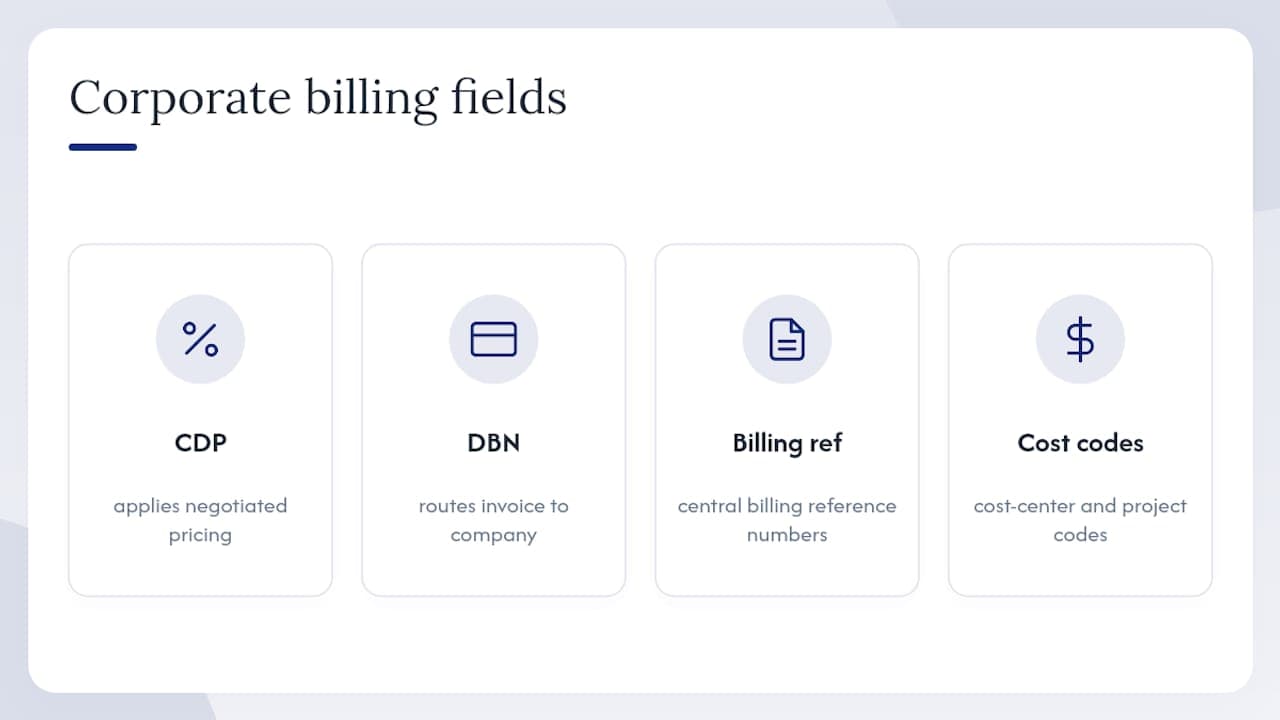
A critical distinction operators often miss: a corporate discount code (CDP) applies negotiated pricing, while a direct-bill number (DBN) routes the invoice to the company rather than the employee. As TravelBank's support documentation explains, billing codes are issued only after a billing agreement is in place. Your software must store both and apply them together, automatically. A Hertz practitioner note reinforces this: pairing CDP application with a linked direct-bill workflow so rate and invoicing destination are synchronized is an operational necessity, not a nice-to-have.
How these features change day-to-day operations
Operators who configure corporate profiles correctly report fewer billing disputes and faster reconciliation cycles. Monthly consolidated invoices replace per-rental paperwork, and credit-limit tracking replaces manual follow-up calls.
Practical onboarding steps:
- Import company profiles via CSV — map CD numbers, billing reference numbers, and cost-center fields during import.
- Set credit limits and monthly billing cycles per account.
- Configure invoice templates to reflect company-specific requirements (logo, purchase-order fields, cost-center breakdowns).
- Enable travel-policy indicators so non-compliant bookings flag before pickup.
- Validate with a sample booking end-to-end before going live.
For payments, pre-authorization flows and network tokenization are the mechanics that handle deposits and post-rental charges without requiring the cardholder to re-enter payment details. Tokenization also reduces disputes by enabling optimized void and release flows.
Pro Tip: When migrating existing corporate accounts, map cost-center fields to your accounting export columns during import rather than after — this lets you validate the AR aging report on day one instead of week two.
For operators managing consolidated invoicing across multiple branches, configuring a single parent company profile with child location codes keeps receivables unified and simplifies month-end reconciliation. Third-party charges such as mobile fuel delivery can also be folded into consolidated statements when your platform supports remote fueling service billing.
Nomora fits the checklist — here is how to verify it

Nomora covers every item on the checklist above: company profiles with billing codes and cost centers, automated monthly consolidated invoicing, integrated payment processing with tokenization support, and connections to accounting systems and GPS/telemetry. Onboarding takes 24–48 hours.
When you request a demo, ask specifically for: a company profile import using your own CSV, a walkthrough of the direct-bill workflow from booking to invoice, a sample consolidated invoice for a multi-location account, and a live view of the receivables aging dashboard. See the full Nomora use cases or go straight to the car rental software page to book your demo.
Sources
Recommended
Ready to streamline your car rental business?
Book 30 minutes with the founder. We set up everything in this guide on your own vehicles, and migrate you out of Excel for free.