Connect a vetted SMS gateway via API keys, enable event webhooks inside your rental management platform, and publish three tested templates — reservation confirmation, pickup reminder, and return reminder — and you will have production-ready automated rental notifications running the same day.
Three immediate actions to get started:
- Connect Twilio, Vonage (Nexmo), or TextMagic by creating an account, copying your Application SID and Auth token, and pasting both into your rental platform's admin settings
- Enable event webhooks for at least three reservation events: booking created, pickup reminder T-24h, and return reminder T-2h
- Publish your first three message templates and send a staged test reservation to verify delivery receipts and confirm inbound replies route to the right agent
Key Takeaways
| Point | Details |
|---|
| Start with three templates | Launch reservation confirmation, T-24h pickup reminder, and T-2h return reminder first. |
| Register your number before going live | 10DLC, toll-free verification, or short code approval is required for reliable US carrier delivery. |
| TCPA consent is mandatory | Collect written opt-in at booking and honor STOP replies within the same business day. |
| Monitor delivery rate weekly | A rate below 95% signals carrier filtering or registration issues that need immediate attention. |
| Nomora accelerates setup | Native gateway integration and per-branch numbers reduce configuration time to 24–48 hours. |
Table of Contents
Why SMS notifications improve rental operations and fleet utilization
Missed pickups and late returns are the two most expensive daily problems in car rental. A customer who does not show costs you a vehicle sitting idle; a customer who returns two hours late collapses your next booking window. Automated car rental text alerts address both directly.
EchoCue's operator data documents pickup no-shows dropping up to 60% when automated reservation reminders and pickup confirmations are in place. That kind of reduction translates directly into tighter fleet scheduling and fewer emergency vehicle reassignments. Wunderkind's case study for a global car rental brand found that a coordinated text program contributed a measurable share of total site bookings, confirming that SMS reminders for car rental do more than reduce friction — they generate measurable revenue.
SMS also outperforms email on the metrics that matter most for time-sensitive rental events. Text messages are typically read within minutes; email can sit unread for hours. For a pickup reminder firing 24 hours before a reservation, that difference in read time is the difference between a customer who shows up prepared and one who calls the counter confused. The benefits of automated bookings extend beyond customer convenience — they reduce manual confirmation calls, free counter staff, and give fleet managers real-time visibility into expected arrivals.
What components does a rental SMS architecture need?
Think of your rental management platform as the central nervous system of the operation. SMS messaging is one of the signals it sends outward. Getting that signal to fire reliably requires six components working together.
| Component | Responsibility | Key implementation note |
|---|
| Event source (booking system) | Fires triggers on reservation state changes | Must emit webhooks or callbacks on create, update, cancel, and return events |
| Message templater | Merges variables into outbound text | Supports placeholders: customer name, pickup location, return time, reservation ID |
| Gateway API (Twilio, Vonage, TextMagic) | Routes messages to carrier networks | Authenticated via Application SID + Auth token or API key |
| Phone numbers | Sender identity visible to renter | Long code, toll-free, or short code — each with different throughput and registration requirements |
| Webhook endpoints | Receives delivery receipts and inbound replies | Must be publicly reachable HTTPS URLs; log raw payloads for 30–90 days |
| Delivery logs | Audit trail for troubleshooting and compliance | Store message SID, status, timestamp, and renter phone number |
Authentication follows a consistent pattern across the major gateways. Twilio uses an Account SID and Auth token pair. Vonage (Nexmo) uses an API key and API secret. TextMagic uses a username and API token. Store all credentials in environment variables or a secrets manager — never in source code or plain-text config files. Rotate tokens on a 90-day schedule and restrict admin access to the gateway dashboard to named staff only. VEVS's integration documentation confirms that platforms can trigger SMS alerts from booking and payment events once gateway credentials are configured in the admin panel.
Follow these steps in order. Skipping ahead, particularly past the test phase, is the most common reason operators discover broken flows during a live booking.
- Choose your phone number type. For most US rental operators starting out, a 10DLC-registered long code or a toll-free number is the right starting point. Short codes offer higher throughput but require 8–12 weeks for carrier approval.
- Create your gateway account. Sign up with Twilio, Vonage, or TextMagic. Purchase or port a US phone number inside the gateway dashboard.
- Copy your credentials. From the gateway dashboard, copy your Application SID (or API key) and Auth token (or API secret).
- Paste credentials into your rental platform admin settings. In Nomora, navigate to Settings > Integrations > SMS Gateway. Enter the gateway provider name, Application SID, Auth token, and sender number. Save and confirm the connection status shows active.
- Enable event webhooks. In the same integrations panel, activate webhooks for:
reservation.created, reservation.pickup_reminder, reservation.return_reminder, and reservation.overdue. Paste your publicly reachable HTTPS webhook URL into each field.
- Publish your first three templates. Write and save templates for reservation confirmation, T-24h pickup reminder, and T-2h return reminder. Use variable placeholders (see Section 5 below).
- Run a staged test. Create a test reservation using a real phone number you control. Verify you receive all three messages, check the delivery receipt status in your gateway dashboard, and confirm that a reply routes to your assigned agent inbox.
Pro Tip: Use separate gateway credentials for staging and production environments. A misconfigured staging webhook that fires against your production number will send real messages to real customers during testing.
Nomora's car rental software integrations guide covers the exact admin fields and webhook configuration steps in detail.
Which message types should you send, and when?
The six message types below cover the full rental lifecycle. Start with the first three; add the remaining once your delivery rates are confirmed stable.
| Message type | Trigger event | Timing |
|---|
| Reservation confirmation | Booking created | Immediately on confirmation |
| Pickup reminder | T-24h before pickup | 24 hours before scheduled pickup |
| Vehicle-ready alert | Vehicle prepped and assigned | When prep bay marks vehicle ready |
| Return reminder (pre-deadline) | T-2h before return | 2 hours before scheduled return |
| Return reminder (morning-of) | Day of return | 8:00 AM on return date |
| Overdue/late notice | Return time passed | 30 minutes after scheduled return |
Sample templates with variables:
- Confirmation: "Hi [FirstName], your [VehicleType] is confirmed for pickup at [Location] on [PickupDate] at [PickupTime]. Reservation ID: [ResID]. Reply STOP to opt out."
- Pickup reminder: "Reminder: your [VehicleType] is ready at [Location] tomorrow at [PickupTime]. Questions? Reply or call [BranchPhone]."
- Return reminder: "Hi [FirstName], your rental is due back at [Location] by [ReturnTime] today. Need more time? Reply EXTEND or call [BranchPhone]."
- Overdue notice: "Your [VehicleType] (Res #[ResID]) was due at [ReturnTime]. Please contact [BranchPhone] immediately to avoid additional charges."
Keep every message under 160 characters where possible to avoid multi-part billing. Include your branch phone number in reminders so renters can call without searching.
US compliance essentials: TCPA, opt-in, and carrier registration
Non-compliance with US carrier rules and the Telephone Consumer Protection Act (TCPA) can result in blocked messages, carrier filtering, and significant fines. These are the non-negotiable items.
- Obtain prior express written consent before sending any marketing or promotional texts. For transactional messages (confirmations, reminders tied to an active reservation), implied consent from the booking transaction is generally sufficient, but document it.
- Include a clear opt-out mechanism in every message. "Reply STOP to opt out" is the standard phrase US carriers expect to see.
- Honor opt-outs immediately. Process STOP replies within the same business day and suppress that number from all future sends.
- Register your 10DLC campaign with The Campaign Registry (TCR) before sending on long codes. Unregistered long-code traffic is increasingly filtered by major US carriers.
- Toll-free numbers require toll-free verification through your gateway provider. Verification typically takes 5–15 business days and raises throughput limits significantly.
- Short codes require a separate application through the Common Short Code Administration (CSCA) and carrier approval, which takes 8–12 weeks.
Pro Tip: Keep your opt-in language on the booking form specific: "By providing your mobile number, you agree to receive text messages about your reservation from [Company Name]. Message and data rates may apply. Reply STOP to opt out." Copy this language exactly into your TCPA compliance records.
Phone-number choices, pricing, and throughput
| Number type | Typical throughput | Registration time | Best for |
|---|
| Long code (10DLC) | 1–10 messages/second (post-registration) | 2–4 weeks (TCR campaign) | Most US rental operators; cost-effective for moderate volume |
| Toll-free | 3 messages/second (post-verification) | 5–15 business days | Operators wanting a single national number with faster approval |
| Short code | 100+ messages/second | 8–12 weeks | High-volume fleets or national brands with large daily send counts |
Per-message costs vary by gateway and volume tier. Twilio's standard US SMS rate is publicly listed at $0.0079 per outbound message. Vonage and TextMagic publish comparable rates with volume discounts. Monthly number fees typically run $1–$2 for long codes and $2 for toll-free numbers. Short code leasing runs significantly higher. For most independent and mid-size rental operators, 10DLC long codes offer the best balance of cost and throughput. Operators managing fleet insurance and operational costs alongside messaging budgets will find that per-message costs are modest relative to the revenue protected by reducing no-shows.
How do you monitor SMS flows and measure their impact?
Monitoring is where most operators underinvest.
- Delivery rate: percentage of sent messages confirmed delivered by the carrier. Target: 95%+.
- Reply rate: percentage of recipients who respond. A low reply rate on return reminders often signals the message arrived too late or the opt-out language discouraged engagement.
- No-show rate: track week-over-week after enabling pickup reminders. Operators using automated text workflows report no-show reductions of up to 60%.
- On-time return rate: compare the 30 days before and after enabling return reminders.
- Click-through rate: if your templates include a link (e.g., extend reservation, pay invoice), track clicks via UTM parameters.
- Reservation-attributed conversions: for promotional sends, use unique tracking links or promo codes to attribute bookings directly to text campaigns, as Wunderkind's case study demonstrates.
Run a full test cycle monthly: send a test reservation through all six message types, verify delivery receipts in the gateway dashboard, replay a webhook to confirm your endpoint is still reachable, and test an inbound STOP reply to confirm opt-out suppression is working.
Common integration problems and how to fix them
Most SMS failures fall into four categories. Diagnose in this order before escalating.
| Symptom | Likely cause | Quick fix |
|---|
| Messages not delivered | Carrier filtering or unregistered number | Verify 10DLC/toll-free registration status in gateway dashboard |
| Invalid number errors | Phone number not in E.164 format | Normalize all numbers to +1XXXXXXXXXX before passing to gateway API |
| Missing delivery receipts | Webhook URL unreachable or returning non-200 | Test endpoint with a manual POST; check firewall and SSL certificate |
| Inbound replies not routed | Inbound webhook not configured | Set the inbound message URL in gateway dashboard to your platform's inbound endpoint |
If gateway logs show repeated authentication errors, regenerate your Auth token and update it in your rental platform admin immediately. For persistent carrier blocks, contact your gateway's carrier registration support team with your campaign registration ID. Escalate to Nomora support with full webhook logs when the issue appears to be on the platform side rather than the gateway.
Nomora quick start: go live in 30–60 minutes
Most of the configuration below completes in under an hour. Carrier registration is the only step that extends the timeline.
- Log into Nomora and go to Settings > Integrations > SMS Gateway.
- Select your gateway provider (Twilio, Vonage, or TextMagic) from the dropdown.
- Paste your Application SID (or API key) and Auth token (or API secret) into the corresponding fields.
- Enter your sender phone number in E.164 format (+1XXXXXXXXXX).
- Paste your webhook URL for delivery receipts and your inbound message URL for replies.
- Enable reservation events: toggle on
reservation.created, reservation.pickup_reminder, reservation.return_reminder, and reservation.overdue.
- Open Templates and create your three starter templates using the variable syntax Nomora supports (e.g.,
{{customer_name}}, {{pickup_location}}, {{return_time}}).
- Send a test reservation and confirm all three messages arrive on your test device.
The 30–60 minute window covers steps 1–8 for operators with gateway credentials already in hand. Carrier registration (10DLC or toll-free verification) runs in parallel and does not block your ability to test in a staging environment.
Pro Tip: If you operate multiple branches, assign a dedicated phone number to each location. Renters recognize a local number more readily on their lock screen, and per-branch numbers let you route inbound replies directly to the right counter team.
Nomora's integrations guide walks through each admin field with screenshots.
How to handle SMS delivery failures and retry strategies
A failed delivery is not the end of the conversation — it is a signal that needs a structured response. The right approach is exponential backoff: retry the first failed send after 5 minutes, the second after 15 minutes, and the third after 60 minutes. Cap retries at three attempts within a 2-hour window to avoid duplicate messages if the original eventually delivers late.
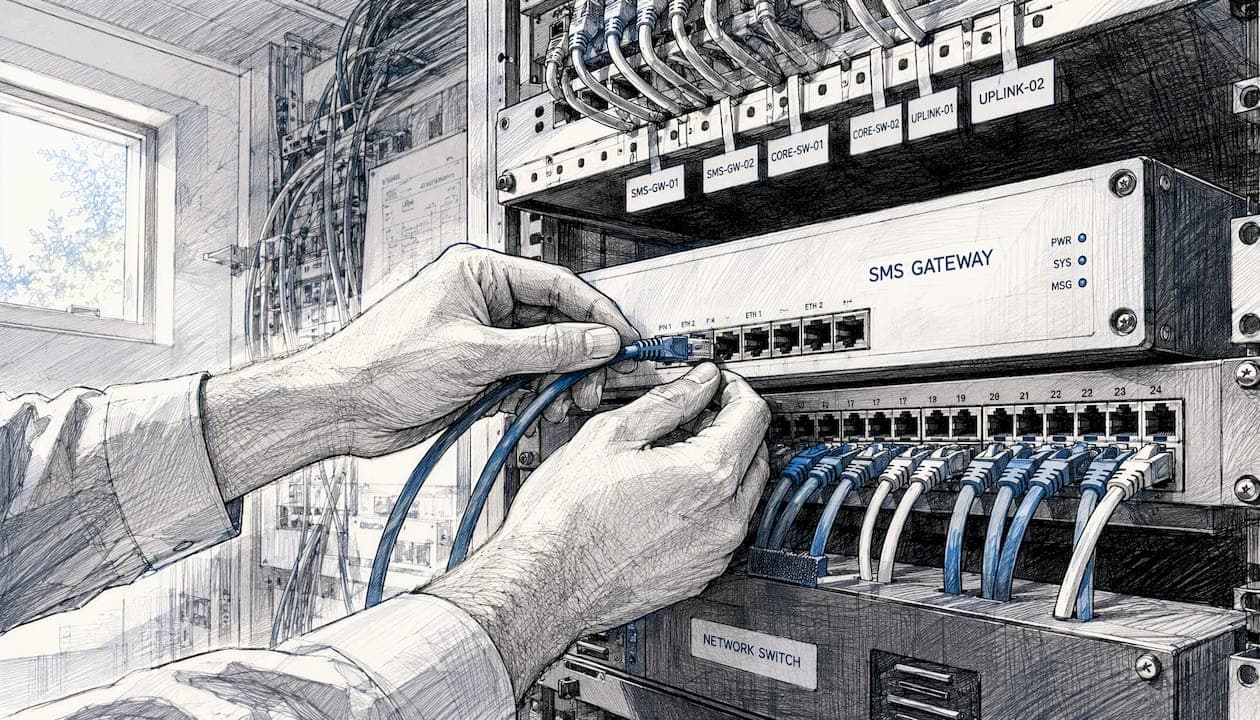
After three failed attempts, escalate to an alternate channel. For a pickup reminder, that means triggering an email fallback automatically. For an overdue notice, it means alerting a counter agent to call the renter directly. Log every retry attempt with its timestamp and error code so you have a clean audit trail if a customer disputes a charge and claims they never received a return reminder.
Store raw webhook delivery-receipt payloads for at least 30 days. That log is your evidence in carrier disputes and your fastest diagnostic tool when a new failure pattern appears.
How SMS integrates with booking and fleet management workflows
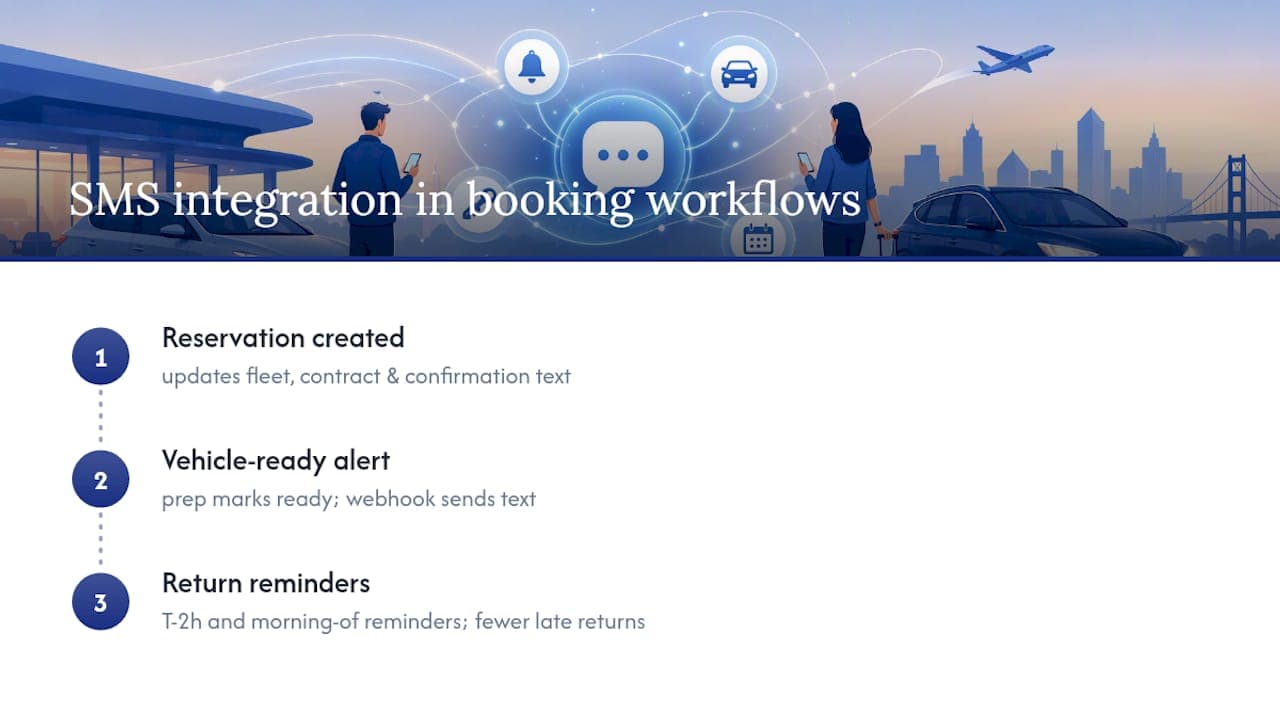
SMS notifications work best when they fire from the same event stream that drives your booking and fleet management system, not from a separate scheduled job. When a reservation is created in Nomora, that event should simultaneously update fleet availability, generate the rental contract, and trigger the confirmation text, three outputs from one source event. This event-driven architecture, covered in detail in Nomora's real-time booking workflows guide, eliminates the timing gaps that cause duplicate messages or missed triggers.
Vehicle-ready alerts are a strong example of this integration in practice. When a prep bay technician marks a vehicle as ready in the fleet management module, that status change fires a webhook that sends the renter a "your car is ready" text. The renter arrives at the counter knowing exactly which vehicle is waiting. Counter wait time drops, and customer satisfaction rises. Automating vehicle-ready alerts from the prep workflow is one of the highest-ROI SMS triggers operators can add after the core three templates are stable.
For fleet utilization, the return reminder chain is equally important. A T-2h reminder gives the renter time to plan their return. A morning-of reminder on the return date catches renters who forgot. Both messages reduce the late-return rate that compresses your next booking window and forces last-minute vehicle reassignments.
What operators learn after their first 90 days with SMS
The operators who get the most from automated rental notifications share one habit: they read their delivery logs before they read their booking reports. Delivery data tells you whether your messages are actually reaching renters — and in the first weeks after launch, that number is often lower than expected because of number registration gaps or template formatting that triggers carrier filtering.
The second lesson is to keep templates short and transactional from the start. Operators who launch with long, marketing-heavy messages see higher opt-out rates and more carrier filtering. A 90-character confirmation with the reservation ID and pickup time outperforms a 200-character message with promotional language every time.
Keep an audit trail for every opt-in. Store the timestamp, the booking form version, and the renter's phone number together. If a TCPA complaint arrives, that record is your defense.
Nomora makes SMS setup faster for rental operators
Rental operators who have tried to wire together a gateway, a booking system, and a compliance workflow manually know how many moving parts that involves. Nomora removes most of that friction by building the integration layer directly into the platform.

Native gateway support for Twilio, Vonage, and TextMagic means you paste credentials once and the connection is live. Per-branch phone numbers, a unified inbound reply inbox, and pre-built webhook endpoints for all reservation events are included. Nomora's onboarding process is designed to get most operators fully configured within 24–48 hours, including template setup and event trigger activation. For operators who also want to automate payment receipts and secure payment links via text, Nomora's automated payments feature connects directly to the same SMS workflow. Start your Nomora trial and have your first three SMS templates live before end of day.
Sources
This article is general information, not a substitute for advice from a qualified lawyer. Consult a qualified legal professional about your own circumstances before acting on anything here.
Recommended
Ready to streamline your car rental business?
Book 30 minutes with the founder. We set up everything in this guide on your own vehicles, and migrate you out of Excel for free.