Key Takeaways
| Point | Details |
|---|
| Lifecycle matters | A digital workflow from reservation to return is the backbone of remote fleet management. |
| Invest in visibility | Telematics and unified dashboards allow you to monitor and control your fleet from anywhere. |
| Start simple | Begin with scalable, rental-specific software to minimize complexity and speed up adoption. |
| Track ROI metrics | Fuel savings and downtime reduction offer rapid and measurable ROI within months. |
| People drive success | Getting staff buy-in and managing change is just as important as the technology itself. |
Understand the essentials of remote fleet management
Remote fleet management refers to the practice of overseeing vehicle availability, condition, location, and utilization without requiring physical presence at every lot or depot. For rental companies, it means your entire operation functions as a connected system rather than a collection of disconnected tasks handled by different people using different tools.
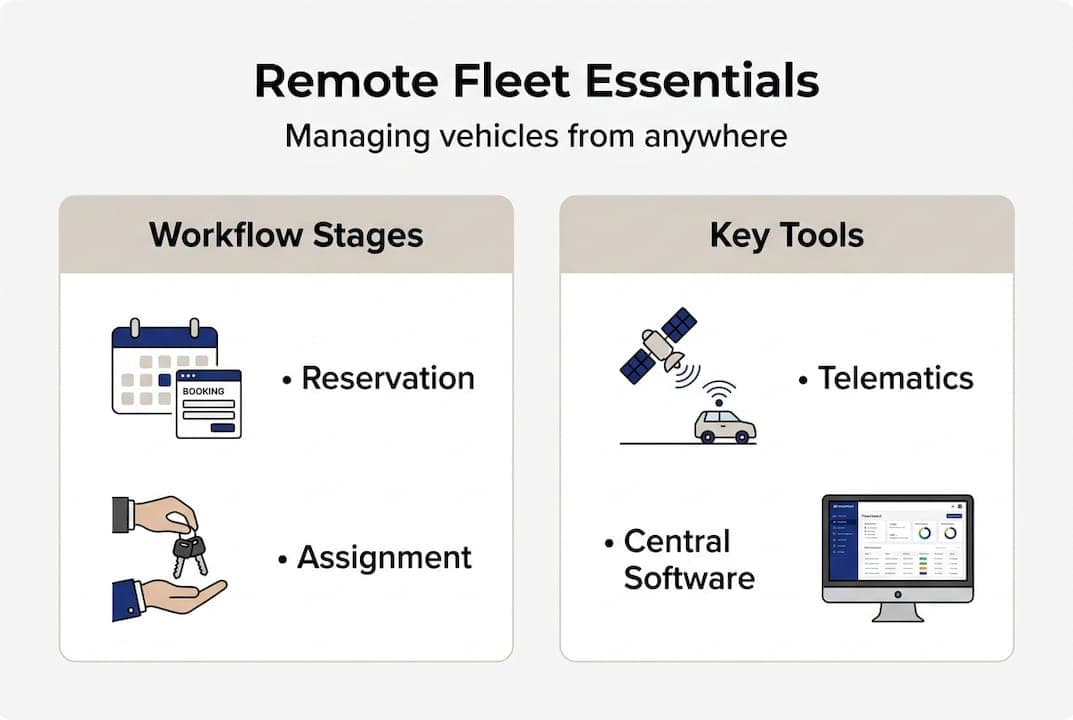
The workflow lifecycle for rental companies typically runs through five linked stages: reservation, confirmation, vehicle assignment, active rental monitoring, and return with settlement. When these stages are disconnected, errors multiply. When they are connected through software and telematics, each stage feeds accurate data into the next automatically.
Think of your rental software as the central nervous system of the operation. Every signal, from a GPS ping to a payment confirmation, travels through it. Without that central system, your operation runs on guesswork.
Core components of a remote fleet workflow
Key mechanics include telematics integration for GPS tracking, predictive maintenance using sensor data, centralized dashboards for multi-location oversight, automated alerts, and dynamic pricing. Together, these create a digital layer over your physical fleet that gives you real-time answers to the questions that matter most: Where is each vehicle? Is it available? Is it healthy?
Here is what every remote fleet operation needs to function properly:
- Telematics hardware installed in each vehicle to transmit location, fuel level, mileage, and engine data
- Cloud-based dashboard accessible from any device, at any location, at any time
- Automated alerts for maintenance thresholds, geofence breaches, and contract expirations
- Maintenance planning integration to schedule service based on actual vehicle data rather than calendar guesses
- Centralized customer and reservation data so nothing is managed in isolation
For companies running vehicles across multiple sites, a multi-location fleet management guide explains how centralized dashboards can consolidate visibility across every depot from a single interface. If you are still running things through spreadsheets, the comparison in the next section will be eye-opening.
"Real-time telematics data transforms reactive fleet management into proactive control, giving rental operators the visibility they need to prevent problems before they become costly." — Fleet Intelligence
| Workflow stage | Without telematics | With telematics |
|---|
| Reservation | Manual availability check | Automated, real-time availability |
| Assignment | Phone call to lot staff | Digital assignment with GPS confirmation |
| Monitoring | No visibility during rental | Live location, fuel, and mileage data |
| Return | Manual inspection checklist | Automated data capture and settlement |
Building on the essentials, the practical setup requires specific tools, the right integrations, and a clear sequence of preparatory steps before you go live. Rushing this phase is one of the most common reasons remote workflow rollouts stall.
Comparing your options
Not all fleet management tools are created equal. Here is a straightforward comparison of the three most common approaches:
| Approach | Cost | Visibility | Scalability | Best for |
|---|
| Spreadsheets | Very low | None | Poor | 1-3 vehicles only |
| Basic telematics | Moderate | GPS only | Limited | Growing fleets needing location data |
| Full SaaS platform | Scalable | Complete lifecycle | Excellent | SMB rental fleets seeking automation |
For small to medium rental companies, telematics platforms with rental-specific integrations, such as Fleet Intelligence with RentalMan, provide seamless remote visibility without requiring a dedicated IT team. The goal is maximum insight with minimum overhead.
Critical setup steps
Follow this sequence to prepare your team and infrastructure before activating your remote workflow:
- Audit your current stack. Identify every tool your team currently uses, from calendar apps to repair order systems, and map out where data currently lives.
- Select your core SaaS platform. Prioritize platforms built specifically for rental operations, not generic fleet tools adapted for rentals.
- Install telematics hardware. Work with your telematics vendor to install GPS and sensor devices in every vehicle you intend to manage remotely.
- Centralize your data. Migrate customer records, vehicle histories, and reservation data into your new system before going live.
- Train your staff. Remote workflows only work when every team member knows the system. Plan for at least two structured training sessions.
- Run a pilot workflow. Before full rollout, test the entire reservation-to-return cycle on a small subset of vehicles.
For guidance on what specific features to prioritize during platform selection, reviewing the key rental software features your operation needs will help you build a shortlist quickly.

Phased implementation is strongly recommended for SMBs. Test approval workflows, prioritize mobile-first access for drivers and field staff, and validate data accuracy at each stage before expanding scope. Skipping the pilot phase is the single most avoidable mistake in this process.
Pro Tip: Start with your five highest-utilization vehicles in a pilot. If the workflow holds up under real-world demand on those units, you can roll out to the rest of the fleet with confidence and far fewer surprises.
Execute the step-by-step remote workflow
With your tools ready and your team trained, it is time to put the workflow into daily practice. Each step below corresponds to a stage in the rental lifecycle and includes specific actions your remote management setup should handle automatically or semi-automatically.
The complete remote rental workflow
-
Reservation and confirmation. A customer books online or through your rental management platform. Your system checks real-time vehicle availability, applies pricing rules, and generates a confirmation automatically. No phone tag, no spreadsheet lookup.
-
Vehicle assignment and pickup. Based on vehicle location, condition status, and customer preferences, your dashboard recommends the optimal vehicle. Staff receive a digital assignment notification. The customer receives pickup instructions. If a vehicle is flagged for maintenance, the system prevents it from being assigned, avoiding costly breakdowns mid-rental.
-
Active rental monitoring. This is where telematics earns its place. Throughout the rental period, your dashboard shows each vehicle's GPS location, current fuel level, odometer reading, and engine status. You know exactly where every asset is at every moment without calling anyone.
-
Return, inspection, and settlement. When the vehicle returns, mileage and fuel data from the telematics system pre-populate your settlement form. Staff complete a digital inspection checklist. Damage photos upload directly to the customer record. Payment processes automatically. The vehicle status updates in real time, making it immediately available for the next booking.
The core workflow steps covering reservation, assignment, active monitoring, and return with automated checks represent the gold standard for modern rental operations. Companies that implement all four stages consistently report shorter turnaround times and significantly fewer billing disputes.
Predictive maintenance in the workflow
Predictive maintenance is not a luxury feature. It is a core part of responsible remote fleet management. Your telematics system continuously reads engine diagnostic codes, tracks mileage intervals, and monitors sensor readings for brake wear, battery health, and tire pressure. When thresholds are approaching, the system alerts your maintenance coordinator before a vehicle fails on the road.
Predictive maintenance that analyzes engine codes, mileage, and sensors to schedule service proactively reduces downtime by 30-45%. For a rental fleet, every day a vehicle is unexpectedly off the road is direct lost revenue. Proactive service eliminates the majority of those unplanned outages.
You can explore proven rental fleet optimizations that other SMB operators have applied to their maintenance and utilization practices.
Pro Tip: Configure geofencing alerts around your permitted rental zones. If a vehicle leaves a designated area during an active rental, you receive an immediate alert. This single feature addresses theft, unauthorized mileage, and contract violations simultaneously. For driver management, geofencing also helps you identify behavioral patterns that increase vehicle wear.
Optimize, troubleshoot, and avoid common mistakes
After your workflow is running, the focus shifts from execution to optimization. Sustained ROI comes from measuring what matters, fixing what breaks, and avoiding the traps that derail otherwise solid setups.
Setting the right KPIs
Establish three to five key performance indicators (KPIs) before you go live so you have a baseline to measure against. The most useful metrics for remote rental workflows include:
- Fleet utilization rate: the percentage of your fleet actively generating revenue on any given day
- Average turnaround time: how long it takes from vehicle return to ready-for-next-rental status
- Unplanned downtime hours: vehicle hours lost to unexpected maintenance or breakdown
- Fuel cost per rental day: a direct measure of operational efficiency
- Settlement accuracy rate: the percentage of returns processed without billing disputes
Review these metrics weekly during your first three months post-launch. Patterns will surface quickly, and course corrections are much easier to make early.
Common mistakes and practical fixes
- Over-customizing too early. Out-of-the-box workflows work well for most SMB rental fleets. Resist the urge to customize every field and rule before you understand how staff actually use the system in practice.
- Skipping staff buy-in. A workflow that staff work around rather than through is not a workflow at all. Involve your team in the pilot phase and address their friction points before full rollout.
- Neglecting phased rollout. Activating all workflow stages simultaneously across your entire fleet creates too many variables. Launch in stages so troubleshooting stays manageable.
- Ignoring mobile access. Your drivers and lot staff are not sitting at desks. If your platform is not fully functional on a smartphone, field adoption will suffer immediately.
- Treating telematics data as optional. Some managers enable GPS but never build alerts or reports around the data. Raw data without action is just noise. Build your alert rules from day one.
Empirical benchmarks show fuel savings of 20-31%, downtime reduction of 30-45%, and ROI of 26x to 583% within 6-12 months for SMB fleets that commit to proper implementation. These numbers are achievable, but only when the setup is done correctly and the workflow is actually followed.
"The real barrier to successful fleet management is not the technology. It is getting people to change how they work." — Fleet Management for Small Businesses, Oxmaint
Organizational change is consistently harder than the technology implementation for SMBs. Plan for it explicitly. Assign a workflow champion on your team, someone who owns adoption and is empowered to coach colleagues through the transition.
Pro Tip: Focus equal energy on change management as you do on software configuration. A perfectly configured platform that your staff avoids will not move the needle on utilization or profitability. People adopt what they understand and what makes their day easier, so frame every training session around time saved, not features added.
Why simpler, scalable workflows beat complex enterprise solutions
Here is a perspective that many technology vendors will not share openly: for small and medium rental fleets, choosing a simpler, purpose-built SaaS platform almost always produces faster results than implementing a complex enterprise solution.
Enterprise fleet management software was designed for organizations with dedicated IT departments, six-figure implementation budgets, and multi-year rollout timelines. Most SMB rental operators have none of those resources. When a small fleet manager attempts to run a tool built for a 2,000-vehicle corporation, they spend more time configuring the software than running their business.
Scalable, affordable tools priced around $39 per vehicle per month with quick setup outperform heavy enterprise integrations for fleets under 25 vehicles. The math is simple. A tool that is live in 48 hours and used by your entire team is more valuable than a sophisticated platform that takes six months to configure and gets abandoned after 90 days.
The contrarian view here is important: start with the simplest tool that solves your actual problems today. You can add complexity as your fleet grows and your team builds operational maturity. Layering on advanced features before your staff has mastered the basics creates confusion, not capability.
This is the same logic behind the affordable fleet management tools that growing rental companies favor. They prioritize speed to value over feature count. And for most fleets in the 5 to 50 vehicle range, that trade-off consistently delivers better outcomes.
Power your workflow with flexible rental fleet management software
Running an efficient remote workflow is only as strong as the platform supporting it. Scattered tools and manual processes will always limit how far you can scale, regardless of how well your team executes the steps above.
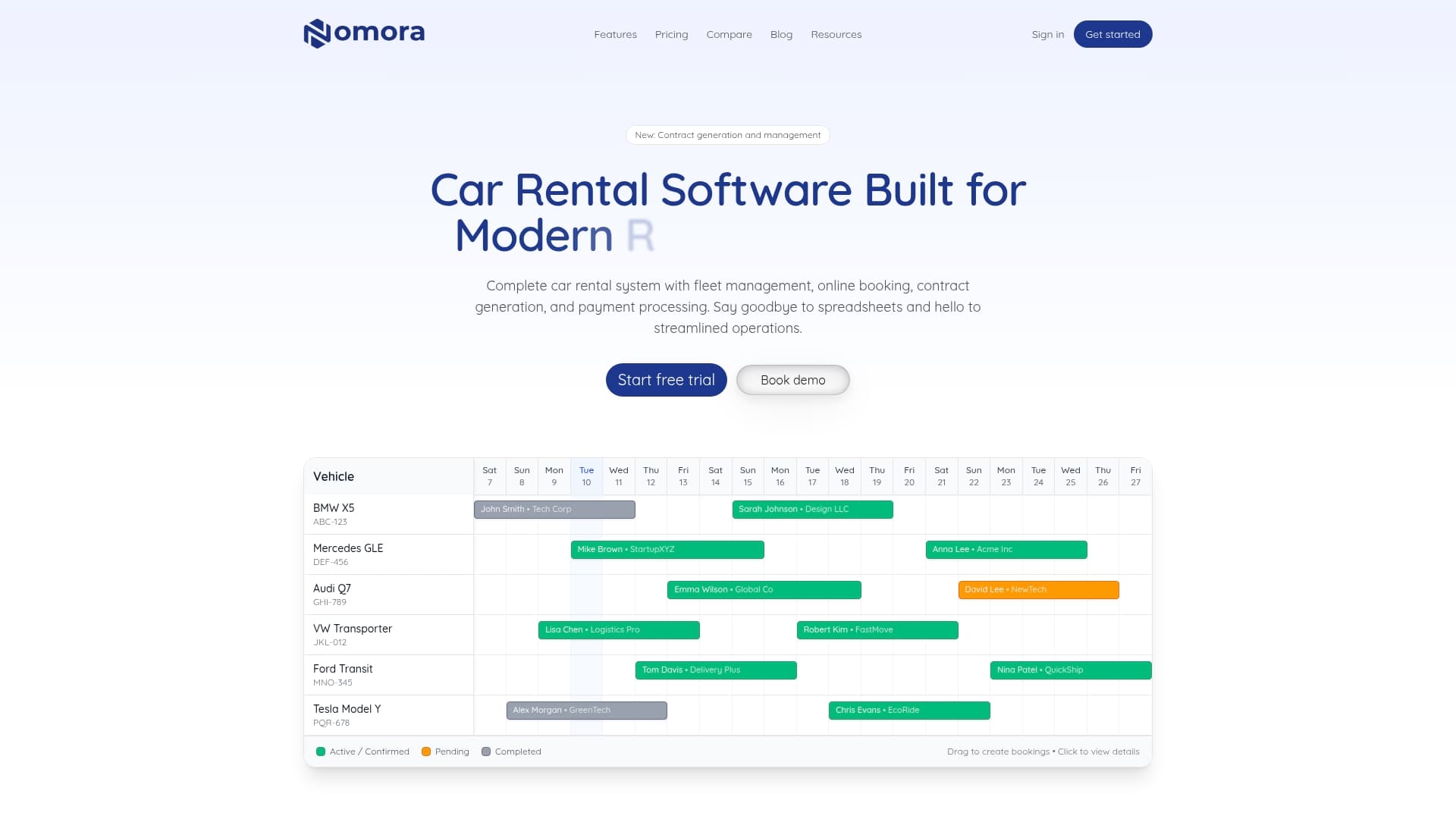
Nomora is built specifically for rental companies like yours, handling reservations, fleet assignments, contracts, payments, and GPS integration inside a single cloud-based system. Setup takes 24-48 hours, not months, so you start seeing results almost immediately. Whether you manage 10 vehicles or 100, the platform scales with your operation without adding IT complexity.
Explore the full range of rental software use cases to see how operators at different fleet sizes use Nomora in practice. When you are ready to evaluate your options in detail, the fleet management software page provides a complete breakdown of features, integrations, and pricing plans tailored for small and medium rental fleets.
Frequently asked questions
What's the most important feature for remote rental fleet management?
The most important feature is real-time telematics integration for GPS tracking and remote monitoring of vehicles, which enables centralized visibility, predictive maintenance, and automated alerts from a single dashboard.
How quickly can a small rental company see ROI from workflow automation?
ROI typically appears within 6-12 months, with some fleets seeing returns between 26x and 583% depending on fleet size and how fully the workflow is implemented.
What's the best way to prevent vehicle misuse in remote workflows?
Set up geofencing and status-based alerts to proactively address theft, unauthorized usage, and unbilled hours, keeping off-rent assets fully accounted for at all times.
For small to medium rental fleets, modular SMB-focused tools are more affordable, faster to implement, and easier for staff to adopt than complex enterprise platforms designed for much larger operations.
What's the biggest challenge in rolling out remote fleet management?
Organizational change and staff buy-in are the toughest challenges, consistently proving more difficult than the technical setup itself and requiring deliberate planning to overcome.
Recommended