Key Takeaways
| Point | Details |
|---|
| Remote access advantages | Small rental businesses can now utilize remote access for greater flexibility, efficiency, and customer satisfaction. |
| Cloud technology impact | Migrating to cloud solutions streamlines operations and provides scalable, secure management with fast ROI. |
| Implementation steps | Successful adoption requires PCI-compliance, encrypted systems, ongoing updates, and staff training. |
| Continuous improvement | Monitor metrics monthly to optimize fleet utilization and realize ongoing operational benefits. |
Defining remote access in car rental operations
Remote access, in the context of a car rental business, means that authorized people, whether managers, staff, or customers, can interact with your rental systems and vehicles from any location with an internet connection. Think of your rental management software as the central nervous system of your operation. Remote access keeps that system responsive even when you are not physically in the office.
This is not a vague concept. In practice, remote access enables a wide range of critical functions:
- Online booking management: Staff can create, modify, or cancel reservations from any device without being tied to a front desk terminal.
- Fleet status monitoring: Managers can check vehicle availability, mileage, location, and maintenance status in real time.
- Digital contract generation: Rental agreements can be drafted, signed, and stored electronically without paper.
- Remote vehicle unlocking: Customers can unlock and access vehicles through a mobile app, eliminating the need for in-person key exchanges.
- Payment processing: Transactions are handled digitally, reducing cash handling and enabling instant receipts.
- Data analytics access: Business owners can pull utilization reports, revenue data, and customer records from any location.
One of the most persistent misconceptions is that remote access is only practical for large rental chains with dedicated IT teams. In reality, modern cloud solutions for car rentals are designed with small operators in mind, offering plug-and-play setup, intuitive interfaces, and pricing that scales with your fleet size.
Another common misunderstanding is that remote access creates security vulnerabilities. The opposite is true when implemented correctly. Keeping your systems and your customers' payment data secure is non-negotiable, and responsible vendors build that protection in from the start. As highlighted in security vulnerability research, the best way to mitigate risk is through PCI-compliant payments, data encryption, regular security patching, and network segmentation while avoiding cheap, unpatched software that leaves your operation exposed.
"Remote access is not about removing human oversight. It is about giving the right people the right information and control at the right time, from wherever they happen to be."
Understanding the full scope of rental software features helps operators appreciate which capabilities matter most for their specific business model. A two-location operation has different remote access priorities than a solo operator managing a five-car fleet, but both benefit from the core principles: real-time visibility, secure data handling, and flexible access controls.
With remote access defined, let's explore how cloud solutions play a crucial role.
Cloud platforms have fundamentally changed what is possible for small and mid-sized rental businesses. Where traditional on-premise software required local servers, manual backups, and IT maintenance contracts, cloud-based systems deliver the same power through a browser or mobile app, with updates happening automatically in the background.
The core cloud technologies most relevant to car rental operations fall into a few categories:
- SaaS rental management platforms: All-in-one systems that handle reservations, contracts, payments, fleet tracking, and reporting through a single cloud-hosted interface.
- GPS telematics integration: Real-time vehicle tracking feeds data directly into your rental platform, giving you location, speed, fuel levels, and trip history at a glance.
- Payment gateway APIs: Secure, cloud-hosted payment processors connect to your rental system, enabling card-on-file charges, deposits, and automated invoicing.
- Cloud storage and document management: Contracts, IDs, and incident reports are stored securely in the cloud and accessible to authorized staff from any device.
The hybrid telematics-cloud approach is particularly powerful. According to small business cloud guidance, combining telematics hardware in your vehicles with a cloud management platform yields the fastest ROI through improvements in fleet utilization and fuel savings. Real-time data helps you identify underused vehicles, optimize scheduling, and catch maintenance issues before they become expensive breakdowns.
Here is a direct comparison of on-premise versus cloud-based systems to help you assess where your business currently stands:
| Feature | On-premise systems | Cloud-based systems |
|---|
| Upfront cost | High (hardware and licenses) | Low (monthly subscription) |
| Scalability | Limited and expensive | Flexible and immediate |
| Security updates | Manual, often delayed | Automatic and continuous |
| Remote access | Restricted or unavailable | Full access from any device |
| Data backup | Manual or local | Automated and offsite |
| Integration options | Limited and costly | Extensive via APIs |
Using a system integration guide can help you map out which existing tools such as accounting software, GPS providers, and payment processors can connect to a new cloud platform without requiring you to start from scratch. Most modern platforms also offer rental integrations that slot directly into tools you may already be using, which dramatically reduces migration complexity.
Maximizing fleet utilization strategies through cloud data is one of the clearest paths to improved profitability. When you can see in real time which vehicles are sitting idle and which are generating revenue, you make smarter decisions about pricing, repositioning, and fleet expansion.

Pro Tip: When migrating to cloud software, start with a non-critical workflow such as internal reporting or customer communications before moving reservations and payments. This reduces disruption and gives your team time to build confidence with the new system before it handles mission-critical transactions.
Having seen the value of cloud technologies, the next step is choosing and implementing them effectively.
Steps to enable secure remote access in your rental business
Implementing remote access is not simply about purchasing software and flipping a switch. A structured approach protects your business, your customers, and your reputation. Here are the key steps to follow:
-
Assess your current setup and priorities. Identify your fleet size, the number of locations you manage, your current booking volume, and the biggest pain points in your daily workflow. Are customers waiting too long for check-in? Are you losing track of vehicle locations? Understanding these gaps shapes which remote access features to prioritize first.
-
Select a PCI-compliant, encrypted management platform. Not all rental software is built with security as a priority. Insist on platforms that offer PCI-DSS-compliant payment processing, end-to-end data encryption, and clear documentation of their security practices. This protects your customers' payment information and shields your business from liability.
-
Implement network segmentation. If your operation uses a local network in an office or lot, segment that network so that customer-facing devices, internal management systems, and payment terminals operate on separate network zones. This limits the spread of any potential breach.
-
Establish a regular patching schedule. Outdated software is one of the most common entry points for security incidents. Work with your software provider to ensure that updates and security patches are applied promptly. As vulnerability research confirms, avoiding cheap unpatched software is essential because the cost of a data breach far outweighs the savings from a lower-priced tool.
-
Set up role-based access controls. Not every employee needs access to every part of your system. Configure user permissions so that front-line staff can manage bookings and check-ins while only managers and owners can access financial reports and system settings.
-
Test your setup with a pilot group. Before rolling out remote access to your full team or customer base, run a controlled pilot with a small group of staff or a single vehicle category. Gather feedback, identify friction points, and resolve them before scaling.
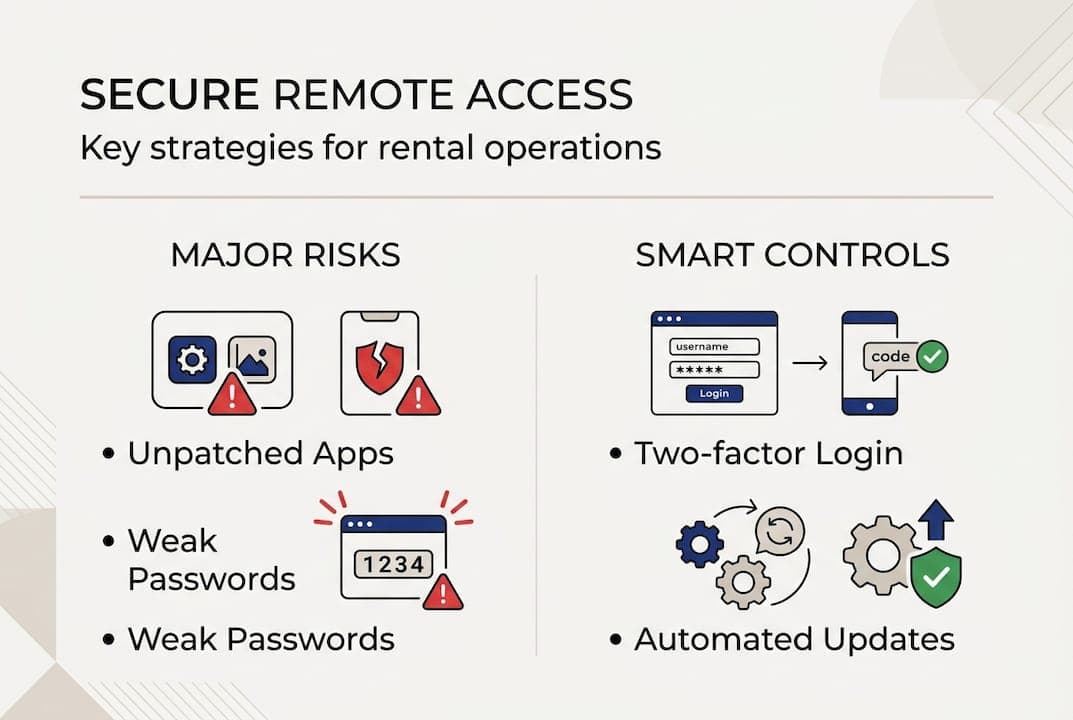
Here is a quick reference table for common vulnerabilities and how to address them:
| Vulnerability | Risk level | Mitigation strategy |
|---|
| Unpatched software | High | Automated updates and regular audits |
| Weak passwords | High | Multi-factor authentication (MFA) |
| Unsegmented networks | Medium | Network segmentation by function |
| Non-compliant payments | Critical | PCI-DSS-compliant payment gateway |
| Unencrypted data storage | High | End-to-end encryption at rest and in transit |
Reviewing fraud prevention strategies specific to the rental industry is also a smart move during this phase. Rental businesses face unique fraud risks, from identity theft to unauthorized vehicle use, and your remote access setup should account for these scenarios from the start. Pairing that knowledge with real-time tracking tips adds another layer of protection and visibility across your entire fleet.
Pro Tip: Never let cost savings lead you toward unpatched or unsupported software. A single security incident can result in regulatory fines, customer loss, and reputational damage that far exceeds what you saved on the software subscription.
After a secure implementation, continuous improvement is essential for maximum benefit.
Unlocking efficiency: practical outcomes of remote access
Once your remote access infrastructure is in place, the operational gains become visible quickly. Here is what rental businesses typically experience in the weeks and months after a successful rollout:
- Faster check-in and check-out: Digital contracts, pre-filled customer profiles, and mobile key delivery can cut the average check-in time from 15 minutes to under 3 minutes. That improvement directly increases customer satisfaction and reduces bottlenecks during peak hours.
- Reduced manual administration: Automated reminders, digital invoices, and cloud-stored records eliminate hours of weekly paperwork. Staff can refocus that time on customer service and fleet maintenance coordination.
- Optimized fleet scheduling: Real-time availability data means you can respond to last-minute booking requests with confidence, knowing exactly which vehicles are available, where they are, and when they will return.
- Improved revenue tracking: Cloud dashboards give owners an up-to-the-minute view of daily revenue, outstanding balances, and fleet performance metrics, without waiting for end-of-day reports.
- Enhanced customer experience: Self-service portals and mobile apps allow customers to book, modify, and return vehicles on their own schedule, which builds loyalty and reduces inbound calls to your team.
According to guidance on cloud ROI, the combination of telematics data and cloud management delivers measurable gains in utilization and fuel savings, two of the highest-impact cost factors in any rental operation. When you know a vehicle is sitting idle two miles from a customer who needs a car, you can act on that data immediately.
The software use cases for remote access extend well beyond the typical single-location operation. Businesses managing multiple locations gain especially significant value because cloud platforms unify visibility and control across all sites without requiring staff to be physically present at each one. Operators running specialty vehicle solutions such as luxury vehicles, vans, or equipment also benefit because remote diagnostics and tracking are particularly valuable for high-value assets.
Pro Tip: After going live with remote access tools, set a monthly review cadence to check key metrics including fleet utilization rate, average booking value, check-in duration, and customer satisfaction scores. These numbers tell you whether the technology is delivering on its promise and where to focus next.
With the practical benefits laid out, let's explore a perspective that most guides miss entirely.
What most guides overlook: the real secret to successful remote access
Most articles on remote access spend nearly all their time on technology selection. They list features, compare platforms, and outline integration options. That is useful, but it misses the deeper truth: the technology is rarely the reason implementations succeed or fail.
The real differentiator is adoption. A well-chosen platform deployed without proper staff training, clear communication, and a staged rollout plan will underperform a simpler tool that your team uses confidently and consistently. Staff who feel confused or bypassed by new technology tend to work around it rather than with it, which creates the exact inefficiencies you were trying to eliminate.
The approach that works is starting small and building momentum. Pick one workflow, something low-stakes but visible, and run a two-week pilot. Maybe it is digital contract generation for existing customers or using the mobile app for internal fleet status updates. When your team sees those early wins, confidence grows and resistance drops. This is exactly what cloud solutions transformation looks like in practice, not a dramatic overnight overhaul but a steady, deliberate progression that sticks.
Ongoing monitoring matters just as much as the initial rollout. The businesses that extract the most value from remote access are the ones that check their metrics monthly, identify friction points, and adjust. That habit of continuous review turns a good implementation into a great one.
Next steps: streamline your rental operation with Nomora
Managing a rental business remotely does not have to be complicated or expensive. Nomora is built specifically for operators who want to replace manual processes with an integrated, cloud-based system that handles everything from reservations and contracts to payments and fleet tracking.
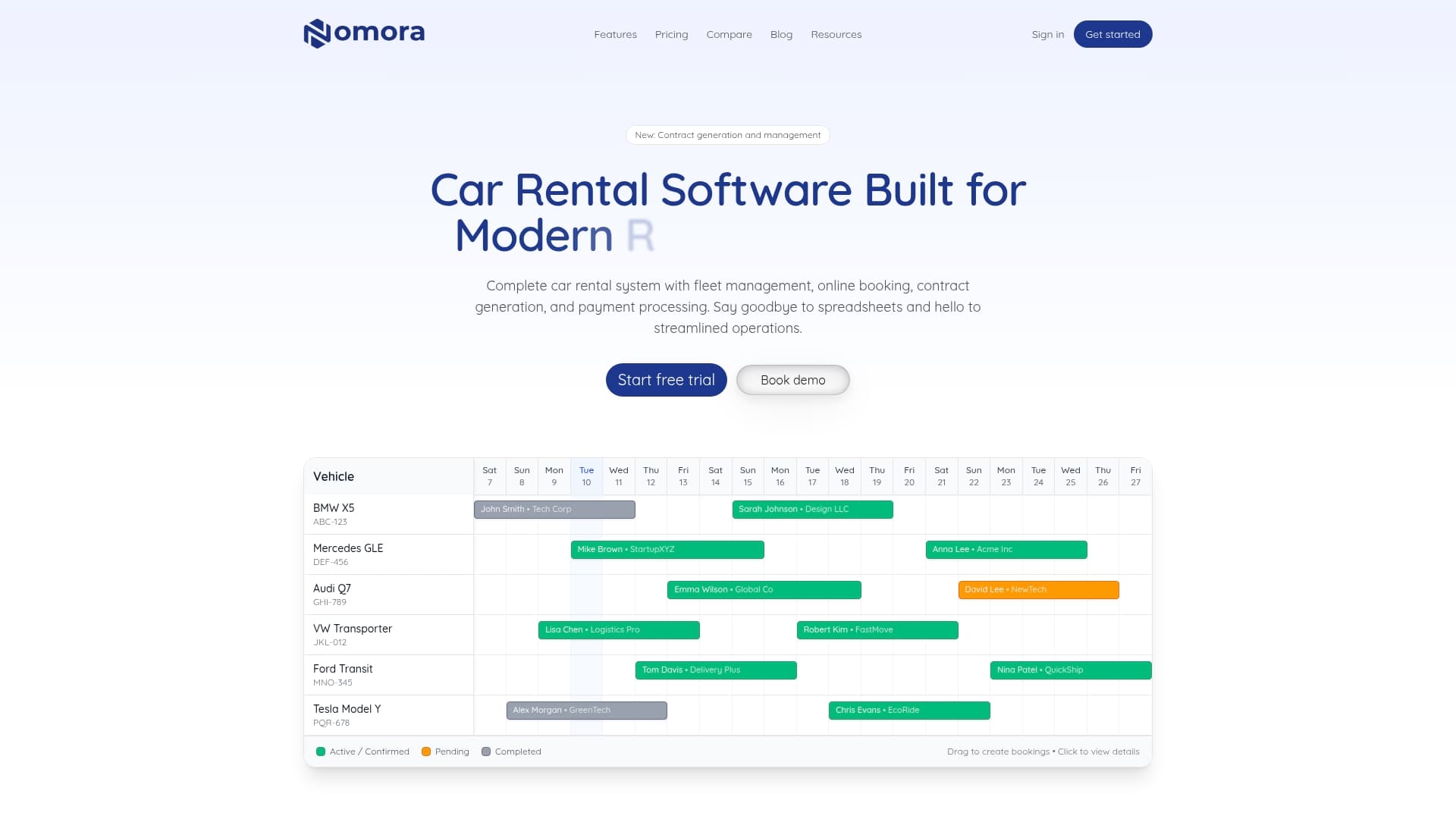
Whether you are looking to eliminate double bookings, automate your payment collection, or gain real-time visibility across your entire fleet, Nomora gives you the tools to do it securely and efficiently. Explore the full range of software use cases to find the configuration that fits your operation. You can also learn how Nomora helps you prevent double bookings and implement automated payments that save time and reduce errors. Getting started takes as little as 24 to 48 hours.
Frequently asked questions
What is remote access in car rental operations?
Remote access allows managers and customers to control, monitor, and interact with rental vehicles and systems from any location using cloud-enabled technologies. Cloud solutions enhance flexibility and enable real-time data access across your entire operation.
How can small rental businesses secure remote access?
Small businesses should choose platforms offering PCI-compliant payments, data encryption, regular updates, and network segmentation to ensure secure remote access. Following established mitigation practices such as avoiding cheap unpatched software is essential to keeping your systems and customer data protected.
Are cloud solutions expensive for car rental businesses?
Cloud solutions have become affordable and scalable for small rental operations, allowing for gradual upgrades and quick return on investment. Hybrid telematics-cloud approaches deliver the fastest ROI through improvements in fleet utilization and fuel savings.
How do remote access technologies improve rental fleet efficiency?
Remote access enables real-time fleet tracking, faster check-in and check-out, and reduced manual processes, leading to higher utilization and customer satisfaction. Cloud platforms connect operations and vehicles in real time, giving operators the data they need to make smarter decisions every day.
Recommended