TL;DR:
- A solid, region-specific contract with essential clauses is crucial to avoid disputes and legal risks.
- Automation reduces errors, speeds up contract processing, and saves significant staff time.
- Regular review and jurisdiction-specific updates ensure contracts stay compliant amid changing laws.
Outdated, error-prone car rental contracts quietly drain your business. A missing clause leads to a disputed damage charge. A manual data entry mistake delays a customer pickup. A signature gets lost in a paper pile. For small and midsize rental operators, these friction points compound fast, eroding margins, frustrating customers, and exposing the business to legal risk. This guide walks you through what every airtight contract must contain, how to prepare your operation for automation, and how to run a fully digital contract workflow that saves time, reduces errors, and keeps your business protected.
Table of Contents
Key Takeaways
| Point | Details |
|---|
| Automate for speed | Digital software cuts contract generation time from 8-12 minutes to under 2 minutes per booking. |
| Protect and please | The best contracts balance safeguards with renter-friendly policies to avoid disputes. |
| Stay law-compliant | Annual contract reviews and region-specific clauses are crucial for staying fully compliant. |
| Document everything | Use photo/video evidence and mandatory renter initials on key terms to reduce risk. |
| Measure and refine | Track KPIs after automation so you can spot issues and optimize your process. |
What makes an airtight car rental contract?
Before automating anything, it's critical to have a rock-solid contract template as your baseline. A contract is only as strong as what it covers, and gaps in coverage are where disputes are born.
Car rental contracts must include core elements: parties involved, vehicle details, rental duration, payment terms, liability provisions, prohibited uses, insurance requirements, and fees. Each of these sections serves a distinct protective function. The vehicle details section, for example, establishes the baseline condition of the car before the renter takes possession. Payment terms prevent billing ambiguity. Liability provisions define who is responsible when something goes wrong.
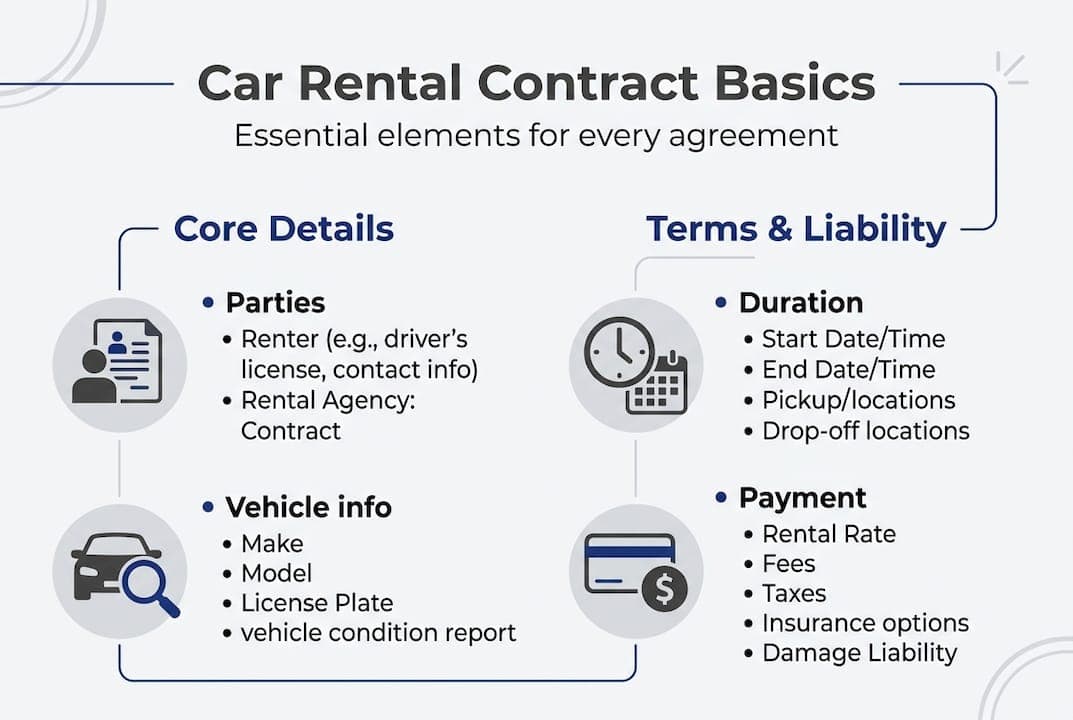
Understanding the key contract essentials for your specific business type matters because legal minimums vary by jurisdiction. A contract that satisfies requirements in Texas may fall short in California or New York. Insurance language, in particular, must reflect what your policy actually covers, not a generic template pulled from the internet.
Here are the core sections every contract should include:
- Parties involved: Full legal names, contact details, and driver's license information for all authorized drivers
- Vehicle details: Make, model, year, VIN, mileage at pickup, and current condition notes
- Rental duration: Exact pickup and return times, grace period policy, and late return fee structure
- Payment terms: Deposit amount, total rental cost, accepted payment methods, and refund conditions
- Insurance and liability: Coverage type, deductible amounts, and renter responsibility limits
- Prohibited uses: Off-road driving, towing, crossing international borders, and other restricted activities that void coverage
- Fees and penalties: Fuel charges, cleaning fees, toll violations, and traffic fines
The balance between strict protection and a smooth customer experience matters. Overly aggressive language can feel hostile to renters, while vague terms invite exploitation. Aim for precise, plain language that leaves no room for misinterpretation.
Pro Tip: Require photo or video documentation of the vehicle at pickup and return, and have the renter initial the condition report. This single step eliminates the majority of damage disputes before they escalate.
Review the rental contract definitions that apply to your region, especially if you operate across multiple states or countries. Jurisdiction-specific language is not optional; it is a legal necessity.
Preparing your business for automation
Once you know what your contract must cover, it's time to focus on the digital tools and preparations needed before automation. Jumping straight into software without a clean foundation creates digital versions of the same old problems.
Automation streamlines contract generation using digital templates, e-signatures, and software that auto-populates details from bookings. But that software needs clean, standardized data to work from. If your customer records are inconsistent, your vehicle catalog is incomplete, or your pricing rules are scattered across spreadsheets, automation will simply speed up the chaos.
Start by evaluating car rental contract software against these must-have features:
- Auto-fill from booking data: Customer name, license number, vehicle details, and dates should populate without manual input
- Template management: Ability to store multiple contract versions for different vehicle types, regions, or rental durations
- E-signature integration: Legally binding digital signatures that renters can complete on any device
- Payment gateway connection: Contracts and payments handled in one seamless flow
- Audit trail: Timestamped records of every contract action for dispute resolution
Hardware and connectivity also matter. A tablet or kiosk at your counter speeds up the signing process. A reliable internet connection ensures cloud-based contracts sync in real time. These are not luxury upgrades; they are operational requirements for a modern rental business.

Staff training is often the most underestimated step. Your team needs to understand not just how to use the software, but why each field matters. An employee who skips the license verification step because it feels redundant creates a compliance gap that automation cannot fix.
Here is a quick comparison of readiness levels:
| Readiness factor | Not ready | Ready |
|---|
| Customer data | Inconsistent formats | Standardized fields |
| Vehicle catalog | Partial records | Complete with VINs |
| Staff training | No digital literacy plan | Trained on software |
| Contract templates | Generic, outdated | Reviewed and regionalized |
| Payment setup | Manual invoicing | Gateway integrated |
Common data standardization pitfalls include inconsistent date formats, missing vehicle identification numbers, and duplicate customer records. Audit your existing data before migration. It takes a few hours upfront and saves weeks of troubleshooting later.
Pro Tip: Run a parallel test period where staff process contracts both manually and through the new system for one week. This surfaces data gaps and training needs before you go fully live. Explore rental automation tools to compare feature sets before committing to a platform.
Step-by-step: Automating the contract process
With preparation complete, you can now walk through the full automated contract workflow, from booking to signed document. The goal is a process that takes under two minutes from data entry to signed agreement.
Here is the standard automated workflow:
- Online booking submission: Customer enters their details, selects vehicle, and chooses rental dates through your booking portal
- Auto-generated contract: Software pulls booking data and populates the contract template instantly, including all applicable fees and clauses
- Digital delivery: Contract is sent to the customer via email or SMS for review before pickup
- E-signature capture: Customer signs digitally on their device or at your counter kiosk, with identity verification built in
- Payment processing: Deposit and rental fees are charged automatically upon signature, with receipts generated instantly
- Document storage: Signed contract is stored in the cloud, linked to the customer record and vehicle history
The difference between manual and automated processing is significant. Automation speeds booking processing by 80%, cuts errors by 70%, and boosts fleet utilization by 25 to 40%. That is not a marginal improvement; it is a structural shift in how efficiently your business operates.
| Metric | Manual process | Automated process |
|---|
| Contract generation time | 8 to 15 minutes | Under 2 minutes |
| Data entry errors | High | Reduced by up to 70% |
| Staff time per rental | 20+ minutes | 5 to 8 minutes |
| Document retrieval | Manual filing | Instant cloud search |
For a small fleet of 20 vehicles averaging 15 rentals per week, cutting 15 minutes of admin time per contract saves roughly 3.75 hours of staff time weekly. Over a year, that is nearly 200 hours redirected toward customer service or fleet maintenance.
The step-by-step automation guide covers integration specifics in detail. Pairing contract automation with pricing automation benefits compounds the efficiency gains further. The automation ROI data from industry sources consistently shows payback periods under six months for most SMB operators.
Troubleshooting, compliance, and exception management
No contract process is perfect. Here's how to spot, resolve, and prevent common mistakes or compliance gaps before they become costly problems.
Exception handling is where many automated systems fall short. Your software should flag and route edge cases rather than silently process them incorrectly. Common scenarios to plan for include:
- Late returns: Define an hourly fee structure that activates after a grace period. For extended overdue returns, your contract should authorize a theft report if the vehicle is not returned within a specified window
- Unauthorized drivers: Contracts must clearly state that coverage is void if an unlisted driver operates the vehicle. Automated systems can flag bookings where additional driver information is missing
- Disputed damages: Pre-rental photo documentation linked to the contract record is your primary defense. Without it, disputes default to he-said-she-said territory
- Prohibited use violations: Clearly define what constitutes a prohibited use and the financial consequences. Vague language here is routinely exploited
Regional legal compliance is non-negotiable. US states vary significantly in their requirements, the Graves Amendment limits owner liability in specific circumstances, and annual compliance reviews are essential to stay current. The Graves Amendment) protects rental companies from vicarious liability in many cases, but only when the contract language and insurance requirements are properly structured.
State-level rulings can also shift your exposure. A recent New York liability ruling illustrates how quickly local precedent can change what your contract needs to say.
"Contracts that are not reviewed annually are contracts waiting to fail. Regulatory changes, court rulings, and insurance policy updates all affect what your agreement must cover."
Software that auto-updates jurisdiction-specific clauses removes much of this burden. Look for platforms that maintain a legal clause library and notify you when regional requirements change. For jurisdiction-specific contract tips, reviewing your template against current state statutes at least once per year is the minimum standard.
Build a simple exception log into your workflow. Track every contract dispute, late return, or unauthorized use incident. Patterns in that log will tell you exactly which contract clauses need tightening.
What most SMBs get wrong—and what actually works
With the fundamentals and troubleshooting handled, it's worth examining some blind spots SMBs often miss and how you can avoid them.
Most small rental operators fall into one of two traps. They either write contracts so restrictive that customers feel interrogated, or they keep terms so loose that enforcement becomes nearly impossible. Neither extreme serves the business well. The goal is a contract that is firm, clear, and fast to execute.
The operators who see the biggest gains from automation are not the ones who spent the most on software. They are the ones who treated contract clarity as a business KPI. Speed of signature, dispute rate per 100 rentals, and clause-specific claim frequency are all measurable. Tracking them year over year tells you where your contract is working and where it is leaking money.
Digitally documented contract actions, meaning timestamped signatures, photo records, and audit trails, prevent roughly 90% of disputes from escalating. Most customers will not contest a claim when you can show them a timestamped photo taken five minutes before they drove off the lot. The technology is not the hard part. The discipline to use it consistently is.
Review the SMB automation case studies to see how operators at your scale have applied these principles in practice. The patterns are consistent: small process improvements, compounded over time, produce outsized results.
Unlock seamless contracts with the right software
If you're ready to reduce errors and streamline contracts, specialized car rental software is the most direct path to measurable operational gains.
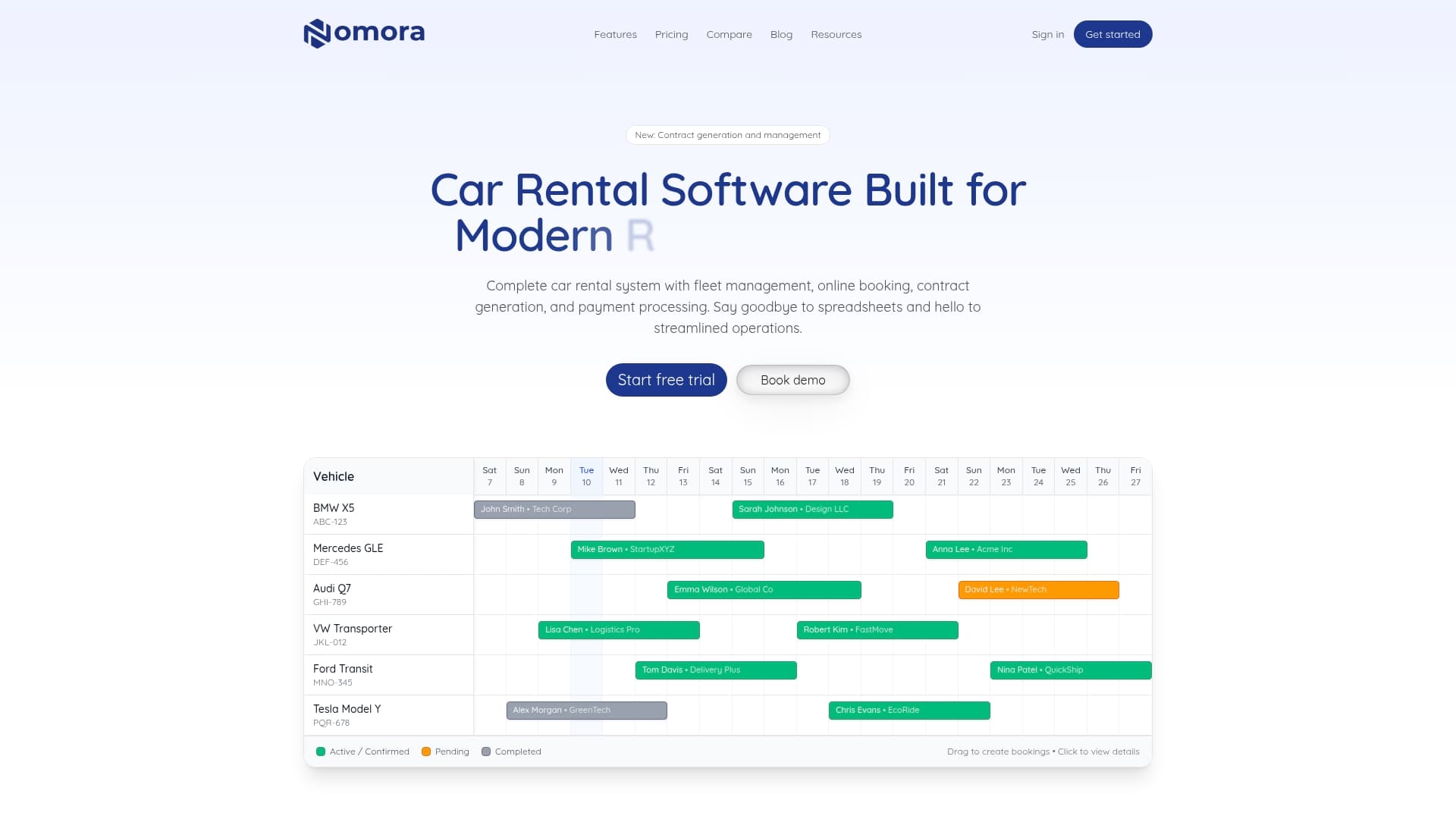
Nomora is built specifically for rental businesses like yours. The platform automates contract generation, handles automated payment features in one connected flow, and stores every signed document in a searchable cloud archive. Jurisdiction-specific clause management, e-signature capture, and real-time fleet visibility are all included. Explore the SMB software use cases to see how businesses at your scale have cut admin time and reduced disputes. Visit the Nomora platform to request a demo and see the full contract workflow in action within 24 to 48 hours of setup.
Frequently asked questions
What are the must-have clauses in a car rental contract?
Every contract must cover parties, vehicle details, rental period, fees, payment, prohibited uses, insurance, and liability. Missing any one of these sections creates enforceable gaps that renters or insurers can exploit.
How does automation improve contract accuracy?
Automation cuts errors by up to 70% by auto-filling customer and vehicle data directly from the booking record, eliminating the manual transcription mistakes that cause most contract disputes.
How should SMBs handle late returns or damages?
Set clear hourly late return fees with a defined grace period, require photo documentation of vehicle condition at pickup and return, and explicitly state that unauthorized drivers void insurance coverage.
Does my software need to update contracts for different regions?
Yes. Jurisdiction-specific clauses covering mileage limits, liability caps, and fee disclosures vary by state and must be reviewed annually to stay compliant with current regulations and court rulings.
Recommended