TL;DR:
- Managing rental vehicle maintenance without structured workflows leads to missed inspections, compliance issues, and costly breakdowns. Implementing tools like DVIR, telematics, and capacity planning ensures regulatory compliance and optimized scheduling. Discipline in following standardized processes is crucial to reduce backlogs, maintain vehicle safety, and improve operational efficiency.
Running a rental fleet without a structured fleet maintenance scheduling workflow is like managing reservations on sticky notes. Vehicles fall behind on service, compliance gaps surface during audits, and a single unexpected breakdown can cascade into a wave of canceled rentals and costly roadside calls. For fleet managers and maintenance coordinators at small and medium rental companies, the stakes are particularly high: you are managing tight technician capacity, unpredictable vehicle utilization, and real regulatory obligations, all at once. This guide walks you through every stage of a practical, compliant workflow built specifically for your operation.
Table of Contents
Key Takeaways
| Point | Details |
|---|
| Start with DVIR compliance | Build your workflow around driver vehicle inspection reports to capture defects before they escalate into failures. |
| Use usage-based triggers | Mileage, engine hours, and fault codes schedule maintenance more accurately than calendar intervals alone. |
| Protect technician capacity | Reserve 30 to 40% of daily technician hours for planned preventive maintenance to prevent reactive backlog spirals. |
| Close the three-signature loop | Compliance requires driver inspection, mechanic certification, and next-driver sign-off before any vehicle returns to service. |
| Automate work order generation | Configure your CMMS to run scheduled batch cycles with lead time settings so planners can review before work begins. |
Building your fleet maintenance scheduling workflow
A solid fleet maintenance scheduling workflow does not start on the shop floor. It starts with understanding what regulatory requirements, scheduling triggers, and software capabilities you need in place before a single work order is created.
Regulatory requirements you cannot skip
For DOT-regulated rental vehicles, federal regulations under 49 CFR 396.11 require drivers to complete a driver vehicle inspection report (DVIR) at the end of every operational day. The report documents defects, and then maintenance must certify any repairs made. The next driver must review and sign off before the vehicle goes back into service. This three-step process is not optional. Many fleets lose audits not because vehicles are in poor shape, but because the DVIR signature loop was never properly closed.
Beyond DVIR, your preventive maintenance intervals need to be defined around at least four triggers:
- Mileage thresholds (e.g., oil changes every 5,000 miles)
- Engine hours for vehicles used in heavy-duty or specialty applications
- Calendar intervals as a fallback when usage data is unavailable
- Fault codes pushed directly from onboard diagnostics or GPS telematics
The following features are non-negotiable for any fleet maintenance scheduling guide aimed at real compliance and efficiency:
| Tool or Feature | Purpose |
|---|
| Electronic DVIR system | Captures defects at source, pushes them to maintenance, and blocks dispatch until certified |
| CMMS with PM scheduling | Generates work orders via batch runs based on interval logic and lead time settings |
| Capacity planning module | Allocates technician hours between planned PM and reactive repairs |
| Telematics or GPS integration | Feeds live mileage, engine hours, and fault codes directly into scheduling triggers |
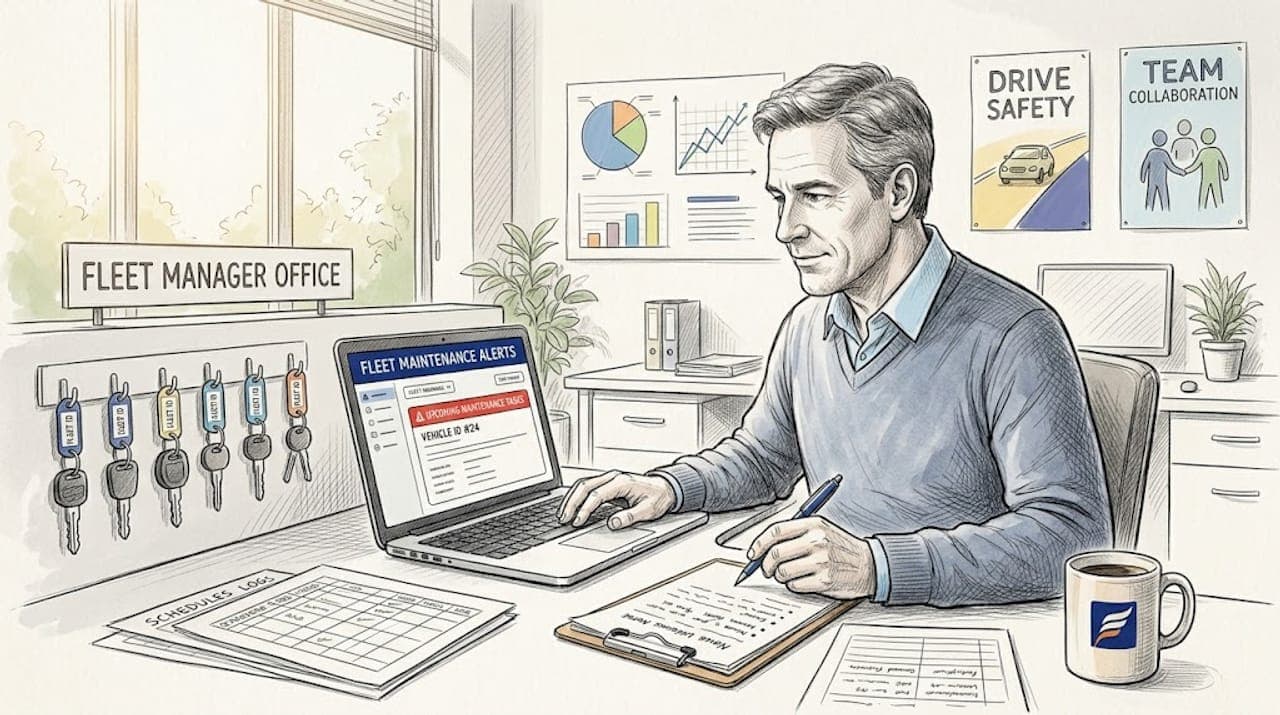
Pro Tip: Configure your CMMS to generate PM work orders two to five days before the due date. This lead time gives your parts team enough runway to stage components before the technician even starts the job, eliminating waiting time that kills shop productivity.
Step-by-step workflow execution
Once your tools and requirements are in place, execution becomes a matter of following the right sequence every day. Here is how a compliant, efficient fleet maintenance scheduling workflow runs from start to finish.
-
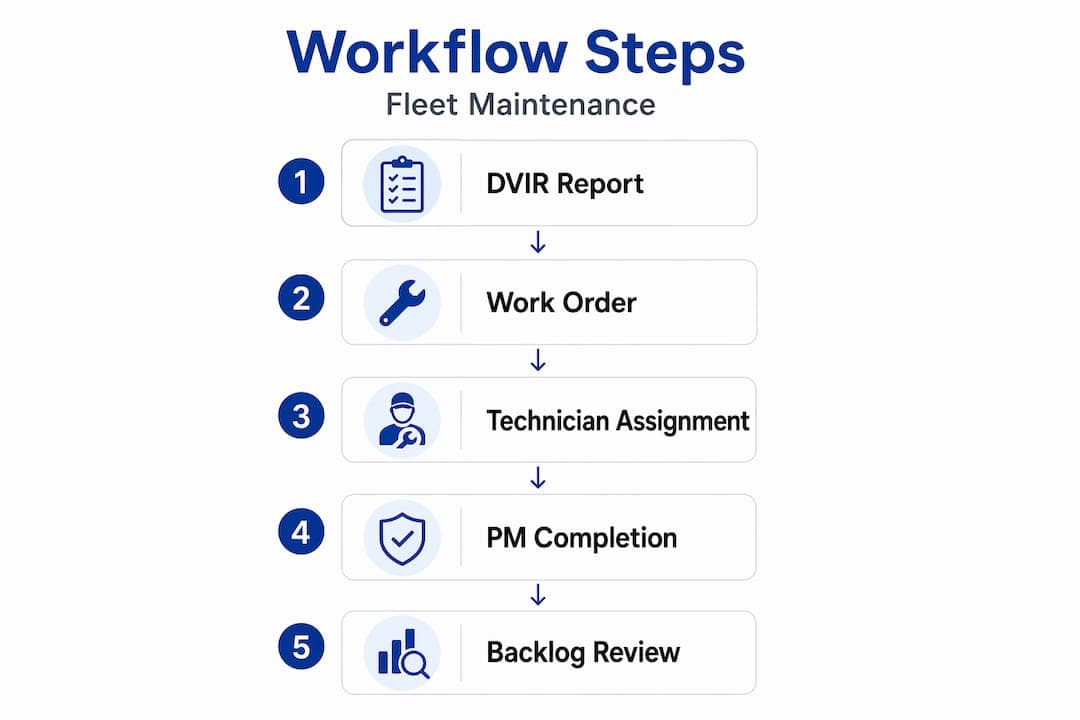
Driver completes DVIR at end of shift. The driver records all defects on a digital or paper form. Electronic systems push this data immediately to the maintenance coordinator, removing the overnight delay common with paper forms.
-
Coordinator routes defects by priority. Safety-critical defects such as brake issues or tire damage get flagged immediately for same-day or next-morning repair. Non-critical cosmetic defects get queued into the next available scheduling slot.
-
Work orders are generated from the CMMS batch run. PM work orders do not appear in real time. A nightly batch cycle evaluates every active PM record, checks due dates against lead time settings, and creates all relevant work orders. Planners review these the following morning before approving them for the shop floor.
-
Coordinator checks technician capacity before assigning. Assigning work without checking capacity is a common failure point. Before loading the board, confirm how many hours are available and how much is already committed to reactive jobs.
-
Technician completes the repair or PM service. The mechanic documents parts used, labor time, and any secondary findings. In an electronic system, this closes the work order and triggers the next step automatically.
-
Mechanic certifies the repair on the DVIR. This second signature in the three-step cycle confirms the defect was addressed. Without it, the vehicle cannot legally return to service under FMCSA Rule 396.11.
-
Next driver reviews and signs the DVIR. The cycle closes when the incoming driver acknowledges the prior defect and confirms the vehicle is ready for use. Electronic workflows can block dispatch until this step is complete, making it impossible to skip.
A useful benchmark: reserving 30 to 40% of daily technician capacity specifically for planned PM work protects your schedule from being consumed by reactive repairs that could have been prevented.
Pro Tip: Assign a single coordinator as the daily gatekeeper for DVIR defect routing. When defects hit multiple inboxes, they fall through the cracks. One owner means one accountable decision about priority and timing.
Optimizing with usage-based triggers and backlog management
Calendar scheduling is a starting point, not an endpoint. Relying solely on fixed intervals to drive your vehicle maintenance scheduling creates two problems. You either service a vehicle that barely moved last week, wasting labor and parts. Or you miss a vehicle that covered twice its normal mileage because the calendar said it was not due yet.
Calendar-only scheduling misses signals from actual usage, leading to both over and under-maintenance. Mileage-triggered service intervals tied to your telematics feed solve this immediately. When a vehicle hits its threshold, the scheduling system flags it automatically, regardless of what day it is. Engine hour tracking works the same way for heavier-use vehicles in your fleet maintenance planning process.
The downstream benefits of usage-based maintenance go beyond just timing. Right-timed maintenance based on actual usage extends asset lifespan, reduces unplanned breakdowns, and makes budget forecasting far more predictable. You stop spending money on service that is not yet needed while also catching problems before they become failures.
Managing backlog before it manages you
Backlog is where rental operations lose the most ground. Once reactive repairs start consuming your full shop capacity, planned PM gets pushed repeatedly until something breaks on the road. The way out involves a few specific strategies:
- AI-based work order prioritization ranks open jobs by urgency, asset criticality, and revenue impact so your team works the right jobs first.
- Geographic clustering of multi-location fleets reduces technician travel time by batching nearby vehicles together in the same service run.
- Parts pre-staging ensures components are at the bench before the technician starts, eliminating the most common source of shop delays.
- Protected PM capacity is the most important lever. Treating PM hours as a fixed, non-negotiable block on the daily schedule prevents emergency overrides from consuming the work that would have prevented those emergencies.
Combining these approaches, CMMS automation strategies can reduce work order backlog by more than 70% without adding headcount.
Pro Tip: Track your ratio of reactive to planned work orders weekly. If reactive jobs exceed 40% of your total weekly orders, your PM scheduling intervals are too wide or your capacity protection is eroding. Adjust before the ratio gets worse.
Common pitfalls and how to avoid them
Even a well-designed workflow breaks down when a few critical details are ignored. These are the failure points seen most often in small and medium rental operations.
The most common audit failure is not a mechanical problem. It is a paperwork problem. Fleets that lose certifications fail on missing signatures and incomplete records, not faulty vehicles.
Specific problems to watch for include:
- Incomplete DVIR certification chains. If the mechanic certifies the repair but the next driver never signs, the vehicle is technically non-compliant even if it was fixed correctly. Electronic systems that gate dispatch until sign-off is complete are the most reliable solution.
- Misconfigured work order lead times. PM generation timing is a configuration issue, not just a scheduling issue. If your CMMS generates work orders with zero lead time, your parts team has no runway and your technicians wait. Review your lead day and slack time settings at least quarterly.
- Capacity cannibalization by reactive jobs. When a major repair comes in, coordinators often pull all available technicians to resolve it quickly. This looks efficient in the moment but destroys the PM schedule for the rest of the week.
- Driver and technician training gaps. A workflow is only as strong as the people following it. Drivers who do not understand the purpose of DVIR submit incomplete reports. Mechanics who are unclear on certification requirements skip documentation. Brief, role-specific training prevents both.
- No audit cycle. Running monthly reports on DVIR completion rates, work order closure times, and PM on-time percentages catches workflow breakdowns before they become compliance violations. Without these reports, problems are invisible until an auditor finds them.
A thorough vehicle inspection workflow integrated directly into your maintenance process removes most of these failure points by design.
I have reviewed a lot of fleet operations where the technology was actually fine. The CMMS was configured. The telematics was connected. The digital DVIR system was in place. And yet backlogs were growing, audits were stressful, and vehicles were coming back from the road with problems that should have been caught weeks earlier.
The problem was always execution discipline, not software capability. The three-signature cycle was treated as bureaucratic overhead rather than the core safety checkpoint it is. Coordinators were skipping next-driver sign-offs when things got busy. Work orders were getting approved without checking technician capacity first. And no one was running the weekly ratio report that would have shown the reactive creep happening in slow motion.
What I have learned is this: the workflow is the system. The software is just the mechanism that makes it easier to follow. When a team treats each step of the process as genuinely mandatory, not optional paperwork, the whole operation changes. Vehicles stay compliant. Backlogs shrink. Technicians spend more time on planned work and less time fighting fires.
Usage data changed everything for the fleets I saw make the biggest improvements. Moving from calendar-to usage-based maintenance was not a technology project. It was a mindset shift about what a due date actually means. A vehicle is not due for service because the calendar says so. It is due because the data says so.
Invest in the discipline first. The technology will amplify whatever habits you already have.
— Dizzy
How Nomora supports your maintenance workflow
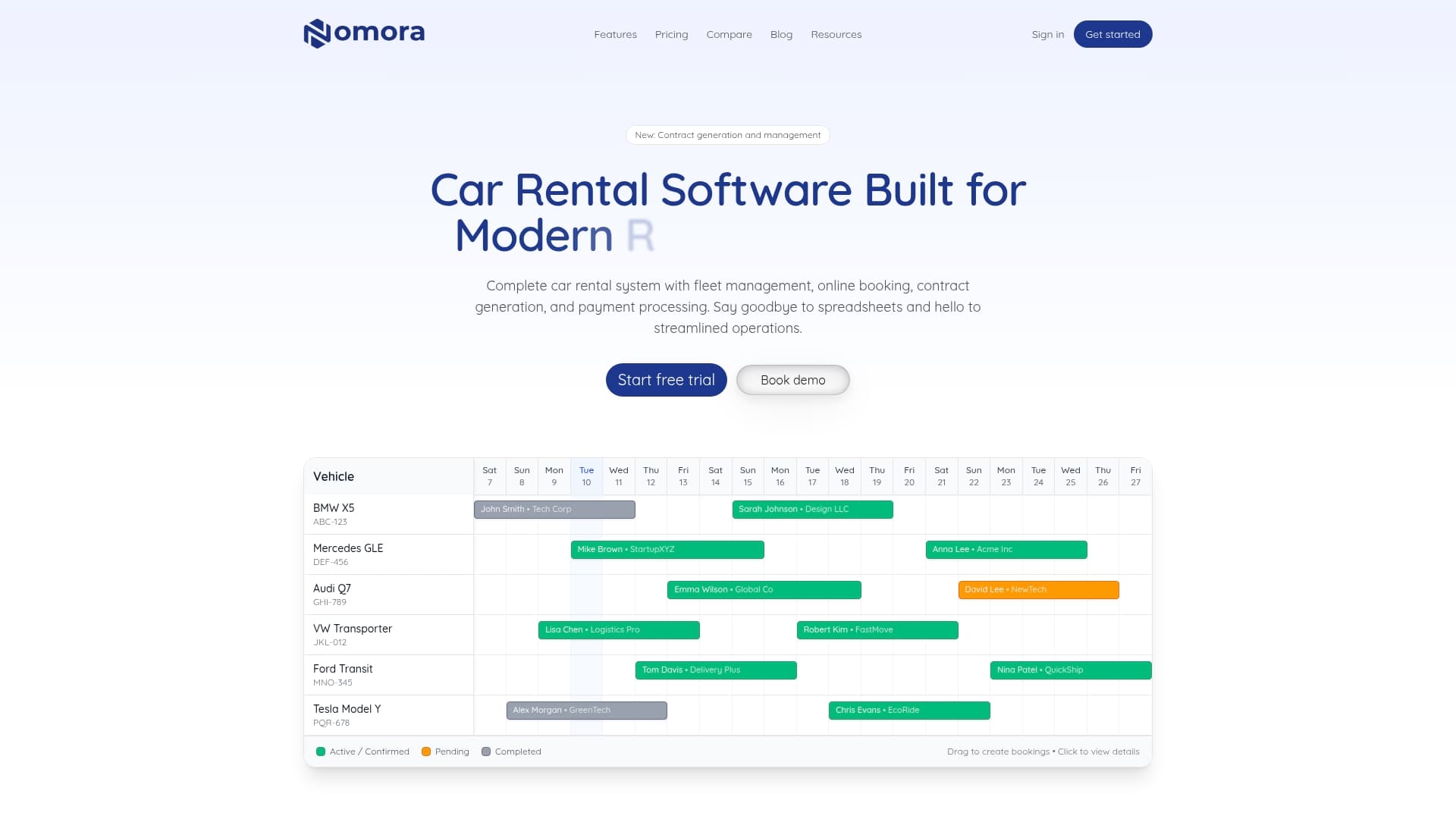
Nomora functions as the central nervous system of your rental operation, connecting fleet maintenance scheduling directly to reservations, contracts, and customer records. For small and medium rental companies, Nomora's platform replaces disconnected spreadsheets and manual tracking with a single cloud-based system that handles work order management, vehicle availability, and compliance documentation in one place.
The platform supports automated scheduling triggers, technician capacity tracking, and integrated inspection workflows so your maintenance coordinators spend less time chasing paperwork and more time managing the fleet. Audit readiness is built in: every inspection, certification, and sign-off is logged and retrievable. And because Nomora connects with GPS and telematics providers, your mileage-based and fault-code-triggered scheduling runs automatically from real vehicle data.
If your current process still relies on manual reminders or disconnected tools, explore Nomora's use cases to see how rental businesses like yours have rebuilt their workflows around one integrated platform.
FAQ
What is a fleet maintenance scheduling workflow?
A fleet maintenance scheduling workflow is a defined sequence of steps that covers defect reporting, work order creation, repair execution, and compliance certification to keep vehicles safe and available for use.
How does DVIR fit into the scheduling process?
Under 49 CFR 396.11, drivers complete a DVIR at the end of each shift, maintenance certifies repairs, and the next driver signs off before the vehicle re-enters service, making DVIR the compliance foundation of the entire workflow.
Why is calendar-only maintenance scheduling a problem?
Calendar intervals cannot account for variations in actual vehicle usage. A vehicle that covered twice its normal mileage will hit service thresholds well before its next scheduled date, creating a breakdown risk if usage-based triggers are not in place.
How much technician capacity should be reserved for planned PM?
Industry guidance recommends reserving 30 to 40% of daily technician hours for planned preventive maintenance to prevent reactive jobs from consuming the entire schedule.
What is the fastest way to reduce work order backlog?
Combining protected PM capacity, AI-based job prioritization, and parts pre-staging can reduce backlog by over 70% without increasing staff, according to CMMS automation research.
Recommended
Ready to streamline your car rental business?
Book 30 minutes with the founder. We set up everything in this guide on your own vehicles, and migrate you out of Excel for free.