TL;DR:
- Effective rental invoicing depends on accurate lease data, clear payment terms, and timely delivery to ensure cash flow. Automation reduces errors, speeds up processes, and improves portfolio management, especially at scale. Regular auditing of lease information and early invoice generation are crucial for minimizing disputes and late payments.
Step by step rental invoicing is the process of creating accurate, professional invoices that specify rental charges, payment terms, and tenant information to secure timely payments and maintain clean financial records. For rental business operators and finance managers, a flawed invoice is not just an administrative nuisance. It delays cash flow, creates disputes, and undermines the credibility of your operation. Tools like QuickBooks, Rioo, and purpose-built rental management platforms have raised the bar for what a professional invoice looks like. This guide walks you through every stage of the rental invoice process, from required components to automation and troubleshooting.

What essential elements must every rental invoice include?
A professional rental invoice must include six core elements: a unique invoice number, issue date, payment due date, contact information for both parties, itemized charges by period and rate, and a final total that includes deposits and taxes. Each element serves a specific function. Miss one, and you risk payment delays or compliance gaps.
Here is what every rental invoice must contain:
- Unique invoice number. A sequential identifier like INV-2026-0047 ties the document to your accounting records and prevents duplication.
- Issue date and payment due date. Both dates establish the billing timeline and anchor your late fee policy.
- Landlord and tenant contact information. Full legal names, addresses, and contact details for both parties are required for legal enforceability.
- Itemized charge breakdown. List each charge separately: base rent by period, utilities, parking, taxes, and any applicable security deposit. For vehicle rentals, include daily or weekly rate, mileage fees, and insurance charges. A clear itemized breakdown is especially critical in automotive rentals where multiple variable fees apply.
- Payment terms. State the due date, accepted payment methods, and late fee policy explicitly.
- Total amount due. A single, unambiguous final figure prevents disputes over what the tenant actually owes.
Pro Tip: Attach the rental agreement to every finalized invoice. This creates audit-ready documentation and gives both parties a single reference point if a dispute arises.
Rental invoices are legally recognized financial records, not just payment requests. Treating them with that level of rigor from the start protects your business in any audit or legal proceeding.
How to create rental invoices manually using templates
Manual invoice creation works for operators managing a small number of units, but the process requires discipline to avoid costly errors. The most common starting points are free templates in Microsoft Word, Excel, or PDF format, and paid options inside accounting software like QuickBooks.
Follow these steps to create a rental invoice manually:
- Select a rental invoice template. Choose a format that matches your billing complexity. A simple Word or PDF template works for single-unit operators. Excel templates are better when you need formulas to calculate totals automatically.
- Input landlord and tenant details. Enter full legal names, addresses, phone numbers, and email addresses for both parties.
- Assign a unique invoice number. Use a consistent numbering system from day one. A format like RENT-2026-001 is easy to sort and audit.
- Itemize all charges. List each line item with its description, quantity, rate, and subtotal. Do not bundle charges into a single line.
- Calculate the total. Add all subtotals, apply taxes, and include any deposits. Double-check every figure before saving.
- Add payment terms. State the due date, accepted payment methods, and your late fee policy clearly.
- Save and send. Export to PDF before sending to prevent accidental edits. Send via email with a read receipt when possible.
The table below compares the most common manual invoicing formats:
| Format | Best For | Key Limitation |
|---|
| Microsoft Word | Simple, low-volume invoicing | No auto-calculation; manual math errors likely |
| Microsoft Excel | Multi-line itemized invoices | Formatting breaks easily; version control issues |
| PDF Template | Professional presentation | Static; requires manual entry every time |
| QuickBooks | Integrated accounting workflows | Paid subscription; learning curve for new users |
Manual invoicing processes introduce repetitive tasks that increase error rates and administrative workload compared to automation. That risk grows proportionally with the size of your portfolio.
Pro Tip: Lock your invoice numbering sequence from the first invoice you issue. Gaps in numbering raise red flags during tax audits and make reconciliation harder.
How to automate rental invoicing for accuracy and efficiency
Automation is the single most effective upgrade available to rental finance managers handling more than a handful of units. Automated invoicing engines generate, deliver, and reconcile invoices directly from lease data, removing manual input from the cycle entirely. The result is fewer errors, faster delivery, and real-time visibility across your entire portfolio.
The core benefits of automating your rental invoice process include:
- Error elimination. Automated systems pull figures directly from lease records, so calculation mistakes and copy-paste errors disappear.
- Scheduled generation. Invoices are created on a fixed schedule before each billing period, not when a staff member remembers to do it.
- Auto-adjustment for rent reviews. Finance managers should configure rules to apply new rent rates from review effective dates automatically, rather than correcting invoices after the fact.
- Automated payment matching. Payment matching in automated systems allocates receipts to outstanding invoices without human intervention, which drastically reduces reconciliation time.
- Portfolio-level visibility. Instead of chasing individual payment exceptions, your finance team monitors overall portfolio health and flags outliers.
The setup process for automation follows a clear sequence. First, you enter complete and verified lease data into your system. Second, you configure billing rules: billing period, rate, escalation schedule, and late fee triggers. Third, the system generates invoices on schedule and delivers them to tenants automatically. Fourth, incoming payments are matched to open invoices in real time.
Invoice accuracy depends entirely on the quality of the lease data you enter. Errors in lease records propagate through every automated invoice cycle and create systemic billing problems that are difficult to untangle after the fact. Verify every lease entry before activating automation.

Pro Tip: Generate invoices 5–10 business days before the billing period starts. Tenants need processing time, and early delivery is the single most effective way to reduce late payments.
For operators already using a platform to automate rental bookings, connecting invoicing to the same system eliminates data re-entry and keeps financial records consistent with reservation data.
How to manage recurring charges, payment terms, and late fees
Recurring charges and payment terms are where most rental invoices fall short. Vague language around due dates or late fees creates disputes that cost more to resolve than the fee itself.
Payment terms should explicitly list acceptable payment methods, such as check, bank wire, and recurring credit card payments, alongside clearly stated percentage-based late fees. Ambiguity here is a direct cause of delayed payments.
Structure your payment terms section to cover these points:
- Accepted payment methods. List every method you accept: ACH bank transfer, credit card, check, or online portal payment. Do not assume tenants know your preference.
- Due date. State the exact date payment is due, not a relative phrase like "within 30 days." A specific date removes any room for misinterpretation.
- Prorated amounts. When a rental period starts mid-month, calculate and display the prorated charge as a separate line item with the calculation shown.
- Late fee policy. State the fee as a percentage of the monthly rent and specify when it triggers. For example: "A late fee of 5% of the monthly rental amount applies to payments received after the 5th of the billing month."
- Recurring charge schedule. For long-term rentals, note that charges recur monthly on the same date unless otherwise communicated in writing.
Pro Tip: Transparent, specific fee language reduces payment disputes more reliably than any follow-up process. Write your payment terms as if a tenant's attorney will read them.
Keeping your rental payment tracking integrated with your invoicing system means every payment is logged against the correct invoice automatically, which eliminates the manual reconciliation step entirely.
What are common rental invoicing mistakes and how do you fix them?
The most damaging rental invoicing errors are not dramatic. They are quiet, repetitive mistakes that compound over time and erode trust with tenants and auditors alike.
Common mistakes and their fixes:
- Incorrect lease data on invoices. This happens when lease records are not updated after a rent review or contract amendment. Fix it by auditing your lease database before each billing cycle and confirming that all rate changes are reflected in the system.
- Issuing invoices too late. Sending an invoice the day before it is due gives tenants no time to process payment. Build a fixed schedule that generates invoices at least one week in advance.
- Poor invoice clarity. Bundled charges, missing line items, and unexplained fees all trigger tenant questions and delayed payments. Every charge needs a description, a rate, and a quantity.
- Inconsistent invoice numbering. Skipped or duplicated numbers create reconciliation problems and raise audit concerns. Use a system that assigns numbers automatically.
Pro Tip: Review your invoicing rules every time a lease is renewed or a rent review takes effect. Dynamic, rule-based invoice generation that applies rent reviews automatically keeps your accounts receivable accurate without manual corrections.
Attaching the signed rental agreement to each invoice is a best practice that pays dividends during audits and dispute resolution. It gives both parties a single, authoritative reference document.
Key takeaways
Effective rental invoicing requires accurate lease data, clear payment terms, and consistent delivery timing to protect cash flow and reduce disputes.
| Point | Details |
|---|
| Six required invoice elements | Every invoice needs a unique number, dates, contact info, itemized charges, and a clear total. |
| Manual vs. automated invoicing | Manual templates work for small portfolios; automation is necessary for accuracy at scale. |
| Lease data integrity | Errors in lease records propagate into every automated invoice, so verify data before activating any system. |
| Invoice timing | Generate invoices 5–10 business days before the billing period to reduce late payments. |
| Transparent payment terms | Specific due dates, accepted methods, and percentage-based late fees prevent the majority of payment disputes. |
The part of rental invoicing most operators get wrong
I have reviewed invoicing workflows across rental operations of every size, and the pattern is consistent. Operators spend significant time building invoice templates and almost no time auditing the lease data that feeds them. That is the wrong priority.
An invoice is only as accurate as the record behind it. When a rent review takes effect and no one updates the lease entry, the automated system keeps billing the old rate. The tenant pays it. The discrepancy surfaces three months later during a reconciliation, and untangling it takes far longer than the original correction would have.
The second issue I see constantly is late invoice delivery. Operators treat invoice generation as a task to complete, not a cash flow tool to deploy strategically. Sending an invoice 5–10 business days before the due date is not just a courtesy. It is a measurable intervention that reduces late payment rates. Tenants who receive invoices late pay late. The math is that direct.
My recommendation: treat your lease database as the foundation of your entire billing operation. Audit it before every billing cycle. Configure your automation rules to apply rent reviews on their effective dates, not after the fact. And design your invoice layout for a tenant who has never seen your billing format before. Clarity is not a design preference. It is a collections strategy.
— Dizzy
How Nomora makes rental invoicing faster and more accurate
Rental invoicing errors cost time, money, and tenant trust. Nomora's cloud-based car rental management platform acts as the central nervous system of your operation, connecting reservations, contracts, fleet data, and payments in one place.
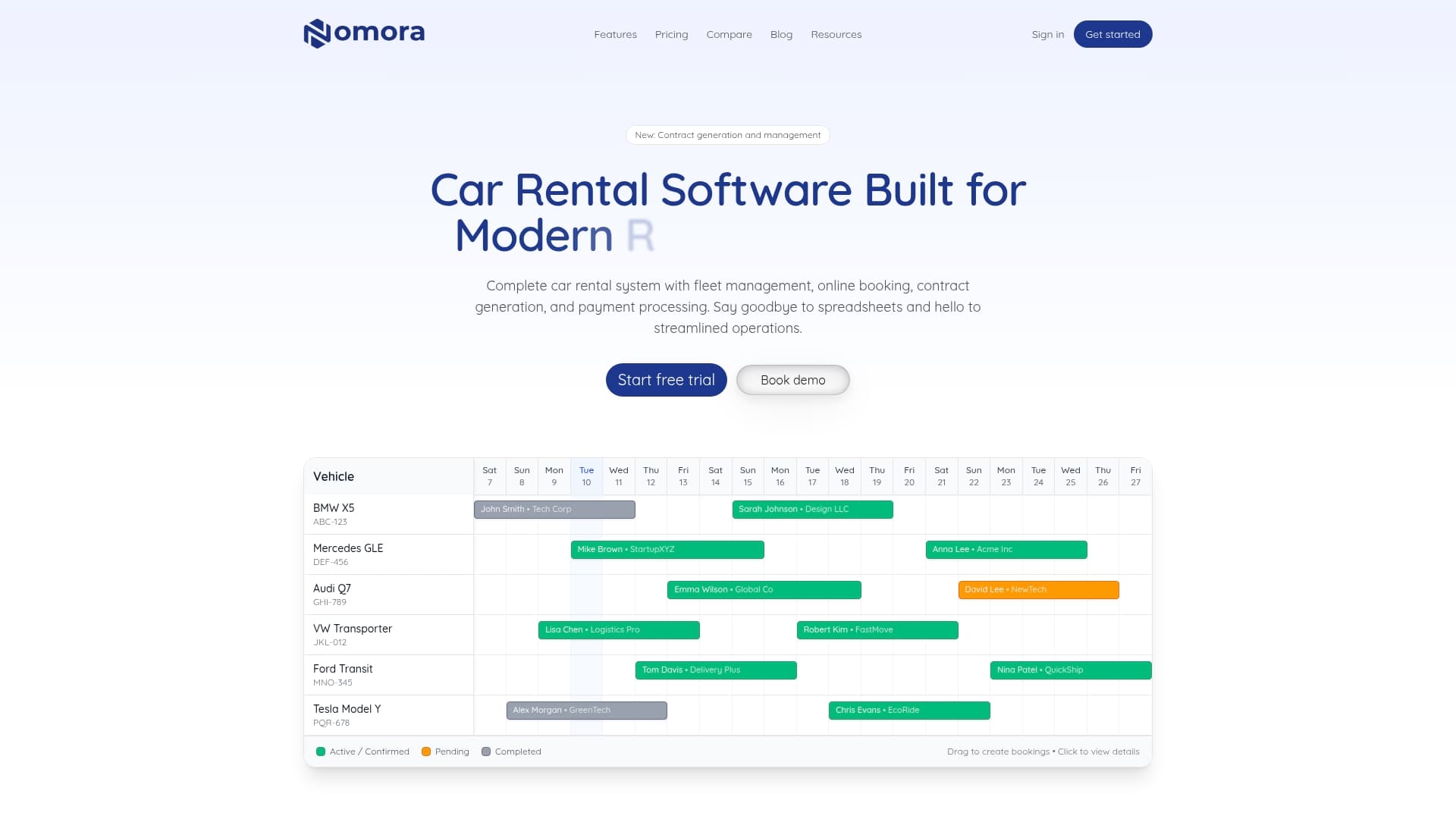
Nomora automates invoice generation from live booking and contract data, so every charge is pulled directly from the source record. Payment matching, late fee triggers, and billing schedules are all configurable without manual intervention. For operators managing multiple vehicle types or franchise locations, Nomora's rental management software scales to fit the complexity of your portfolio. You can also connect Nomora's automated payment processing to your existing payment gateways, reducing reconciliation time and giving your finance team real-time visibility into outstanding invoices. Setup takes 24–48 hours, and the platform is fully GDPR-compliant and cloud-accessible from any device.
FAQ
What must a rental invoice always include?
A rental invoice must include a unique invoice number, issue date, payment due date, contact details for both parties, an itemized charge breakdown, and the total amount due. Missing any of these elements can delay payment or create compliance issues.
How do i create a rental invoice without software?
Use a rental invoice template in Microsoft Word, Excel, or PDF format, fill in all required fields manually, and export to PDF before sending. Maintain a consistent numbering system and send at least one week before the due date.
Why does invoice timing affect late payments?
Generating invoices 5–10 business days before the billing period gives tenants sufficient time to process payment through their own systems. Late invoice delivery is a direct cause of late payment, regardless of tenant intent.
What is the most common rental invoicing mistake?
The most common mistake is billing from outdated lease data, particularly after a rent review or contract amendment. Auditing your lease records before each billing cycle prevents this error from compounding across multiple invoices.
When should i automate my rental invoicing process?
Automation becomes necessary once manual processes introduce consistent errors or consume significant staff time. Platforms like Nomora and Rioo generate, deliver, and reconcile invoices from lease data automatically, making automation practical for portfolios of any size.
Recommended
Ready to streamline your car rental business?
Book 30 minutes with the founder. We set up everything in this guide on your own vehicles, and migrate you out of Excel for free.