A U.S. car rental business can use Stripe to take online booking payments, charge cards on file, place deposit holds and pay out revenue across locations. Stripe is a payment processor, not rental software. It works best when your rental system controls the booking, the deposit, the return and the final charge, and Stripe moves the money.
That split decides most of what follows. Stripe does not know that a rental has ended, that a car came back with a scratch, or that a customer extended by two days. Your rental software has to tell it. This guide covers how the pieces fit, what Stripe costs, how deposit holds behave, and where Square fits when you compare the two.
TL;DR
- Stripe's standard U.S. online card rate is 2.9% plus 30 cents per successful transaction, with no setup or monthly fee.
- Security deposits are card holds, not charges. Standard holds are short, and longer rentals need extended authorization, which Stripe documents with network-specific limits.
- Stripe suits online-first and remote booking flows. Square suits counter-first workflows. Either way, choose the processor and your rental system together.
- The connection between your booking system and Stripe matters more than the processor's headline rate.
- Our Starter plan is €45 per month, with Business and Fleet priced per vehicle (details below).
Table of Contents
What Stripe does in a rental business
Stripe describes itself as financial infrastructure for accepting payments online and in person, handling business banking and building custom revenue models. It supports 135+ currencies and payment methods, which helps if you serve airport or tourist traffic paying with foreign cards.
For a rental company, four capabilities matter:
- Online card payments for reservations, prepayments and balances.
- Cards on file so you can charge extensions, tolls, fuel or damage after the customer has left.
- Authorization holds for security deposits.
- Payouts and routing, including Stripe Connect when money must be split across locations, franchisees or vehicle owners.
Large brands use it this way. Hertz began integrating Stripe in 2022, using Stripe Payments for online payments and Stripe Connect to route payments and payouts across corporate locations, and added Apple Pay for its U.S. business through Stripe APIs. You do not need that scale, but the architecture is the same: one processor, many locations, one view of the money.
How the setup works
Most independent operators never write code against Stripe. They connect it through their rental software. The sequence looks like this:
- Open and verify a Stripe account in your business name, with your bank account for payouts.
- Connect Stripe to your booking system through its payment gateway integration, so reservations create the right charge or hold automatically.
- Decide what is charged at booking: the full rental, a deposit-only prepayment, or nothing but a card saved for later.
- Set the deposit rule: a hold placed at pickup or booking, its amount, and when it is released.
- Test the full cycle with a real low-value booking: reserve, pick up, return, charge, refund.
- Route reporting so each payment matches a reservation and a vehicle in your books.
If you run several branches or work with independent car owners, Stripe Connect lets a platform collect payments on behalf of others and keep a portion, with each owner holding a connected Stripe account. A single-location company with its own fleet usually does not need it.
Our guide to Stripe integration for car rental software walks through the connection from the software side, and the integrations guide shows where payments sit among GPS, accounting and website tools.
Connecting your website
If your booking form lives on a WordPress site, the payment step still has to write back to the reservation. We describe three ways to connect WordPress to a rental system, so the card form, the booking and the payment never drift apart.

What Stripe costs a rental business
Stripe's published U.S. pricing has no setup or monthly fee. The rates you will meet most often are:
Stripe also offers custom packages for businesses with large volumes or unusual models, so a growing fleet can ask about it. Rates change, so confirm them on Stripe's pricing page before you model your margins.
A worked example
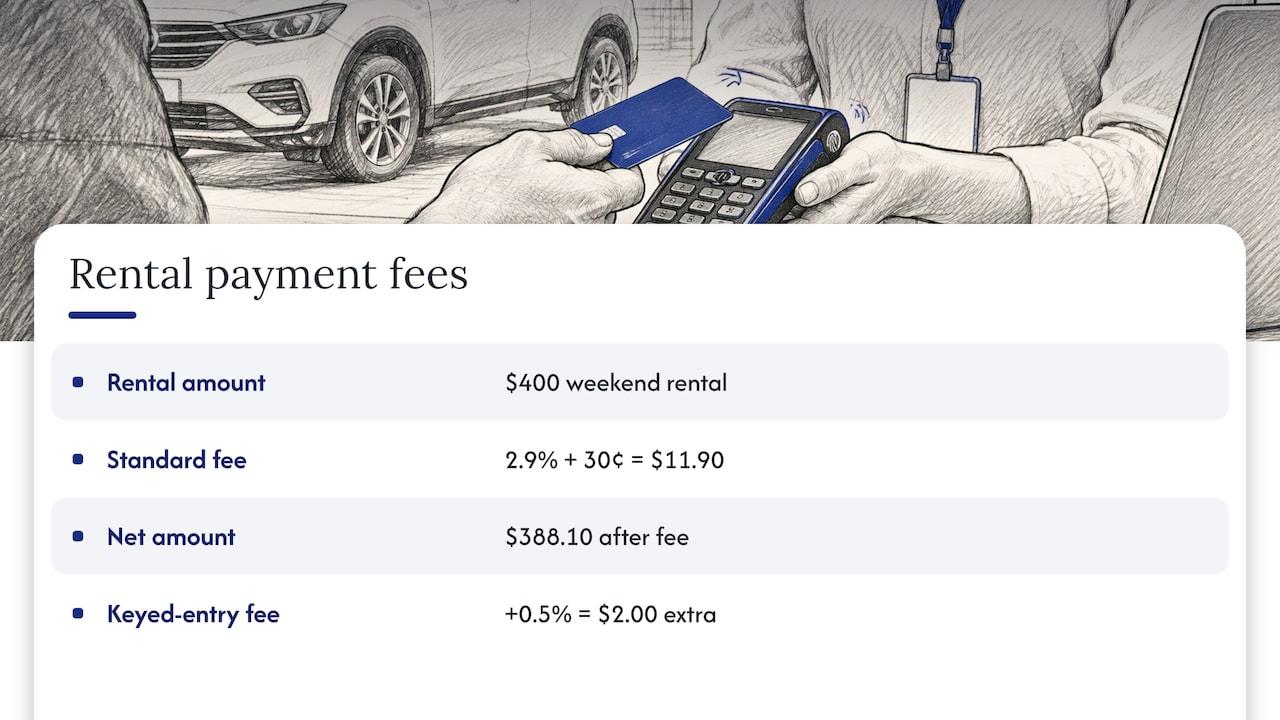
Take a $400 weekend rental paid online with a domestic card. At 2.9% plus 30 cents, the fee is $11.90, leaving $388.10. If the counter agent types the card in by hand, the extra 0.5% adds $2.00. That is why you want customers to enter their own card details through a hosted form or a saved card instead of reading numbers over the phone.
Security deposit holds are not charged, so they typically do not carry the percentage fee unless you capture them. Check how your account treats captured holds, though, because a $500 capture costs as much as any other card payment.
Payment fees versus software fees
Processing fees are separate from your rental software subscription. Our plans, as published on our pricing page, are:
- Starter: €45 per month
- Business: €2.80 per vehicle per month
- Fleet: €2.20 per vehicle per month
- Enterprise: custom, with no published price
Every plan includes all features, with no hidden fees. Payment processing has no published price on our pricing page.
Deposits, holds and final charges
This is where rental businesses get hurt, so it deserves care. A security deposit should usually be an authorization hold: the card's available credit is reserved, but no money moves until you capture it. If the car returns clean, you release the hold and the customer sees nothing on their statement.
Three rules keep this working:
- A hold is not permanent. Standard authorizations expire quickly, which is a problem for week-long and monthly rentals. Stripe's extended authorization can last up to 30 days depending on the card network, on interchange-plus pricing. Visa's vehicle-rental window is 29 days and 18 hours.
- Amex has its own rule. For American Express extended authorizations in the vehicle-rental category, funds must be captured no later than the end of the rental.
- Your software must ask for authorization only. A saved card or a reusable payment link does not by itself prove that a hold, rather than a charge, is being placed. Confirm this with a test booking before you go live.
A practical deposit flow:
- At booking, save the card and take the prepayment.
- At pickup, place the deposit hold sized to the vehicle class.
- At return, complete the inspection with timestamped photos.
- Within the hold window, either release the hold or capture the justified amount.
- Issue any refund and note the reason on the reservation.
Because the inspection has to finish inside the hold window, build return-day habits around it. Our guide to damage disputes at return covers the photos and reports that make a post-return charge defensible, and deposit automation shows how to cut the manual steps out of releasing and capturing.
Disputes and security
Card disputes are a fact of rental life, because charges for damage, fuel and tolls often land after the customer has gone. Stripe charges $15 when a dispute is received, and the outcome depends on the evidence you submit. The evidence you need is mostly created at the counter: a signed contract, pickup and return photos, mileage and fuel readings, and a record of the customer's agreement to the charge.
Our breakdown of rental chargebacks and the proof each type needs matches four common dispute reasons to the documents that answer them.
On security, Stripe provides libraries that collect payment details without sensitive data reaching your servers, which narrows your card-data exposure. You still have PCI obligations, and the right self-assessment depends on how you take cards. Our PCI compliance guide for car rentals takes you through eight steps to the right SAQ, and the payment security tips cover day-to-day habits at the counter.
Stripe or Square for car rentals
Readers often search "stripe vs square rentals". The honest answer is that they are built for different starting points.
Stripe is built online-first. It gives developers and software platforms flexible tools for web payments, cards on file, holds and routing. In person, Stripe offers readers such as the Reader M2 at $59, the WisePOS E at $249 and the S700/S710 at $299. Connecting it to a full counter point-of-sale system will likely involve coding.
Square is counter-first. It offers payment and point-of-sale tools, payroll, marketing and loyalty tools, and its hardware includes the Square Reader at $59, Terminal at $299 and Stand at $149. On the Free plan, in-person payments cost 2.6% plus 15 cents, and online checkout or invoice payments 3.3% plus 30 cents. Paid plans at $49 and $149 per month per location lower the in-person rate but keep online card payments at 2.9% plus 30 cents.
| Question | Stripe | Square |
|---|
| Online booking payments | Core strength | Available, 3.3% + 30¢ via checkout or invoice |
| Counter payments | Readers available, POS integration usually needs development | Built-in POS and hardware range |
| In-person rate | 2.7% + 5¢ | 2.6% + 15¢ on Free |
| Platform payouts across locations | Stripe Connect | Depends on your application |
| Deposit holds | Authorization and extended authorization | Depends on the channel and application |
Which one fits which business
- Online-heavy or delivery-based rental, with remote deposits: Stripe, provided your rental software supports card holds.
- Walk-up counter with an existing point-of-sale setup: Square can be the simpler fit.
- Multi-location or franchise network routing money to different owners: Stripe Connect is the tool built for that.
- Luxury and specialty rentals with large deposits: whichever processor lets your software place authorization-only holds and manage the capture deadline.
Before choosing, check three things: that your application can request authorization-only payments, the actual capture deadline for the card types your customers use, and that your return inspection fits inside it. The processor and the rental application should be chosen together, not one after the other.
Our perspective
We think of rental software as the central nervous system of a rental operation. The booking, the vehicle, the contract, the deposit and the payment are one event seen from five angles, and when they sit in separate tools someone has to reconcile them by hand.
That is why we do not treat the payment processor as the main decision. Stripe is a strong engine for moving money. What protects your margin is the signal that tells it when to hold, when to capture and when to release. In our platform, payments sit next to reservations, fleet tracking and contract generation, so the deposit follows the rental instead of a spreadsheet.
Our approach is to make that connection fast. We aim for you to be fully operational in 24 to 48 hours, with every feature in every plan and no hidden fees. For a small operator, that means card payments and deposits running from the first week rather than after a long integration project.
If you take one thing from this article, take this: pick the processor and the rental system as a pair, and test the deposit cycle end to end before your first customer pays.
Dizzy
Put payments inside your rental workflow
If you are comparing processors because card payments, deposits and refunds are eating your admin time, the next step is seeing them tied to your reservations. Our automated car rental payments page shows how payments, deposits and contracts connect in one system.
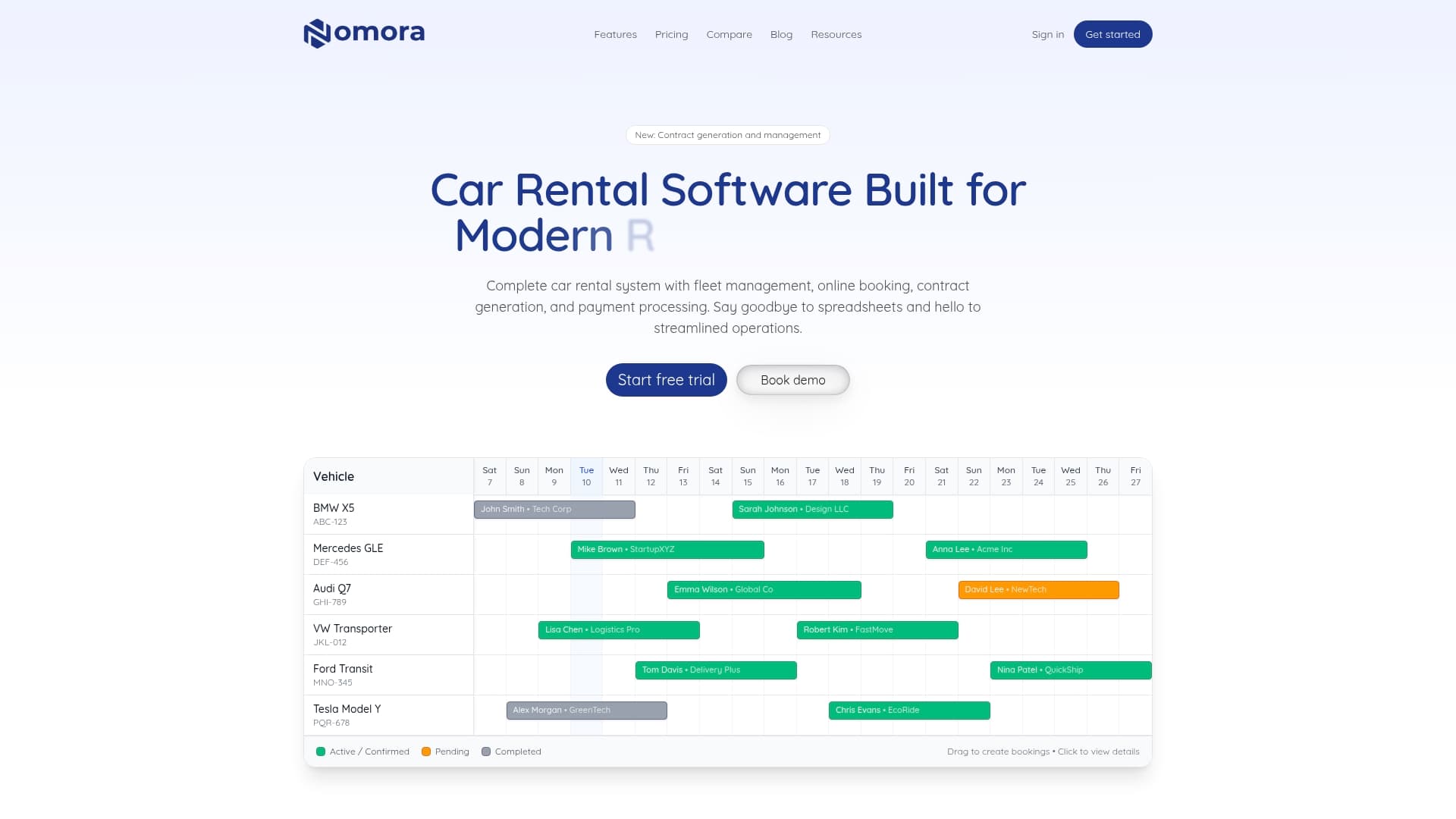
You can compare plans on our pricing page, or see how the platform handles your business type under use cases. Starter begins at €45 per month, and Business and Fleet are priced per vehicle.
A short pre-launch checklist
Before you take your first live rental payment through Stripe:
- Confirm your Stripe account is verified and payouts reach the right bank account.
- Run a test booking through the full cycle: hold, return, release, capture, refund.
- Confirm in writing which charges the customer agrees to at pickup, including damage, fuel, tolls and fines.
- Set the hold amount per vehicle class and check it against the card network's window for your longest rental.
- Check that every payment appears against a reservation and vehicle in your reports.
- Review your PCI self-assessment type with your software and processor.
- Read the top rental integrations to see what else should connect to the same booking record.
FAQ
Can I use Stripe for car rental deposits?
Yes, if your rental application can place authorization-only holds instead of immediate charges. Stripe supports extended authorization on eligible accounts, with limits that vary by card network. Test one booking from hold to release before using it with customers.
How much does Stripe charge for car rental payments?
Stripe's standard U.S. rate for online domestic cards is 2.9% plus 30 cents per successful transaction, with extra fees for manually entered and international cards. There are no setup or monthly fees. Large-volume businesses can ask about custom pricing.
Is Stripe or Square better for a rental company?
Stripe tends to suit online booking, remote deposits and multi-location routing. Square tends to suit a counter workflow with built-in point-of-sale hardware. Choose based on where your customers pay and what your rental software supports.
Do I need Stripe Connect?
Only if money must be split between parties, such as franchisees, branches with separate accounts, or vehicle owners. A single company collecting its own revenue usually uses standard Stripe payments.
Sources
Recommended
Ready to streamline your car rental business?
Book 30 minutes with the founder. We set up everything in this guide on your own vehicles, and migrate you out of Excel for free.