What does good RV rental software actually need to do?
A vehicle reservation management system is the central nervous system of any rental operation. When it works well, every booking, maintenance window, and payment flows through one place. When it doesn't, you're reconciling spreadsheets at midnight.
Reservation engine: Look for a central calendar with real-time conflict detection, support for hourly, daily, and multi-day rentals, and a mobile-ready booking page customers can use without calling your office. Conflict-free bookings are non-negotiable at any fleet size.
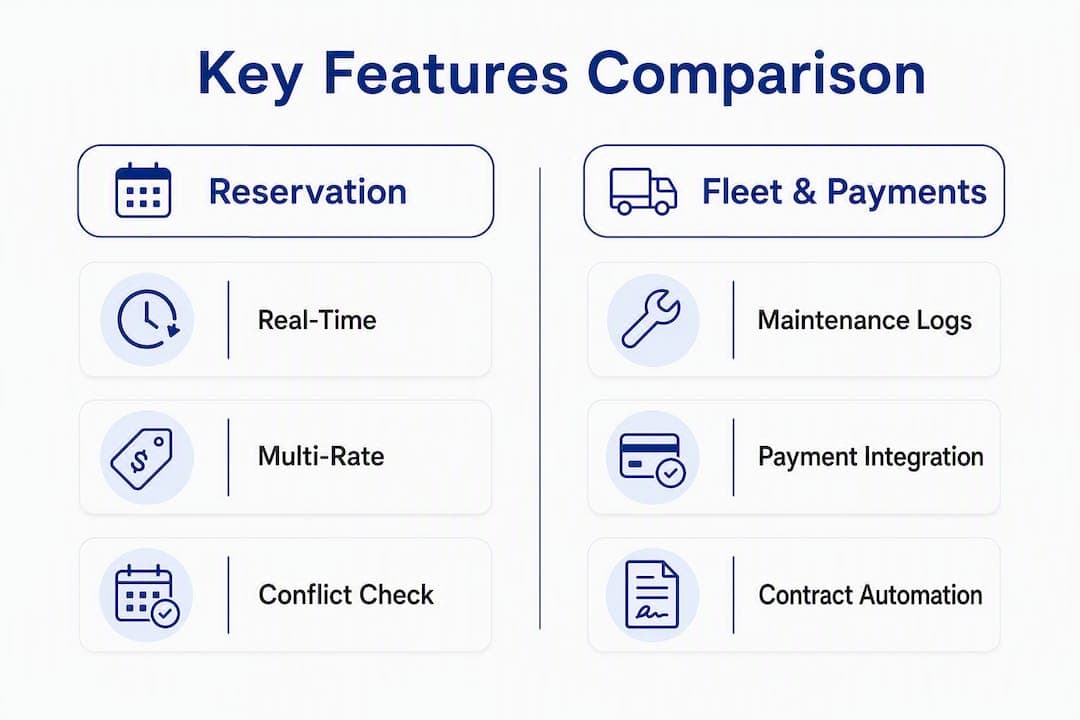
Fleet and maintenance: Vehicle profiles should include mileage logs, service history, and maintenance windows that automatically block availability. Multi-location inventory visibility matters the moment you run more than one hub.
Payments and contracts: Integrated payment processing covering prepayments, deposits, and refunds reduces no-shows and speeds end-of-day reconciliation. Automated contract generation with e-signature support cuts admin time per booking.
Configurability: Role-based access control (RBAC), location-specific tax rates, and custom rental rules let the software adapt to your operation rather than the reverse.
Channel and marketing tools: An embeddable booking widget or hosted booking page, OTA connector support, and basic CRM tagging round out a complete feature set.
- Central calendar with real-time conflict detection
- Maintenance-block automation (not just manual holds)
- Integrated payments: prepayments, deposits, refunds
- Automated contract generation and e-signature
- RBAC and multi-location inventory
- Embeddable booking widget or hosted page
Pro Tip: The features most commonly hidden during demos are true conflict resolution (ask the vendor to show two simultaneous bookings for the same vehicle) and maintenance-block automation. Request a live demonstration of both before you commit.
The three evaluation priorities are scalability, configurability, and integration readiness. Everything else is secondary.
Scalability and multi-location management: A platform that works for 10 vehicles should handle 100 without a custom project. Ask whether adding a location requires a new contract or just a settings change. Multi-location fleet management with a single centralized calendar is a baseline requirement, not a premium feature.

Configurability and workflow mapping: Rigid software forces your team to work around the tool. Platforms built on configurable workflows and an API-first architecture let you map your actual rental rules, not a generic template.
Data ownership and reporting: You should be able to export your full dataset at any time in a standard format. Dynamic pricing and availability optimization are primary revenue levers for rental businesses, so reporting tools that surface demand patterns matter.
Support and SLAs: Confirm response time commitments in writing. A vendor that offers only community forums for support is a risk during peak season.
| Vendor question | Why it matters |
|---|
| How do you handle peak-season overbooking? | Reveals whether conflict resolution is real-time or batch-processed |
| What APIs are available for GPS, mileage, and accounting exports? | Confirms integration readiness before you sign |
| Can I export all customer and booking data on request? | Tests data ownership and portability |
| What is your uptime SLA and incident response time? | Sets expectations for operational reliability |
| How is billing calculated during low season? | Uncovers hidden costs in usage-based plans |
Scoring rubric: Score each vendor 0–3 on must-have criteria (conflict resolution, RBAC, payment integration, API access) and 0–1 on nice-to-haves (dynamic pricing, channel management). Any must-have scoring 0 is a disqualifier.
Red flags: mandatory long-term professional services contracts before you can go live, no role-based access, opaque per-booking billing with no cap, and a vendor that cannot provide sandbox API keys during evaluation.
What does a smooth migration and implementation look like?
A staged pilot on a single location or a subset of your fleet is the lowest-risk path to validating integrations and booking logic before full cutover.
- Pre-implementation: Export current vehicle records, rate tables, and customer data in CSV. Identify data gaps (missing mileage records, inconsistent vehicle categories) and clean them before import.
- Configuration: Set up rental rules, location-specific tax rates, and operating hours. Map user roles and assign RBAC permissions for operations, accounting, and front desk.
- Integrations: Connect your payment gateway, GPS/telemetry provider, and accounting export. Test each connection with live credentials, not just sandbox tokens.
- Test bookings: Run edge-case scenarios before go-live: simultaneous bookings for the same vehicle, a deposit refund, a maintenance block during an active reservation, and a cross-location transfer.
- Go-live communication: Notify customers of any booking portal changes. Brief front-desk staff on the new workflow the day before cutover, not the morning of.
A realistic timeline for a small operator with a single location is a short period to basic go-live. Mid-size operations with multiple locations and accounting integrations typically need 1–3 weeks, mostly for data cleanup and integration testing, not the software itself.
Roles: Assign an operations lead to own configuration, an accounting contact to validate payment and export flows, and a front-desk lead to run test bookings and sign off on the contract workflow.
How should you think about pricing and ROI?
Common pricing models in this category include subscription tiers (fixed monthly fee by feature set), per-vehicle billing (scales with fleet size), usage-based per-booking fees, and add-on module pricing for channel management or advanced reporting.
Subscription tiers give predictable costs but can feel expensive during low season. Per-vehicle billing aligns cost with fleet size. Usage-based models carry seasonal risk: a strong summer can spike your bill without warning if you haven't forecasted headroom.
Key cost drivers beyond the base plan: number of vehicles, channel management modules, payment processing fees (typically a percentage per transaction), and any professional services for custom integrations.
| ROI input | Example value |
|---|
| Admin hours saved per week | 8 hours × $25/hr = $200/week |
| Avoided double-bookings per month | 3 bookings × $400 avg. revenue = $1,200/month |
| Revenue lift from dynamic pricing | Varies; pricing strategies typically improve yield 10–20% |
| Software monthly cost | Varies by plan and fleet size |
Budgeting tips: Pilot on a subset of your fleet first. Negotiate a cap on professional services fees before signing. For usage-based plans, model your peak-season booking volume and confirm the pricing ceiling.
Which integrations and technical requirements should you verify?
Integration gaps discovered after go-live are expensive. Verify each of these before signing a contract.
- Payment gateway: Confirm direct integration with Stripe or your existing processor. Nomora supports payment integrations covering prepayments, deposits, and refunds.
- GPS and telemetry: Ask whether the platform pulls mileage and location data automatically or requires manual entry.
- Accounting exports: Confirm CSV export compatibility with QuickBooks or Xero, or a direct API connection.
- Channel management: Verify OTA feed support if you list on third-party booking platforms.
- API requirements: Request real-time availability endpoints, booking webhooks, customer data export, and maintenance/event hooks. Ask for sandbox API keys during evaluation, not after signing.
Technical requirements to confirm: cloud/SaaS hosting with documented uptime, RBAC, automated backups, and mobile-first booking pages that load quickly on cellular connections.
Pro Tip: Ask the vendor to demonstrate a webhook firing in real time during your demo. A vendor confident in their API will show it without hesitation. One that deflects is telling you something.
What U.S. compliance and security requirements apply?
PCI DSS compliance is the baseline for any platform handling card payments in the United States. Ask the vendor for their PCI attestation or evidence of a third-party audit before you process a single transaction.
Data encryption at rest and in transit, access logging, and RBAC are table-stakes security requirements. For U.S. operations, also confirm how the vendor handles state-specific tax calculation and whether they support data deletion requests.
Before signing, request the vendor's SOC 2 Type II report or ISO 27001 certification, their PCI DSS attestation of compliance, documented SLA language covering uptime guarantees and incident response timelines, and their data retention and deletion policy in writing.
If a vendor cannot produce these documents within a few business days of your request, treat that as a red flag.
Nomora in practice: what it delivers and who it fits
Nomora is a cloud-based rental management platform combining reservations, fleet tracking, automated contract generation, integrated payments, and GPS telemetry integrations in one system. Automation handles conflict detection, contract generation, and payment workflows without manual intervention.
Onboarding for small operators typically reaches basic go-live within 24–48 hours. More complex deployments involving multiple locations, GPS integrations, or accounting connections take longer, and Nomora's team supports that process through the demo and trial period.
Who fits best:
- Small independent operators moving off spreadsheets and email-based reservations
- Multi-location managers who need a single fleet calendar across hubs
- Corporate fleet managers requiring automated contracts, telemetry data, and RBAC
Nomora functions as the operational core for rental businesses that need reservations, fleet visibility, and payments unified — rather than patched together from separate tools.
Key benefits: faster booking confirmation, fewer double-bookings, reduced administrative workload, clearer maintenance scheduling, and improved revenue visibility through fleet utilization reporting.
Key Takeaways
Choosing the right vehicle reservation management system comes down to three things: unified operations, configurable workflows, and integration readiness before you sign.
| Point | Details |
|---|
| Core features to verify | Confirm real-time conflict resolution, RBAC, integrated payments, and maintenance-block automation before committing. |
| Evaluation priorities | Score vendors on scalability, configurability, and API access; disqualify any that score zero on a must-have. |
| Migration timeline | Small operators can reach basic go-live in 24–48 hours; mid-size operations with integrations typically need 1–3 weeks. |
| ROI drivers | Admin hours saved, avoided double-bookings, and dynamic pricing yield are the three inputs that justify the subscription cost. |
| Recommended platform | Nomora unifies reservations, fleet, contracts, and payments in one cloud-based system with rapid onboarding for U.S. rental managers. |
The gap between "all-in-one" and actually unified
Most rental managers underestimate how much time they spend not on bookings, but on reconciling data between systems that were never designed to talk to each other. A payment processor here, a calendar tool there, a maintenance log in a spreadsheet. The promise of "all-in-one" software is appealing precisely because that fragmentation is so painful.
What actually separates a genuinely unified platform from a loosely bundled one is whether the data flows automatically between modules. Can a maintenance block created by your technician immediately prevent a new booking from being confirmed? Does a refund processed in the payment module update the contract status without a manual step? Those are the questions worth pressing during a demo, not the feature checklist on the marketing page.
The other underestimated factor is data cleanup before migration. Most operators discover their vehicle records are messier than expected: inconsistent mileage entries, duplicate customer profiles, rate tables that haven't been audited in years. Budget at least as much time for pre-migration cleanup as for the software configuration itself. Teams that skip this step spend the first month post-launch correcting data, not recovering admin hours.
Get started with Nomora before your next peak season
Running a rental operation on disconnected tools costs more than a software subscription. Nomora gives car rental managers a single platform for reservations, fleet tracking, automated contracts, and payments, with onboarding that gets small operators live in 24–48 hours.

Before requesting your demo, prepare your fleet count, your current payment processor name, your top three integration priorities, and a list of your most common rental rules. That 15-minute prep makes the demo immediately relevant to your operation rather than a generic walkthrough.
See how Nomora fits your business type or go directly to the product overview to review features and start a trial.
Useful sources and further reading
Recommended