Refund automation for a car rental business means turning every refund into a tracked, rule-driven sequence: a trigger, a calculated amount, an approval, a payout to the original payment method, and a reconciliation entry. When those five steps run from one system instead of inboxes and spreadsheets, refunds go out faster, duplicates stop, and your books match your processor. This guide shows how to build that workflow, what the card networks and major renters say about timing, and where automation needs hard stops.
TL;DR
- Automate five stages: trigger, calculation, approval, payout to the original payment method, reconciliation.
- Treat deposit holds, voids and completed-charge refunds as three different events with different timelines.
- Lock any refund on a transaction that has an open dispute or chargeback, and use an idempotency key to block duplicates.
- Record the reason, amount, approver and result on every refund so the accounting check is a lookup, not an investigation.
- Tell customers what happens next and when: bank posting windows, not your system, set the final timing.
Table of Contents
What the refund process looks like end to end
A refund is not one action. It is a chain, and manual operations break it at the handoffs: the counter agent promises a credit, the back office finds out three days later, and finance discovers the entry at month end.
A well-run chain has these stages:
- Trigger. Something happens that creates a refund obligation: a cancellation, an early return, a billing error, a damage assessment that comes in lower than the hold, or a duplicate charge.
- Calculation. The system works out the amount from the contract, the rate and the payments already collected, rather than from a number typed from memory.
- Approval. Small, rule-compliant refunds go through automatically. Exceptions go to a named role.
- Payout. Money returns to the original payment method, not to whatever account a message asks for.
- Reconciliation. The refund is matched to the original collection and to the processor's movement.
A good real-world picture of the finishing steps comes from one motorhome rental company. Its account closing process starts after drop-off and the damage assessment, usually within 72 hours. It adds all charges and refunds into a single outstanding balance, releases the deposit that day, and then notes that the bank or card provider can take 5 to 7 business days to make funds available. The lesson is structural: one balance, one closing event, one clear customer message.
Which rental events should create a refund
Every rental company sets its own cancellation, no-show and early-return terms, so the triggers below are a framework to map to your own rental agreement, not an industry standard. What matters for automation is that each event is defined in advance, with a rule that decides full refund, partial refund or none.
Common trigger categories:
- Cancellation before pickup. The rule usually depends on how far ahead the customer cancels. Your cancellation window is the main input.
- Early return or shortened rental. The rule depends on whether your rates are daily, weekly or tiered.
- Overcharge or billing correction. Fuel, mileage, extras or taxes were charged in error.
- Duplicate payment. The customer paid twice, for example by retrying a failed checkout.
- Vehicle swap or service failure. The customer received a different class, or the vehicle was unavailable.
- Deposit or authorization release. Technically not a refund, but it is the most common money-back event and customers treat it as one.
- Damage assessment below the held amount. The difference returns to the customer.
For each trigger, record the same minimum data so the decision can be audited later:
| Field | Why it matters |
|---|
| Booking and transaction reference | Ties the refund to the original collection |
| Trigger type and reason code | Lets you report on why refunds happen |
| Calculation source | Shows whether the amount came from the contract, a rate table or a manual override |
| Approving role or rule | Shows who or what authorized it |
| Approved amount | Prevents mismatch between promised and paid |
| Payment event and status | Shows whether it was proposed, approved, issued or settled |
This field list follows the structure of a refund approval evidence check, which recommends recording the transaction reference, reason, calculation source, approving role, approved amount, destination verification state, payment event and reconciliation result.
If you want the booking side of this to feed refunds cleanly, our guide to workflow automation for car rentals shows how triggers can be tied to reservation status changes.
Deposits, authorizations and completed charges are not the same
The single most common source of customer confusion, and of support tickets, is that three different money events all feel like "getting my money back." Your automation should treat them separately.
Authorization holds are not charges. A hold reserves funds on a card and is released, or voided, rather than refunded. Refunds apply to transactions that were completed and settled. A payments reference describes this split: voids are used before capture and refunds after, with its stated customer timing of 1 to 3 days for hold releases and 3 to 10 days for refunds. Treat those ranges as indicative. Stripe's own explanation makes the same distinction, noting that a refund covers completed and settled transactions and is always initiated by the business, and that it can take several days to appear on a statement depending on the banks involved.
Major US renters show how the payment method changes the timeline:
| Payment method | What the renter does | Stated timing |
|---|
| Credit card | Enterprise releases the authorization at return and charges only the rental amount | Immediate release by the renter; bank display varies |
| Debit card | Enterprise refunds the deposit to the checking account | Typically 5 to 10 business days |
| Cash, check or money order | Enterprise mails any funds owed by check | Within 20 business days after confirming no additional charges |
| Credit card (hold) | Dollar releases the hold | Within 24 hours of return; the bank can take up to 10 days |
| Cash deposit (insufficient cash on site) | Dollar mails a check | Within 14 business days of return |
| Debit card | Alamo processes refunds the same day | Allow roughly 5 to 10 business days for posting |
Two takeaways for your workflow. First, the renter's side of the timeline is usually fast; the bank's side is not. Your automation controls the first part and should explain the second. Second, your system should store which payment method was used at booking, because that decides the refund route and the message.
How to automate approvals without losing control
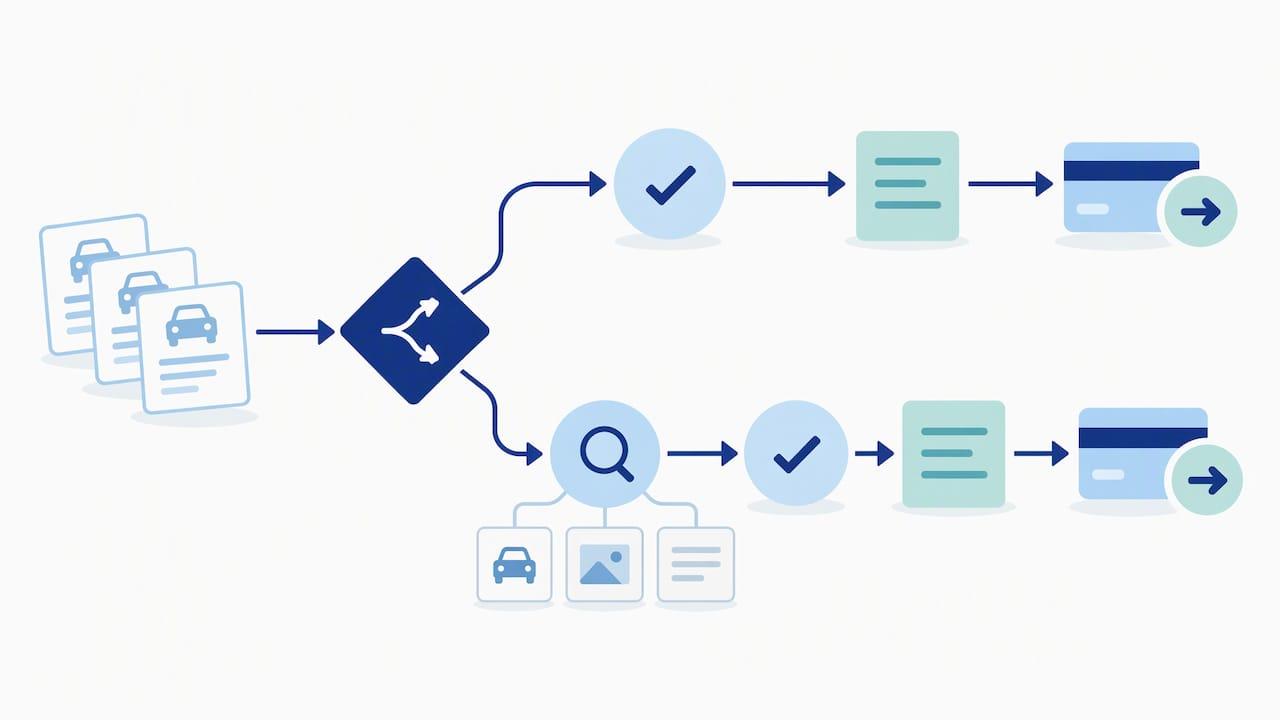
The goal is not to approve everything automatically. It is to approve the predictable cases instantly and to route the unusual ones to a person with the full context attached.
Rules that can run on their own
A rule-based auto-approval fits when all of the following are true:
- The trigger is a defined type (such as cancellation inside your full-refund window).
- The amount equals the contract-based calculation, with no manual override.
- The original payment is settled and has no dispute or inquiry attached.
- The destination is the original payment method.
Cases that need a human
Send these to a named approver:
- Any manual override of the calculated amount.
- Refunds above a threshold you set, for example per-booking or per-day limits.
- Conflicting evidence, such as an agent note that contradicts the contract or two customer messages that disagree. PortfolioRental's guidance is to stop and route payment for review when evidence conflicts instead of picking the latest message.
- Requests to send money somewhere other than the original method.
That last point is a fraud control as much as a workflow rule. The same guidance says never to change destination details from an unverified message. On the card side, Elavon's chargeback best practices for car rentals say to only issue refunds to the original card used, and not to refund to other cards, cash or bank accounts. That document comes from a UK acquirer, but the control it describes is a sound operating rule for any card-accepting business.
Keep refund states separate
A refund that says only "done" hides problems. Use distinct states: proposed, approved, issued, settled, returned and corrected. A refund marked issued is not the same as one that has settled. If funds come back as returned or failed, the record stays open with a named next action until someone resolves it.
Handling disputes, duplicates and failed refunds
This is where automation earns its keep, because the mistakes are expensive and easy to repeat.
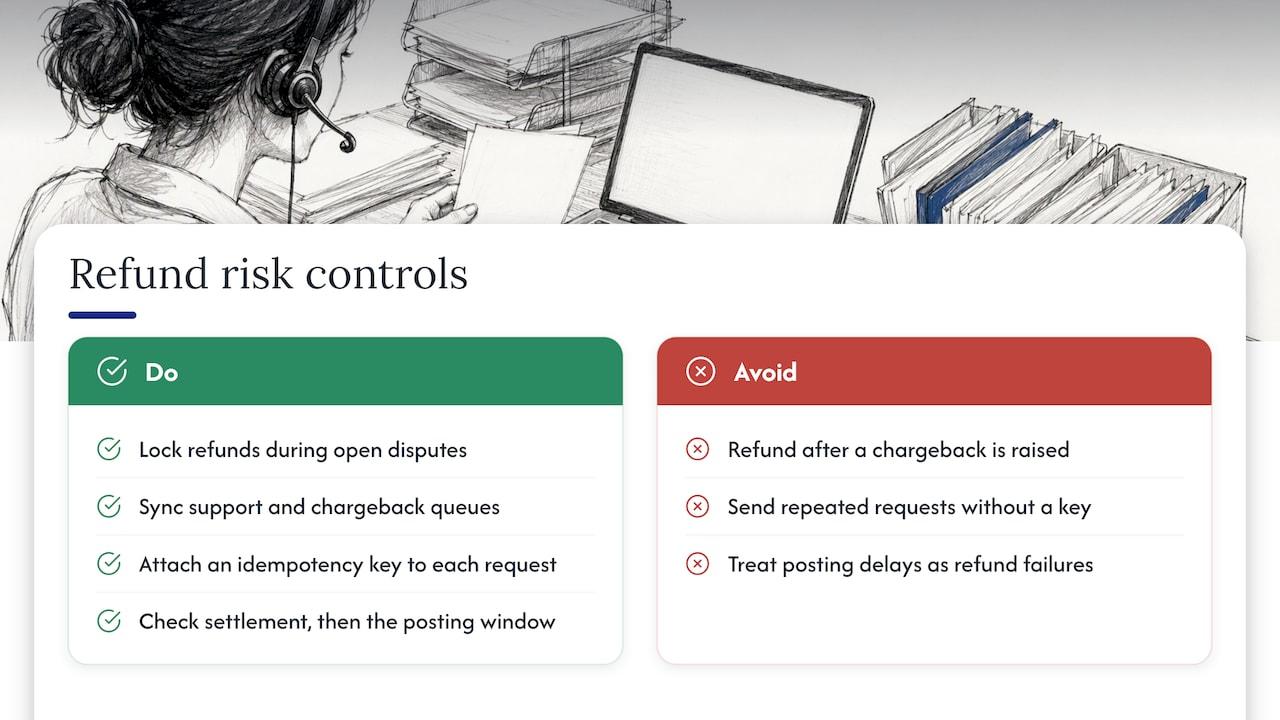
Lock refunds during open disputes. If a customer has raised a chargeback and you also refund, you can lose twice. Elavon's guidance says not to refund after a chargeback has been raised because it can result in double losses. PaymentBrief's operations runbook likewise advises to lock refunds on transactions with an open dispute or inquiry and to sync support and chargeback queues. Your system needs a status check that blocks the refund button, and shows the agent why.
That coordination between support and chargeback handling is a recurring theme in rental operations. This breakdown of cancellation policy and refund timing shows how clear cancellation terms keep customer-service promises and payment decisions aligned. For the dispute side, our guide to rental chargebacks and the proof each needs explains how to match each dispute type to its evidence.
Block duplicates with an idempotency key. An idempotency key is a unique identifier attached to each refund request. If an agent double-clicks, a webhook retries or a network call times out, the processor recognizes the repeated request and does not send the money twice. PaymentBrief recommends this approach to prevent duplicate refunds.
If a chargeback arrives after you already refunded. Contest it with proof of the credit: the refund date and amount. Mastercard's merchant chargeback guide says issuers must research and identify refunds before each chargeback processing cycle, and describes different outcomes depending on whether a refund was properly documented. In practice, the outcome depends on scheme rules, your acquirer and the quality of your evidence, which is exactly why every refund needs a clean record.
When a customer says the money never arrived. Work through a fixed order: has the refund settled on your side, and if so, is the issuer still inside its normal posting window? Many "missing refund" tickets are timing, not failure. Enterprise, for example, tells debit-card renters to call the branch if the refund has not appeared after 10 business days. An automated status page or email that shows the date you issued the refund resolves most of these without a call.
Customer communication that cuts support tickets
Customers do not need the mechanics. They need four facts: how much, to which payment method, when you sent it, and how long the bank usually takes.
A refund notification should include:
- The booking reference and the reason for the refund.
- The amount and the last four digits of the card, or the payment method.
- The date you issued it.
- A plain-language note that the bank's posting time varies, using the ranges you have confirmed with your processor.
- A single contact point if the funds have not appeared within that window.
Trigger the message from the refund state change, not from an agent remembering to send it. When the state moves to issued, the email goes out. When it moves to returned or failed, an internal task opens.
Reconciliation: closing the loop in the books
A refund is only finished when it matches the money that moved. Reconciliation guidance for travel payments describes checking at several levels, including gateway or bank movement to the payment object, and refund movement to the refund object and original collection. For a rental business, a practical daily check looks like this:
- Every refund issued in your system has a matching processor transaction.
- Every processor refund has a matching booking and an approved record.
- Refund totals by day tie to the bank or processor statement.
- Returned or failed refunds are open items with an owner.
- Refunds are posted to the right account and period, and not netted silently against revenue.
After issuance, verify processor status and the accounting entry. Doing this daily, rather than at month end, means a failed refund is a one-line fix instead of a forensic exercise. Our payment reconciliation close process walks through the daily and monthly routine in detail, and the guide on deposit automation covers the hold-and-release side that generates so many money-back events. If damage assessments drive your partial refunds, see damage disputes at return for the photo and report evidence that supports the final number.
A practical rollout in four steps
You do not need to automate everything at once. This order delivers value early and limits risk.
- Write the refund policy as rules. List each trigger, the amount formula and the approval level. If a rule cannot be written down, it cannot be automated yet.
- Connect payments to bookings. Refunds must tie to the original transaction. Without that link, every refund is a manual lookup.
- Automate the safe cases first. Start with cancellations inside the full-refund window and duplicate payments, where the formula is clear.
- Add the controls. Dispute locks, idempotency keys, state tracking and a daily reconciliation report go in before you raise approval thresholds.
Review the reason codes monthly. If one reason dominates, such as billing corrections, the fix may sit upstream in your quoting or contract generation, not in the refund process itself.
Perspective
Most rental companies we talk with do not have a refund problem. They have a handoff problem. The decision is made at the counter, the payment lives in a processor dashboard, the contract is a PDF, and the accounting entry is a spreadsheet row someone adds on Friday.
We think of a rental management platform as the central nervous system of the operation: reservations, contracts, payments and customer records sending signals to each other so nothing waits on a person remembering. When the booking, the contract and the payment sit in one system, a refund becomes a calculated, traceable event rather than a negotiation.
That is how we designed Nomora: reservations, fleet management, contract generation, payments and customer data in one cloud platform, so the amount, the original payment and the record all come from the same place. Every plan includes all features, and we aim to get teams fully operational within 24 to 48 hours, so you can start with a clean refund workflow without a long implementation.
Our advice: write your refund rules first, connect them to your payments second, and automate the predictable cases before the exceptions. The time you save on admin goes straight back into fleet utilization.
Dizzy
Put refund automation to work with Nomora
Nomora is a cloud-based car rental management platform that brings reservations, contracts, payments and customer data into one place, which is the foundation refund automation depends on. You can see how automated car rental payments work, or review plans on the pricing page: Starter is €45 per month, Business is €2.80 per vehicle per month, and Fleet is €2.20 per vehicle per month. Enterprise pricing is available on request, and payment processing fees are listed on the pricing page.
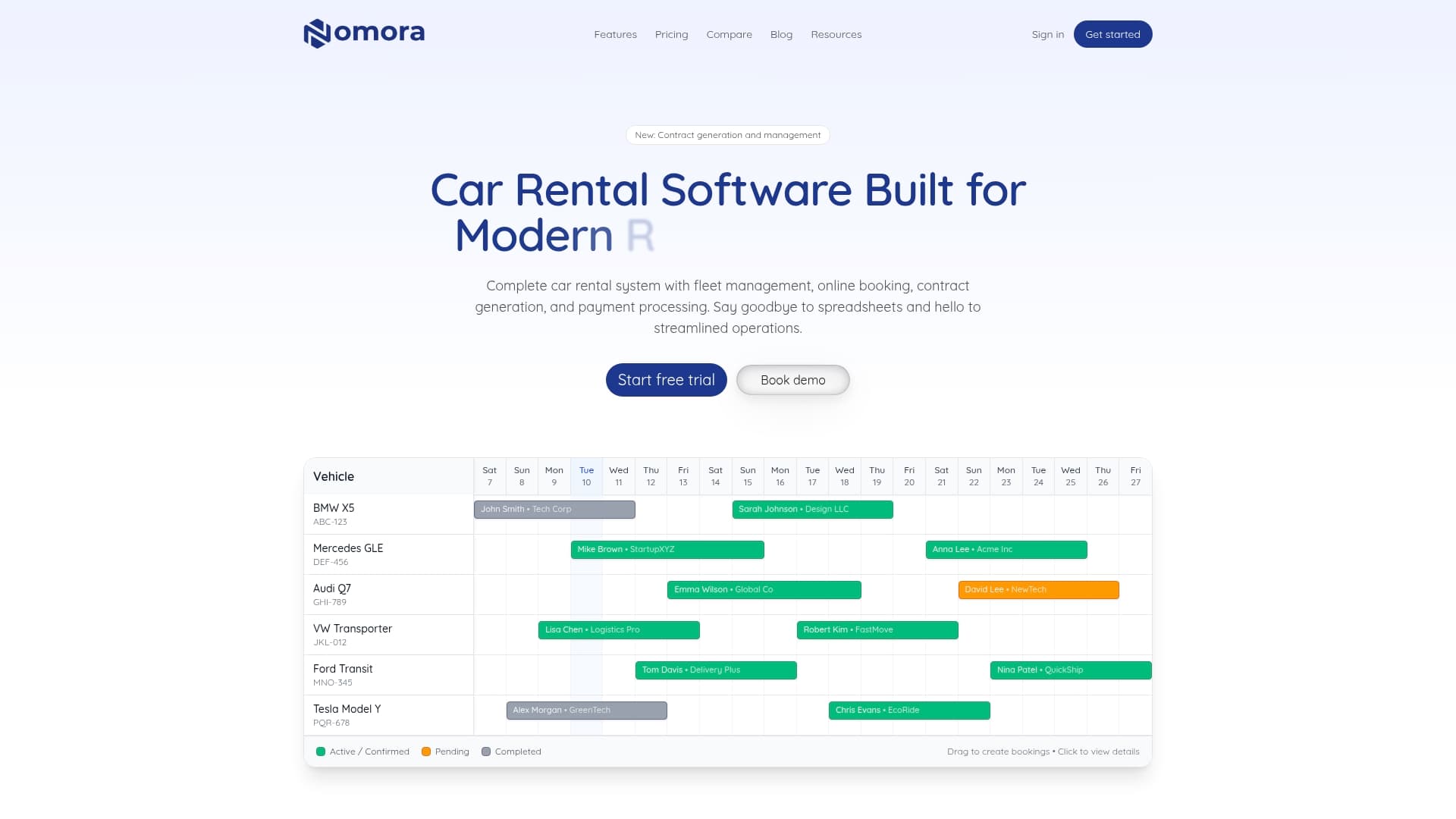
If you run a small or mid-sized fleet, a luxury or specialty rental business, or a corporate fleet, the car rental software overview shows how the pieces fit together.
FAQ
How long does a car rental refund take?
It depends on the payment method and the bank. Enterprise says debit-card deposit refunds typically post in about 5 to 10 business days, and Alamo gives the same range. Credit-card holds are usually released at return, though the bank can take longer to show the funds, as Dollar notes with its up-to-10-day window.
What is the difference between a void and a refund?
A void cancels an authorization before the transaction is captured and settled, so no money moves. A refund returns money after the transaction has been completed and settled, and it is always initiated by the business. Your automation should pick the right one based on the transaction's status.
Should refunds always go back to the original payment method?
Yes, as a default control. Card acquirers advise refunding only to the original card, and changing destination details based on an unverified message is a common fraud route. Any exception should go to a named approver with the evidence attached.
What should I do if a customer disputes a charge I already refunded?
Contest the chargeback with proof of the credit, including the refund date and amount. Whether it succeeds depends on card scheme rules, your acquirer and how well the refund is documented. If the dispute was open first, do not issue a separate refund.
Sources
- Account Closing Process, Indie Campers Help Center
- Rental Refund Approval Evidence Check, PortfolioRental
- Capture Operations, Paymentsandrisk
- What is a payment reversal? Stripe
- Car rental deposit refunds, Enterprise
- Authorization Hold, Dollar
- Car Rental Refund Information, Alamo
- Car rentals chargeback best practices, Elavon
- Refund Operations Runbook, PaymentBrief
- Chargeback Guide Merchant Edition, Mastercard
- Travel Payments: Refunds, Settlement and Reconciliation, OnArrival
- Bus cancellation policy and refund timing
Recommended