TL;DR:
- Real-time rental reporting provides live fleet data, enabling faster and more accurate decision-making.
- Implementing RTTR involves installing telematics hardware, integrating software, training staff, and scaling gradually.
- Success relies on fostering a data-driven culture, acting on insights promptly, and measuring KPIs for ROI.
If you're still tracking fleet activity through spreadsheets, you're leaving money on the table every single day. Manual reporting is error-prone and limits how quickly you can respond to real operational needs. Real-time rental reporting changes that equation entirely. This guide covers exactly what real-time reporting is, what tools you need, how to set it up step by step, and how to measure the results that matter. By the end, you'll have a clear framework for transforming raw fleet data into decisions that drive profitability.
Table of Contents
Key Takeaways
| Point | Details |
|---|
| Real-time vs manual | Automated real-time reporting outpaces manual spreadsheet methods by enabling proactive fleet management and higher profits. |
| Setup is fast and scalable | Most fleets can pilot real-time reporting with basic GPS devices and cloud platforms in under 48 hours. |
| Success is measurable | Track KPIs like utilization, fuel savings, and ROI—most fleets recoup investment in under 6 months. |
| Common challenges | Privacy, data silos, and one-way imbalances are best solved with integration, policies, and clear communication. |
What is real-time rental reporting?
Real-time rental reporting (RTTR) is the continuous collection, processing, and display of fleet data as it happens. Unlike traditional reporting, which relies on manual data entry and periodic batch updates, RTTR uses connected technology to give you a live picture of every vehicle in your fleet at any moment.
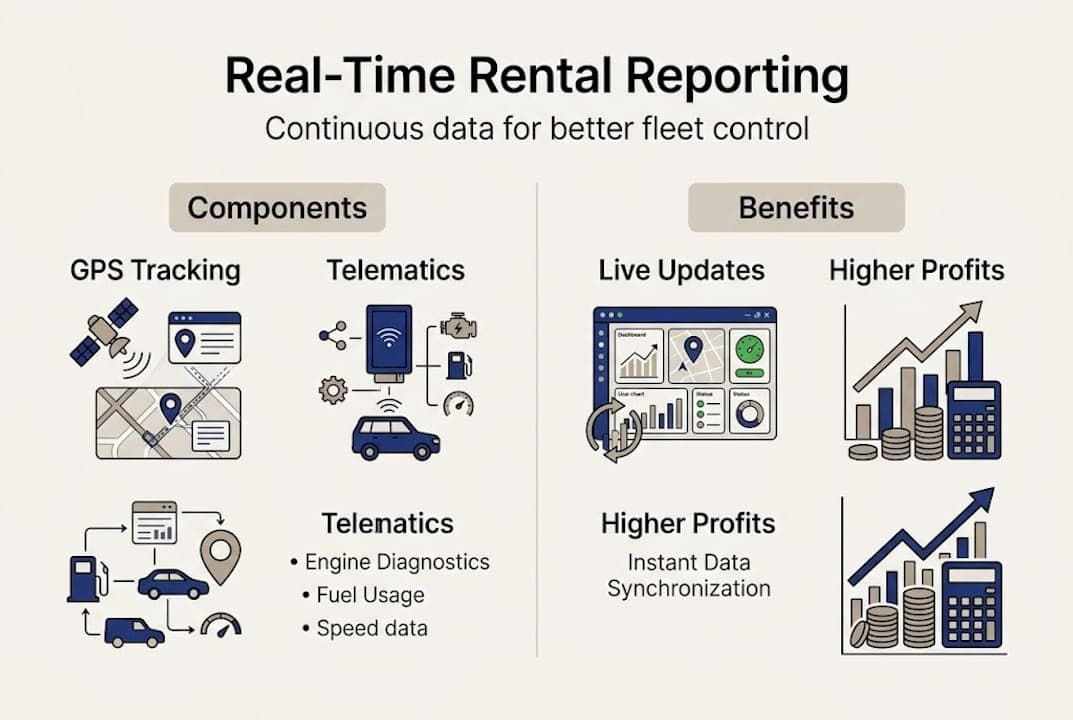
The core components include GPS tracking (location and movement), telematics (vehicle diagnostics and driver behavior data), IoT sensors (fuel levels, door status, mileage), and integrated rental management software. As explained in how real-time tracking transforms operations, these systems use GPS, telematics, and IoT sensors to feed continuous fleet data through unified dashboards.
Here's how RTTR compares to the legacy approach:
| Feature | Manual/spreadsheet reporting | Real-time rental reporting |
|---|
| Data freshness | Hours or days old | Live, continuous updates |
| Error rate | High (manual entry) | Low (automated feeds) |
| Decision speed | Slow | Immediate |
| Fleet visibility | Partial | Complete |
| Staff time required | High | Minimal after setup |
The advantages go beyond convenience. With RTTR, you can spot a vehicle sitting idle in the wrong location, catch an overdue return before it becomes a dispute, or identify a maintenance issue before it grounds a car. These are the kinds of insights that rental data analytics can surface when data flows automatically rather than through manual updates.
Key benefits of switching to real-time reporting include:
- Continuous visibility across your entire fleet, not just end-of-day snapshots
- Fewer errors because data comes directly from devices, not from staff memory
- Faster decisions on pricing, availability, and maintenance scheduling
- Automated alerts for geofence breaches, low fuel, or overdue returns
- Unified dashboards that replace scattered spreadsheets and disconnected tools
For fleets of any size, the shift from reactive to proactive management is the real value. Automated fleet reporting removes the lag between what's happening on the road and what you see in your office.

Understanding what RTTR is matters, but you also need the right tools and preparation to implement it effectively. The good news is that the hardware requirements are straightforward, and modern cloud platforms make software setup faster than most operators expect.
Hardware you'll need:
- OBD-II devices (plug into the vehicle's diagnostic port for instant telematics data)
- GPS trackers (hardwired or battery-powered, depending on your fleet type)
- In-vehicle IoT sensors for fuel, mileage, and door/ignition status
- Reliable cellular or Wi-Fi connectivity for data transmission
Software components:
- A cloud-based rental management platform with API integration capability
- A real-time dashboard that aggregates all device feeds
- Automated alert and notification settings
- Role-based access controls for different staff levels
Before you invest in hardware, review your rental software features to confirm compatibility with third-party telematics providers. Following integration best practices from the start prevents costly rework later.
| Component | Purpose | Estimated setup time |
|---|
| OBD-II device | Telematics and diagnostics | 30 min per vehicle |
| GPS tracker | Location and movement data | 30-60 min per vehicle |
| Cloud platform | Data aggregation and dashboards | 24-48 hours total |
| Staff training | Policy and system use | Half-day session |
According to telematics technologies, modern telematics devices are increasingly plug-and-play, reducing installation complexity significantly. And full platform setup can be completed in 24 to 48 hours, with individual device installation taking 30 to 60 minutes per vehicle.
For staff, the focus should be on two things: how to read and act on dashboard data, and what the data privacy policy means for drivers and customers. Both need to be addressed before go-live.
Pro Tip: Start with a cloud-based SaaS platform rather than on-premise software. Cloud solutions update automatically, scale without infrastructure investment, and let your team access data from anywhere.
Begin with a pilot group of 5 to 10 vehicles. This limits your upfront cost, gives you a controlled environment to test integrations, and builds internal confidence before a full rollout.
Step-by-step: Setting up real-time rental reporting
With your toolkit in hand, here's how to take real action and roll out real-time reporting that delivers.
-
Select pilot vehicles. Choose 5 to 10 vehicles that represent your most common rental types. Collect baseline data on utilization, fuel costs, and maintenance frequency so you have a comparison point.
-
Install hardware. Fit OBD-II devices and GPS trackers in each pilot vehicle. Follow manufacturer guidelines and document installation for future scaling. Most installs take under an hour per vehicle.
-
Connect to your cloud platform. Register each device in your rental management software. Verify that data feeds are live and accurate before moving forward. Cloud solutions for rentals make this step faster with pre-built device integrations.
-
Integrate with rental management software. Sync your booking, contract, and payment systems with the telematics data. This is where the real power emerges: a reservation triggers automatic vehicle assignment, and returns are logged the moment the ignition cuts off.
-
Configure dashboards and alerts. Set up your live dashboard to show utilization rate, vehicle location, fuel level, and maintenance status. Create alerts for geofence breaches, overdue returns, and low fuel. Review tracking setup details for recommended alert thresholds.
-
Train your staff. Run a half-day training session covering how to read the dashboard, respond to alerts, and follow data usage policies. Staff buy-in is critical.
-
Run test scenarios. Simulate a no-show, a geofence breach, and a late return. Confirm that alerts fire correctly and that staff know the response protocol.
-
Scale after pilot success. Once the pilot runs cleanly for two to four weeks, expand to your full fleet using the same process.
"Full setup for small fleets can be done in one to two days. The biggest impact comes from seamless integration and genuine staff buy-in."
Pro Tip: Document every integration step during the pilot. When you scale, this becomes your internal playbook and cuts rollout time significantly.
Troubleshooting, privacy, and real-world pitfalls
Even with a smooth setup, real-time reporting brings its own learning curve. Here's how to avoid the most common stumbling blocks and keep your data and reputation safe.
Common technical issues:
- Device sync failures: Devices occasionally lose connectivity, especially in low-signal areas. Build in automatic reconnect protocols and flag any vehicle that goes silent for more than 15 minutes.
- Data silos: If your telematics platform and rental management software don't share data cleanly, you end up with two separate dashboards and no unified view. Prioritize platforms with native API connections.
- Firmware lag: Outdated device firmware can cause data discrepancies. Schedule quarterly firmware checks.
Human and policy issues:
- Staff may manually override alerts or ignore dashboard flags if they don't understand why the system matters. Reinforce the connection between data accuracy and their own workload reduction.
- Some managers resist changing familiar workflows. Pair early adopters with skeptics during training to build internal advocates.
Edge cases to prepare for:
- One-way rental imbalances (vehicles pile up in one location)
- Geofence breaches where customers take vehicles outside agreed zones
- No-shows that leave vehicles blocked and unreported
"Privacy, compliance, and sync gaps are among the most common real-world challenges. Role-based access controls and transparent driver disclosure are the most effective solutions."
On privacy, be proactive. Disclose tracking to customers at the point of rental agreement. Use encryption for all data in transit and at rest. Restrict dashboard access by role so front-desk staff can't see data they don't need. For managing fleet challenges related to compliance, document your data retention policies and review them annually.
These steps aren't just good practice. In many regions, they're legally required under data protection regulations.
Measuring results: KPIs and proving ROI
Once you're up and running, you need to validate your effort. Here's how to prove and improve your results with the right metrics.
The top KPIs for real-time rental reporting are:
- Fleet utilization rate: The percentage of your fleet actively rented at any given time. Target range is 70 to 85%, with top operators hitting the upper end consistently.
- RevPACD (Revenue Per Available Car Day): Tracks daily revenue efficiency across your fleet, accounting for idle vehicles.
- Maintenance cost as a percentage of revenue: Should stay below 15% of total revenue. Real-time diagnostics help you catch issues early and avoid costly breakdowns.
- Fuel savings: Operators typically see 10 to 15% fuel savings after implementing telematics-driven monitoring.
- No-show rate: Measures how often reservations don't convert to actual rentals. Reducing this directly improves utilization.
- Revenue growth: Track month-over-month changes after implementation to isolate the impact of better reporting.
For fleet utilization strategies that move these numbers, the data you collect in the first 30 days post-launch is your most valuable baseline.
The benchmark results are compelling. Fleets using real-time reporting have seen up to 40% efficiency gains, and in top-performing cases, software ROI has exceeded 300%. Most operators recover their implementation costs in under six months when they track the right metrics and act on what the data shows. That's not a promise. That's documented real-world ROI from operators who committed to the process.
Review your KPIs monthly for the first quarter, then quarterly after that. Use the data to adjust pricing, rebalance vehicle distribution, and schedule preventive maintenance before failures occur.
Why mindset matters more than technology
Here's the uncomfortable truth about real-time rental reporting: the technology is the easy part. The hard part is building a culture where data actually drives decisions.
Many fleet operators invest in dashboards, install the hardware, and then spend their days admiring charts without changing a single process. The top performers are different. They treat every data point as a prompt for action. A utilization dip triggers a pricing review. A maintenance flag triggers a scheduling call. A geofence breach triggers a customer conversation.
Small, high-velocity fleets often outperform larger ones precisely because they act on using rental analytics quickly. They don't have layers of approval slowing down the response. Large fleets, by contrast, sometimes collect more data than they can act on, which creates a false sense of control.
The mindset shift is this: reporting is not the goal. Better decisions are the goal. Real-time data is only valuable when someone is empowered to use it.
Ready to upgrade your rental reporting?
Nomora is built for exactly this kind of transformation. The platform connects reservations, fleet tracking, contracts, and payments into a single real-time view, so your team always knows what's happening and what to do next.
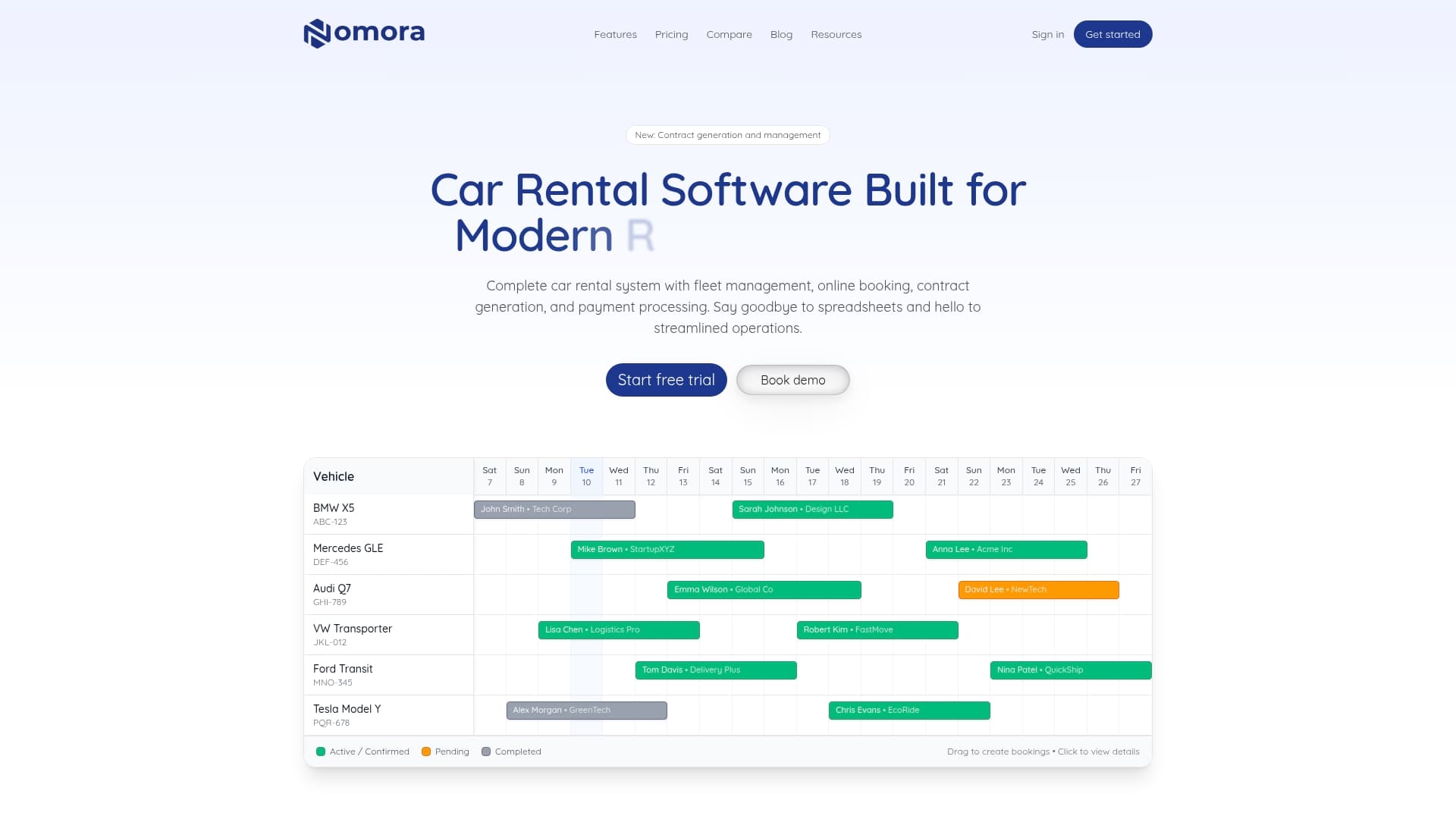
Onboarding takes 24 to 48 hours, and the system is designed to integrate with your existing GPS and telematics devices without complex IT work. Whether you manage 10 vehicles or 500, Nomora scales with your operation. Explore real-time reporting solutions tailored to your fleet type, review affordable pricing that fits your budget, or visit Nomora's platform to see how the full system works. The data is already out there. Let's make it work for you.
Frequently asked questions
What's the fastest way to start real-time rental reporting?
Begin with a pilot of 5 to 10 vehicles using a cloud-based platform and GPS devices, then expand once the integration and alert systems are confirmed working. This approach limits risk and builds internal confidence before a full rollout.
How can I measure ROI from real-time reporting?
Track your utilization rate (target 70 to 85%), fuel savings, and maintenance costs before and after implementation, then compare against your baseline. Most operators recover their investment in under six months when they monitor these metrics consistently.
Are there privacy concerns with real-time reporting?
Yes, but they're manageable. Use role-based access and encryption, and disclose tracking to customers in the rental agreement to stay compliant with data protection regulations.
What are common setup challenges?
The most frequent issues are device syncing problems, data silos, and staff resistance to new workflows. Addressing these during the pilot phase, before full rollout, prevents them from becoming larger operational problems.
Recommended
Ready to streamline your car rental business?
Book 30 minutes with the founder. We set up everything in this guide on your own vehicles, and migrate you out of Excel for free.