Your first move: turn on an SMS reminder one day before pickup with a one-click cancel link inside your booking templates today. That single change starts recovering lost inventory before you touch anything else.
TL;DR:
- Ensuring a clear no-show policy with graduated cancellation tiers and a 15% to 25% deposit can recover most lost revenue before support intervention.
- Automated multi-channel reminders with one-click confirm or cancel links and a configurable no-show cron are essential to prevent forgetfulness and inventory loss.
- Proper implementation requires mapping policies to rate plans, testing payment flows, and staging cron settings before going live to avoid early or late vehicle releases.
- Key metrics such as no-show rate, deposit retention, and late-return rates should be monitored weekly to adjust policies and reminder effectiveness.
- Using a unified platform like Nomora streamlines the entire process, automating reminders, deposits, inventory management, and dispute logs on a secure cloud infrastructure.
Table of Contents
What Should a No-Show Policy for Car Rental Cover?
A workable no-show policy for car rental operations rests on four pillars: graduated cancellation tiers, a modest deposit, a clearly defined no-show window, and disclosure that follows the customer from booking to pickup. Get these four right and most of your revenue leakage disappears before you ever touch a support ticket.
Here's a policy structure that fits most fleets, from a five-car independent lot to a fifty-vehicle franchise operation:
- Tier 1 (48+ hours before pickup): Free cancellation, full deposit refund.
- Tier 2 (24 to 48 hours before pickup): Partial deposit retention, typically 50%.
- Tier 3 (under 24 hours or no-show): Full deposit retention, no refund.
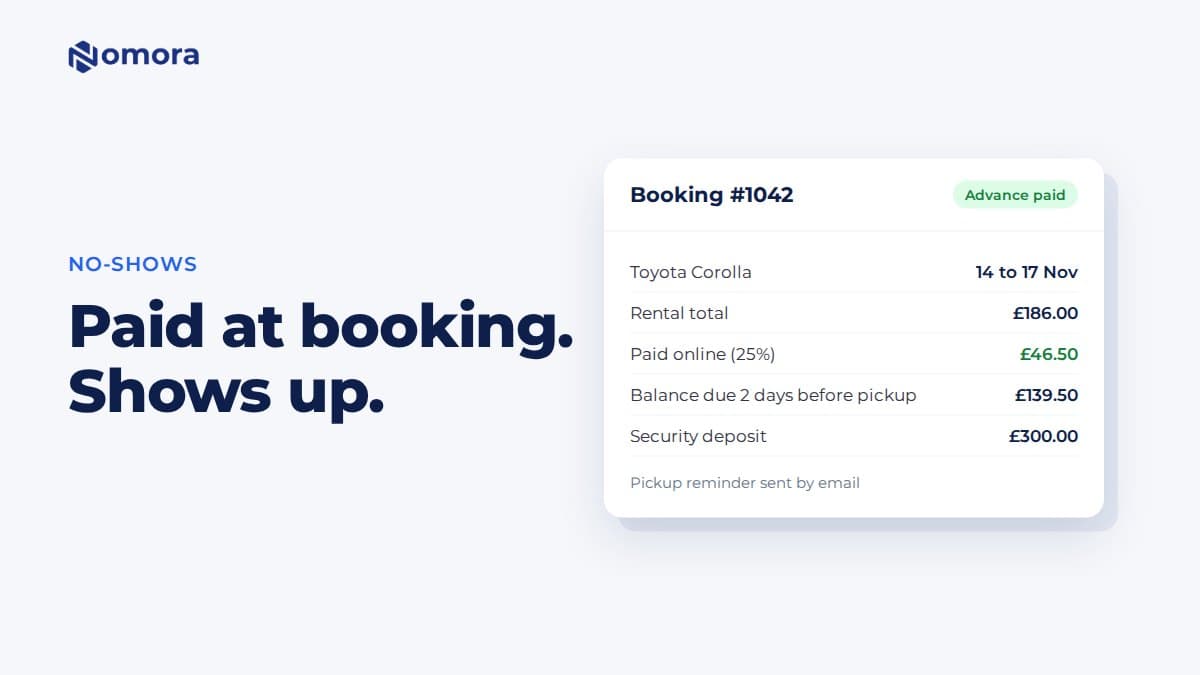
- Deposit range: 15% to 25% of total rental value, scaled by vehicle class and rental duration, based on how most operators structure deposit and refund tiers.
- No-show wait window: about one hour past the scheduled pickup time before the reservation flips to no-show status and the vehicle releases back into inventory, matching the cron logic documented in operator runbooks for no-shows and late returns.
- Disclosure points: A short policy summary on the booking page, a longer version linked in the terms, and a repeat of the deposit and cancellation window in the confirmation email.
Some support systems build in a short grace period, often five minutes right after booking, so a customer who fat-fingers a date isn't immediately locked into Tier 1 penalties. That kind of buffer costs you almost nothing and heads off a lot of angry calls.
Which Automation Features Actually Prevent No-Shows?
Policy on paper does nothing. The software running your reservations has to enforce it without a human checking every booking by hand. Before you finalize a no-show policy for car rental operations, confirm your platform supports these five capabilities.
- Multi-channel reminder templating with independent timing controls for email, SMS, and push, so you can run the confirmation-D1-final sequence without manual sends.
- One-click confirm/cancel links embedded directly in reminders, tied to immediate deposit capture or release the moment a customer taps.
- Deposit and refund automation that can be scoped by rate plan, vehicle class, or customer segment, not applied as one flat rule across the fleet.
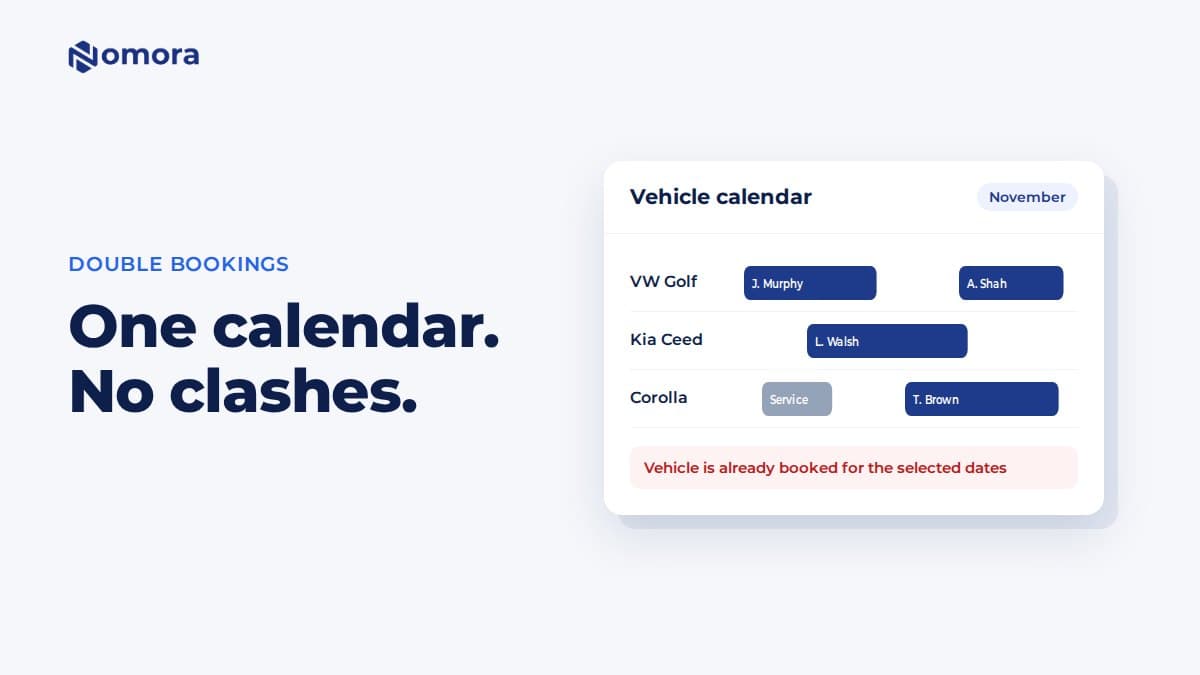
- A configurable no-show cron that defines the exact wait time before a reservation flips status and the vehicle returns to available inventory.
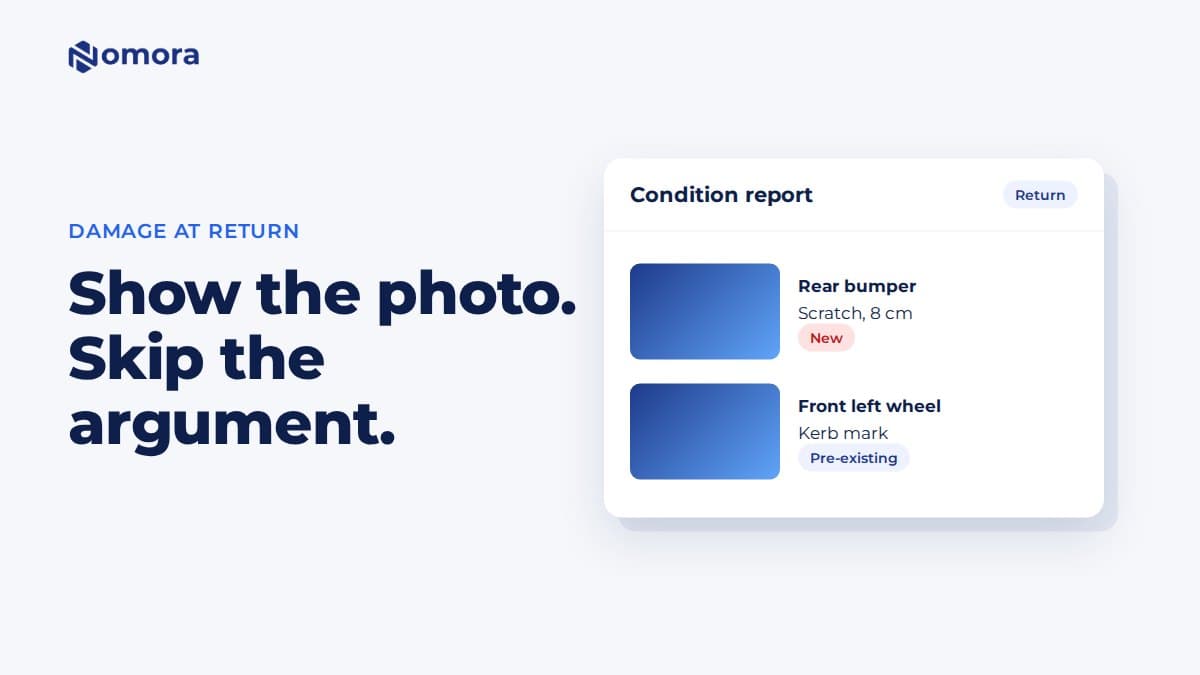
- Audit logging that timestamps every status change, payment event, and cancellation reason for dispute evidence later.
A structured sequence of confirmation, a D-1 SMS, and a final alert two to four hours before pickup catches most forgetfulness-driven no-shows and gives undecided customers an easy exit before they become a penalty, according to research on car rental software's impact on no-shows.
Pro Tip: Reminders that include the pickup address, a parking map link, and a one-tap reschedule option get read as helpful, not punitive. Customers cancel more honestly when the message feels like a service, not a warning.
How Do You Implement No-Show Automation Without Breaking Bookings?
Rolling out a new no-show policy for car rental fleets in one pass, live, on production data, is how support tickets pile up. Work through this order instead:
- Map each policy tier to a rate plan in your software and confirm the correct deposit percentage attaches automatically at booking.
- Test the payment capture and refund flow, including what happens when a card capture fails. Some platforms retry automatically; others require manual intervention.
- Configure the reminder sequence (confirmation, D-1, H-2/H-4) and click every one-click link yourself to confirm it lands on the correct booking record.
- Set the no-show cron parameters in staging first. Confirm the wait window and inventory release behavior match your documented policy before pushing to production.
- Update booking-page copy and rental contracts so the disclosed terms match exactly what the system enforces.
- Train front-line staff on override procedures for legitimate exceptions, like a flight delay or hospital visit.
Skipping the staging step is the single most common mistake. A cron cutoff set wrong by even fifteen minutes either releases cars too early, mid-grace-period, or holds them too long, and either failure mode costs you a rental.
What KPIs Show Whether Your No-Show Policy Is Working?
Four numbers tell you almost everything: no-show rate, completed rental rate, deposit retention amount, and revenue recovered from released inventory. Track them weekly, not monthly. A no-show policy for car rental operations that isn't monitored drifts out of alignment with your actual booking mix within a few weeks.
Operator guidance suggests that once no-shows climb above roughly 15% of total reservations, the fastest fix isn't a stricter penalty. It's tightening the reminder cadence and reviewing whether deposits are actually required on the booking channels driving the losses.
- Segment reports by lead time (same-day bookings no-show at far higher rates than week-out bookings).
- Break out no-show rate by vehicle class; luxury and specialty units often carry different risk profiles.
- Watch late-return rates alongside no-shows. If late returns cross 10%, that's a signal to layer in GPS-based alerts.
- Build a dashboard with four widgets: no-show trend line, deposit retention total, channel breakdown, and repeat-offender flags.
Copy-Ready Templates for Booking, Confirmation, and Reminders
Consistent wording matters as much as the policy itself. Vague disclosure is where disputes start. Use language close to this across every touchpoint in your system:
- Booking page disclosure: "A deposit of [X]% is required to confirm this reservation. Cancellations made 48+ hours before pickup are fully refundable. See full [cancellation terms link]."
- Confirmation email: "Your deposit of $[amount] has been charged and is refundable in full until [date/time]. Need to change plans? [Modify] or [Cancel] with one click."
- D-1 SMS: "Reminder: your rental starts tomorrow at [time]. Reply CONFIRM or tap [link] to modify. Pickup: [address]."
- H-2/H-4 alert: "Your pickup window opens in [X] hours at [location]. Running late? [Extend hold] or [cancel] to avoid the no-show fee."
- Contract clause: "The deposit stated above is retained in full if the vehicle is not collected within [60] minutes of the scheduled pickup time, per the cancellation schedule outlined in Section [X]."
Escalation scripts for support staff should point straight to the audit log rather than relying on memory. A precise timestamp resolves more no-show disputes than an apology ever will.
How Do You Fix No-Show Policies That Aren't Working?
If no-shows stay high after rollout, check reminder deliverability first. A message that never lands can't prevent anything. Look at whether high-risk segments, first-time renters or same-day bookings, need a higher deposit tier than your default.
If conversions drop instead, your deposit is probably too aggressive for the segment. Try waiving or reducing it for repeat customers and A/B test two versions of your confirmation copy before rolling out fleet-wide.
Rising disputes usually trace back to weak disclosure placement rather than an unfair policy. Move the terms link higher on the booking page and require an explicit confirmation click before payment.
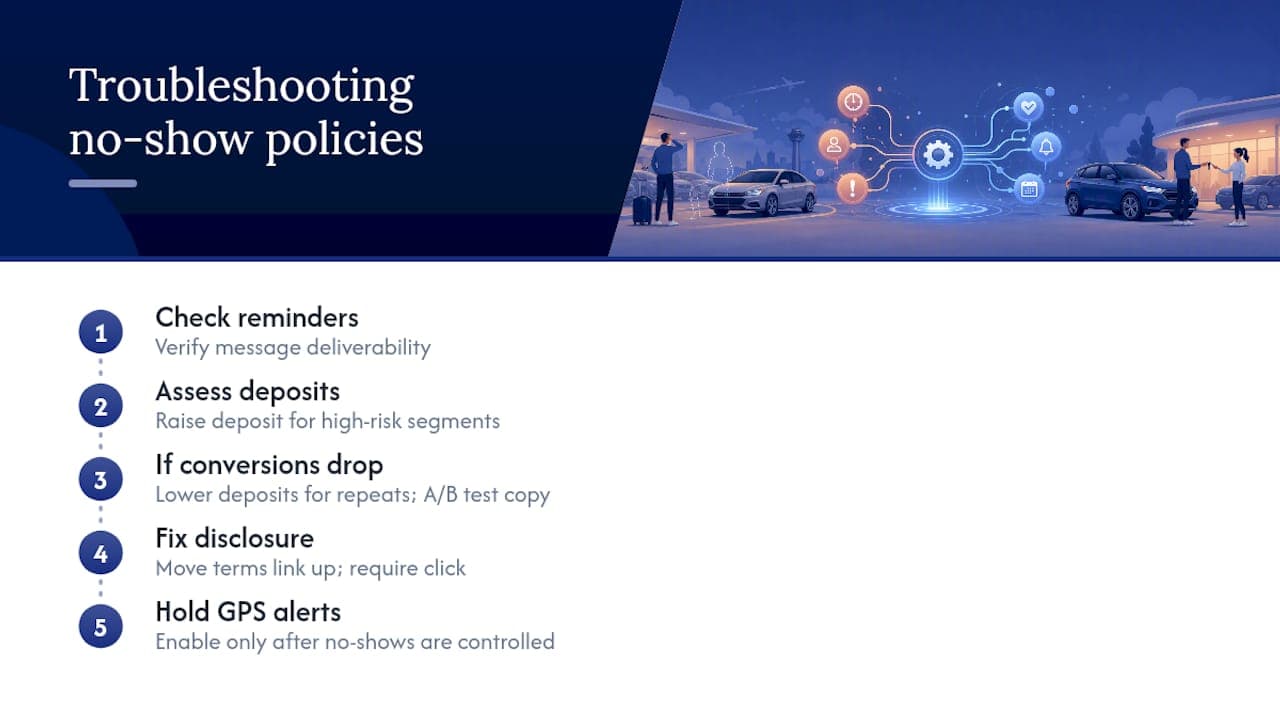
Pro Tip: Before adding GPS-based late-return alerts, confirm your no-show numbers are actually under control. Fixing the wrong problem first just adds noise to your dashboard.
An Operator's Take on What Actually Moves the Needle
Reminders paired with deposit automation deliver the fastest return of anything in this framework. Most operators see the payoff within weeks, not quarters, because the fix targets forgetfulness, the single largest driver of no-shows, not fraud or bad intent.
The lesson that gets skipped most often: test your cron and payment logic in staging, and train staff on override cases before launch. A policy with no exception path for a legitimate emergency turns a fair rule into a customer-service fire. Get that balance right and enforcement stops feeling like punishment.
— Dizzy
How Nomora Automates Your No-Show Policy End to End
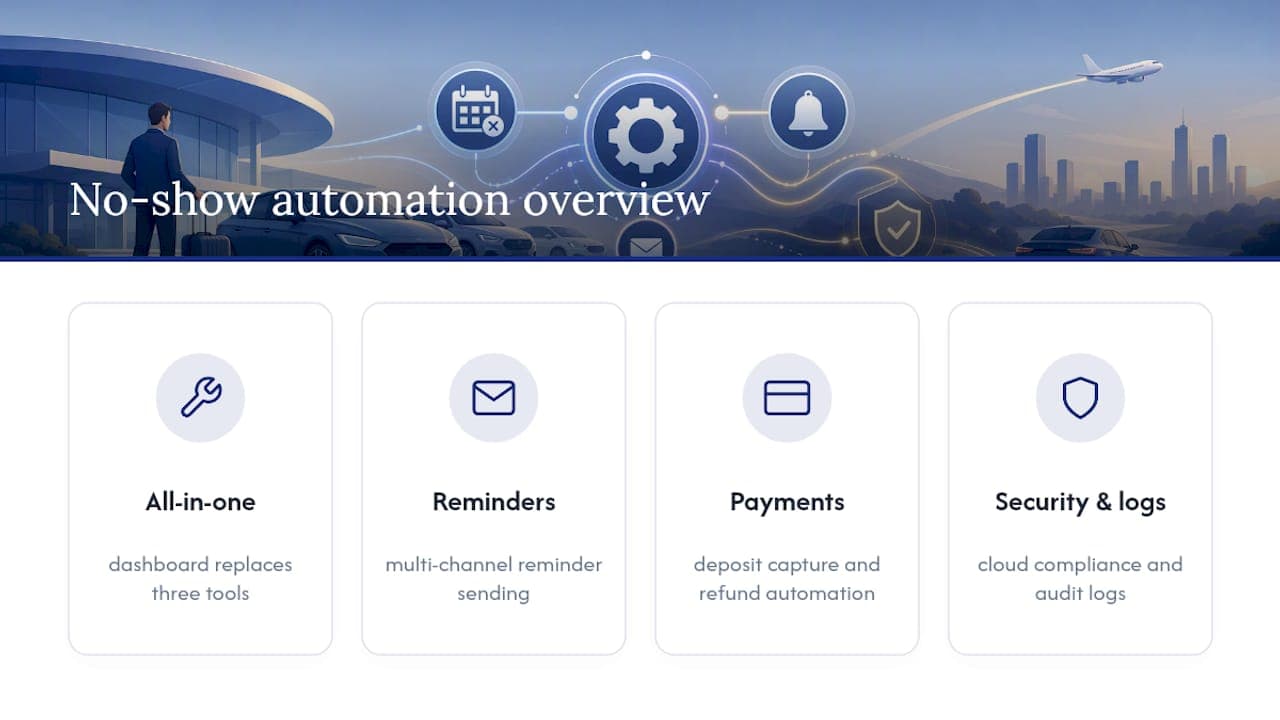
Nomora replaces the manual side of no-show enforcement, the reminder chasing, the deposit math, the inventory shuffling, with rules you configure once and let run. Multi-channel reminders, deposit capture and refund automation, a configurable no-show cron, and rate or customer-segment scoping all live inside one dashboard instead of three disconnected tools.

Onboarding for such platforms typically takes one to two days, and they run on cloud infrastructure designed for data protection and compliance to ensure customer data and payment records are secure. Reservation status changes, payment events, and cancellation reasons should be logged automatically to provide the audit trail needed for dispute resolution.
If you're still enforcing cancellation tiers with spreadsheets and manual texts, look at how Nomora's car rental software use cases map to fleets your size, or head straight to the product overview to book a demo and see the no-show automation running on your own rate plans.
Where to Go Deeper on No-Show Automation
For the deposit capture logic and refund flows behind this framework, see Nomora's guide on deposit automation for car rental fleets. For inventory mechanics after a no-show, the vehicle rental waitlist management guide covers reassignment in detail. Operators adding liability coverage to their policy language can review liability insurance basics as a starting reference.
Sources
Recommended
Ready to streamline your car rental business?
Book 30 minutes with the founder. We set up everything in this guide on your own vehicles, and migrate you out of Excel for free.