A multi-language booking flow lets a customer search, reserve, pay and sign in their own language, and receive every message afterward in that same language. For a rental company, the hard part is not the language switch on the website. It is keeping the fleet, the rates, the deposit terms, the contract and the customer record identical in every language, so that a reservation made in Spanish never disagrees with the same reservation in English. That is a systems problem more than a translation problem, and it is easiest to solve when reservations, contracts, payments and customer data live in one platform instead of in spreadsheets and inboxes.
This guide is written for owners of small and midsize rental companies, luxury and specialty vehicle operators, and corporate fleet managers. You will leave with a plan: which languages to start with, which pages and documents come first, how to localize the details that cause disputes, and how to test the result.
TL;DR
- Start with the top three to five languages your own inquiries show, not the ones you assume. In the US, Spanish is the usual first addition, and the largest rental brands already translate agreements for international arrivals.
- Translate the pages and documents that commit you to something first: fleet, rates, deposit, insurance, terms, the booking form and the contract. Marketing copy can wait.
- Localize dates, currency formatting, units and legal wording per market. Amounts stay a business decision, not a translation.
- Keep the chosen language through the whole journey: form, confirmation, reminders, payment and contract, with one customer record per person.
- Treat a policy change as unfinished until every language version has been updated, then test each version on desktop and mobile.
Table of Contents
What a multi-language booking experience actually includes
It helps to think in four layers, because most companies translate only the first.
- The public site. Fleet pages, vehicle details, location pages, rates and the rental policies a customer reads before deciding.
- The booking flow. Search fields, extras, driver details, error messages and the payment step.
- Customer communications. Booking confirmations, pickup instructions, reminders, receipts and return notices.
- The legal documents. The rental agreement, the deposit or damage terms, and any insurance explanation the customer signs or accepts.
A customer who reads a fully translated site but then receives an English-only agreement has not been served in their language. They have been given a reason to call you, or to dispute a charge at the counter. The goal is continuity: the language the customer picks at the start is the language they see at every later step.
Choose languages from your data, not your assumptions
More languages means more content to keep accurate, so begin narrow. Look at who actually contacts you: the language of inquiry emails, the countries on incoming bookings, the nationalities of your airport or hotel pickups, and the language settings of visitors on your site. Rank them and take the top three to five.
For a US company the first addition is commonly Spanish, followed by whichever languages your location attracts: French or Portuguese near some tourist and cross-border markets, German or Japanese in destinations popular with long-haul visitors. Your own bookings should decide.
The big brands show how far this goes. Avis Budget Group announced that customers at participating North American airport locations, including Atlanta, Boston, Chicago, Dallas, Houston, Los Angeles, Miami, New York, Orlando, San Francisco and Washington, D.C., can request their rental agreement in French, German, Portuguese or Spanish in addition to English. The company's customer experience executive explained the reasoning: international inbound customers are one of its fastest-growing and most profitable segments. On its US site, Avis also offers booking in English, Spanish and French through a country and language dropdown, with separate reservation phone lines for French and Spanish.
Two lessons carry over to a smaller operation. The contract is part of the language offer, not an afterthought. And language support extends to the phone line, so if you publish a language on the site, decide who answers a call in it.
Translate the commitment pages first
Not every page carries the same risk. A mistranslated blog post is an embarrassment. A mistranslated deposit clause is a dispute. Order your work by how much a page commits you to:
| Priority | Content | Why it comes first |
|---|
| 1 | Booking form, rates, taxes and fees | Customers pay based on what they read here |
| 1 | Deposit, insurance, fuel and mileage terms | The usual source of counter disputes |
| 1 | Rental agreement and confirmation emails | Legal weight, signed or accepted by the customer |
| 2 | Fleet listings and vehicle details | Drives the decision to book |
| 2 | Locations, hours, pickup and return instructions | Prevents missed handovers |
| 3 | Promotions, blog, brand story | Useful, but a delay costs little |
The same logic applies to any rental category, from cars to boats. If you want a view of how operators in another vehicle category think about adapting rental content for each market, the same split between decision pages and background pages holds.
For each language, publish parallel pages on their own URLs rather than swapping text on a single page, and mark them with hreflang annotations, which tell search engines which language version to show which visitor. Separate URLs also let a customer share or bookmark a page in their language.

For money-related and legal text, literal translation is often not enough. A cancellation policy translated word for word can still confuse a customer if it does not read the way such policies normally read in their language. For deposits, cancellation and liability wording, have a bilingual reviewer who knows rental terms adapt the text, and have both versions reviewed together.
Localize the details, not just the words
Localization is everything around the text that changes by market. These are the details that most often go wrong:
- Dates. The same date reads as 15/09/2026 in much of the world and 09/15/2026 in the US. A pickup date misread by a day is a missed booking. Show the month name spelled out in the confirmation to remove all doubt.
- Times. Use a 12-hour or 24-hour clock according to the market, and always state the time zone of the pickup location.
- Currency formatting. The amount is your business decision and does not change because the page language changed. What changes is the notation: separators, symbol placement and the currency code.
- Units. Miles versus kilometers, gallons versus liters, and fuel-level wording in your fuel policy.
- Legal mentions. Driver age rules, license requirements for foreign visitors and insurance wording should be adapted for the customer's situation, not merely translated.
- Phone formats. Accept international numbers in the form and the country code prefix a visitor from abroad would type.
If you display rates in more than one currency, decide in advance which currency is charged and say so next to the price. Showing an approximation in another currency is fine when it is labeled as such. Charging in a currency different from the one the customer saw is a complaint waiting to happen.
Keep the language from first click to signed contract
The most common failure in multi-language booking is not a bad translation. It is a flow that forgets the customer's choice halfway through. Build and check for these behaviors:
- A visible language selector on every page, reachable without opening the main menu, that keeps the visitor on the equivalent page rather than sending them to the home page.
- Sensible defaults. Detect the browser language to preselect, but always let the customer override it.
- No lost progress. Switching language in the middle of a booking should preserve the selected dates, location, vehicle and anything already typed.
- Translated error messages. A validation error that appears in English inside a Spanish form is where customers abandon.
- Language stored with the reservation. Once a customer books in a language, every automatic message tied to that reservation uses it.
- Text inside images. Banners and graphics with benefits baked into the artwork stay in the original language when the interface changes. Keep important text as ordinary, translatable text.
Which communications should follow the customer's language
At minimum: the booking confirmation, payment receipts and deposit notices, pickup instructions with the address and time, reminders before pickup, the rental agreement, return and invoice emails, and any notification about changes or cancellations. Anything that states an amount, a time or a condition belongs on this list. Purely promotional newsletters can follow later.
Where a message is generated by a person, such as a reply to a complaint, decide in advance who can write in each supported language and what happens when nobody on shift can.
One customer, one record, whatever the language
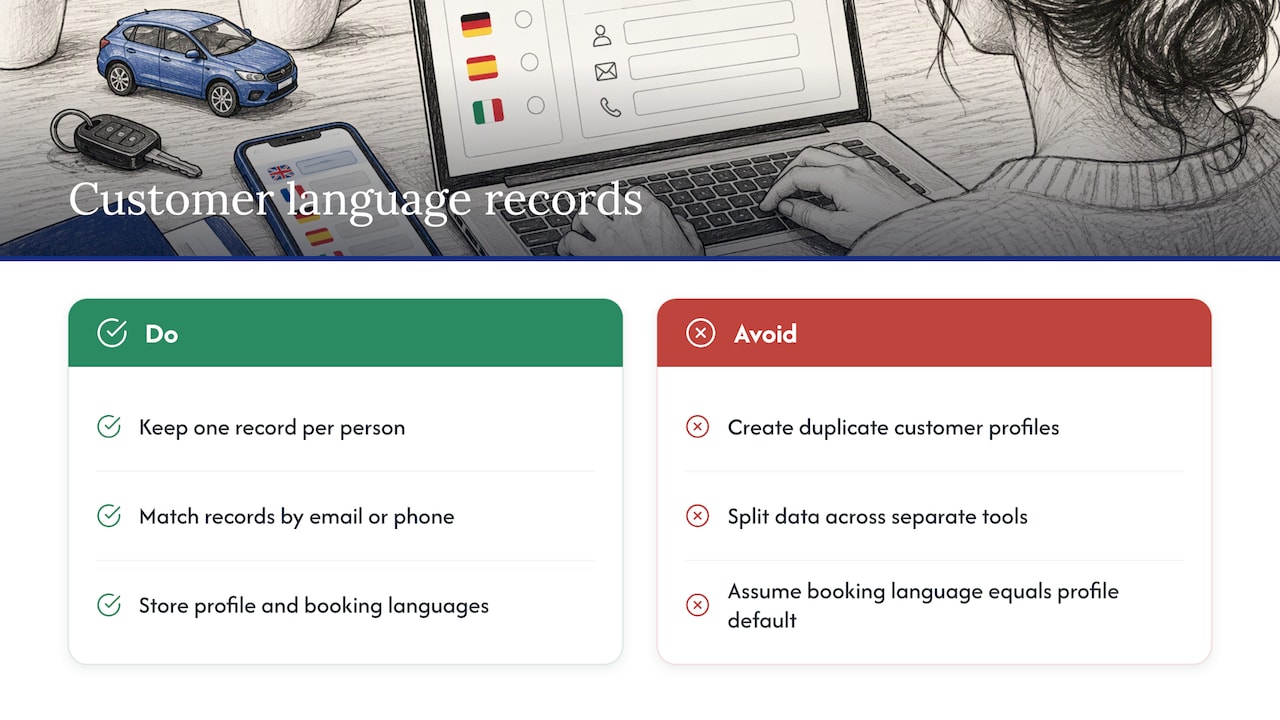
A returning customer who booked in Spanish last year and in English this year should not become two people in your system. Duplicate profiles split rental history, hide damage notes and make loyalty or blacklist checks unreliable.
The clean approach is to keep a single customer record per person, matched on email or phone, and to store the preferred language as one field that all messages read from. The booking language of an individual reservation can differ from the profile default, so store both.
This is where a spreadsheet and a booking plugin start to fail together: one holds the calendar, another the customer list, a third the contract templates, and none of them agrees on which language the customer wanted. A platform that keeps reservations, customer data, contracts and payments in one place gives the language preference a single home.
Keep every language version in sync
Launching in three languages is easy. Staying accurate in three languages is the real work. Two habits prevent most drift:
- A two-column glossary. List the money-related terms that matter most: deposit, insurance excess, young driver fee, unlimited mileage, fuel policy. Lock one approved translation for each and use it everywhere, in the site, the contract and the emails.
- Change both versions at once. When a policy changes, edit every language in the same session. A one-language update is unfinished work.
Name one person as owner of translation drift, meaning the gap that opens when the English site is updated and the others are not. Give that person a short routine: after any rate, policy or form change, confirm every language version shows the same figures.
Test each language like a customer would
Before you announce a language, book a car in it from start to finish. A localization testing guide from a software-testing company lists the checks that matter: accuracy and completeness of translated content, text that clips or overlaps because the translation is longer, correct date, currency, number and phone formats, and a full run of booking, checkout, payment and language switching across desktop and mobile devices and browsers.
Turn that into a short checklist for each language:
- Search, select a vehicle, add an extra and complete the booking on a phone and on a laptop.
- Switch language midway and confirm that dates, location and form entries survive.
- Trigger an error on purpose, such as an invalid license date, and read the message.
- Pay a deposit and check that the amount, currency and receipt are right.
- Open the confirmation email, the reminder and the rental agreement and compare every figure with the English version.
- Look for long location names or translated buttons that break the layout.
Then run a pilot. Pick one location or vehicle category, launch the new language for a few weeks, and compare conversion, abandonment, no-show and repeat-booking rates by language. If a language converts well but produces more no-shows, the pickup instructions are the first place to look.
What we think about multi-language booking
A language switch is only as good as the system behind it. When a customer chooses Spanish, the choice has to travel: into the reservation, the contract, the payment step and every message that follows. That only works when those pieces share one source of truth.
This is why we build Nomora as an all-in-one platform. Reservations, fleet management, automated contract generation, payments and customer data sit in one cloud system, and conflict-free booking means a vehicle is never promised twice, whichever channel or language the request came through. When the data lives in one place, a policy or rate change is made once, not rediscovered in four spreadsheets.
Our advice to owners is practical: pick your first languages from your own inquiries, translate what commits you to something before what sells, and give every customer one record. Do those three things and a second language becomes a growth channel instead of an administrative burden.
Dizzy
Nomora is cloud-based car rental management software that replaces manual processes and spreadsheets with one system for reservations, fleet management with GPS tracking, automated contract generation, integrated payment processing and customer data. Every plan includes the full feature set, and onboarding is designed to get you fully operational in 24 to 48 hours.
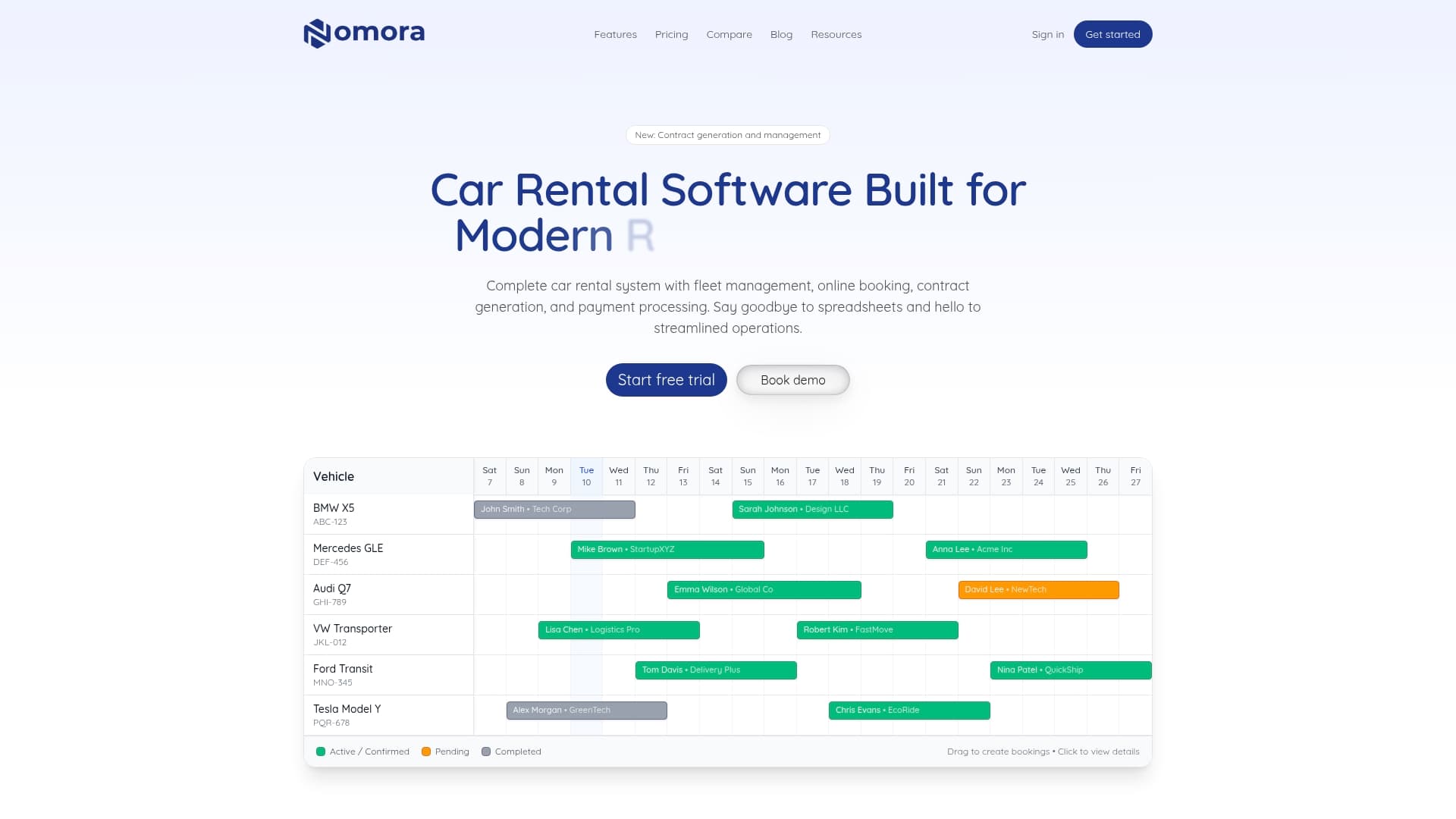
Pricing is published: Starter is €45 per month, Business is €2.80 per vehicle per month and Fleet is €2.20 per vehicle per month. Enterprise is quoted individually, and payment processing is priced separately on the pricing page. If you are planning to serve more customers in more languages, start with the plan that fits your fleet size.
FAQ
How many languages should a small rental company offer?
Start with the top three to five your inquiries and bookings show, and often fewer. Each language adds pages, emails and contract text to maintain. Add a new one only when you can keep every version accurate after each policy change.
Do I need to translate the rental agreement?
Yes, if you promise service in that language, the agreement is the document that matters most. Large US rental brands already offer translated agreements at major airports for French, German, Portuguese and Spanish speakers. Have a bilingual reviewer check deposit, liability and insurance wording, and keep both versions on file.
Should prices change with the language?
No. The language changes the notation, such as separators and currency symbol placement, not the amount. Decide which currency you charge and state it clearly beside the price in every language.
How do I know a language version is ready to launch?
Book a car in it from start to finish on a phone and a computer. Check the form, error messages, payment, confirmation email and agreement, and compare every figure with your primary version. Then pilot it on one location or category and review conversion and no-show rates by language.
Sources