Use Fleet Engine plus the JavaScript fleet tracking library for production grade, near real-time tracking. That is Google's own supported path, and it delivers near-real-time updates, route animation, and ETA calculations out of the box.
If you already have telematics or OEM data flowing in, a hybrid approach that layers Maps visualization on top of it gets you a working dashboard much faster. And if you run a rental fleet and just need the tracking to work without a backend build, a platform like Nomora gets you there with fleet sync and GPS integrations already wired in.
- Enterprise mobility teams (on-demand rides, large delivery networks): build native Fleet Engine.
- Rental operators with existing telematics: layer Maps visualization on top of what you already collect.
- Teams that need fleet visibility now: adopt a rental SaaS platform with tracking built in.
Google itself recommends contacting sales for large-fleet Fleet Engine deployments, which tells you something: this is enterprise infrastructure, not a weekend project.
Key Takeaways
Fleet Engine and the JavaScript fleet tracking library are Google's supported path to production-grade tracking, but most rental operators reach fleet visibility faster through a pre-integrated platform.
| Point | Details |
|---|
| Two core components | Fleet Engine manages backend state; the JavaScript library renders it via map, vehicle, delivery, and fleet providers. |
| Server owns tokens | Short-lived JWTs must be signed server-side; never embed long-lived credentials in client code. |
| Follow the setup order | Enable Fleet Engine, build the token endpoint, load the library, then bind the location provider to the map view. |
| Plus codes solve address gaps | Use them for depots, lots, or rural drop-off points without clean street addresses. |
| Nomora as the fast path | For rental operators, Nomora bundles GPS tracking, bookings, and fleet sync without a custom Fleet Engine build. |
Table of Contents
What Google Maps Fleet Tracking Actually Involves
"Google Maps fleet tracking" isn't a single product. It's a pairing of two components: Fleet Engine, the managed backend, and the JavaScript fleet tracking library (often called Journey Sharing), which renders what Fleet Engine knows onto a live map.
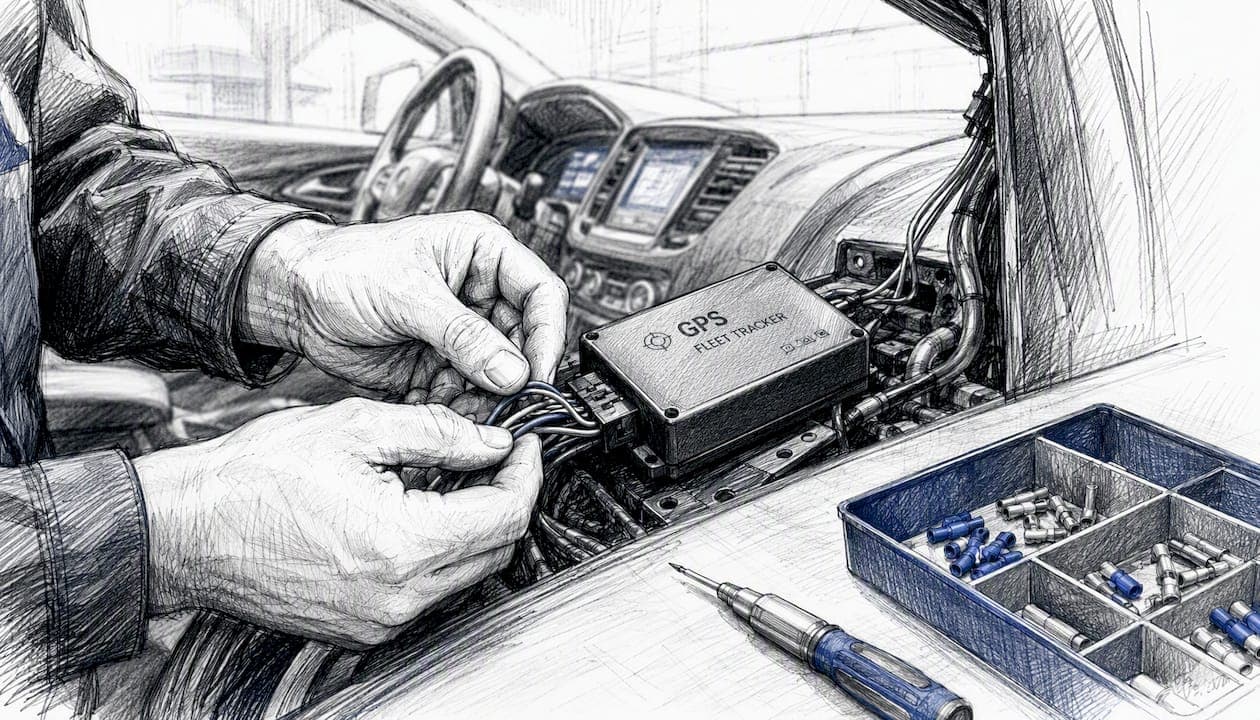
Fleet Engine handles the state most developers don't want to build themselves: vehicle positions, journey and task status, and ETA and distance calculations recalculated as conditions change. It is a mobility backend, not a database you poll.
The JavaScript library then does the rendering work. Its core pieces are:
- JourneySharingMapView – the map instance that displays vehicle and route data.
- Vehicle location provider – pulls live position data for a specific vehicle.
- Delivery provider – tracks package or task-based deliveries.
- Fleet provider – renders multiple vehicles across a fleet at once.
This combination covers ride-hailing pickups, scheduled delivery windows, rental fleet asset tracking, and customer-facing ETA screens. The mechanics differ, but the plumbing is the same.
What Should Developers Own vs Fleet Engine?
Getting the server/client split right is where most Fleet Engine integrations succeed or stall. Google is explicit that this requires secure JSON Web Token issuance and a backend built to sign short-lived tokens rather than a static API key sitting in your frontend.
On the server, you need to:
- Set up a Fleet Engine project and assign a service account with least-privilege roles.
- Build a token endpoint that signs short-lived JWTs scoped to the specific vehicle or fleet a client is allowed to see.
- Wire up cloud logging so token issuance and Fleet Engine calls are auditable.
On the client, your job is narrower:
- Implement an
authTokenFetcher function that returns { token, expiresInSeconds } on every call.
- Load the fleet tracking JS library and instantiate a location provider with your project ID and that fetcher.
- Set the
vehicleId or deliveryVehicleId you want to follow, then bind the provider to your map view.
Two mistakes come up constantly. First, teams embed long-lived credentials or API keys directly in client code, which defeats the point of short-lived tokens entirely. Second, they wire up the location provider before the map view has finished initializing, then wonder why vehicle markers never appear.
Pro Tip: Don't trust the map to be interactive the instant it renders. Wait for the map view's ready event before attaching your location provider, or your first update event will silently fail to draw anything.
How Do You Set Up Vehicle Tracking Step by Step?
Building a working tracking view follows a fixed order. Skip a step, and the failure usually shows up two steps later, which makes debugging miserable if you don't follow the sequence.
- Enable Fleet Engine on your Google Cloud project.
- Create a service account scoped to Fleet Engine roles, not a broad project owner role.
- Build the server token endpoint. This signs JWTs and issues them on request, typically behind an authenticated internal route.
- Implement the client
authTokenFetcher. Confirm it returns the token and expiresInSeconds in the exact shape the library expects.
- Load the JavaScript fleet tracking library asynchronously so it doesn't block your initial page render.
- Instantiate the correct location provider. Use a vehicle provider for single-asset tracking or a fleet provider when rendering multiple vehicles.
- Initialize
JourneySharingMapView and bind it to your location provider.
- Listen for
update events to pull ETA and remaining-distance metadata as it changes.
- Handle errors and stop tracking cleanly by removing the vehicle ID from the provider and detaching it from the map, which the library exposes as explicit add/remove and follow methods.
At each stage, check something concrete: does the token decode with the expiry you expect, does the map fire its ready state before you attach a provider, and does the update event payload actually contain ETA and distance fields.
A surprising number of Fleet Engine bugs trace back not to the mapping layer at all, but to token lifecycle management. A token that expires mid-session without a refresh path will kill your live updates silently, with no error thrown on the map itself.
For staging, use sample vehicle IDs rather than production assets, emulate telemetry with scripted position updates, and route every token issuance and Fleet Engine call through Cloud Logging so you can trace failures after the fact.
Fleet Engine, Hybrid Telematics, or Nomora: Which Fits?
Three implementation patterns cover almost every real-world case, and the right one depends less on preference than on what you're already running.
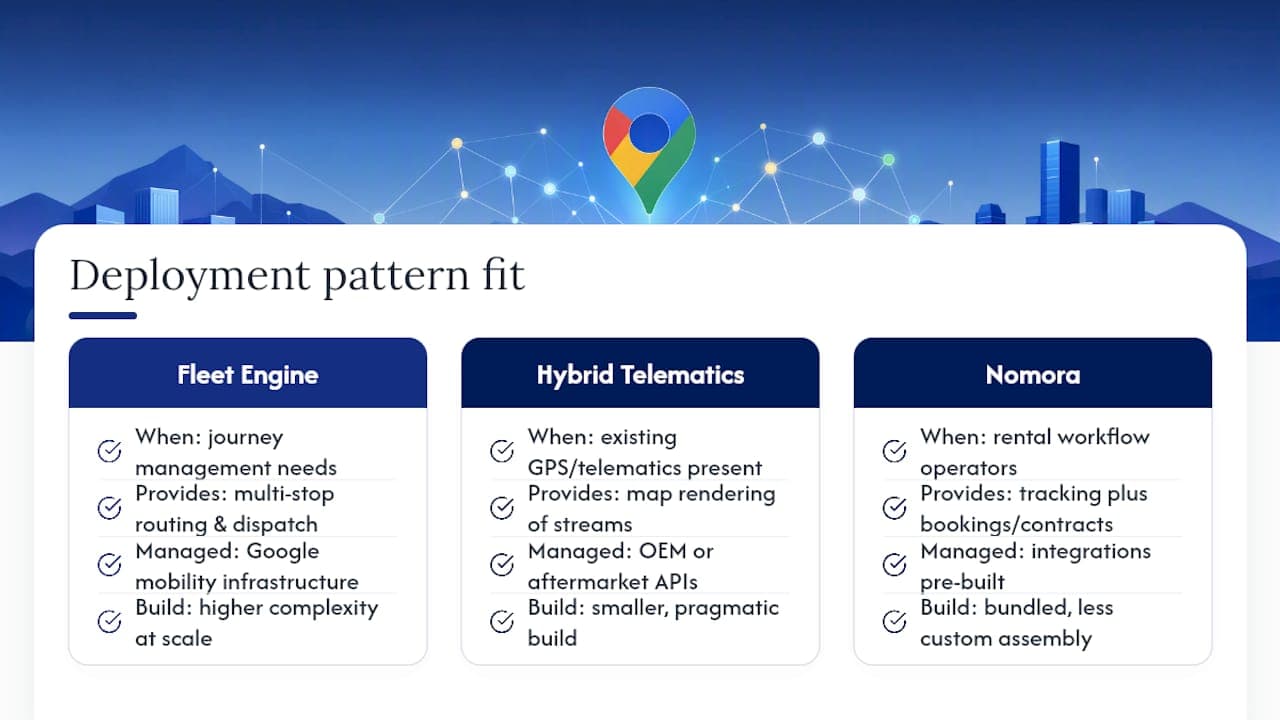
Native Fleet Engine makes sense when you need actual journey management: multi-stop routing, task assignment, or large-scale on-demand dispatch. This is Google-managed mobility infrastructure, and it earns its complexity at that scale.
Hybrid telematics plus Maps visualization is the pragmatic middle path. If your vehicles already report GPS data through OEM APIs or aftermarket telematics devices, you don't need Fleet Engine's journey primitives at all. You just need that existing data stream rendered on a map, which is a much smaller build.
Nomora fits operators who want tracking bundled with the rest of the rental workflow: bookings, contracts, and fleet sync in one place, with GPS and telematics integrations already built rather than assembled from scratch.
Pro Tip: If your team's next two sprints would otherwise go entirely into JWT plumbing and map rendering, that's a strong signal you want the integrated route, not the custom one.
Security, Scaling, and Location Quality Practices
Production fleet tracking fails in predictable ways, and most of them are preventable with a short list of habits.
- Security: issue short-lived JWTs only, apply least-privilege roles to every service account, and never let a token endpoint sit unauthenticated.
- Scaling: bound your map queries to the viewport in view, filter fleet providers by relevant vehicle sets, and batch your logging calls rather than firing one per event.
- Location quality: for depots, lots, or rural drop-off points without clean street addresses, plus codes solve a real gap that street geocoding can't.
- Privacy: keep personally identifiable information out of the front end, define a retention window for stored location logs, and secure driver consent where local regulation requires it.
Route every Fleet Engine call and token issuance event through Cloud Logging, since it's the mechanism Google's own documentation points to for tracing ETA drift and task-completion patterns after the fact.
Is Nomora a Faster Path for Rental Fleet Visibility?
Not every rental operator needs to build Fleet Engine infrastructure from the ground up. For many, a pre-integrated platform reduces engineering cost and time-to-value while still delivering visibility through Google Maps visualizations.
Nomora maps directly onto what rental operators actually need:
- Real-time fleet visibility without writing a token endpoint.
- Telematics and GPS integrations that plug into existing devices.
- Booking and fleet data synced in one system instead of stitched together.
- Onboarding measured in days, not sprint cycles.
Fleet Engine remains the right call when you need custom journey management at real scale. For a rental business that needs tracking working this quarter, reviewing Nomora's use-case pages is the faster starting point.
| Point | Details |
|---|
| Build vs adopt | Fleet Engine suits large-scale journey management; smaller rental fleets often move faster with pre-integrated tracking. |
| Onboarding speed | Nomora's setup runs on the order of days, not a multi-sprint engineering build. |
Docs and Resources for Implementation
Start with the primary sources before writing a line of code:
What Most Teams Get Wrong About This Decision
The conventional advice treats Fleet Engine as the default answer to "how do I track my fleet on Google Maps," and that's where most teams waste months. Fleet Engine is genuinely excellent infrastructure, but it's built for journey management at scale: multi-stop dispatch, on-demand assignment, the kind of complexity a ride-hailing network needs. Most rental fleet managers don't have that problem. They have a simpler one: "where are my cars, and when will this one come back."
The gap I keep seeing is between what Fleet Engine promises and what a given team actually needs to ship. If you already have telematics data flowing from your vehicles, the hybrid pattern (your data, rendered through Maps visualization) gets you a working dashboard in a fraction of the time a full Fleet Engine build takes. And if fleet tracking is one piece of a bigger operational puzzle involving bookings and contracts, building the tracking layer in isolation is often the wrong first move entirely.
Prioritize matching the tool to the actual job, not the most technically impressive option on the shelf.
— Dizzy
Get Fleet Visibility Without the Custom Build
If everything above sounds like more backend work than your rental business has time for, that's the point where a purpose-built platform earns its keep. Nomora gives rental operators real-time fleet visibility, GPS and telematics integrations, and booking data synced into one system, without writing a token endpoint or wiring up a location provider yourself.

Where Fleet Engine asks you to build journey management from scratch, Nomora ships it already connected to reservations, contracts, and payments, so tracking data means something operationally instead of sitting in an isolated dashboard. Onboarding typically takes 24 to 48 hours, not a multi-sprint engineering cycle. That difference matters most for small and mid-size rental operators who need fleet visibility now, not after a quarter of development work.
Review Nomora's fleet management software to see how tracking fits alongside bookings and contracts, or check the use-cases page for examples closest to your fleet size and request a demo to see it running against your own vehicles.
Sources
Recommended
Ready to streamline your car rental business?
Book 30 minutes with the founder. We set up everything in this guide on your own vehicles, and migrate you out of Excel for free.