Fuel tracking in a car rental business means recording the fuel level at every checkout and return, matching fuel purchases to specific vehicles, and flagging anything that does not add up. The most reliable setup combines three things: a fixed fuel policy written into the contract, timestamped fuel readings and photos at handover, and a system that ties fuel cards and refueling charges to the right vehicle and rental. Below, you will leave with a framework you can apply whether you run ten cars or several hundred.
TL;DR
- Tie every fuel record to a vehicle, a date, a quantity and a rental. Without those four fields, nothing can be reconciled.
- Capture fuel level and odometer with photos at both checkout and return, and store them against the contract.
- Treat fuel cards as a controlled asset: separate who requests, who approves and who reviews, and match every transaction to a vehicle.
- GPS and telematics show where a vehicle went and how far. They support a fuel check but do not replace the return inspection.
- Keep vehicle and fuel data under a written retention and deletion policy, since connected-car data can be sensitive.
Table of Contents
Why fuel is the leak most rental operators underestimate
Fuel touches almost every part of a rental operation: the customer contract, the return inspection, the refueling charge, the company fuel card and the vehicle's running cost. When these live in different places, such as a paper checklist, a card statement and a spreadsheet, small discrepancies pile up unnoticed. A tank returned a quarter empty and never charged, a card swipe with no matching vehicle, a refueling fee the customer disputes and you cannot prove: each is minor alone and costly together.
Think of your rental software as the central nervous system of the operation. Fuel is one of the signals that nerve system has to carry, and it only works if the signal arrives in the same place as the booking, the vehicle and the payment.
Start with a clear fuel policy in the contract
Tracking begins before the car leaves the lot. The fuel policy should be unambiguous and appear in the rental agreement, at the counter or in the digital checkout, and in the confirmation message. Three models cover most U.S. operators:
- Full to full. The car goes out full and comes back full. This is the simplest to administer and to defend, because the standard is easy to verify.
- Same to same. The car comes back with the level it left with. It suits short rentals and delivery models but needs a precise recorded starting level.
- Prepaid fuel. The customer buys a tank up front and returns the car at any level. It reduces disputes but requires clear pricing and a clear refund rule.
Whichever you pick, one thing matters for fuel tracking: the starting level must be recorded, not assumed. Large rental contracts show how formal this can get. A California state car rental scope of work, for example, requires the contractor to set monthly market fuel rates for vehicles returned with less fuel than at rental, based on recent weekly market rates and capped by published state figures. You do not need a government contract to borrow the idea: publish your refueling rate logic, base it on a documented price reference, and apply it consistently.
What fuel data to collect for every vehicle
A useful fuel record answers who, what, when and how much. The IFTA Audit Committee's best-practices guide for motor-fuel records says complete records should identify the date received, supplier name and address, gallons or liters, fuel type and the vehicle receiving the fuel, with retail purchases backed by receipts or an equivalent transaction record. That guide was written for tax reporting in the trucking world, but the same fields work well for a rental fleet.
For a rental operator, a practical minimum looks like this:
| Data point | Why it matters | Where it comes from |
|---|
| Vehicle ID | Ties the purchase to one car | Fleet record, card statement |
| Date and time | Places the fill-up inside or outside a rental | Card transaction, receipt |
| Station name and location | Spots fill-ups far from your area | Card data, receipt |
| Gallons and fuel type | Catches wrong fuel and impossible volumes | Receipt, pump data |
| Amount paid | Supports cost per mile and reimbursement | Card statement, receipt |
| Odometer reading | Lets you calculate consumption | Checkout, return, fill-up |
| Fuel level at checkout and return | Basis for any refueling charge | Inspection photos |
| Rental or contract number | Shows who had the car | Reservation system |
The last row is the one most spreadsheets miss. A fuel record with no rental number tells you the car consumed fuel, not who was responsible for it.
How to calculate and compare consumption
The basic calculation is simple: subtract the starting odometer reading from the ending reading to get miles driven, then divide by the gallons added when the tank is refilled to the same level. That gives miles per gallon for the period. Run it per vehicle and compare against the model's normal range and against the same vehicle's own history.
Abnormal numbers are your starting point, not your conclusion. Look for:
- A vehicle whose miles per gallon drops sharply against its own average over several weeks. Causes can include tire pressure, a maintenance problem or a pattern of heavy idling.
- Fill volumes larger than the tank can hold for that model.
- Fuel purchases that cluster just after a vehicle was parked or in the shop.
- Fill-ups that do not match the vehicle's recorded location.
- A pattern tied to one driver, one location or one shift.
Monthly reporting makes these patterns visible. If you already review utilization, adding a fuel line to your fleet reporting routine costs little and surfaces problems early.
Checkout and return: the inspection that settles disputes
Most fuel disputes come down to one question: what was the level when the car left, and what was it when it came back? A repeatable inspection answers it.
- At checkout, photograph the dashboard with the ignition on, showing the fuel gauge and odometer together in one frame.
- Record the reading in the contract record, not on a loose note, so it is attached to the rental.
- At return, repeat the same photo from the same angle before the customer leaves, and let them see the result.
- Compare automatically. If the return level is below the agreed standard, the system should show the shortfall and calculate the refueling charge from your published rate.
- Send the evidence with any charge: both photos, both readings and the policy clause.
The photos matter as much as the number. Customers rarely dispute a charge that arrives with two clear dashboard images and a quoted contract term.
A few edge cases deserve a written rule: hybrids and plug-ins (is the standard fuel level, battery charge or both?), cars returned after hours, and one-way rentals. Confirm fuel type at handover as well, since wrong-fuel incidents are expensive and the rental agreement should state the correct fuel.
What GPS and telematics can and cannot verify
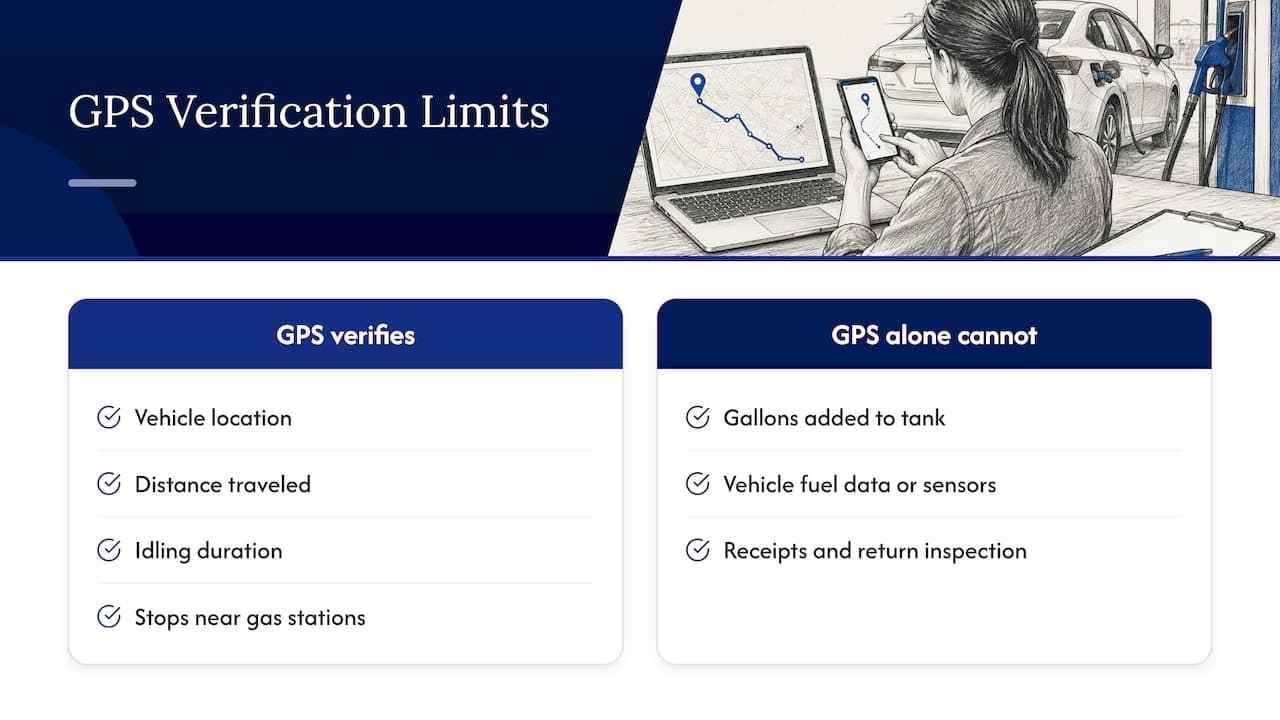
GPS tracking is valuable for fuel control, but it helps to be exact about what it proves. It can show where a vehicle was, how far it traveled, how long it idled and whether it stopped near a gas station. That lets you check a fuel card transaction against the car's position at that time. It also gives you accurate mileage without relying on the customer or the odometer photo alone.
It does not, by itself, prove how many gallons went into the tank. Fuel-level readings come from the vehicle's own data or from dedicated sensors, and their availability depends on the vehicle and the hardware you install. Treat them as one input beside the receipt and the return inspection, not a replacement for either.
If you want to go deeper on the hardware side, our overview of vehicle tracking technology for fleet managers explains the options, and real-time tracking in rental operations covers what live location changes day to day.
Fuel cards: what to check before you connect them
Fuel cards are convenient for fleet cars that need refueling between rentals, and for corporate fleets where employees drive company vehicles. They also create one of the biggest control risks. Before you link a card program to your fleet system, check these points:
- Vehicle-level or driver-level cards. Cards assigned to a specific vehicle are easier to reconcile than pooled cards.
- Purchase controls. Look for limits by fuel type, product category, daily spend and gallons per transaction, plus time-of-day or location restrictions.
- Data fields in the feed. You want vehicle ID, odometer entry where the program captures it, gallons, fuel type, station and timestamp. Confirm the format your system can import, whether through a file export or an API.
- Alerts. Decide who is notified of an out-of-pattern transaction and how quickly.
- Card lifecycle. Know how a card is issued, suspended and canceled when an employee leaves or a vehicle is sold.
- Fees and terms. Get the fee schedule and contract terms from the card issuer directly before you commit.
The best integration is the one where a card transaction lands next to the vehicle's mileage, location and current rental, without anyone retyping it. That is also why a platform with open integration options is worth more than a standalone card portal.
Preventing fuel fraud and card misuse
Fuel fraud is rarely sophisticated. It usually exploits one person holding too many responsibilities. In one U.S. Attorney's Office case in New Jersey, a transportation manager who controlled requests and approvals for fuel cards created additional cards for ATM withdrawals and altered invoices to hide it. The lesson is structural: when the same person requests, approves and reconciles, nobody is checking.
Controls that close that gap:
- Separate duties. One person requests cards, another approves, a third reviews statements.
- Keep a card register. Every active card matches a vehicle or named user. Reconcile the register against the issuer's list each month.
- Block cash-like transactions where the program allows it.
- Match every transaction to a vehicle, a timestamp and, ideally, a location from GPS.
- Require receipts or digital transaction records for manual purchases.
- Rotate reviewers or sample-audit statements periodically.
- Compare invoices to source data. An edited invoice is a red flag, so keep originals in a system where changes are logged.
Fuel fraud by customers looks different: returning a car with a faked gauge photo, or claiming a prior refill. Consistent, timestamped photo capture and a locked inspection record are your defense. For the wider picture, see our guide to vehicle rental fraud prevention strategies.
How to investigate a suspected discrepancy
When a number looks wrong, a fixed routine protects you and the person involved.
- Freeze the facts. Export the transaction, the vehicle's odometer history, GPS trail, the rental record and inspection photos before anything changes.
- Check the simple explanations first: a data entry error, a wrong vehicle ID, a shared card used on a different car, a vehicle with a faulty gauge.
- Reconcile the timeline. Was the vehicle at that station at that time? Was it on rent? Which driver or customer had it?
- Compare to the pattern. Is this a one-off or one of many similar entries from the same card, location or person?
- Document each step in a case note with dates and names of who reviewed what.
- Ask for an explanation from the card holder or customer in writing, showing the evidence.
- Decide the outcome: correct the record, bill a refueling charge, suspend a card, or escalate to your attorney or law enforcement for suspected theft.
Keep tone factual throughout. Most discrepancies turn out to be process errors, and a documented routine makes those easy to fix.
Privacy and data handling for vehicle and fuel records
Tracking fuel and location produces data about people. The FTC has noted that connected-car data can include sensitive geolocation and biometric information, and suggested that rental companies set policies and procedures to delete consumer data from infotainment systems when cars are returned. In practice:
- Collect only the fuel and location data you need for operations, billing and dispute resolution.
- Tell customers in the rental agreement that vehicles may be tracked and why.
- Limit who in your company can view location history.
- Set a retention period, and delete or anonymize data when it is no longer needed.
- Clear paired phones and personal data from the infotainment system before the next rental.
State laws on tracking and privacy differ, so have your attorney review the notice language for the states where you operate. If you also serve European customers, our GDPR guide for car rentals covers that side.
Our perspective
Fuel problems are almost never a fuel problem. They are a records problem. When the checkout reading lives on paper, the card statement sits in an email and the booking is in a spreadsheet, nobody can say with confidence whose fuel it was.
That is why we build Nomora around one connected record: the reservation, the vehicle, the contract, the payment and the GPS data in one place. Once those are linked, a fuel question stops being a detective job and becomes a lookup. Our approach is designed to cut manual re-entry, which is where most errors begin.
If you take one thing from this guide, make it this: choose a fuel policy, record the starting level every time and make sure each fuel transaction can be traced to a car and a rental. Software should enforce that discipline so your team does not have to remember it.
Dizzy
Putting fuel tracking inside your rental software
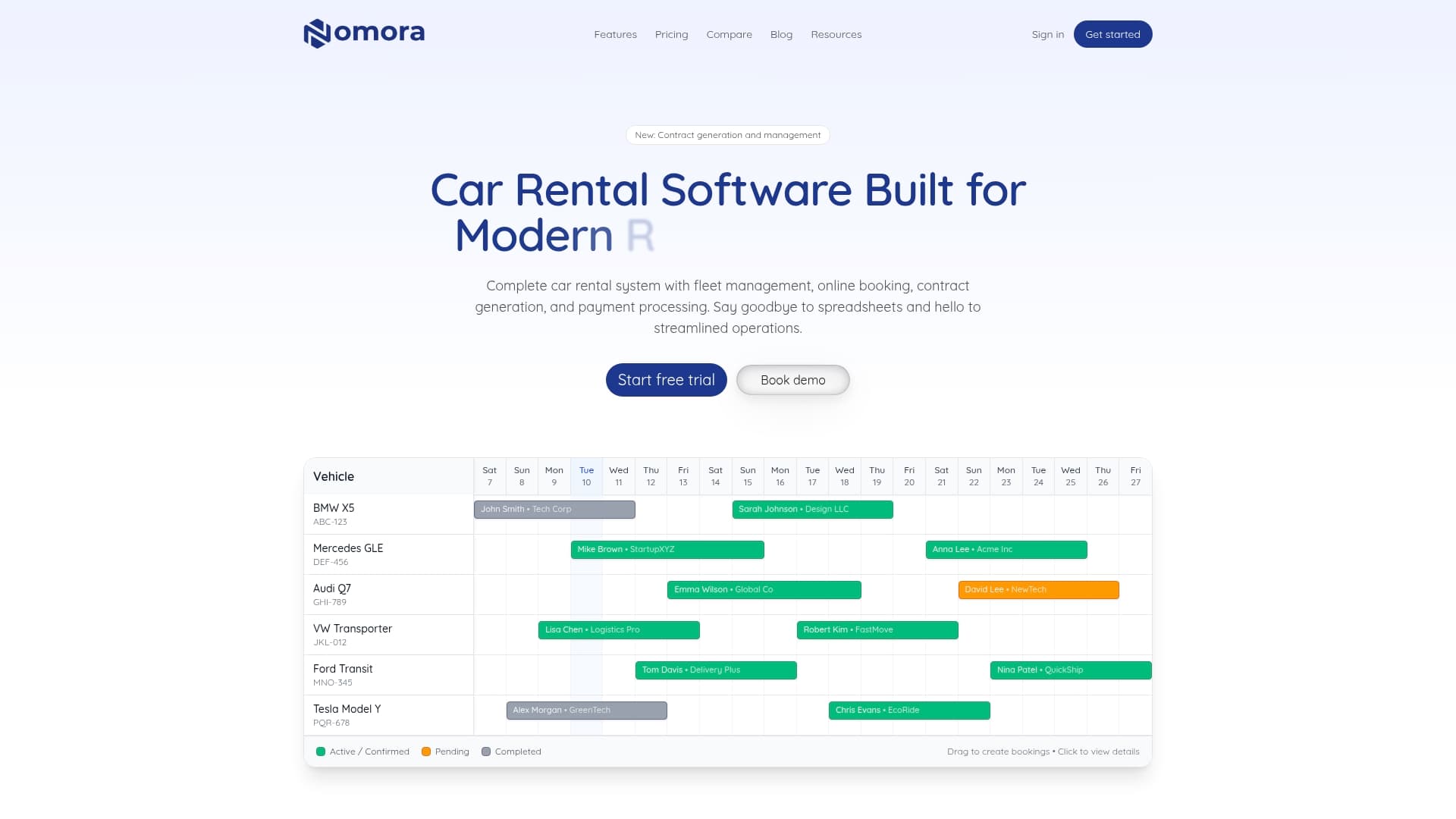
Nomora is a cloud-based rental management platform that brings reservations, fleet records, contract generation, payments and GPS tracking into one system, so fuel data can sit next to the rental it belongs to. It is built for small and mid-size rental companies, luxury and specialty operators and corporate fleet managers, and the company states that most accounts are fully operational within 24 to 48 hours.
Plans are published on the pricing page: Starter is €45 per month, Business is €2.80 per vehicle per month, and Fleet is €2.20 per vehicle per month. Enterprise pricing is not published. Every plan includes all features, and you can also look at automated car rental payments if refueling charges and deposits are part of your workflow.
If you manage 50 or more vehicles, our fleet management software page shows how the pieces fit together. For a broader view of the controls behind this guide, read about fleet asset tracking and rental inventory management.
FAQ
Are there GPS trackers on rental cars?
Some are, and many operators install them on their own fleets to monitor location, mileage and theft risk. If you track vehicles, say so in the rental agreement and limit who can see the data. Check your state's rules with an attorney.
What is the best way to prevent fuel fraud in a rental fleet?
Separate who requests, approves and reviews fuel cards, and match every transaction to a vehicle, a time and a rental. Keep original receipts and inspection photos in a system that logs changes. Review exceptions monthly rather than waiting for a loss to show up.
Can GPS tell me how much fuel a rental car used?
GPS gives you distance, location and idle time, which you can combine with fill-up records to estimate consumption. It does not measure gallons by itself. For the actual fuel level, rely on the vehicle's own data where available and on checkout and return photos.
How should I charge for fuel when a car comes back low?
State the policy in the contract, record the starting level, and apply a published refueling rate based on a documented price reference. Send the customer both inspection photos with the charge. Clear evidence and a consistent rate reduce disputes.
Sources
Recommended
Ready to streamline your car rental business?
Book 30 minutes with the founder. We set up everything in this guide on your own vehicles, and migrate you out of Excel for free.