Batch invoicing means grouping completed rental agreements and generating all their invoices in one controlled run, instead of building each invoice by hand as cars come back. Daily reconciliation is the matching step that follows: you compare what you billed with what was actually paid, held, refunded and charged in fees. Done together, once a day, they keep errors small enough to fix in minutes. This guide shows the workflow we recommend for small and midsize rental operators in the U.S.
TL;DR
- Close rentals, then invoice them in one batch per day. A small daily batch is easier to review than a large weekly one.
- Review every invoice before it enters the batch, and have a second person approve the batch before it posts or exports.
- Reconcile the same day: invoices against payments, deposits, refunds and processor fees.
- Log every discrepancy with its cause and fix. That log is part of your audit trail.
- Keep supporting records for as long as the IRS limitation period for the return requires.
Table of Contents
What batch invoicing and daily reconciliation mean in a rental business
A rental company rarely bills a single clean amount. One agreement can carry a base daily rate, extra days, mileage overage, fuel, tolls, a damage charge, taxes and a deposit that is held, captured or released. Creating those invoices one at a time, in the order cars return, invites inconsistent formats, missed add-ons and duplicate documents.
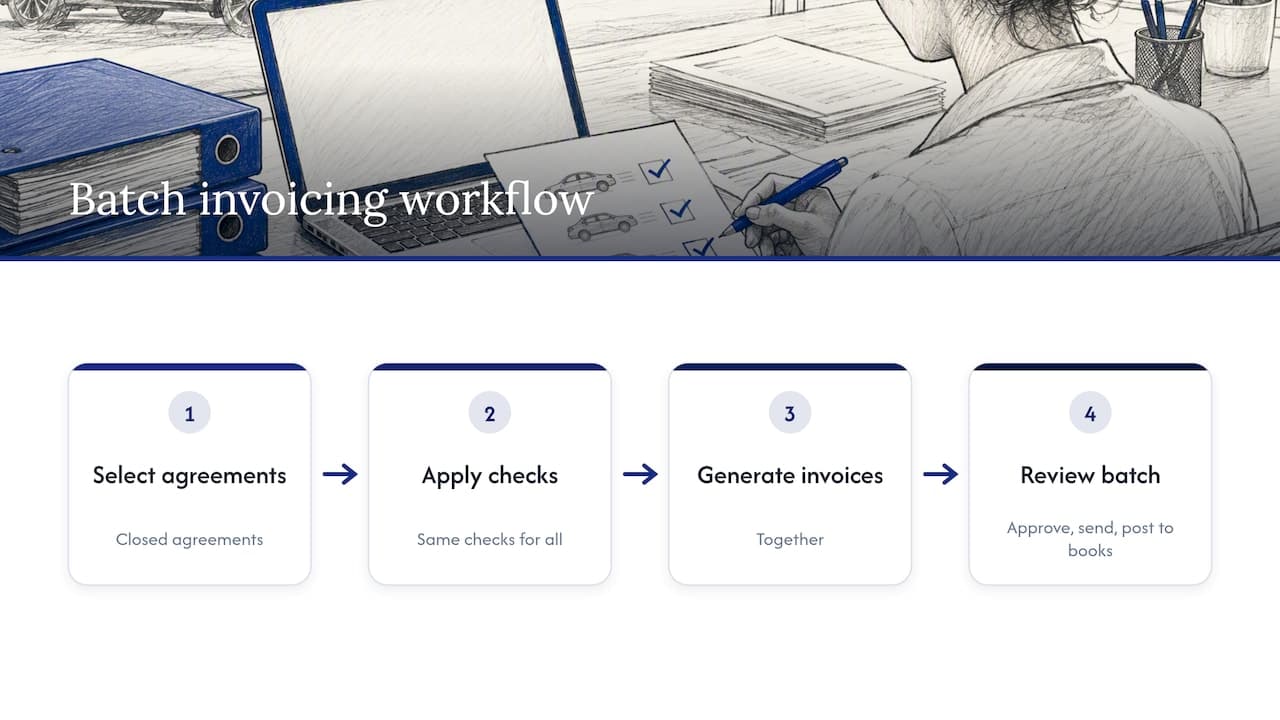
Batch invoicing fixes the process, not just the speed. You pick a defined set of closed agreements, apply the same checks to all of them, and generate the documents together. The batch is the unit you review, approve, send and post to your books.
Reconciliation is the other half. An invoice says what a customer owes. The payment processor, the bank and your deposit ledger say what actually happened. Daily reconciliation compares the two sets of numbers while the details are still fresh, so a mismatch is a five-minute question to a counter agent rather than a month-end mystery.
We often describe rental software as the central nervous system of the operation. Reservations, vehicle status, contracts and payments all send signals into one place. Batch invoicing and reconciliation are what that system does with those signals every evening.
Why a daily rhythm beats weekly or monthly runs
The pattern recommended in ServiceTitan's batch documentation is daily batching, with invoices reviewed before they are added to a batch and a separate group reviewing the batch before it is posted and exported. That guidance is written for another industry, but the logic carries over to rentals directly.
There are three practical reasons it fits a rental fleet:
- Details are still recent. A counter agent can still remember why a late fee was waived or a vehicle was swapped.
- Errors do not compound. A wrong tax code applied on Monday is caught Monday, not across 200 invoices later.
- Cash is visible sooner. Open balances, failed card charges and unreleased deposits show up the day they occur.
The exception is corporate accounts. Many business customers expect one consolidated invoice covering several rentals for a month. You can still run your daily batch for individual renters and a separate scheduled batch for corporate accounts. Our corporate billing checklist covers what that second run needs.
Step 1: Gather what goes into the batch
Before you generate anything, assemble the inputs. A batch is only as good as the records behind it.
The agreements
Pull every rental that closed since the last batch. "Closed" should mean the vehicle is checked in, the final mileage and fuel are recorded, and any damage inspection is complete. Rentals still open, or awaiting an inspection result, stay out of the batch and wait for the next one.
The charges
For each agreement, confirm that these are present and final:
- Base rate and number of rental days
- Mileage or usage overage
- Fuel, tolls, cleaning and other ancillary fees
- Taxes and surcharges that apply to your state and location
- Discounts, promotions or corporate rates
- Damage or loss charges, with the inspection record attached
The money records
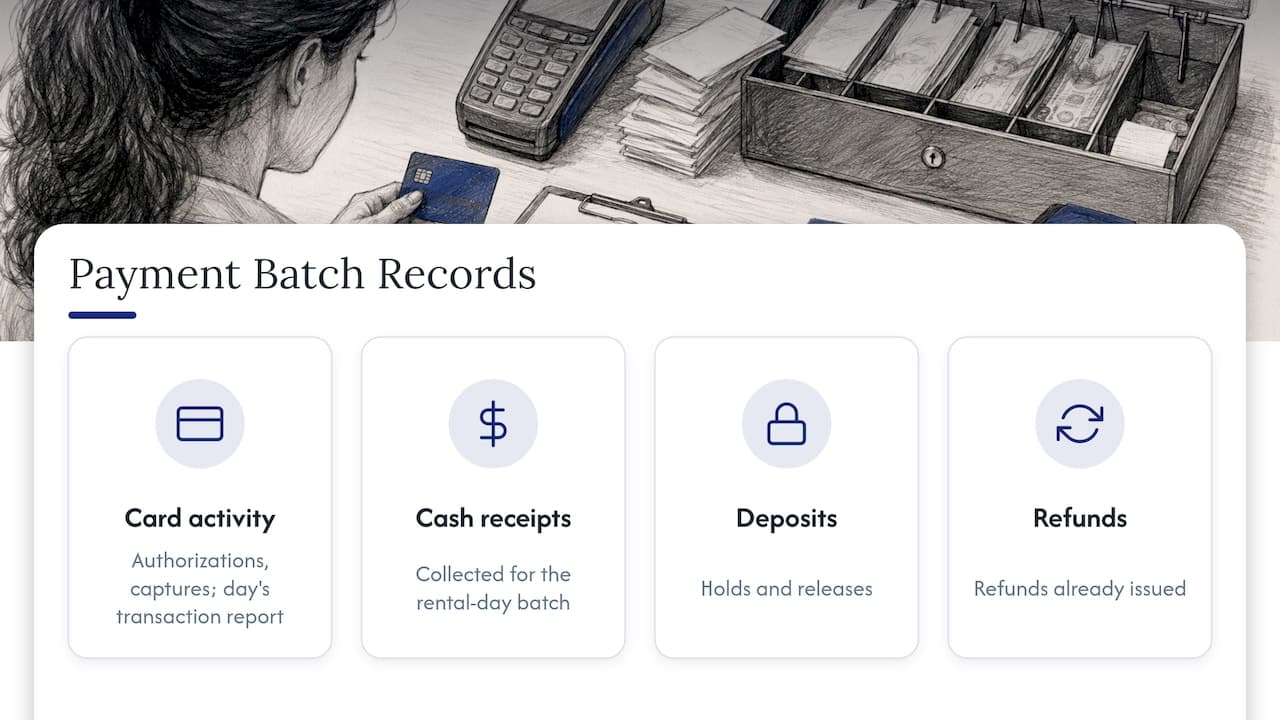
Collect the payment side too: card authorizations and captures, cash receipts, deposit holds and releases, and refunds already issued. If you accept payments through a processor, download the day's transaction report. Our guide to automated car rental payments shows how those records can arrive already linked to each agreement.
Step 2: Standardize the invoice before you batch it
A batch only saves time if every invoice follows the same template. Template guidance from airSlate's rental invoice material lists the fields that make invoices easier to audit and map to tax schedules: renter and vehicle details, daily rates, mileage or usage, taxes, fees and accounting codes.
In practice, that gives you this field set:
| Field group | What to include |
|---|
| Renter | Name, address, driver license reference, corporate account if any |
| Vehicle | Unit number, VIN or plate, class, pickup and return mileage |
| Rental terms | Pickup and return date and time, rate, included mileage |
| Charges | Base rental, extras, fees, each tax line separately |
| Payments | Deposits, payments received, refunds, balance due |
| Accounting | Revenue account code, location or branch, agreement number |
The accounting codes matter more than most operators expect. If your invoices map cleanly to a short list of accounts, reconciliation and tax reporting get much easier. We outline a workable structure in six top-level accounts for small and midsize rentals. For the document itself, the step-by-step rental invoicing guide walks through the manual route and where it breaks down.
Step 3: Review, approve, then send
Think of review as two gates.
Gate one: invoice review. Whoever prepares the invoices checks each one before it joins the batch. A quick pass catches the usual problems:
- Return time later than the contract, with no late fee applied
- Mileage that is lower than pickup mileage, or implausibly high
- A tax line missing for a location that charges one
- A deposit shown as revenue instead of as a liability
- Duplicate invoices for an extended or swapped rental
Gate two: batch approval. A different person, or at least a separate review step, looks at the batch totals before posting and exporting. They are not rechecking every line. They compare batch count and total against the expected number of closed rentals, scan exceptions, and approve or send it back. Separating preparer and approver is a simple internal control, and it costs a few minutes.
Only then do you send invoices to customers and post the batch to your accounting system. If you use QuickBooks, our QuickBooks integration guide explains how a batch can post without re-keying totals.
Step 4: Reconcile the day
Reconciliation starts once the batch is approved. You are checking five things against your invoice totals.
- Payments received. Do captured card payments and cash receipts equal what the invoices show as paid?
- Deposits. Does every deposit hold have a status: released, partially captured against charges, or still held for an open rental?
- Refunds. Is each refund tied to an invoice or credit note, with a reason?
- Processor fees. Are fees recorded as an expense, rather than netted silently out of revenue?
- Open balances. Which invoices are unpaid, and is any failed charge waiting for a retry or a phone call?
A detail worth knowing: the IRS notes that Form 1099-K gross amounts are not adjusted for fees, credits or refunds, and tells businesses to check their own records, which may include merchant statements, for those items. If you reconcile fees and refunds daily, that year-end comparison is straightforward instead of a reconstruction project.
Our payment reconciliation close process goes deeper on the sequence, and the guide to deposit automation covers the deposit holds that cause the most daily noise.
Common discrepancies and how to investigate them
Most mismatches fall into a handful of patterns. Knowing them turns an open-ended hunt into a checklist.
| Discrepancy | Likely cause | First place to look |
|---|
| Processor total is lower than invoices | Fees deducted, or a payment captured later | Settlement report and fee lines |
| Payment with no matching invoice | Rental not yet closed, or invoice created under another agreement | Open agreements and extensions |
| Deposit still held after return | Release not triggered, or pending damage review | Deposit ledger and inspection status |
| Invoice marked paid, no payment found | Manual cash entry error or a reversed charge | Payment log and receipts |
| Refund exceeds invoice | Refund issued twice or against the wrong agreement | Refund history for the renter |
| Tax total differs from expected | Wrong location tax rule | Tax setup by branch |
When you find a difference, follow the same four steps every time:
- Identify the agreement number and the two figures that disagree.
- Trace each figure to its source document: invoice, processor record or bank line.
- Correct it with a credit note, adjustment or re-issued invoice, never by editing history.
- Write one line in the reconciliation log: what differed, why, who fixed it and when.
Damage billing deserves special care, because it creates disputes. Attach inspection photos and the signed check-in record to the invoice, and make sure your insurance position is clear before you bill a customer for a loss. If you rent trucks or work vehicles, truck rental insurance quotes are one way to compare coverage for the fleet whose damage claims end up in these records.
What records to keep, and for how long
The IRS does not require a particular bookkeeping method. According to IRS Publication 583, your records, including journals, ledgers and supporting documents such as invoices, receipts and deposit slips, must clearly show your gross income and expenses. The same publication says to keep records for as long as they matter to the administration of the Internal Revenue Code, which generally means until the limitation period for the return runs out.
For a rental business, a sensible keeper set per batch is:
- The batch report with count, totals and approver
- Each invoice and its source agreement
- Processor settlement reports and bank statements for the day
- The reconciliation log with discrepancy notes
- Inspection records behind any damage charge
If you are unsure which retention period applies to your situation, ask your CPA. For a practical overview, see our article on record retention for U.S. car rentals. If you also account for leases or recognize revenue under formal standards, the journal entries for ASC 842 and 606 explain what your batch totals feed into.
A sample end-of-day routine
Here is a routine that a small operator with a handful of locations can finish in well under an hour once it is habit:
- Close the day's returns. Confirm check-in data and inspections are complete.
- Run the batch. Generate invoices for all closed agreements.
- Review exceptions. Look at zero-value, unusually high, and manually edited invoices first.
- Approve and send. A second person signs off on batch totals.
- Pull payment data. Processor report, cash drawer count, deposit ledger.
- Match and log. Clear matches, investigate the rest, write the log.
- Post to accounting. Export the approved batch.
On a spreadsheet, steps 2, 5 and 6 are where the hours go. That is where software helps most.
Our perspective
We built Nomora because we kept seeing the same evening ritual: a manager with three spreadsheets, a payment report and a stack of contracts, trying to make them agree. The work is not hard. It is repetitive, and repetitive work is where small errors hide.
Our view is that batch invoicing and reconciliation should be a by-product of running the rental, not a separate job. When reservations, contracts, vehicle status and payments live in one cloud system, the batch already knows which agreements are closed, which deposits are held and which payments belong to which booking. Conflict-free bookings upstream also mean fewer corrections downstream.
We designed Nomora so that every plan includes the full feature set, with no hidden fees, and so that a team can be operational in 24 to 48 hours. That matters here: a daily routine only sticks if getting started is not a project.
Dizzy
Where Nomora fits
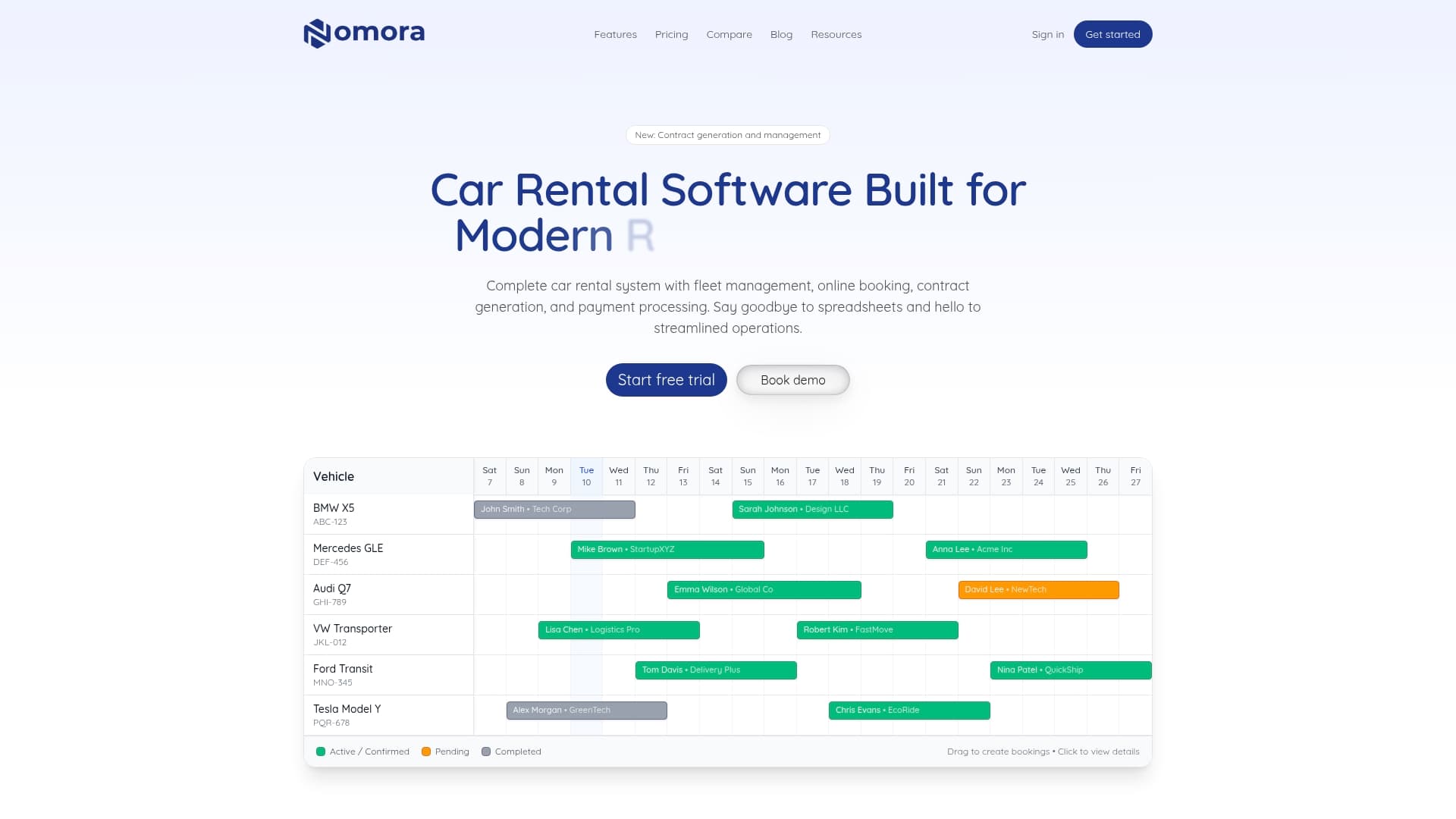
Nomora is cloud-based car rental management software that handles reservations, fleet management with GPS tracking, contract generation, integrated payments and customer data in one place. That lets you generate invoices from closed agreements and see payments next to them, rather than stitching exports together.
Plans, as published on our pricing page: Starter is €45 per month, Business is €2.80 per month per vehicle, and Fleet is €2.20 per month per vehicle. Enterprise is available without a published price. Payment processing is a separate fee, also without a published price on the page.
If you want to see how a daily batch would work with your own agreements, explore Nomora's features or compare setups on our use cases page.
FAQ
How often should a car rental company run batch invoicing?
Daily is the most practical rhythm for individual renters, since errors are caught while details are fresh. Corporate accounts that expect one consolidated bill can run on a separate monthly or agreed schedule. Keep both runs on the same review and approval steps.
What is the difference between invoicing and reconciliation?
Invoicing records what a customer owes. Reconciliation checks that those amounts agree with what was actually paid, held, refunded and charged in fees, using processor reports and bank records. You need both for books you can trust.
Who should approve a batch?
Someone other than the person who prepared the invoices, where your team size allows. In a very small company, the owner can approve based on batch totals and an exceptions list. The point is a second look before posting and exporting.
Should deposits appear on the invoice?
Show deposits as a separate line so they are clearly distinct from rental revenue, and show how any captured portion was applied. Release status should be visible in your deposit ledger. Ask your accountant how to book deposits in your chart of accounts.
Can I do this in a spreadsheet?
Yes, for a few cars and a handful of rentals a day. As volume grows, manual matching of payments, deposits and fees takes longer and misses more, which is the usual point operators move to software.
Sources
Recommended