Fleet reporting involves tracking key metrics like maintenance compliance, utilization, and safety to monitor fleet health. Real-time data alerts enable prompt action, reducing costs and improving vehicle uptime. Consistent routine reviews and clear ownership of KPIs foster better team engagement and operational efficiency.
Fleet reporting essentials are the critical data points, processes, and systems that enable fleet managers to monitor, analyze, and act on vehicle and driver operations. For small to medium-sized rental companies, this means tracking metrics like preventive maintenance (PM) compliance, fuel efficiency, utilization rates, and regulatory documents such as Driver Vehicle Inspection Reports (DVIRs) and Records of Duty Status (RODS). The industry term for this practice is fleet management reporting, and it covers everything from daily vehicle checks to Total Cost of Ownership (TCO) analysis. When done well, real-time fleet reporting reduces costs, improves uptime, and keeps your operation audit-ready at all times.
What are the fleet reporting essentials every manager must track?
Fleet management reporting works only when you track the right metrics. Key performance indicators such as Cost Per Mile, PM compliance rate, utilization, safety events per 1,000 miles, and vehicle availability provide the clearest picture of fleet health and cost control. Each metric tells a different part of the story, and missing even one creates blind spots in your decision-making.
The table below summarizes the core KPIs, what each one measures, and the benchmark you should hold yourself to.
Metric
What it measures
Ideal benchmark
PM compliance rate
Percentage of vehicles serviced on schedule
90% or above
Utilization rate
Percentage of time vehicles are actively rented
Flag assets below 40%
Idle time
Engine hours spent idling vs. total engine hours
Below 25% of engine hours
Unplanned repair ratio
Reactive repairs vs. total maintenance events
Minimize; track trend monthly
Safety events per 1,000 miles
Hard braking, speeding, and collision incidents
Lower is always better
Vehicle availability
Vehicles ready to rent vs. total fleet
Maximize; track daily
FMCSA compliance status
Regulatory document completeness
100% at all times
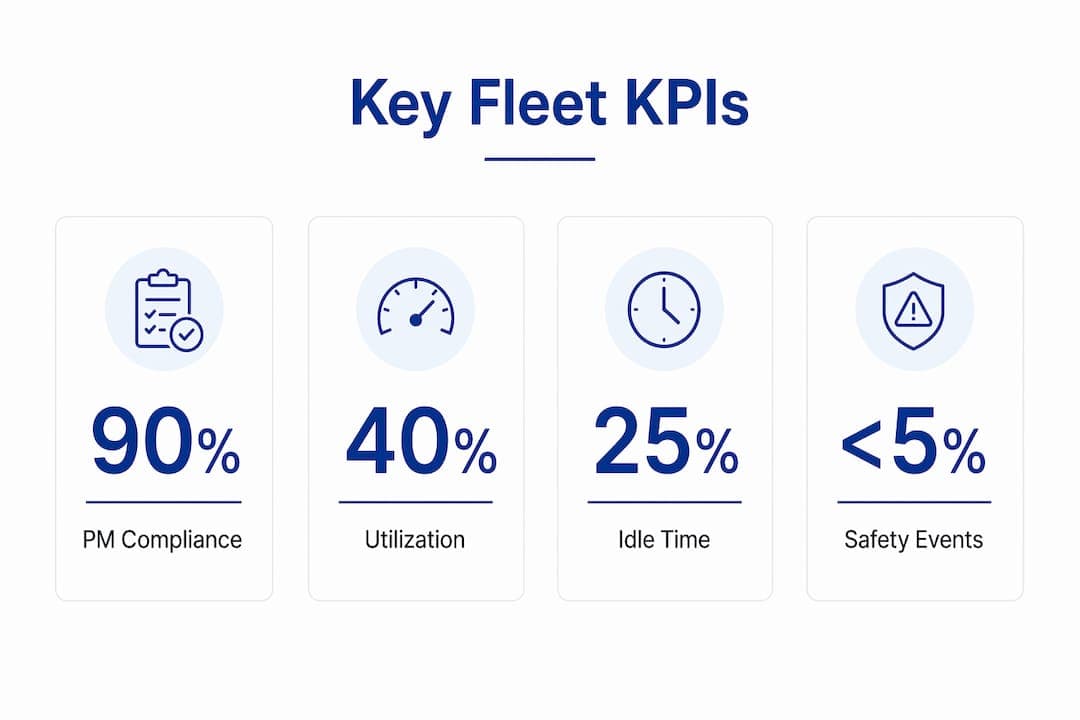
Industry standards recommend a 90% PM compliance target, flagging any asset below 40% utilization, and monitoring idle time that exceeds 25% of engine hours. These thresholds are not arbitrary. They reflect the point at which costs begin rising faster than revenue.
Tracking utilization below 40% signals a vehicle is sitting idle and generating no return. Tracking idle time above 25% signals fuel waste and accelerated engine wear. Both problems are fixable once you can see them clearly in your reports.
How does real-time fleet reporting transform rental operations?
Real-time data changes how rental managers respond to problems. Instead of discovering a maintenance issue at the end of the month, you get an alert the moment a vehicle crosses a service threshold. Automating data synchronization reduces operational costs by 15–20% and improves fleet uptime significantly. That cost reduction comes from catching small problems before they become expensive repairs.
The practical benefits of real-time fleet reporting include:
Instant maintenance alerts triggered by mileage, engine hours, or fault codes
Driver behavior monitoring that flags hard braking, speeding, and excessive idling in real time
On-the-fly scheduling adjustments when a vehicle goes out of service unexpectedly
Fuel card integration that matches fuel purchases to specific vehicles and drivers automatically
Telematics data feeds that connect GPS location, trip history, and engine diagnostics in one view
Unified fleet intelligence connecting telematics, maintenance, and fuel data without complex migrations gives SMB rental fleets visibility without disruption. You do not need to rebuild your entire operation. You need systems that talk to each other and surface the right information at the right time.
Pro Tip:When selecting fleet analytics tools, prioritize platforms built specifically for small to medium rental operations. Enterprise-grade systems often carry complexity and cost that outweigh the benefits for fleets under 200 vehicles.
What are the best practices for compliance through fleet reporting?
Regulatory compliance is not optional, and the documentation requirements are specific. FMCSA regulations require retaining Records of Duty Status for 6 months and DVIR defect closure records for at least 3 months. Missing either during an audit creates immediate liability.
The core compliance documents every rental fleet manager must maintain are:
DVIRs (Driver Vehicle Inspection Reports): Completed pre-trip and post-trip by drivers, with defect closures documented within the required window.
RODS (Records of Duty Status): Retained for 6 months; electronic logging devices (ELDs) generate these automatically for regulated vehicles.
Driver qualification files: License validity, medical certificates, and training records for every driver on your roster.
Inspection-to-repair records: Documentation linking every identified defect to its completed repair, with dates and technician sign-off.
A weekly compliance routine prevents audit emergencies. A 30-minute weekly hygiene sweep reconciling drive hours, certifying logs, and closing DVIR defects keeps your records current without a last-minute scramble. Build this into your Monday morning schedule and it becomes automatic within a month.
Pro Tip:Use automated document management within your fleet software to timestamp every DVIR closure and maintenance record. Manual logs create gaps that auditors find immediately.
Beyond the weekly sweep, run a full file audit monthly to catch any driver qualification documents approaching expiration. Quarterly, review your inspection-to-repair cycle times to identify which vehicle types generate the most defects. That data directly informs your next vehicle procurement decision.
How to use fleet data to engage teams and drive improvement?
Raw data does not change behavior. The way you present and discuss reporting data determines whether your team acts on it or ignores it. Exception reporting focusing on anomalies like fuel variance above 5% or maintenance costs exceeding quarterly budget helps managers focus on high-impact decisions without drowning in numbers. Filter your dashboards to show exceptions first, not averages.
Practical steps to turn fleet reporting into team engagement:
Run weekly 15-minute huddles highlighting one win (a vehicle that hit its PM target) and one improvement area (a driver with idle time above threshold). Weekly team huddles focused on wins and improvements promote positive engagement and real change.
Assign KPI owners. Designating KPI owners for every tracked metric reduces data silos, improves accuracy, and ensures reporting drives real decisions rather than passive observation.
Post visible dashboards in your dispatch area so drivers see utilization and safety scores daily.
Tie coaching conversations to data. When a driver's safety event rate rises, the conversation starts with the number, not an accusation.
Fleet analytics investments fail when managers do not use dashboards routinely. The biggest adoption mistake is treating reporting as a monthly task. Make your dashboard the first screen you open every workday, and your team will follow your lead.
Pro Tip:Assign one person ownership of each KPI, not just visibility. When someone's name is attached to a metric, it gets managed. When everyone owns it, no one does.
Key Takeaways
Effective fleet management reporting requires consistent metric tracking, compliance documentation, and team engagement built around real-time data rather than end-of-month summaries.
Point
Details
Track the right KPIs
Monitor PM compliance, utilization, idle time, and safety events against defined benchmarks.
Use real-time data
Automated data synchronization cuts operational costs by 15–20% and reduces unplanned downtime.
Stay compliance-ready
Retain RODS for 6 months and DVIR defect records for 3 months; run a weekly hygiene sweep.
Assign KPI owners
Named ownership of each metric drives accountability and prevents data silos.
Filter for exceptions
Show executives and managers only the anomalies that require decisions, not every data point.
The 42-Point Car Rental Operations Checklist
The exact checks profitable rental operators run every week — free, straight to your inbox.
Fleet readiness & handover
Bookings & no-show prevention
Pricing & revenue reviews
Contracts & compliance
Payments & invoicing
Maintenance & fleet health
One email with the checklist. No spam, unsubscribe anytime.
The reporting habit most rental fleets still get wrong
I have worked with fleet managers who built impressive dashboards and then checked them once a month. The data was accurate. The insights were there. Nothing changed. The problem was never the reporting system. It was the habit around it.
The shift I keep seeing in 2026 is away from fragmented spreadsheets and toward integrated platforms that surface exceptions automatically. That shift matters, but only if the manager actually opens the dashboard. Data visibility is only valuable when it changes a decision.
The other mistake I see constantly is building reports for the wrong audience. A 40-row spreadsheet sent to an owner-operator on a Friday afternoon gets ignored. A one-page exception report showing three vehicles over budget and two drivers with safety flags gets read and acted on. Executive-friendly reporting is not about dumbing things down. It is about respecting the reader's time and attention.
My honest recommendation for any SMB rental fleet: start with five metrics, assign an owner to each one, and review them every Monday for 90 days. You will learn more about your operation in those 90 days than in the previous year of monthly reports.
— Dizzy
Nomora's fleet reporting tools for rental managers
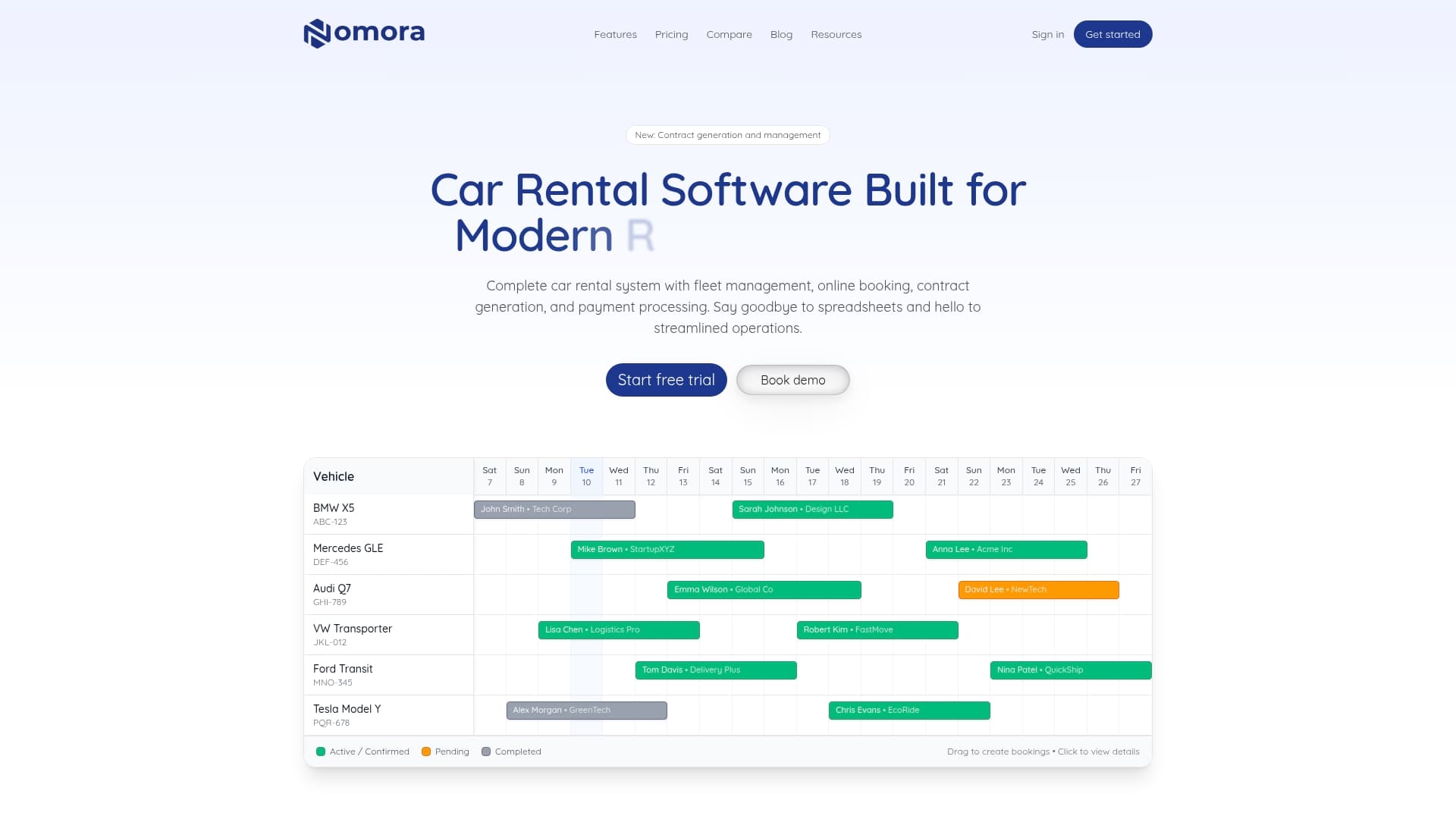
Nomora functions as the central nervous system of your rental operation, connecting reservations, fleet status, maintenance records, and compliance documents in one cloud-based platform.
Nomora's fleet management software delivers real-time dashboards, automated report generation, and compliance document management built specifically for rental fleets of 50 or more vehicles. GPS integration feeds live vehicle data directly into your reports, so utilization and maintenance alerts update without manual entry. The platform connects with existing tools via API, and managers access everything from any device. Setup takes 24–48 hours, and the reporting structure is ready from day one. For rental companies ready to replace spreadsheets with a system that actually works, explore Nomora's use cases to find the right fit for your fleet size and business type.
FAQ
What are fleet reporting essentials?
Fleet reporting essentials are the core metrics, compliance documents, and data processes that fleet managers use to monitor vehicle performance, control costs, and meet regulatory requirements. They include KPIs like PM compliance rate, utilization, fuel efficiency, and documents like DVIRs and RODS.
How often should fleet managers review their reports?
Fleet managers should review exception reports and dashboard metrics daily or weekly, not monthly. Weekly reviews catch compliance gaps and performance issues before they become costly problems.
What is the minimum PM compliance rate a rental fleet should target?
Industry standards set the minimum preventive maintenance compliance rate at 90%. Falling below this threshold increases unplanned repair frequency and raises total maintenance costs.
How long must fleet compliance records be retained?
FMCSA regulations require retaining Records of Duty Status for 6 months and DVIR defect closure records for at least 3 months. Driver qualification files must be kept for the duration of employment plus a defined period after separation.
What is exception reporting in fleet management?
Exception reporting filters fleet data to show only the metrics that fall outside defined thresholds, such as fuel variance above 5% or maintenance costs exceeding quarterly budget. It helps managers and executives focus on decisions that have the highest operational impact.