For rental operators managing fleets through a disaster, the right platform acts as the central nervous system of the entire operation: a cloud-first, SLA-backed system with real-time asset visibility, automated dispatch, and billing automation is the recommended architecture. Evaluate vendors on recovery time objective (RTO), recovery point objective (RPO), backup geography, and 24/7 emergency support before anything else.
The essential modules to confirm before signing any contract:
- Real-time inventory visibility with GPS/telematics and asset readiness states (ready, in-transit, maintenance, reserved)
- Reservation-to-dispatch workflow with emergency routing and priority order handling
- Preventive and emergency maintenance tracking with auto-alerts and photo evidence capture
- Automated pricing and billing with surge guardrails and government/NGO contract support
- Offline mode and local caching for connectivity resilience during outages
- Integrations with payment gateways, accounting platforms, telematics, and public datasets like OpenFEMA
Your immediate next step: request each vendor's SLA document, ask for their backup geography and replication frequency, and confirm their emergency support escalation path before scheduling a demo.
Key Takeaways
Cloud-first, SLA-backed disaster recovery rental software with real-time asset visibility and automated dispatch is the architecture that keeps rental operations running through a declared disaster.
| Point | Details |
|---|
| Cloud-first architecture wins | Geographic replication and managed failover protect your data when local infrastructure fails. |
| Demand the SLA specifics | Require contractual RTO/RPO numbers, documented restore tests, and 24/7 emergency escalation before signing. |
| Post-disaster pricing needs guardrails | Research shows a moderate rent increase for bottom-decile units after severe floods — automated pricing tiers prevent liability. |
| FEMA data improves allocation | OpenFEMA's validRegistrations and rentalAmount fields help operators forecast demand surges by county and zip. |
| Nomora covers the full stack | Real-time fleet visibility, automated contracts, integrated payments, and 24–48 hour onboarding make Nomora a ready-to-deploy option for car and fleet rental operators. |
Table of Contents
Why disaster recovery rental software matters for your operation
A disaster does not pause your obligations. Blocked dispatch, lost reservations, untracked assets, and missed maintenance windows all compound within hours of an event, and the financial damage accumulates faster than most operators anticipate.
The operational risks break into three categories. First, dispatch failure: without real-time asset visibility, your team cannot confirm which units are available, where they are staged, or whether they passed their last inspection. Second, revenue loss from downtime: every hour a reservation system is inaccessible is an hour of missed contracts, particularly damaging when post-disaster demand spikes. Third, record integrity: government contracts, insurance claims, and FEMA reimbursement requests all require accurate, timestamped records. A spreadsheet or a crashed local server cannot produce those on demand.
The financial stakes extend beyond immediate lost revenue. Accelerated depreciation from untracked assets, billing reconciliation gaps on multi-day emergency contracts, and potential price-gouging liability from uncontrolled surge pricing all represent real cost exposure. Understanding flood insurance rates and how they shift after a declared disaster helps operators plan for the insurance side of cost recovery, but software is what protects the operational side.
Stat to know: Research published through MIT DSpace found that severe flooding is associated with a moderate rent increase for households renting units at the bottom of the rent distribution. That price pressure translates directly into demand spikes for rental operators, and your software must handle rapid pricing changes without manual intervention.
The KPIs that matter most during a recovery event are RTO (how fast your system is back online after failure), RPO (how much data you can afford to lose), and time-to-dispatch (how quickly a confirmed reservation becomes a deployed asset). Any vendor that cannot give you specific, contractual numbers on all three is not ready for disaster scenarios.
What core features does a disaster-ready rental system need?
Think of this as a checklist you bring to every vendor demo. Each feature below has a specific job during a disaster, and a vendor that cannot demonstrate it in a live environment should not make your shortlist.
- Real-time inventory and geo-location. GPS and telematics integration must show each asset's readiness state, not just its location. A unit marked "available" that is actually in maintenance is a dispatch failure waiting to happen.
- Emergency dispatch workflow. The reservation-to-dispatch flow should support multi-asset contracts, priority order handling, and emergency routing. Ask the vendor to demonstrate a 100-unit emergency order from reservation to dispatch confirmation.
- Preventive and emergency maintenance tracking. Auto-alerts for overdue inspections, digital inspection forms, and photo evidence capture are non-negotiable. After a disaster, damage documentation is also a legal and insurance requirement.
- Custom pricing and automated billing. Government and NGO contracts often require pre-negotiated rate schedules. Your platform should apply those rates automatically, enforce surge pricing guardrails, and generate reconciliation-ready invoices without manual entry.
- Rapid returns and damage capture. Meter readings, condition photos, and automated invoices on return should complete in minutes, not hours. High-volume return processing is where manual workflows collapse first.
- Integrations. Payment gateways, accounting software, CRM, telematics providers, and public datasets like OpenFEMA's Housing Assistance data should all connect via documented APIs. Operators who can pull FEMA registration counts by county can anticipate demand surges before they hit.
Pro Tip: The feature that separates genuinely resilient vendors from the rest is prebuilt emergency contract templates combined with role-based emergency access. When a disaster hits at 2 AM, your on-call dispatcher should be able to activate a pre-configured emergency workflow without calling a manager for credentials. Ask vendors specifically whether this exists out of the box or requires custom configuration.
What should you require from your vendor on cloud hosting and SLAs?
Cloud-first is the right architecture for disaster recovery rental data. Geographic replication, managed failover, and remote access from any device are capabilities that on-premises servers simply cannot match when a local facility is flooded, without power, or physically inaccessible.
The practical case for cloud hosting is straightforward: your operations team needs to access fleet data, dispatch queues, and customer records from wherever they are working during a recovery event. A platform hosted in a single data center, or worse, on a server in your own office, is a single point of failure. Cloud platforms with multi-region replication eliminate that exposure.
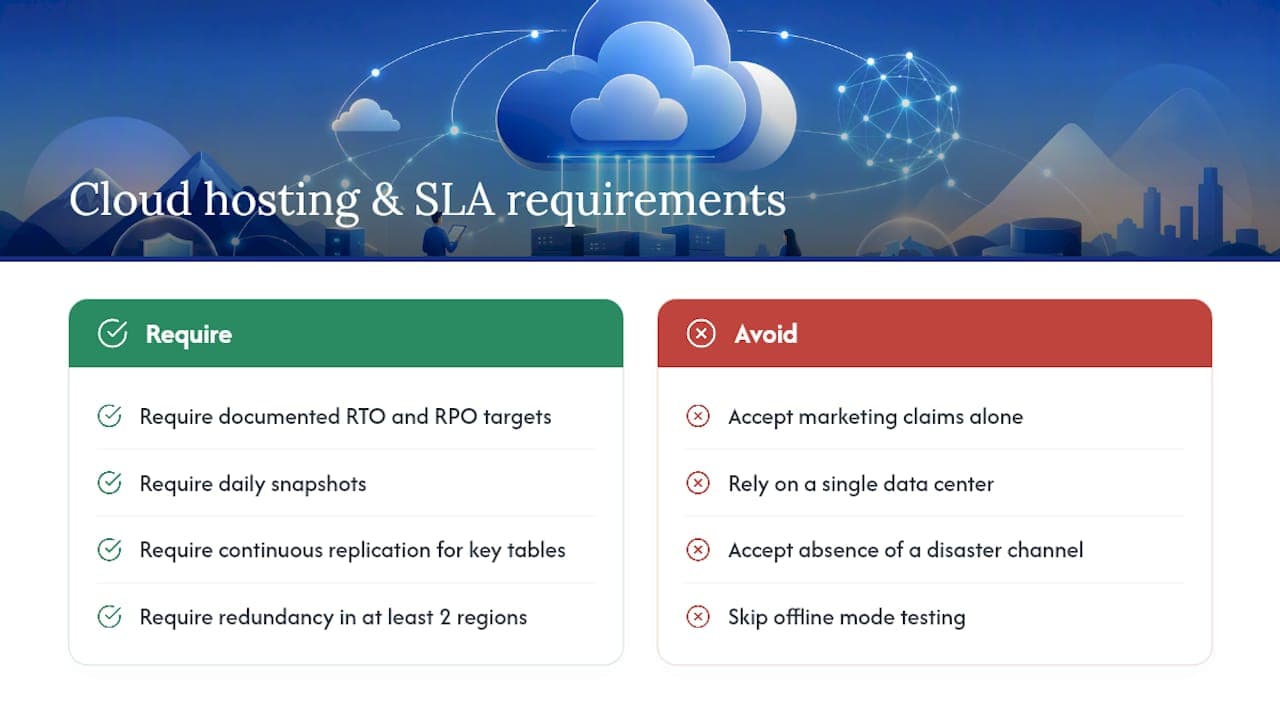
What to demand in writing: Vendors should provide documented RTO and RPO targets, backup frequency (daily snapshots at minimum, continuous replication for reservation and payment tables), geographic redundancy across at least two regions, and a documented failover runbook with tested restore times. Cloud rental platforms commonly advertise automated backups and geographic redundancy; always request documented restore test results and third-party audit summaries rather than accepting marketing claims at face value.
Connectivity resilience is a separate but related requirement. Offline mode with local caching lets field staff continue dispatching and capturing returns even when internet connectivity is degraded. When connectivity returns, the system should sync automatically without data conflicts. This is particularly important for depot-based operations in areas where cellular coverage is unreliable after a storm.
On support: 24/7 emergency response is a baseline, not a premium. Confirm that the vendor has a dedicated escalation channel for declared disasters, not just a general support queue. Ask for the average response time for P1 incidents and whether a named escalation contact is assigned during active disaster events. Remote access capabilities are only as valuable as the support infrastructure behind them.
Preparation done before a disaster determines how fast you recover during one. The following sequence moves from foundational setup through testing and on-the-ground readiness.
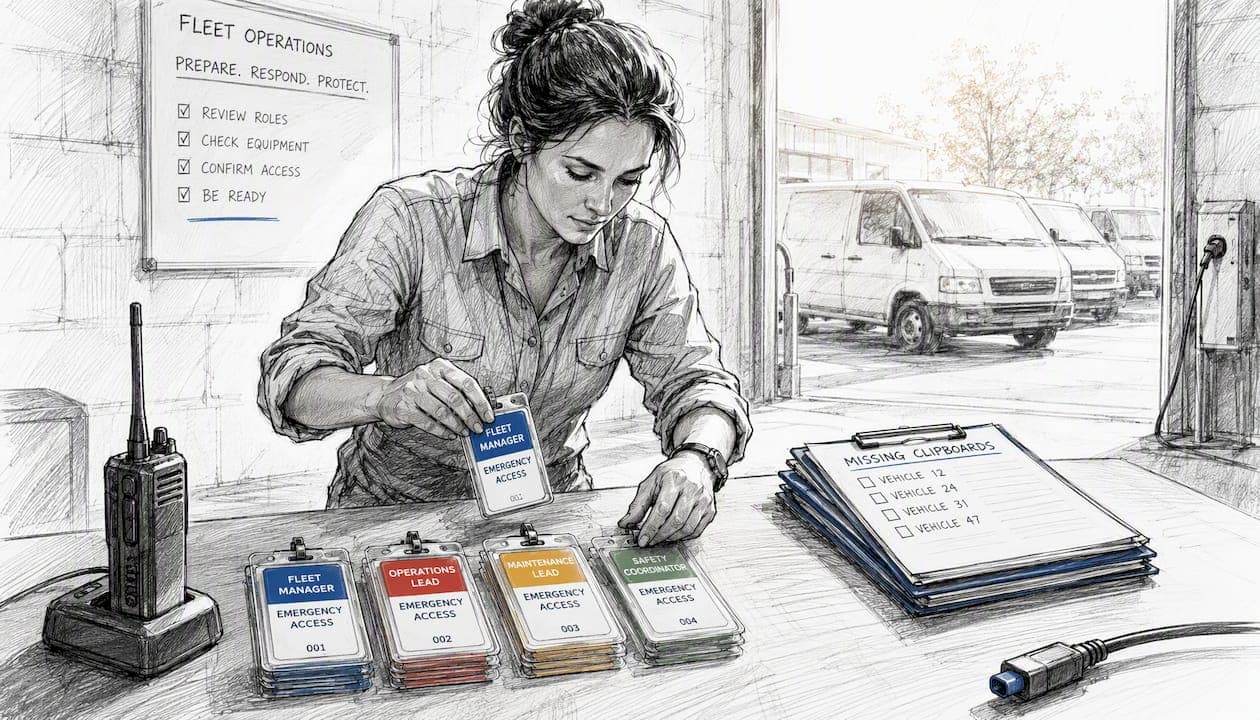
- Map roles and permissions for emergency access. Define which staff can activate emergency pricing, approve large contracts, or override reservation conflicts without manager approval. Document these roles in the system and test them with a dry run.
- Create emergency contract templates. Pre-build contract templates for government agencies, NGOs, and high-volume customers. Include pre-negotiated rate schedules, liability terms, and return conditions. Automated contract tools reduce the time from agreement to signed document from hours to minutes.
- Configure priority pricing and billing rules. Set automated billing rules for each customer category. Apply surge pricing guardrails that cap rates at a defined ceiling to avoid price-gouging liability. Test that invoices generate correctly for multi-day, multi-asset contracts.
- Enable telematics and dispatch channels. Confirm GPS integrations are live and that asset readiness states update in real time. Set up dispatch notifications via SMS or app push so field teams receive assignments without checking a dashboard manually.
- Run end-to-end drills quarterly. Simulate a 50-unit emergency deployment: activate emergency roles, dispatch assets using the emergency template, process returns with damage capture, and generate reconciliation invoices. Time each step.
- Test failover and data restore. At least twice a year, ask your vendor to demonstrate a restore from backup. Confirm the restore time matches the documented RTO and that no reservation or payment data is missing.
- Stage pre-packed asset bundles. For predictable disaster types (hurricanes, floods), pre-configure asset bundles in the system: specific vehicle types, pre-authorized payment flows for agency partners, and pre-loaded inspection checklists. When the event occurs, activation is a single workflow step rather than a build-from-scratch process.
Tabletop reviews with operations and finance teams should happen at least once per year, separate from the technical drills. The goal is to confirm that every person who has a role in a disaster deployment knows the workflow, the escalation path, and where to find the emergency templates.
How do you choose the right disaster recovery rental software?
The evaluation criteria below give you a structured way to compare vendors and identify the ones that cannot support a real emergency deployment.
Evaluation criteria to score each vendor:
- RTO and RPO: are they contractual commitments or aspirational targets?
- SLA detail: does the SLA cover disaster scenarios specifically, or only standard uptime?
- Backup geography: are backups replicated across multiple regions, and in which states or countries?
- Telemetry integrations: which GPS and telematics providers are supported natively?
- Offline operation: is there a documented offline mode with conflict-free sync?
- Onboarding time: what does the initial setup cover, and how long does it take to reach first dispatch?
- Emergency support terms: is 24/7 escalation included in the base plan or a paid add-on?
Questions to ask in a demo:
- "Show me the dispatch flow for a 100-unit emergency order from reservation to confirmation."
- "Walk me through your restore runbook and show me the last documented restore test result."
- "Show me audit logs for a sample recovery event, including who approved pricing changes and when."
Red flags that should end the evaluation:
- SLA language that is vague ("commercially reasonable efforts") with no specific RTO/RPO numbers
- No documented failover runbook or no evidence of regular restore testing
- Single-region backups with no geographic redundancy
- No native telematics integrations (GPS data via manual import is not sufficient)
- 24/7 support available only as a paid upgrade
On cost and onboarding: a small operator running a single depot can typically onboard a cloud platform in 24–48 hours and begin dispatching from day one. A regional network with multiple depots needs to budget for data migration, role configuration, and integration testing, which can extend the timeline to several weeks. Weigh that onboarding investment against the revenue exposure of a single unmanaged disaster event.
Research and operational insight: pricing volatility and FEMA data during recovery
Post-disaster pricing is one of the most legally and reputationally sensitive decisions a rental operator makes. The research is clear that price dynamics after disasters are not uniform, and a one-size-fits-all pricing response creates both equity problems and legal risk.
NYU Furman Center analysis of post-Hurricane Sandy rent dynamics found that rent increases after severe floods concentrate on lower-priced units, with the bottom decile seeing the most pressure. Critically, FEMA rental assistance was not associated with driving broad rent increases in those markets. This means operators should not assume that federal aid flowing into a disaster area will stabilize local pricing or reduce demand pressure on their fleet.
Stat to know: An MIT DSpace-published study estimates an average 5% rent increase for bottom-decile rental units following severe floods, with effects varying significantly by neighborhood. Operators serving lower-income markets face the sharpest demand spikes and the greatest scrutiny on pricing decisions.
The practical implication: your emergency rental management software should enforce pre-set pricing tiers by customer category, not leave pricing to dispatcher discretion during a high-pressure event.
Using OpenFEMA data for demand forecasting:
The OpenFEMA Housing Assistance dataset provides county- and zip-level aggregates that operators can poll via API to detect demand surges before they hit their dispatch queue. The most actionable fields for rental operations:
| FEMA Field | What It Tells You |
|---|
| validRegistrations | Total registered households needing assistance in a county or zip — a leading indicator of demand volume |
| rentalAmount | Approved rental assistance amounts by area — signals where displaced renters are concentrating |
| totalApprovedIhpAmount | Total approved Individual and Household Program assistance — indicates overall recovery scale |
| approvedForFemaAssistance | Count of households approved — helps prioritize which zip codes to stage assets in |
Pro Tip: Connect your rental platform's integration layer to the OpenFEMA API so that when a disaster declaration is issued for a county you serve, the system automatically flags that county's demand level and pre-populates a priority routing queue. Pair this with pre-authorized pricing tiers for public-sector customers so dispatchers can execute without waiting for manual approvals.
What operators actually get wrong about disaster readiness
Most rental operators treat disaster readiness as a technology problem. It is not. Technology is the third priority, not the first.
The sequence that actually works: start with inventory hygiene. If your asset records are inaccurate on a normal Tuesday, they will be catastrophically wrong during a disaster. Every unit needs a verified readiness state, a current inspection record, and an accurate location in the system before any emergency workflow can function. No software fixes bad data.
Second, define roles before you need them. The dispatcher who knows the system, the manager who can approve emergency pricing, the finance contact who handles government invoicing — these people need to be identified, trained, and reachable at any hour. A platform with role-based emergency access is only useful if the right people have the right credentials and know how to use them under pressure.
Then, and only then, does the platform choice matter. For a small operator with one depot, a cloud platform that deploys in 24–48 hours and covers the core modules is sufficient. A national fleet network needs multi-depot visibility, deeper telematics integration, and a vendor with a documented enterprise SLA. The platform should match the risk profile of the operation, not the other way around.
One discipline that separates prepared operators from reactive ones: track disaster-specific KPIs (RTO, RPO, time-to-dispatch) on a dashboard and schedule quarterly drills. Readiness that is not measured and tested is not readiness.
Nomora keeps your fleet operational when it matters most
When a disaster declaration hits your service area, the gap between operators who recover in hours and those who lose days comes down to one thing: whether their platform was built for this scenario or just adapted to it.
Nomora is a cloud-based car rental management platform built to cover the full operational stack that emergency deployments demand. Real-time fleet visibility with GPS tracking, automated contract generation, integrated payment processing, and conflict-free booking tools are all included. Onboarding typically completes in 24–48 hours, so operators can reach first dispatch quickly rather than spending weeks on setup.

For disaster scenarios specifically, Nomora's use-case coverage spans the workflows that matter: emergency dispatch, multi-asset contracts, automated billing for government and agency partners, and remote access from any device. Security and compliance are built in, so your records hold up for insurance claims and FEMA reimbursement requests. To see how Nomora maps to your operation's emergency readiness requirements, request a demo and walk through the dispatch and billing workflows with your specific fleet size and customer mix in mind.
Sources
The sources below are the primary references used in this guide. Operators planning for disaster scenarios should consult each one directly.
Recommended