For rental operators, a defensible driver license verification means a documented physical inspection of a facially valid, unexpired license, ideally paired with an identity tie such as a selfie or face match, plus logged evidence. Use the AAMVA DLDV service when you need real-time confirmation against official state records.
The legal bar is lower than most owners assume. Courts have repeatedly held that inspecting the physical license to confirm it is valid and unexpired satisfies the common-law duty to investigate. But "legally sufficient" and "operationally smart" are different bars. Here's what to do right now:
- Inspect the physical license and confirm it's unexpired and facially valid.
- Capture a timestamped photo of the license and, ideally, a selfie of the renter.
- Log the license number, expiration date, class, and any restrictions in your rental system.
An integrated flow using OCR capture and biometric matching can push onboarding time under two minutes without weakening the paper trail insurers and courts want to see.
Key Takeaways
A defensible driver license verification combines physical inspection with logged evidence, and escalates to biometric or AAMVA DLDV checks only for higher-risk bookings.
| Point | Details |
|---|
| Physical inspection is the baseline | Courts have generally held that inspecting a facially valid, unexpired license satisfies the common-law duty. |
| Document everything | Timestamped photos, staff initials, and logged license fields strengthen your position against claims. |
| Layer checks by risk | Reserve biometric face-matching and liveness detection for higher-risk rentals, not every booking. |
| Route failures to manual review | Sending first-try failures to review instead of auto-denial improves pass rates without loosening security. |
| Centralize the workflow | Nomora ties license capture, contracts, and payment to one verified record, so evidence isn't scattered across separate tools. |
Table of Contents
What Are the Three Layers of Driver License Verification?
Document authentication, biometric face-matching, and liveness detection form the backbone of any credible verification setup, and industry playbooks treat all three as a standard model for reducing fraud without slowing down the counter.
Document authentication checks whether the license itself is real. Optical character recognition (OCR) pulls the printed fields, template matching confirms the layout matches the issuing state's known format, and barcode or 2D decoding cross-checks the PDF417 barcode against the printed text. Stronger systems also scan for security features like holograms or UV elements, though that usually requires a dedicated scanner rather than a phone camera.
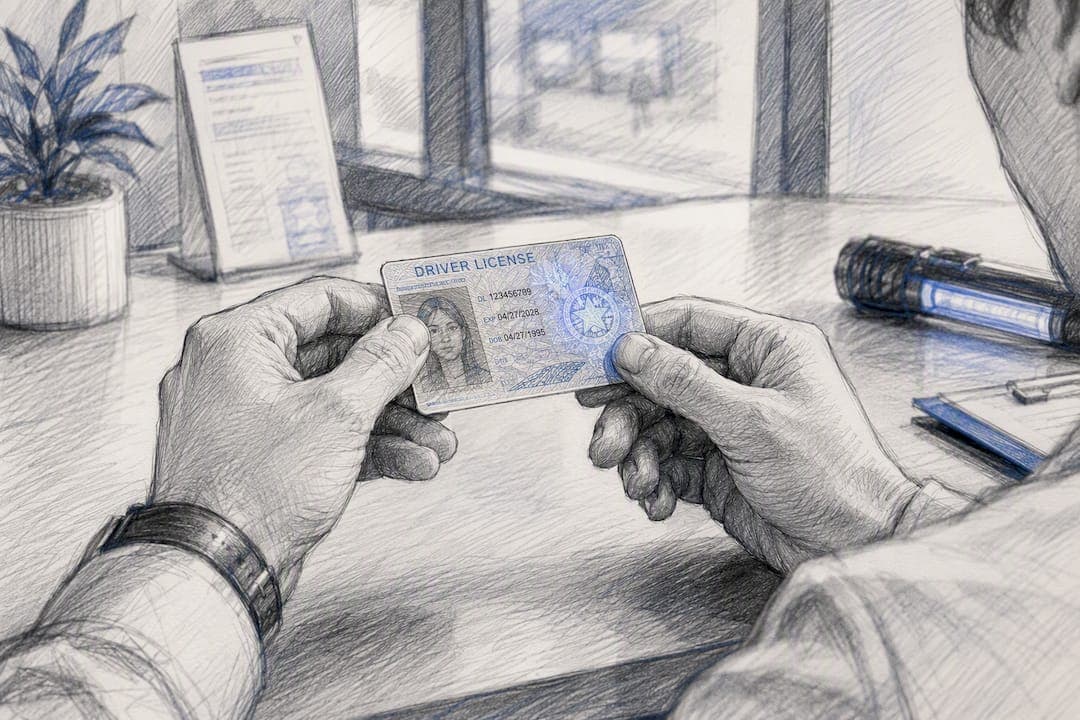
Biometric face-matching ties the license photo to the person standing in front of you. A selfie captured at booking or checkout gets compared against the license photo using a matching threshold. For low-risk rentals, a photo-only tie plus staff visual comparison is often adequate.
Liveness detection confirms the selfie is a live person, not a photo of a photo. Active prompts (blink, turn your head) work well for counter checks; passive depth-sensing suits contactless flows where you don't want to ask the renter to perform on camera.
Pro Tip: Reserve full liveness checks for higher-risk bookings, such as one-way rentals, luxury vehicles, or first-time renters, so you're not adding friction to every low-risk transaction.
The trade-off is speed versus false rejects: tighter thresholds catch more fraud but reject more legitimate customers, so tune by rental class rather than applying one setting fleetwide.
Does Physical Inspection Alone Meet Your Legal Duty?
In most jurisdictions, yes. A Connecticut appellate court ruled that a rental company's duty to investigate a renter extends only to inspecting the physical license to confirm it's valid and unexpired. Multiple state courts have reached similar conclusions, and judges have generally declined to impose a broader duty to run electronic status checks absent visible red flags.
Statutes back this up with specific requirements rather than vague standards. Florida law requires inspecting and verifying that a license is unexpired before renting a vehicle, and mandates keeping a record of the renter's license details. Texas imposes a similar rule, requiring inspection plus retention of the license number and issue date.
Meeting the statutory minimum doesn't mean an insurer won't push back after a claim. Adjusters and opposing counsel routinely ask for proof that inspection actually happened, not just a policy stating that it should.
Documenting the inspection with a photo of the ID, staff initials, and a timestamp is inexpensive, and it materially strengthens a defensive position against negligent-entrustment claims.
Build your audit trail around these minimums:
- Timestamped photo of the license, front and back.
- Staff member or system ID recording who performed the check.
- Logged license number, class, and expiration date.
- Note of any restrictions or endorsements visible on the license.
How Should a Rental Counter Verify a License Step by Step?
A verification workflow only works if it fits into how renters actually arrive, whether that's booking online days ahead, walking up to a counter, or unlocking a vehicle through a contactless app. Here's a workflow for each.
- Pre-arrival: Have the renter upload a license photo during booking. Run OCR extraction automatically, then apply basic checks (expiration, format, name match to the reservation). If the booking involves a higher-risk vehicle class, request a selfie with liveness detection at this stage rather than at the counter.
- Counter check-in: Run the physical checklist even if pre-arrival checks passed. Confirm class and expiration in person, note restrictions, and snap a photo of the license alongside the renter for the file.
- Contactless unlock: Bind the verification result to the token that releases the vehicle, so a failed or incomplete check blocks unlock rather than just flagging a dashboard alert. For rentals longer than a set duration, or at each renewal, trigger a re-check.
- Failure handling: Set clear thresholds for what routes to manual review versus outright denial. A blurry photo or a low-confidence face match should trigger a retry or manual review, not an automatic rejection.
Pro Tip: Operators who route first-try failures to manual review instead of instant denial have seen pass rates improve by roughly 25% without loosening security, mostly because capture failures (glare, motion blur) get a second chance instead of losing the booking.
Which Verification Technologies Should You Integrate?
You don't need every tool at once. Match the technology to your fleet's risk profile and existing rental-management stack.
OCR-based capture from a phone camera is fast and works for most standard rentals, though accuracy drops with glare or worn licenses. Dedicated document scanners cost more but read barcodes and security features more reliably, which matters for premium or long-term rentals.
AAMVA's DLDV service confirms submitted license data against the issuing state's own records and returns element-level match flags rather than exposing raw jurisdictional data, which keeps it privacy-preserving by design. Private entities need AAMVA approval and a signed NDA before getting documentation or pricing, so plan for procurement lead time if you're adding it mid-year.
| Verification component | Typical use case | Key constraint |
|---|
| OCR / phone capture | Standard bookings, pre-arrival | Accuracy drops in poor lighting |
| Barcode / document scanner | Premium or long-term rentals | Requires dedicated hardware |
| Biometric face-match API | Identity tie at booking or counter | Needs retention policy for selfies |
| AAMVA DLDV | High-risk or disputed cases | Requires approval and NDA |
Whichever combination you choose, the integration points that matter most are your reservation system, contract generation step, and vehicle release flow, so a failed check actually blocks the booking rather than just logging a warning somewhere no one reads.
How Do You Handle Failed Checks and Data Retention?
Not every failed check is fraud. Most are blurry photos, expired-looking scans that are actually fine, or a face-match score that's borderline rather than clearly wrong. A triage matrix keeps staff from either rubber-stamping everything or rejecting legitimate renters.
- Blurry or low-confidence capture: retry with better lighting or a scanner.
- Face-match score below threshold: request a secondary ID or manager override.
- Expired or altered-looking license: route to manual review, don't auto-deny.
- Multiple red flags at once: deny and log the reason.
For manual review, keep the file that matters: time-stamped photos, staff notes on what triggered the review, and the check history for that renter.
On retention, less is generally safer. Privacy frameworks increasingly focus on how long verification data sits in your system, so:
- Keep license images and match logs only as long as your insurance or claims window requires, often tied to your state's statute of limitations for negligence claims.
- Encrypt stored biometric data separately from general customer records.
- Set automatic deletion rules rather than relying on staff to purge files manually.
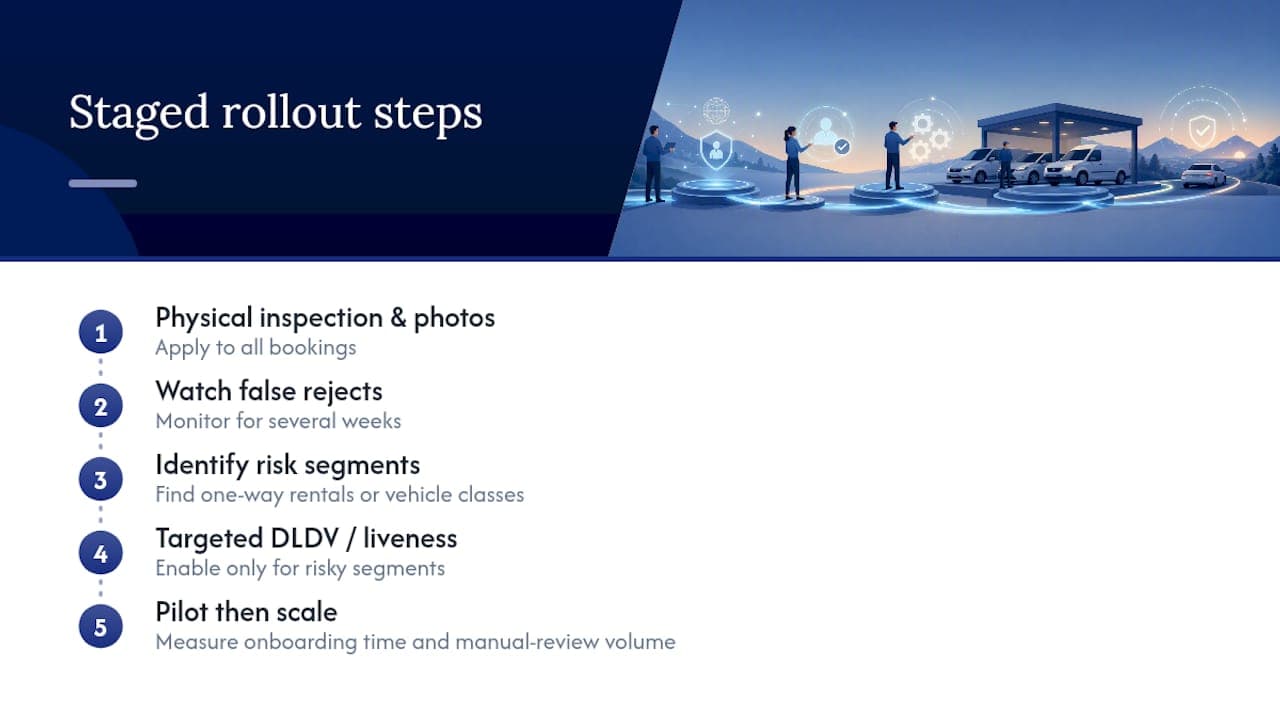
A Staged Rollout Beats an All-at-Once Overhaul
Most rental operators overcorrect after one bad incident, bolting on liveness checks and DLDV calls to every booking overnight. That usually backfires: friction goes up, legitimate renters get flagged, and staff start overriding the system out of frustration, which defeats the purpose.
A better sequence starts with physical inspection and photo capture across the board, then watches the false reject rate for a few weeks before adding anything else. Once you can see where risk actually concentrates, whether that's one-way rentals or a specific vehicle class, layer in DLDV or liveness detection just for those segments. Automation pays for itself mainly through fewer disputes and less staff time spent chasing paperwork after the fact, not through catching more fraud on day one. Pilot any change with a small group of locations first, and measure onboarding time and manual-review volume before rolling it out fleetwide.
How Can Nomora Support Your Verification Workflow?
Nomora is the alternative to stitching together spreadsheets, a scanner, and a separate biometric app: one platform where license capture, contract generation, and payment all run off the same verified record. OCR-based capture at booking feeds directly into the rental contract, so the license number, expiration date, and class you verified at check-in populate automatically instead of getting retyped (and mistyped) into a separate system.

Because verification, inspection, and payment data all live in one record, disputes get resolved with a timestamped file instead of a staff member's memory of what happened at the counter. Nomora's integration options connect to OCR tools and biometric APIs where you need them, so you're not locked into a single vendor for face-matching or liveness detection. If you're currently juggling manual checklists across multiple rental locations, request a demo to see how the verification step fits into booking, checkout, and payment in one flow.
Sources
Recommended
Ready to streamline your car rental business?
Book 30 minutes with the founder. We set up everything in this guide on your own vehicles, and migrate you out of Excel for free.