TL;DR:
- Proper onboarding prevents issues like double-bookings and data loss in rental businesses.
- A structured process includes vendor consultation, data migration, testing, staff training, and soft launch.
- Dedicated support and thorough scenario testing are key to successful software implementation.
Switching to new rental management software should feel like upgrading your engine, not blowing a tire at full speed. Yet many small and mid-sized car rental businesses discover, often too late, that a rushed or poorly planned onboarding process creates exactly the problems they were trying to solve. Double-bookings and initial chaos are among the most common consequences of under-tested software launches. This guide gives you a clear, step-by-step onboarding framework so you can move from your old system to a fully integrated rental platform without losing revenue, customers, or your team's confidence along the way.
Table of Contents
Key Takeaways
| Point | Details |
|---|
| Test before launch | End-to-end scenario testing is critical to prevent booking errors and chaos during rollout. |
| Choose the right support | Vendors with dedicated success teams accelerate onboarding and solve problems proactively. |
| Invest in training | Flexible, block-based training ensures staff buy-in and boosts adoption rates for new software. |
| Avoid common pitfalls | Rushed migrations and missed tests are the main causes of launch issues—address them head-on. |
Why onboarding matters for rental software
Think of your rental software as the central nervous system of your operation. Every booking confirmation, fleet assignment, payment record, and customer file passes through it. When that system is poorly configured or hastily launched, the ripple effects reach every corner of your business, from the front desk to the parking lot.
Rental software onboarding is not simply an IT task. It is a business-critical transition that directly affects your team's daily workload, your customers' experience, and your revenue stream. Insufficient onboarding leads to frequent double bookings post-launch, which frustrate customers, generate refund requests, and damage your reputation at the exact moment you need everything to run smoothly.
Here is what typically breaks down when onboarding is treated as an afterthought:
- Inconsistent fleet data: Vehicles appear available when they are not, or are assigned to overlapping reservations.
- Staff confusion: Team members revert to manual workarounds like spreadsheets and sticky notes, defeating the purpose of the new system.
- Customer service failures: Front-desk agents cannot locate bookings or process payments correctly, leading to long wait times and complaints.
- Data loss: Historical reservation and customer records are not migrated properly, creating gaps that affect billing and loyalty programs.
- Reporting errors: Inaccurate real-time data makes fleet decisions unreliable from day one.
Strategies for preventing double bookings start during onboarding, not after launch. The configuration of booking rules, availability windows, and channel sync settings must be tested rigorously before a single real reservation enters the system.
"Testing is the industry's most underestimated onboarding step. Businesses that skip thorough scenario testing consistently face the same post-launch booking conflicts that the new software was supposed to eliminate."
Choosing well-reviewed best rental software solutions is only the beginning. How you implement that software determines whether it delivers on its promise.
Key phases of the rental software onboarding process
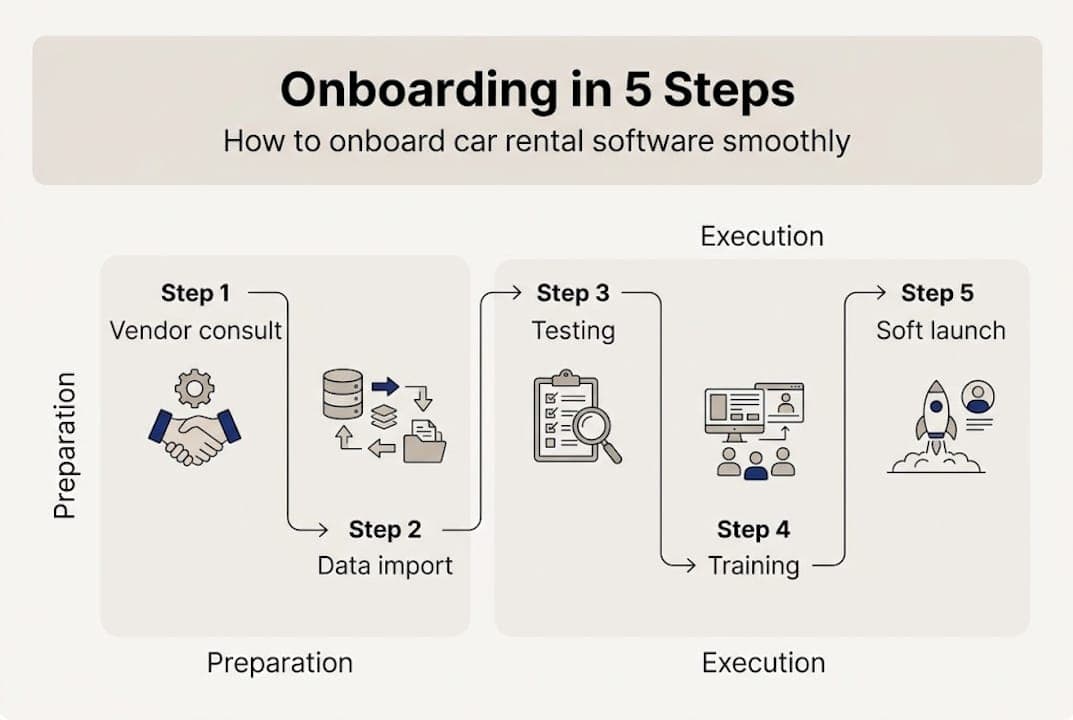
A structured onboarding process has five distinct phases. Skipping or rushing any one of them is where things begin to unravel.
- Vendor consultation: Define your workflows, integration requirements, and go-live date together with your vendor. This phase sets expectations and surfaces any technical complexity early.
- Data migration: Transfer existing vehicle records, customer profiles, pricing rules, and historical bookings into the new system. This step requires careful validation to avoid missing or corrupted records.
- Staff training: Train every team member who will interact with the platform, including front-desk agents, fleet coordinators, and billing staff. Training should be role-specific, not one-size-fits-all.
- Technical testing: Run end-to-end booking scenarios, payment flows, and integration checks before going live. This is where errors are caught cheaply, before real customers are affected.
- Soft launch: Go live with a controlled group, such as walk-in customers only, while monitoring for errors before opening all booking channels.
Vendors with dedicated success teams and parallel consulting accelerate onboarding by keeping businesses on track at each phase.
Review your integration guide early to map out which third-party tools, including GPS tracking, payment gateways, and online booking channels, need to be connected and tested before launch.

Pro Tip: Before your full launch, simulate your five most common booking scenarios end-to-end. Include same-day rentals, extensions, and cancellations. Catching one critical error at this stage is worth weeks of post-launch troubleshooting.
Here is how onboarding support models compare so you can choose the right fit:
| Support model | Setup speed | Training included | Best for |
|---|
| Self-serve | Slowest | Documentation only | Tech-savvy, small fleets |
| Guided onboarding | Moderate | Video + live sessions | Most small/mid businesses |
| Full-service | Fastest | Custom, hands-on | Complex or large operations |
Also consult a rental checklist for fleets to make sure no vehicle records or operational settings are missed during the migration phase.
Choosing the right vendor and success model
Not all rental software vendors invest equally in your success after the sale. The quality of onboarding support your vendor provides may matter more than any single feature on their product page.
Success teams and parallel consulting can dramatically improve onboarding outcomes by providing dedicated guidance throughout setup, not just at kickoff. Before you commit to a vendor, ask these questions directly:
- Does the vendor assign a dedicated onboarding specialist to your account?
- What is the expected timeline from contract signing to go-live?
- Is staff training included, and can sessions be scheduled flexibly?
- Does the vendor offer parallel consulting, meaning they work alongside your team during the transition?
- What post-launch support is available if issues arise in the first 30 days?
Pro Tip: If training is sold as an add-on, ask to purchase it in time-blocks rather than per-user licenses. Block-based training lets you schedule sessions when your team needs them most, rather than front-loading everything before go-live.
Here is a comparison of what different vendor types typically offer:
| Vendor type | Success team | Custom training | Post-launch support |
|---|
| Enterprise SaaS | Yes | Yes, flexible | Dedicated account manager |
| Mid-market SaaS | Sometimes | Limited packages | Ticketed support |
| Budget/DIY tools | No | Self-serve only | Community forums |
When evaluating how to optimize your car rental fleet, remember that the software is only as useful as your team's ability to use it. Training quality and vendor accessibility determine adoption speed.
Review the key software features that matter for your specific operations before finalizing your vendor selection. A solid guide to selecting the best car rental software will also help you frame your evaluation around operational fit, not just price.
Common onboarding pitfalls and how to avoid them
Even with a well-structured plan, businesses hit predictable roadblocks during onboarding. Knowing them in advance is half the battle.
- Rushed data migration: Moving vehicle records and customer data too quickly leads to duplicate entries, missing fields, and pricing errors. Always audit your data before and after migration with a sample check across multiple record types.
- Skipping scenario-based testing: Running a live transaction through the system once and calling it tested is not enough. Thorough testing is the industry secret to avoiding double-bookings. Test every booking type your business handles, including one-way rentals, corporate accounts, and weekend specials.
- Insufficient staff training: Showing your team a software demo is not training. Role-specific, hands-on sessions where staff complete real tasks in a sandbox environment produce lasting behavior change.
- Not leveraging vendor support: Many businesses use only a fraction of the onboarding support available to them. If your vendor offers parallel consulting or a dedicated success manager, use those resources aggressively in the first two weeks.
"The businesses that invest in deeper onboarding, not just minimum launch requirements, consistently outperform competitors in fleet utilization and customer retention within the first quarter post-launch."
Building strong customer self-service rentals into your platform is another area that requires proper setup during onboarding. If the self-service flow is misconfigured, customers will abandon bookings or generate errors that require manual intervention.
For a detailed breakdown of how to address solutions for double bookings at the system configuration level, review your vendor's booking rules documentation before go-live.
Why most onboarding processes fall short—what the checklists miss
Standard onboarding checklists cover the mechanics: migrate the data, run a test booking, train the staff, go live. What they rarely address is the human side of the transition, and that is where most businesses quietly struggle.
Staff buy-in is not automatic. Even when a new system is objectively better, team members who are comfortable with old processes will find ways to avoid using it, especially under pressure. Involving your staff early, showing them how the new system makes their specific job easier, builds the trust that checklists cannot manufacture.
Edge-case testing is another blind spot. A test booking that follows the happy path, standard reservation, no changes, smooth payment, tells you almost nothing about how the system performs under real conditions. Your integrating systems efficiently strategy must account for the messy scenarios: late returns, disputed charges, and vehicle substitutions.
Sell training in flexible blocks for full adoption and avoid the one-size-fits-all mistake that leaves some staff undertrained and others bored. The businesses that build a real, ongoing partnership with their vendor, not just a transactional relationship, see measurably better outcomes in fleet utilization and booking accuracy within the first 90 days.
Accelerate your onboarding with Nomora
Nomora is built for exactly the kind of transition this guide describes. Guided onboarding, dedicated support, and flexible training options are built into the platform from the start, so you are never left figuring it out alone.
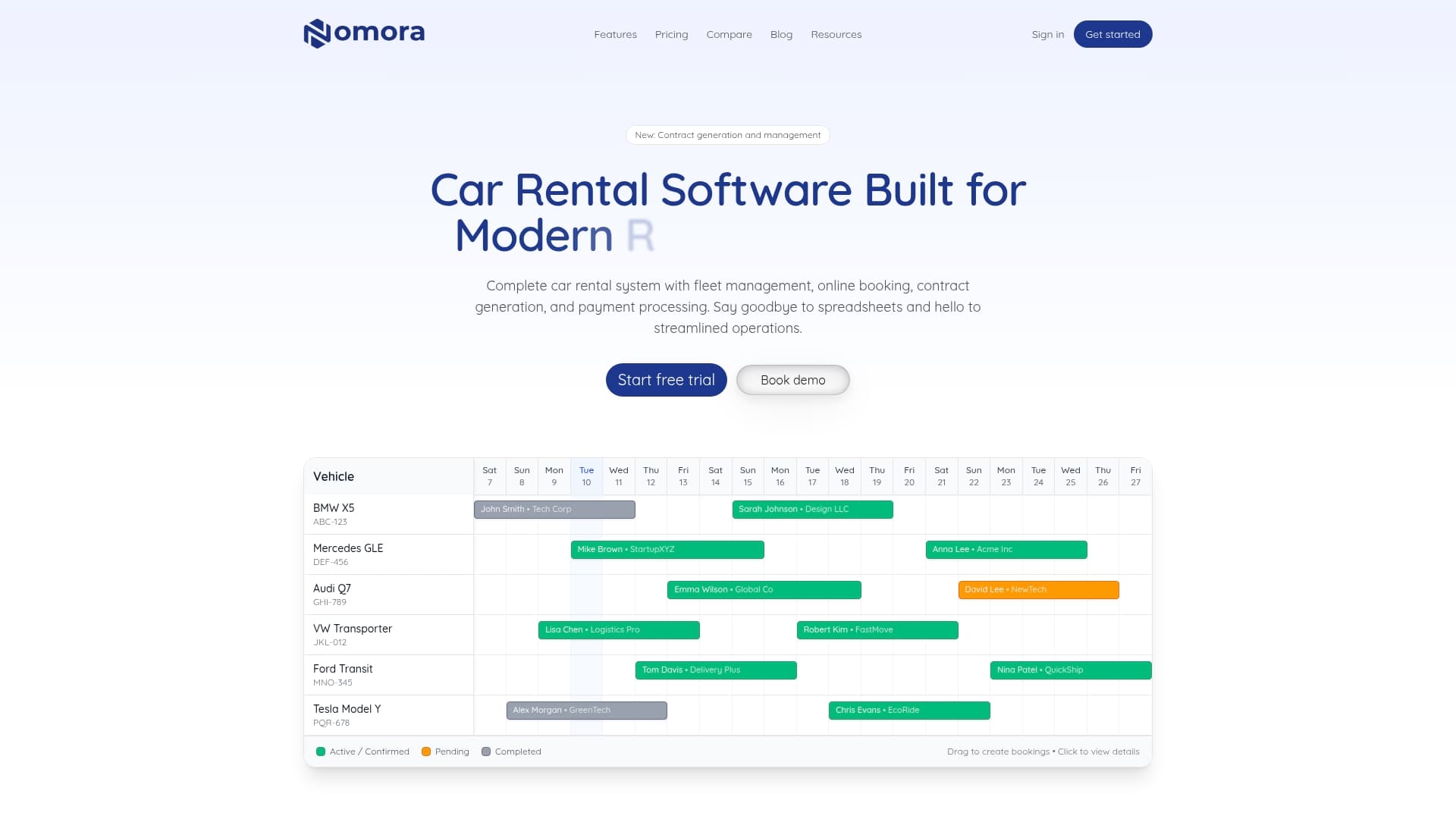
With Nomora, you can read how we prevent double bookings through real-time availability sync and conflict detection. You can also automate car rental payments to eliminate billing errors that commonly surface in the first weeks after launch. Whether you run a small independent fleet or a growing multi-location operation, the onboarding process is designed to get you live within 24 to 48 hours. See how Nomora supports different business types and find the right setup for your operation.
Frequently asked questions
How long does the onboarding process for rental software usually take?
A typical onboarding process takes 2 to 6 weeks, depending on the vendor's support level and the complexity of your rental operations. Vendors with success teams can accelerate that timeline significantly.
What are the most important steps during onboarding?
Key steps include vendor consultation, data migration, technical testing, staff training, and a soft launch before full rollout. Thorough technical testing is the step most businesses underestimate.
How can I prevent double bookings when moving to new software?
Prevent double bookings by performing end-to-end scenario testing and working with vendors experienced in rental integrations. Parallel consulting and testing together eliminate the most common post-launch conflicts.
Do all vendors provide equal onboarding support?
Support levels vary widely, so prioritize vendors with dedicated success teams and flexible training options. Vendor support models can be the deciding factor between a smooth launch and weeks of operational disruption.
Is staff training really necessary if the software is easy to use?
Yes. Even intuitive platforms require role-specific training to ensure your team understands new workflows and avoids errors that cost you revenue after launch.
Recommended
Ready to streamline your car rental business?
Book 30 minutes with the founder. We set up everything in this guide on your own vehicles, and migrate you out of Excel for free.