What Do Build, Buy, and Buy+Extend Actually Mean?
Every rental or fleet manager comparing options eventually runs into three distinct paths, and confusing them is the fastest way to waste a budgeting cycle. Getting the definitions straight first prevents a lot of wasted meetings later.
Build means commissioning custom rental software development from scratch, usually with an internal engineering team or a contracted development shop. A regional equipment rental chain that needs a proprietary damage-inspection workflow tied to its own inventory taxonomy is a build candidate. You own every line of code, and you own every bug.
Buy means subscribing to an existing SaaS platform built for rental operations, configured rather than coded. A buy decision hands you reservations, contracts, payments, and fleet tracking on day one, with the vendor responsible for uptime, security patches, and feature releases. This is where most car rental software options on the market fall, and it is the default for operators who need to be running this quarter, not next year.
Buy+Extend blends the two: a SaaS foundation handles the operational core, while custom modules or integrations plug in where the platform falls short. A luxury vehicle rental company might run its reservations and payments on a purchased platform but build a bespoke concierge-scheduling layer on top through API access.
- Build: full control, full responsibility, slowest to launch
- Buy: fast, supported, constrained by vendor roadmap
- Buy+Extend: fast core plus targeted customization where it counts
Industry guidance increasingly points toward starting with Buy+Extend as the pragmatic default: validate your workflows on SaaS first, then build only where differentiation genuinely requires it.
Which Approach Wins on Cost, Control, and Risk?
Each path carries a distinct risk profile, and rental operators tend to underestimate at least one column until it bites them.
-
Build. You get complete customization: routing logic, pricing rules, and depot-specific workflows built exactly to spec. The cost is time and exposure. A ground-up build typically needs 14 to 18 weeks just for an MVP, and every feature after that ships on your own engineering team's schedule, not a vendor's release calendar. Reliability risk sits entirely with you. If your booking engine goes down at 6:00 AM on a Saturday, there's no vendor support line to call.
-
Buy. Speed is the primary reward. Onboarding a SaaS platform can take days rather than months, and the vendor absorbs security patching, uptime monitoring, and feature development. The trade-off is vendor lock-in and roadmap dependency: if the platform doesn't support your specific telematics integration or a unique per-rental fee structure, you wait for the vendor to build it, or you don't get it. Multi-depot visibility is usually strong out of the box, since most rental SaaS platforms are architected for cross-location reporting from day one.
-
Buy+Extend. This captures most of buy's speed while opening a side door for differentiation. The catch is integration overhead: every custom extension needs to survive the vendor's next platform update, and someone on your team needs to own that relationship long term.
Hidden costs cut across all three paths. Data migration from spreadsheets or legacy systems routinely costs more than teams budget for. Payment processing fees compound at scale, whether you're paying a vendor's per-transaction cut or building your own gateway integration and absorbing the compliance burden. And integration work, connecting GPS/telematics, accounting software, and identity verification, tends to expand scope on build projects far past the original estimate.
What Does Rental Software Really Cost Over Time?
The upfront number rarely tells the real story. A rental-specific build runs $120,000 to $200,000 for an MVP over 14 to 18 weeks, and a full platform with multi-tenant support and advanced telematics climbs to $250,000 to $400,000 across 22 to 28 weeks. Scale tiers with heavier feature sets push past $400,000 before you've hired a single support engineer to keep it running.
Pro Tip: Model your build cost against three to five years of SaaS subscription fees, not one. A platform that looks cheap in year one can cost more than a build by year four once per-location and per-vehicle fees compound.
SaaS pricing shapes vary, but three drivers dominate: per-location fees, per-vehicle fees, and per-transaction charges on payment processing. A single-location operator with 40 vehicles pays a modest flat rate. A twelve-depot regional chain multiplies that per-location fee twelve times over, and the math changes fast.
That's where a genuine tipping point emerges. When combined SaaS licensing fees across locations approach $80,000 to $100,000 per year, building custom software often becomes financially sensible for multi-location operations, since that annual spend, extrapolated over five years, starts to approach or exceed full build costs while the SaaS product remains something you rent rather than own.
A workable TCO checklist for a 3 to 5 year comparison:
- Total SaaS fees at current pricing, projected across your expected location count
- One-time build cost plus a realistic 20 to 30 percent overrun buffer
- Ongoing engineering headcount needed to maintain a custom build (minimum one to two developers)
- Cost of switching platforms if a vendor changes pricing or discontinues a feature
- Estimated revenue impact of downtime or bugs under each scenario
Run these five lines in a spreadsheet before any vendor call, and the build vs buy rental software decision usually clarifies itself faster than any sales pitch will.
How Long Does It Actually Take to Launch?
Timelines are where build projects most often go sideways, usually because V1 tries to do too much.
- V1 (MVP), roughly 14 to 18 weeks. Focus exclusively on the core rental loop: reservations, availability, contracts, and basic payment capture. Nothing else belongs in this phase.
- V2, the following quarter. Add fleet maintenance tracking, customer self-service, and a first pass at reporting dashboards once the core loop is stable in production.
- V3 and beyond. This is where GPS/telematics, dynamic pricing, and multi-depot routing logic belong, features that assume a functioning core already exists.
The most common scope-creep trap is packing advanced telematics or full cross-depot routing into V1. Teams that try to ship everything at once routinely blow past both the 18-week timeline and the original budget, because those features depend on data models that haven't been proven yet in production.
Pro Tip: Set milestone acceptance criteria before development starts, not after. A reasonable V1 gate: zero double-bookings across 500 test reservations, contract generation under 10 seconds, and payment capture success above 99 percent.
What Do Integration and Scalability Actually Require?
Rental and fleet software has to talk to more systems than most managers expect going in, and each integration point carries its own failure mode.
The core integration surface includes:
- Payment gateways for deposits, damage charges, and recurring billing
- GPS and telematics feeds for real-time vehicle location and usage data
- Accounting software for revenue reconciliation
- Digital contract signing for rental agreements
- Identity verification for driver eligibility checks
A detailed integration guide walks through how these pieces typically connect in a production rental system, and it's worth reading before you commit to either path.
Data ownership matters more than most first-time buyers realize. When a vendor owns your reservation and utilization data in a proprietary format, exporting it for advanced analytics or dynamic pricing models later can be slow or contractually restricted. Roll-ups and franchise networks in particular should ask vendors directly how portable historical data is before signing.
Scalability at the database layer isn't optional once you're running more than one depot. Reservation writes need to happen as atomic transactions with row-level locking, otherwise two staff members at two locations can book the same unit at the same time. This is a well-documented failure mode in concurrency control research, and it's non-negotiable architecture for any multi-user rental system, whether you build it or a vendor built it for you.
How Do You Decide: A Practical Checklist
A useful decision framework runs on numbers, not gut feeling. Work through these in order with finance and operations in the room together.
- Calculate current or projected annual SaaS spend. If combined licensing fees across your locations approach $80,000 to $100,000 per year, building starts to pencil out over a 3 to 5 year horizon.
- Count your locations. A single depot rarely justifies build costs. A roll-up with eight or more locations, or active acquisition plans, usually does.
- Identify true feature gaps. Is there a workflow no vendor supports, or is this a preference dressed up as a requirement? Be honest here.
- Ask vendors about roadmap control. Can you influence or vote on upcoming features, or are you purely a rider on their release schedule?
- Ask about SLA terms and API access. A vendor without documented uptime guarantees or open API access limits your buy+extend options later.
- Confirm internal capacity. Do you have, or can you hire, a product owner and at least one to two engineers to maintain a build long term?
Red flags that should stop a build project before it starts: no named product owner, no dedicated maintenance budget past launch, security controls that haven't been benchmarked against a standard like FedRAMP or an equivalent third-party attestation, and leadership assuming existing IT staff can absorb rental software development on top of their current workload. That last one sinks more internal build projects than any technical problem does.
Where Nomora Fits the Buy Profile
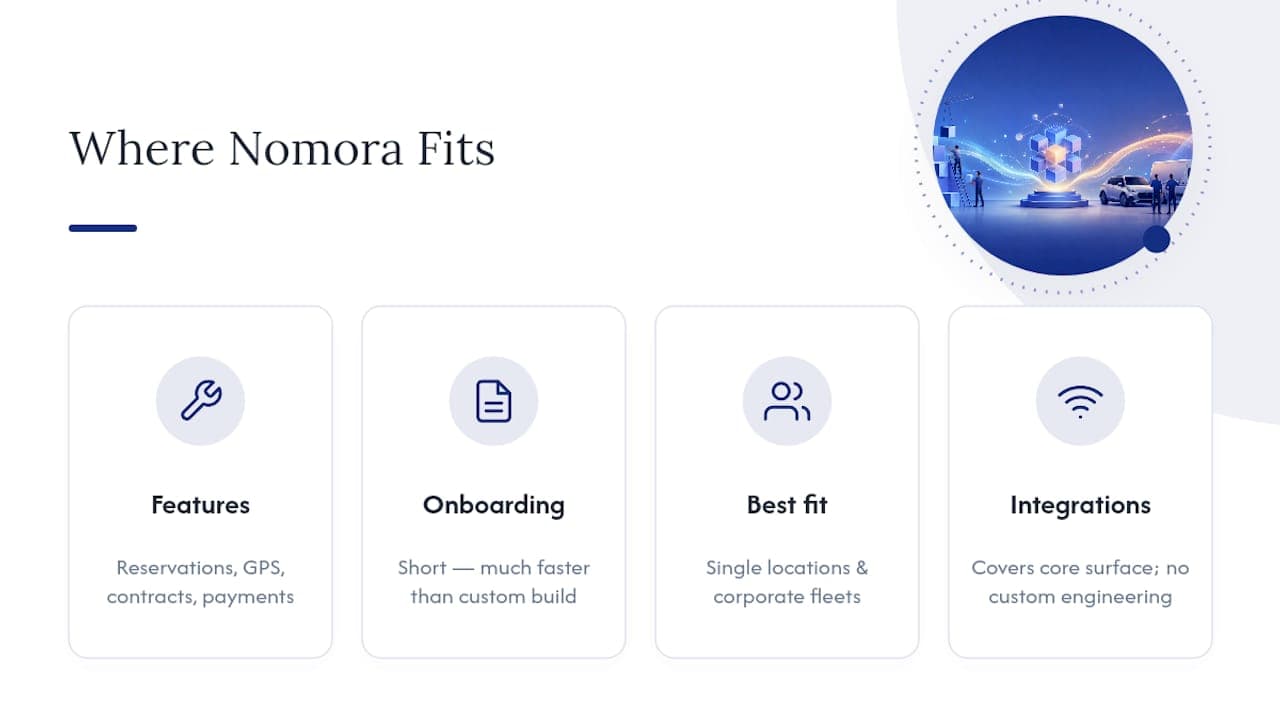
Nomora is built specifically for the buy and buy+extend paths this article just walked through. It replaces spreadsheets and manual contract work with automated reservations, fleet and GPS tracking, contract generation, and integrated payment processing in one system, the operational equivalent of a central nervous system for a rental business, coordinating every moving part from one place.
Onboarding typically takes a short time, a fraction of even the fastest custom build timeline. That speed matters most for single-location operators who need to be running now, and for corporate fleet managers who need conflict-free, multi-location visibility without hiring a development team. The platform's integration options cover the core surface most rental operators need without custom engineering.
For a closer look at which operator types it fits, the use-case breakdown by business type is worth reviewing alongside your own TCO numbers.
Making the Call This Quarter
If you're deciding this quarter, start with the $80,000 to $100,000 annual spend threshold and your actual location count. Run the TCO checklist above before any vendor conversation, not after. Most operators overestimate how much customization they truly need and underestimate how long a build actually takes once row-level locking, payment reconciliation, and multi-depot reporting all have to work together on day one. Pilot a SaaS platform first if you're unsure. It's a faster way to find your real feature gaps than any planning document.
— Dizzy
Ready to See Nomora in Action?
Nomora is the practical buy path for rental and fleet operators who'd rather be running in days than budgeting in quarters. If your team matches the profile discussed above, single-location shop scaling up, corporate fleet manager needing cross-location visibility, or franchise network tired of reconciling spreadsheets, a demo will show you exactly where the platform covers your workflow and where a targeted extension might still make sense.

The fleet management tools built for larger operations cover multi-vehicle tracking and utilization reporting without a custom build, and the corporate fleet solutions page breaks down what onboarding looks like for larger teams specifically. Book a demo, walk through your current reservation volume with Nomora's team, and get a straight answer on setup time before you commit to either path.
Sources
Recommended