TL;DR:
- Automation eliminates manual, rule-based rental admin tasks such as billing and booking while reducing errors. It improves efficiency through technologies like RPA and NLP, enabling faster processing and near-zero mistakes. Successful deployment depends on workflow redesign, clear ownership, and measuring ROI within 30 days.
Automation is defined as the use of technology to perform rule-based, repetitive tasks without ongoing human input. For rental company leaders, the role of automation in reducing admin work is direct: it removes the manual effort from billing cycles, booking confirmations, contract generation, and payment processing. The U.S. General Services Administration's Elimination, Optimization, and Automation playbook targets 1 million staff hours saved, with over 50% achieved by mid-2026. That benchmark signals what disciplined automation delivers at scale. Rental businesses that apply the same logic to their own operations gain capacity without adding headcount.
What is the role of automation in reducing admin work?
Automation reduces admin work by taking over tasks that follow predictable, repeatable rules. Billing, scheduling, contract management, and customer notifications all qualify. These tasks share a common trait: they require consistent execution but not human judgment. That makes them ideal targets for tools like robotic process automation (RPA) and natural language processing (NLP).

RPA handles structured, data-driven tasks. It reads incoming booking requests, populates contract fields, triggers payment reminders, and logs transaction records without staff involvement. NLP extends automation to less structured inputs, such as customer emails or chat inquiries, by interpreting intent and routing requests to the right workflow. Together, these technologies cover the full range of admin task types that consume staff hours in a typical rental operation.
The table below shows which task categories benefit most and what type of automation applies.
| Admin Task | Automation Type | Typical Benefit |
|---|
| Invoice generation | RPA | Eliminates manual data entry per billing cycle |
| Booking confirmation | Workflow triggers | Instant customer notification, zero manual follow-up |
| Contract creation | Template automation | Consistent documents generated in seconds |
| Payment collection | API-integrated processing | Reduced late payments, fewer reconciliation errors |
| Status notifications | Event-based triggers | Staff time saved weekly without setup overhead |
Quick-win automations deliver results fast. Status notifications and recurring setups via templates show measurable ROI within 30 days of deployment. That timeline matters for leaders evaluating whether automation justifies its upfront cost.
Pro Tip: Start with one high-frequency task, such as booking confirmation emails, before expanding to more complex workflows. A single automation running reliably builds team confidence and surfaces integration gaps early.
How does automation improve accuracy and reduce errors?
Manual admin processes accumulate errors at every handoff. A five-step workflow where each step carries a 5% error rate produces a 23% overall failure probability. Automation reduces that compounded risk to near zero by removing human handoffs from the equation.
The accuracy gains are not abstract. In billing, a missed decimal or wrong rate applied to a rental agreement can trigger a customer dispute, a refund request, and a staff hour spent resolving it. Multiply that across hundreds of monthly transactions and the cost becomes significant. Automated billing systems apply the same rate logic every time, pulling directly from a confirmed booking record.
Research confirms that AI and automation reduce errors measurably in billing, scheduling, and records management, with corresponding cost savings. The implication is clear: fewer errors mean lower resolution costs and higher customer satisfaction scores.
Effective automation design includes human validation checkpoints at decision points that require judgment. These are not workarounds. They are deliberate governance steps that keep humans accountable for outcomes while machines handle execution. A well-designed workflow might automate invoice generation but route any invoice above a threshold dollar amount for manager review before sending.
- Map every handoff point in your current billing or booking workflow.
- Identify steps with no decision logic, where staff simply move data from one place to another.
- Automate those steps first, keeping human review at exception points only.
- Measure error rates before and after deployment to confirm improvement.
This sequence gives rental leaders a clear path from manual exposure to controlled, auditable automation.
What best practices ensure successful automation deployment?
The most common automation failure is automating a broken process. If a workflow has redundant steps or unclear ownership, automation makes those problems faster and harder to fix. MIT Sloan research confirms that redesigning workflows before automating is the defining factor between projects that deliver value and those that compound bottlenecks.
Document your current state first. Map every step, every person involved, and every system touched. This exercise alone often reveals redundancies that can be eliminated before any technology is introduced. The GSA's multi-phase EOA framework follows exactly this sequence: opportunity assessment, design, implementation, and sustainment. Rental companies benefit from the same discipline.
Common pitfalls that derail automation projects include:
- Poor data quality. Automation depends on clean, consistent inputs. Inconsistent customer records or duplicate booking entries cause downstream failures.
- Legacy system integration gaps. Older fleet management or accounting systems may lack API support, requiring middleware or manual bridges that negate efficiency gains.
- No accountability protocols. When an automated step fails, someone must own the resolution. Without clear ownership, errors go undetected.
A task-first, process-centric approach focuses on workflow fit rather than technology features. The question is not "what does this tool do?" but "which specific step in our process does this replace, and what happens when it fails?"
Pro Tip: Evaluate ROI over a minimum of 30 days post-deployment. Early metrics are often skewed by setup adjustments. A 30-day window captures a full billing or booking cycle and gives you reliable baseline data.
Automation also enables capacity expansion without hiring. When staff are freed from repetitive admin tasks, they shift focus to customer relationships, fleet condition reviews, and revenue-generating activities. That reallocation improves both retention and margins without adding payroll.
How can rental companies measure the ROI of automation?
ROI measurement starts before deployment. Establish a baseline for the tasks you plan to automate: hours spent per week, error rate, processing time per transaction, and cost per error resolved. Without a baseline, post-deployment numbers have no reference point.
Short-term metrics (30 days post-launch) should focus on time saved and error reduction. Long-term metrics (90 days and beyond) should track cost per transaction, customer satisfaction scores, and staff capacity reallocation. The table below contrasts what these metrics look like before and after automation in a typical rental billing workflow.
| Metric | Manual Process | Automated Process |
|---|
| Invoice processing time | 8–12 minutes per invoice | Under 60 seconds |
| Error rate per billing cycle | Compounding across handoffs | Near zero with validation checkpoints |
| Staff hours on billing weekly | 10–15 hours | 1–2 hours for exception review |
| Customer dispute rate | Elevated due to data entry errors | Reduced with consistent rate application |
Key performance indicators worth tracking include:
- Hours saved per week on billing, booking, and contract tasks
- Error rate reduction measured against your pre-automation baseline
- Booking turnaround time from inquiry to confirmed contract
- Payment collection speed and reduction in overdue accounts
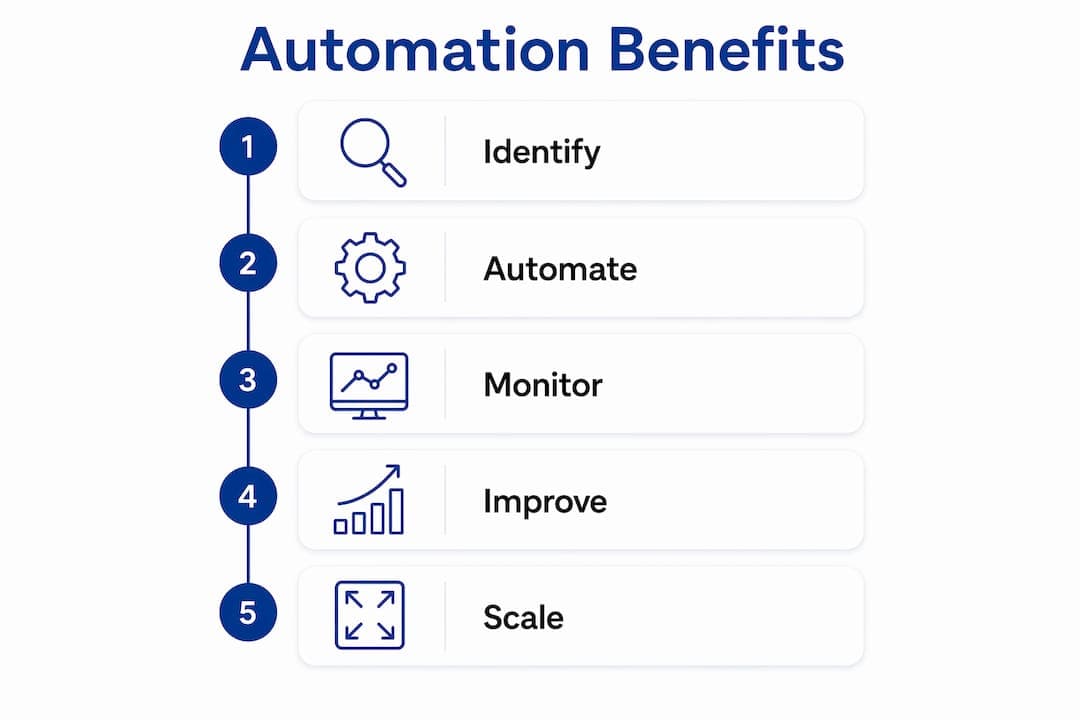
Automated booking workflows, for example, cut turnaround time from hours to minutes. That speed improvement directly affects customer experience and repeat booking rates. Connecting operational metrics to business outcomes makes the ROI case clear to stakeholders who need more than efficiency data.
Key Takeaways
Automation reduces rental admin work by eliminating manual handoffs, cutting error rates to near zero, and freeing staff capacity for higher-value tasks.
| Point | Details |
|---|
| Start with high-frequency tasks | Automate booking confirmations and billing first to see ROI within 30 days. |
| Redesign before automating | Map and fix broken workflows before applying technology to avoid compounding errors. |
| Measure against a baseline | Track hours saved, error rates, and processing time before and after deployment. |
| Build in human checkpoints | Keep manager review at exception points to maintain accountability in automated workflows. |
| Expand capacity, not headcount | Redirect freed staff time to customer service and revenue activities rather than hiring. |
The workflow comes first, always
Rental leaders often ask me which automation tool to buy. My honest answer is that the tool is the last decision, not the first. After years of watching automation projects succeed and fail, the pattern is consistent: the businesses that win are the ones that spent time on their workflows before they spent money on software.
The technology-first trap is real. A platform with impressive features installed on top of a disorganized booking process will automate the chaos, not fix it. I have seen rental operators invest in payment automation only to discover their customer records were too inconsistent to feed the system reliably. The automation revealed the data problem. That is actually useful, but it delays ROI and frustrates teams.
The businesses that get this right treat automation as a workflow redesign project that happens to use technology. They document, simplify, then automate. They also build monitoring into the process from day one, not as an afterthought. Continuous improvement is not a phase. It is the operating model. Rental companies that adopt this mindset do not just reduce admin work. They build a more reliable, scalable operation that competitors running on spreadsheets cannot match.
— Dizzy
How Nomora handles rental admin automation
Rental businesses that want to move from manual processes to automated workflows need a platform built for that specific transition. Nomora acts as the central nervous system of a rental operation, connecting reservations, fleet management, contract generation, and payment processing in one cloud-based system.
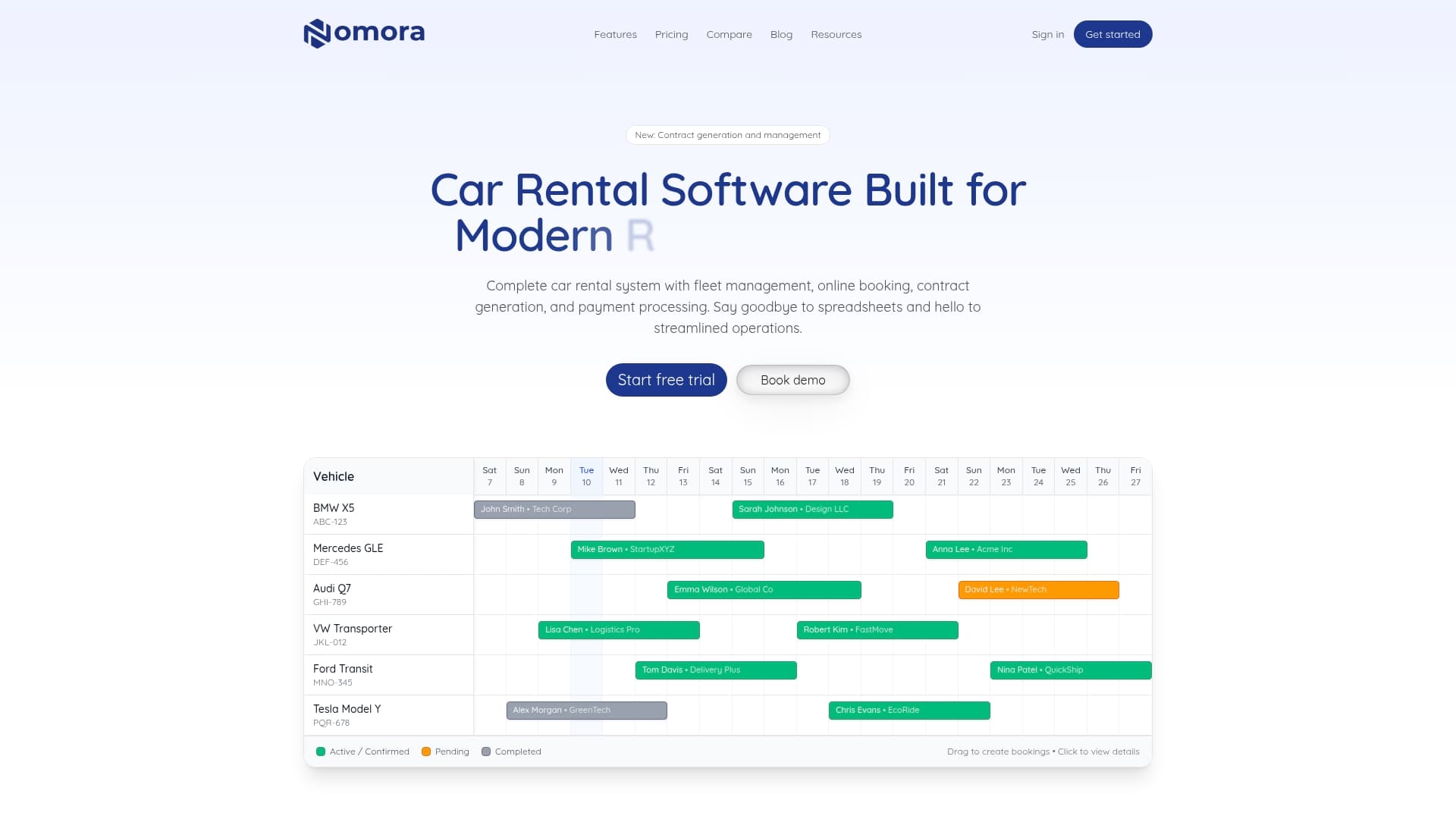
Nomora replaces manual data entry with automated billing cycles, conflict-free booking confirmations, and digitally generated contracts. Payment processing integrates directly with booking records, eliminating reconciliation errors. Setup takes 24–48 hours, and the platform scales from independent operators to franchise networks. Rental leaders can review use cases by business type to see how Nomora's automation applies to their specific operation, or go directly to the automated payments page to assess payment workflow improvements.
FAQ
What admin tasks benefit most from automation in rental companies?
Billing, booking confirmations, contract generation, and payment collection deliver the highest returns from automation. These tasks are rule-based, high-frequency, and directly tied to customer experience.
How quickly can rental companies see ROI from automation?
Quick-win automations like status notifications and recurring booking setups show ROI within 30 days of deployment. More complex billing and contract workflows typically show measurable returns within a full billing cycle.
What is the biggest risk when automating admin processes?
Automating a poorly designed workflow compounds existing problems rather than solving them. Data quality issues and legacy system gaps are the most common causes of failed automation projects.
How does automation reduce errors in rental billing?
A five-step manual billing process with a 5% error rate per step carries a 23% overall failure probability. Automation removes the handoffs that create that risk, applying consistent logic every time a transaction is processed.
Do rental companies need technical staff to implement automation?
Cloud-based platforms like Nomora are designed for rapid adoption without dedicated IT resources. Setup typically takes 24–48 hours, and workflow configuration uses guided templates rather than custom code.
Recommended
Ready to streamline your car rental business?
Book 30 minutes with the founder. We set up everything in this guide on your own vehicles, and migrate you out of Excel for free.