Accounting integration for a car rental company means your rental system sends every reservation, payment, deposit, fee and refund to your books in a form your accountant can use, without anyone retyping it. It works when the rental software and the accounting software agree on what each transaction is. The connection itself is the easy part. The real work is mapping, and a platform that holds reservations, contracts, payments and fleet data in one place gives you a single source to map from. That is the idea behind Nomora.
TL;DR
- Integration moves rental data (invoices, payments, deposits, taxes, fees) into your ledger automatically, so month-end closing stops being a retyping job.
- Build a rental-specific chart of accounts first. Mapping comes before connecting.
- Treat deposits as liabilities, record taxes as money collected for governments, and book payment processor fees as expenses.
- Test with a handful of real rentals, then reconcile payouts against bookings every week.
- Check who can change the mapping and keep a backup of your settings before you go live.
Table of Contents
What accounting integration covers in a rental business
A car rental company produces more transaction types than most small businesses. One booking can generate a base rate, an extra-day charge, a child seat, a fuel recovery, a toll, a security deposit, a damage charge, sales tax, and a card processing fee. Each one belongs in a different place in your books.
An integration should carry these records from the rental system to accounting:
- Invoices and contracts: the rental charge, add-ons and taxes, tied to the customer and the vehicle.
- Payments and refunds: card, cash and bank transfers, matched to the invoice they settle.
- Deposits: held and released amounts, kept apart from revenue.
- Fees and recoveries: fuel, cleaning, late return, traffic and toll recoveries, damage charges.
- Customer records: so each invoice lands on the right account.
- Vehicle-level data: so revenue and costs can be read per car or per class.
Without the link, someone exports a report, reshapes it in a spreadsheet and keys it in. That is where duplicate entries, missed refunds and wrong tax totals come from. For a corporate fleet manager the same logic applies to internal charge-backs: each department's usage should reach the ledger without manual reallocation.
Prepare the chart of accounts before you connect anything
The most common mistake is connecting first and sorting later. If the rental system sends everything to one "Sales" account, you have automated a mess.
The American Car Rental Association recommends an industry-specific chart of accounts that separates daily rental revenue, mileage or hourly add-ons, counter products, fuel recoveries, insurance recoveries, fees and penalties, and vehicle costs. If you run several locations or states, the same article recommends location- or class-based tracking, so you can analyze revenue and expenses by store, market or fleet type.
A workable starting layout looks like this:
| Rental system item | Where it lands in accounting |
|---|
| Base daily or weekly rate | Rental revenue |
| Extra mileage or hours | Rental revenue, separate line |
| Child seats, GPS, other add-ons | Ancillary revenue |
| Fuel recovery | Fuel recovery income, offset against fuel cost |
| Late return, cleaning, admin fees | Fees and penalties income |
| Damage charge | Damage recovery income, separate from repair cost |
| Security deposit held | Liability (customer deposits) |
| Sales or rental tax | Tax payable liability |
| Card processing fee | Merchant fee expense |
If you want a sense of how common recoveries and customer charges get classified on a rental marketplace, a classification of rental recoveries and ancillary charges shows how deposits, agreements and payments are kept as separate items.
Luxury and specialty operators should add classes for high-value vehicles. When one exotic car earns three times a economy car's revenue and carries far higher insurance, you want that visible per vehicle, not buried in a fleet average.
Deposits, taxes, fees and damage charges
This is where books go wrong, so settle the rules before the first sync.
Rental revenue and timing
Revenue is earned over the rental period, not on the day of payment. A large US operator's filing shows the pattern: vehicle rentals are recognized evenly over the rental period, deferred revenue is recorded when cash arrives before the service is delivered, and revenue is shown net of taxes collected for governments. That filing covers the 12 months ended December 31, 2023, and describes an average rental of about five days. You are not Hertz, and for short rentals many small companies book revenue at invoicing. For long rentals, monthly leases and prepaid bookings that cross a month-end, the timing matters. Ask your accountant which method applies to you and set the integration to match.
Deposits
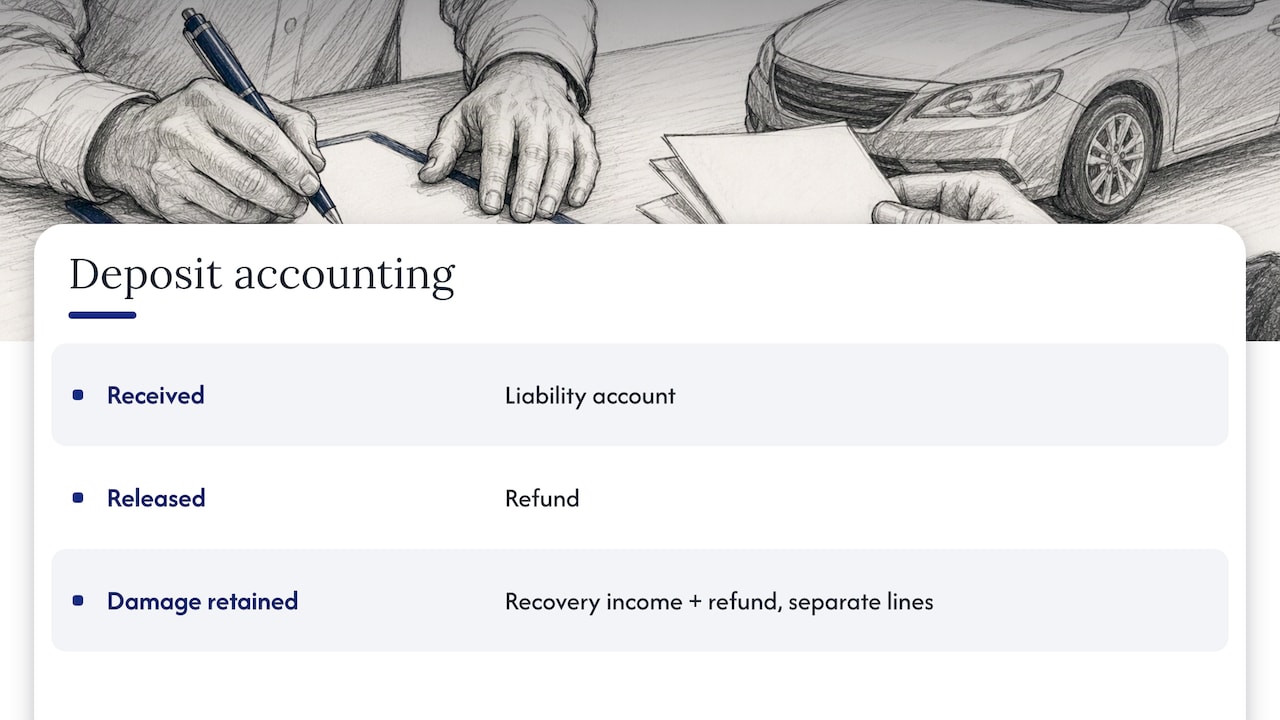
A security deposit is not income. It is money you owe back. Map it to a liability account when received and clear it on release. If part of it is kept for damage, the retained portion moves to damage recovery income, and the rest is refunded. Your system should record that split as separate lines, not as one edited amount.
Taxes
Taxes collected from the customer are owed to the state or locality, so they sit in a payable account, not in revenue. Rental taxes and fees vary by state and sometimes by city or airport, so set up each tax rate by location and confirm the rules with your CPA or state revenue department.
Processing fees
When a payment processor pays you out net of its fee, the deposit in your bank is smaller than the invoice. Record the invoice at its full amount and the fee as a separate expense. If you book the net amount as revenue, your income looks lower than it is and your bank match fails.
Damage charges
Keep the charge to the customer and the repair cost to your shop as two entries. One is income or a recovery, the other is a vehicle cost. Netting them hides how much damage really costs your fleet.
How to connect the rental system to accounting
The steps are the same whichever accounting package you use.
- Confirm what you will connect. List your accounting tool, payment gateway and the rental system. Check which transaction types the connection can carry: invoices, payments, refunds, deposits, taxes, customers.
- Clean the accounting file. Merge duplicate customers, close unused accounts, and add the rental accounts from the table above.
- Map each rental item to an account. Do this line by line, including each tax rate and each payment method. Unmapped items are what cause failed syncs.
- Choose the sync direction and timing. Decide whether invoices are sent as they are issued or in a daily summary, and who is allowed to edit synced records.
- Run a pilot. Push five to ten real rentals through, including one with a deposit, one refund, one damage charge and one multi-day rental that crosses month-end.
- Compare line by line. Check each total in accounting against the contract in the rental system.
- Go live and watch the first month. Review the sync log daily for the first two weeks.
A single platform simplifies steps 1 to 4. Nomora puts reservations, contract generation, payments, customer data and fleet management in one system, so the data you map comes from one place instead of several spreadsheets. It also offers integration options, including payment gateways and GPS tracking, and sets up in 24 to 48 hours according to our onboarding process.
Test the sync and reconcile every week

A sync that ran without errors is not the same as books that are right. Reconciliation is how you prove it.
Weekly checks
- Total of invoices issued in the rental system equals total of invoices in accounting for the same dates.
- Payments received match processor payouts plus recorded fees.
- Deposits held equal the open deposit liability balance.
- Every refund appears once, against the right customer.
Common sync problems and where they come from
| Symptom | Likely cause | Fix |
|---|
| Invoice missing in accounting | Item or tax rate not mapped | Add the mapping and resend |
| Duplicate invoice | Record edited after sync, or sync run twice | Void the copy, lock edits after sync |
| Bank deposit does not match | Processor fee netted, or several payments batched in one payout | Match to the payout report, book the fee separately |
| Deposit shows as revenue | Deposit item mapped to an income account | Remap to liability and correct the entries |
| Tax totals off | Wrong rate for the location | Fix the rate by branch and reprocess |
| Customer balance wrong | Duplicate customer records | Merge records in both systems |
Keep a short log: date, issue, cause, fix. After a month you will see which mappings need attention, and your accountant gets a clean trail at year-end.
Security, access and backups
An accounting connection moves customer names, payment records and financial totals between systems, so treat it like any other access point.
- Limit who can connect and change mappings. Give that right to one or two people, ideally the owner or the finance lead.
- Use individual logins. Shared passwords make it impossible to see who changed a record.
- Turn on two-step verification in both systems.
- Do not store full card numbers in either one. Use a payment gateway that holds card data for you.
- Export your chart of accounts and mapping settings before go-live and after any change, so you can restore them.
- Remove access promptly when a staff member leaves or a bookkeeper's contract ends.
If you serve customers in the EU, personal data handling also falls under GDPR. Nomora highlights GDPR compliance and cloud-based access as part of its platform.
Why the system you start from matters
Integration quality depends on the data going in. If bookings live in a calendar, contracts in documents and payments in a card terminal, you are mapping three sources and reconciling the gaps by hand. A rental platform that creates the booking, the contract and the payment record together reduces the points where figures can diverge. It also prevents conflicting bookings, which matter for accounting because a double-booked car produces credits and goodwill refunds that distort your numbers.
Our view
We think of rental software as the central nervous system of a rental operation: every reservation, contract, payment and vehicle movement passes through it, and the accounting ledger is only as reliable as what it receives.
That is why we build Nomora as one platform rather than a set of separate tools. Reservations, fleet management, automated contracts, payments and customer data sit together, so the charge on a contract and the payment against it come from the same record. Real-time automation is meant to cut manual entry, which is where most bookkeeping errors start.
Our advice to small and mid-sized operators, luxury and specialty renters and corporate fleet managers is the same: decide how deposits, taxes and fees should look in your books, then choose the system that produces those records cleanly. Every plan includes all features, with no hidden fees, so you can set up your accounting flow without worrying about which tier unlocks it.
Dizzy
Getting started with Nomora
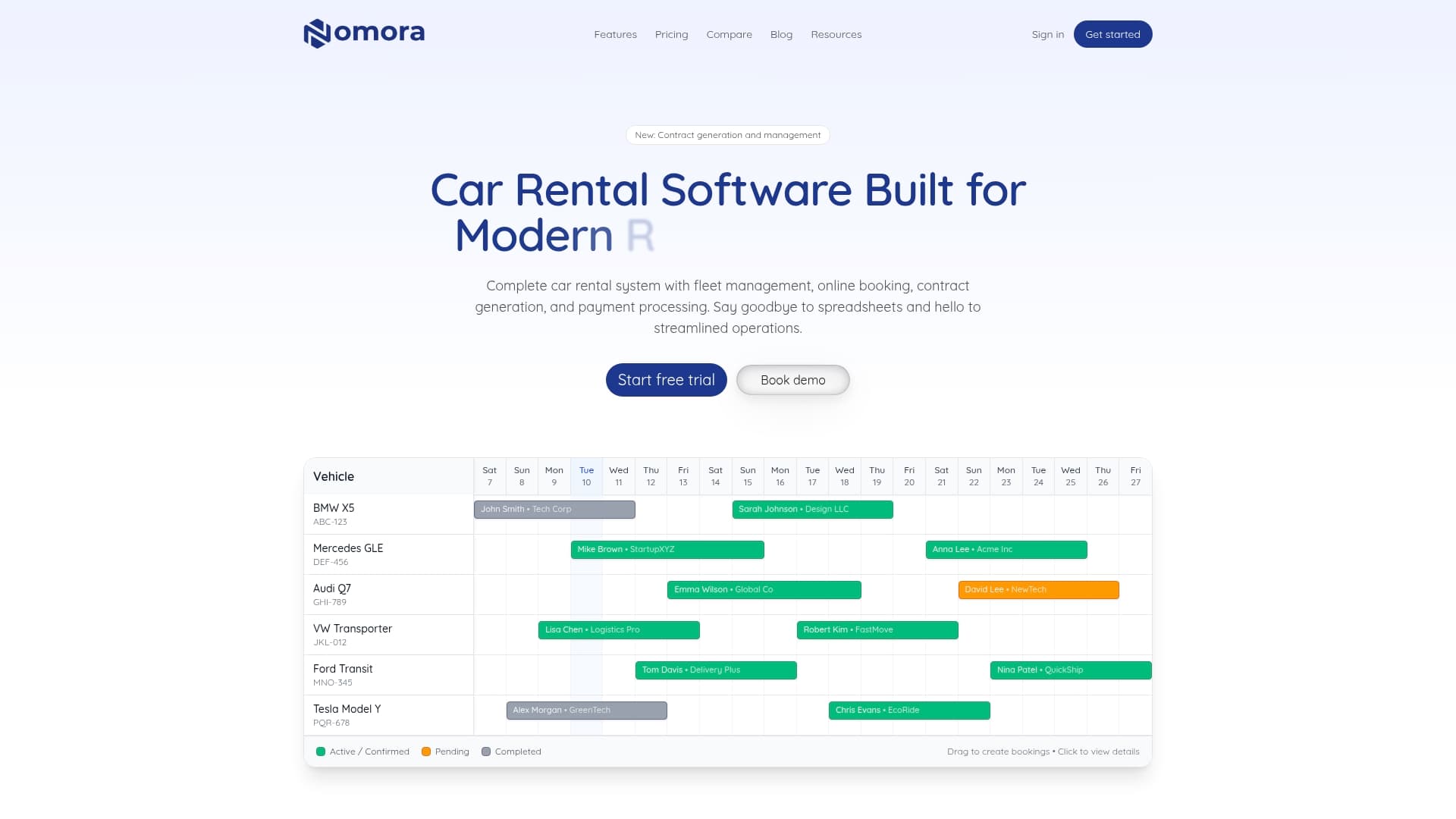
Nomora is a cloud-based rental management platform that replaces spreadsheets with one system for reservations, fleet, contracts, payments and customer data, accessible from any device. Plans are published on the Nomora pricing page: Starter is €45 per month, Business is €2.80 per vehicle per month, and Fleet is €2.20 per vehicle per month. Enterprise and payment processing have no published price. Every plan includes all features, and onboarding is designed to have you operational in 24 to 48 hours.
For a 30-car company, the Business plan works out to €84 per month at the published per-vehicle rate. That figure is simple arithmetic on the listed price: 30 vehicles at €2.80.
FAQ
Do I need a rental-specific chart of accounts?
It is strongly advisable. A generic chart lumps rental revenue, fuel recoveries, fees and vehicle costs together, which hides which parts of the business make money. A rental-specific chart of accounts separates them, and the integration then has clear destinations for each transaction.
Should security deposits be recorded as revenue?
No. A deposit is held for the customer and is a liability until you release it or keep part of it for a charge. Only the portion you retain becomes income, usually as a damage or fee recovery. Confirm the treatment with your accountant.
How often should I reconcile an integrated system?
Weekly is a sensible rhythm for most small and mid-sized fleets, and daily for high-volume operations. Compare invoices, payouts, deposits and refunds between the rental system and your ledger, then do a full close at month-end.
Why doesn't my bank deposit match my invoices?
Usually because the payment processor deducted its fee, or paid several bookings in one batch. Match the bank line to the processor's payout report, and record the fee as a separate expense instead of reducing revenue.
How long does setup take?
The mapping and pilot take the most time, because they depend on how clean your accounting file is. Nomora's onboarding is designed to have your rental operations running in 24 to 48 hours, and a pilot with real rentals confirms your accounting flow before you rely on it.
Sources
Ready to streamline your car rental business?
Book 30 minutes with the founder. We set up everything in this guide on your own vehicles, and migrate you out of Excel for free.