Role-based access control protects rental data by limiting who can touch bookings, payments, vehicle records, and customer information based on their job, not their login. The fastest path to safer operations is defining a small number of core roles and scoping each one to a specific branch or property. The checklist below walks through the rest, from role design to ongoing governance.
TL;DR:
- Most rental businesses should start with a small set of broad, branch-scoped roles to avoid role explosion and keep permission management simple.
- Combining RBAC with occasional attribute checks, like restricting high-risk actions to office hours, effectively addresses RBAC's context limitations.
- Enforcing multi-factor authentication, session timeouts, and activity logs on sensitive roles significantly enhances security.
- Assigning users to specific branches and regularly reviewing roles reduces accidental access errors and simplifies onboarding and offboarding.
- Using Nomora's platform, which integrates these best practices, can streamline implementation and improve ongoing access governance.
Table of Contents
1. What RBAC is and how it compares to ABAC
Role-based access control (RBAC) assigns system permissions to defined roles, such as branch agent or regional manager, rather than to individual employees. The NIST RBAC model, formalized as the INCITS 359 standard, groups permissions into roles and then assigns users to those roles, so access changes when someone changes jobs rather than requiring a one-off edit for every account. This structure keeps administration predictable: add a new branch agent, assign the Agent role, and the correct permissions apply automatically.
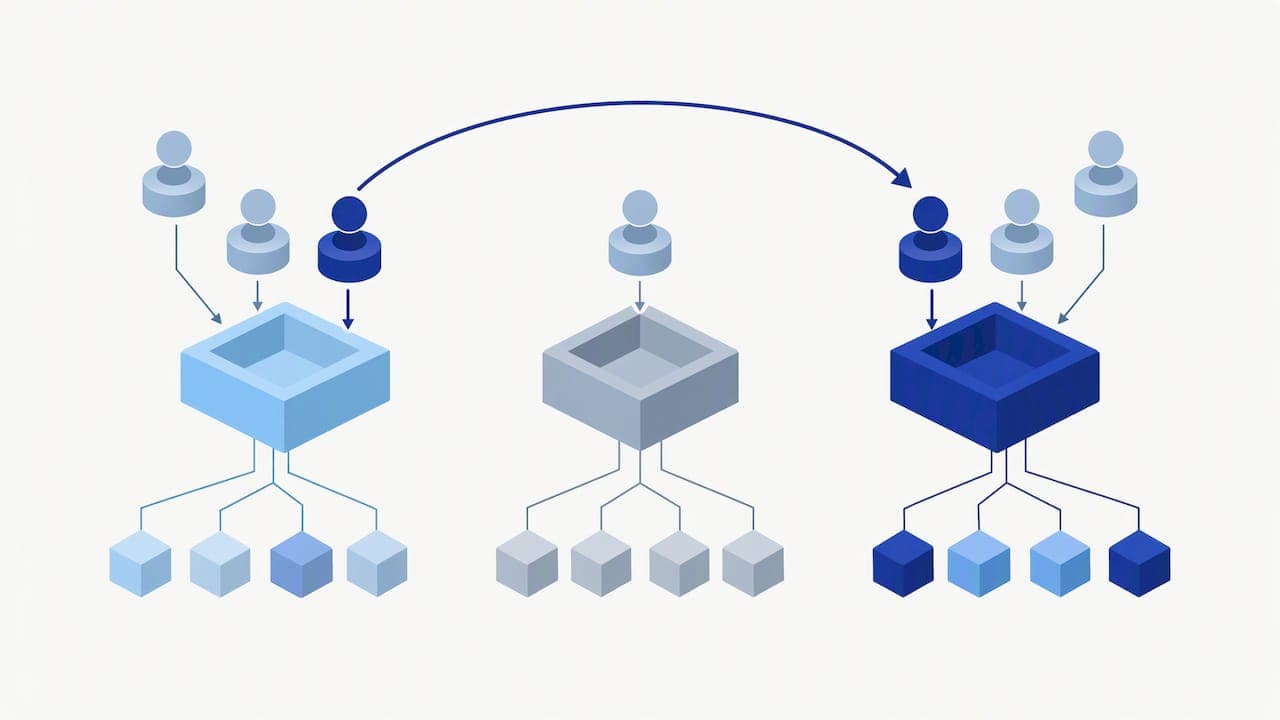
Attribute-based access control (ABAC) takes a different approach. Instead of fixed roles, it evaluates attributes like time of day, location, or device type to decide access in real time, as described in NIST's ABAC guidance.
For most rental businesses, the simpler model wins on day-to-day usability:
- RBAC fits businesses with stable job functions and a manageable number of branches.
- ABAC fits businesses that need rules like "only allow refunds from the branch's own network" or "restrict contract access after business hours."
- Many rental operations start with RBAC and layer in a handful of attribute checks later, rather than building a fully dynamic system from the start.
2. Permission controls and role templates that fit rental teams
Rental software permissions generally break down into a handful of action types: read, create, edit, and delete records, plus finance actions (refunds, discounts, payment capture), contract signing authority, and GPS or vehicle location access. Each role should get only the actions its job actually requires, scoped to a specific branch or property rather than the whole fleet.
A short set of role templates covers most rental operations:
- Owner: full access across all branches, including financial reports and system configuration.
- Regional manager: edit and approve access across assigned branches, with finance visibility but limited system settings.
- Branch agent: create and edit bookings and customer records at one branch, without discount or refund authority.
- Maintenance staff: read and edit vehicle status and GPS data, with no access to payments or customer contracts.
- Viewer: read-only access for accountants, auditors, or franchise partners who need visibility without edit rights.
Branch or property scoping matters as much as the role itself. A branch agent in one city should never see another city's bookings by default, and new users should be assigned to their specific branch rather than defaulted to "all branches." Nomora's approach to role templates across business types illustrates how administrators, fleet managers, agents, and customers each get a distinct scope.
Pro Tip: Pair every sensitive role with multi-factor authentication and a session timeout, so a stolen password alone can't unlock financial or contract actions.
3. Benefits, limits, and common risks to plan around
Done well, RBAC gives rental managers least-privilege access by default: agents see what they need for their shift and nothing more, which cuts accidental edits to the wrong branch's bookings and makes audits far easier to run, since activity ties back to a role with a known scope.
The limits are real, though. Two problems come up repeatedly:
- Role explosion: creating a new role for every minor variation in duties leads to dozens of overlapping roles that nobody manages well.
- Context blindness: RBAC alone cannot express rules like "block refunds outside business hours," since roles don't account for time, location, or device.
Practitioner experience and NIST's own analysis point to role explosion as a common operational failure, and the fix is a conservative role hierarchy: a handful of broad roles with branch scoping beats dozens of narrow ones. Combining RBAC with occasional attribute checks, such as restricting high-risk actions to office hours, closes most of the context gap without rebuilding the whole permission system. CISA's guide to securing remote access reinforces this: reduced-privilege modes for routine tasks, paired with periodic access reviews, catch the gaps that role design alone misses.
4. Step-by-step implementation checklist for rental systems
Rolling out role-based access doesn't require a system overhaul. A staged approach keeps the work manageable and limits disruption to daily bookings.
- Inventory users and branches. List every current user, their branch, and the systems they touch (bookings, payments, GPS, contracts).
- Flag sensitive resources. Identify which data needs tighter control: payment capture, refunds, contract signing, and customer personal information usually top the list.
- Design three to five core roles. Match the templates above to your actual job functions, then scope each role to a branch or property.
- Document privileges. Write down what each role can and cannot do, so onboarding doesn't rely on memory or tribal knowledge.
- Pilot with one branch. Test real tasks: editing a booking, issuing a refund, signing a contract. Fix gaps before rolling out further.
- Enforce technical controls. Turn on MFA, set session timeouts, and enable activity logging so every sensitive action has a record.
- Build onboarding and offboarding workflows. New hires get the right role on day one; departing staff lose access the same day, not weeks later.
- Schedule governance reviews. Revisit roles quarterly, or after any reorganization, and have a plan for responding to suspicious access attempts.
Pro Tip: Run the pilot branch's edits, refunds, and contract signing as real test cases, not hypotheticals. Problems with scoping show up fast when actual staff try actual tasks.
5. Operational best practices and security controls that hold up
Applying least privilege is the single highest-impact habit a rental business can adopt. CISA's remote access guidance recommends reduced-privilege modes for routine work and reserving admin rights for the rare cases that genuinely need them, a principle that applies directly to rental management systems handling remote and multi-location access.
A few controls consistently separate well-run systems from exposed ones:
- Enforce MFA on every account with finance or contract authority, not just admin logins.
- Scope every new user to their actual branch rather than defaulting to full fleet access.
- Keep the list of full-admin accounts short and reviewed regularly.
- Log sensitive actions (refunds, contract edits, deletions) so audits have a clear trail.
Nomora builds several of these controls into its platform directly: two-factor authentication, branch-level scoping for permissions, and onboarding that's typically operational within a few days, paired with real-time visibility into bookings and fleet status across locations.
Reduced-privilege modes for everyday tasks, combined with multi-factor authentication, are among the practical, high-impact controls CISA recommends for securing remote access.
6. What changes when rental operations get their roles right
Defined roles cut training time noticeably: a new branch agent learns one clear set of permissions instead of guessing what they're allowed to touch. That clarity also reduces the small, costly mistakes that come from someone having more access than their job requires, like an agent accidentally voiding a contract meant for another branch.
The governance side is simpler than most managers expect. A quarterly review of who holds which role, paired with same-day offboarding, removes most of the friction that makes access control feel like a burden. Start with three or four roles, run them for a month, and adjust based on what actually confuses people rather than what looks tidy on paper.
— Dizzy
Nomora: putting role-based access to work without the setup slog

Everything in this guide, branch scoping, MFA, role templates for agents and managers, least-privilege defaults, is built into Nomora's car rental platform rather than left for your team to configure from scratch. New accounts are typically operational quickly, and plans include a comprehensive feature set for security controls. Branch-level permissions mean a new hire in one location does not see another branch's bookings by default, and real-time visibility helps managers monitor activity across locations.
If you're ready to see how it fits your fleet, check Nomora's pricing plans or review the full feature set to compare against your current setup.
FAQ
What is role-based access control?
Role-based access control assigns system permissions to defined roles, like branch agent or manager, instead of to individual user accounts. The NIST RBAC model groups permissions by role so access updates automatically when someone's job role changes.
What are the disadvantages of role-based access control?
The main drawback is role explosion: creating too many specialized roles makes the system harder to govern and audit over time. RBAC also struggles with context-sensitive rules, such as restricting access by time of day or location, since it evaluates only the assigned role.
What is the difference between rule-based and role-based access control?
Role-based access control grants permissions according to a user's assigned role, such as manager or agent. Attribute-based models, described in NIST SP 800-162, instead evaluate attributes like time, location, or device to make access decisions dynamically.
Is RBAC or ABAC the better choice?
Neither model is universally better: RBAC offers simpler administration for businesses with stable job functions, while ABAC handles dynamic, context-sensitive rules that roles alone can't express. For most rental businesses, RBAC with careful branch scoping provides a practical balance of security and ease of management, with attribute checks added only where needed.
Sources
Recommended
Ready to streamline your car rental business?
Book 30 minutes with the founder. We set up everything in this guide on your own vehicles, and migrate you out of Excel for free.