TL;DR:
- Automating payment tracking reduces errors, saves time, and improves cash flow visibility.
- Key tools include rental management software, payment processors, and accounting integrations with webhook alerts.
- Continuous monitoring and refining KPIs like reconciliation time and late payment rate ensure ongoing system efficiency.
Running a small or mid-sized vehicle rental company means juggling reservations, fleet maintenance, customer contracts, and cash flow, all at once. For many owners, tracking rental payments still means spreadsheets, sticky notes, and manual bank reconciliations that eat hours every week. Missed payments, duplicate charges, and late fee disputes are not just annoying, they directly shrink your margins. The good news is that automation is no longer reserved for large enterprise fleets. With the right tools and a clear setup process, you can build a payment tracking system that runs reliably in the background, catches problems early, and gives you real-time visibility into your cash flow.
Table of Contents
Key Takeaways
| Point | Details |
|---|
| Automate with integrations | Combining rental management, payment, and accounting tools is the foundation for reliable payment tracking. |
| Monitor KPIs | Regularly measure metrics like late payment rate and reconciliation time to fine-tune your process. |
| Handle edge cases proactively | Automations like webhooks and notifications protect against failed payments, chargebacks, and fraud. |
| Prefer cloud solutions | Cloud-based platforms offer SMBs lower costs and easier scaling than manual or on-premise alternatives. |
Core requirements for automated rental payment tracking
Before you configure anything, you need to understand what a working payment tracking stack actually looks like. Think of your rental management software as the central nervous system of your operation. Every payment, contract, and customer record flows through it. Without that core system in place, individual tools like payment processors or accounting apps work in isolation and create more confusion than clarity.
As outlined in the integration guide, dedicated rental management software plus payment and accounting integrations form the automation backbone. That same resource confirms that Stripe, PayPal, QuickBooks, and Xero power automatic payment matching and invoice sync, which eliminates the manual reconciliation step that wastes so much time.
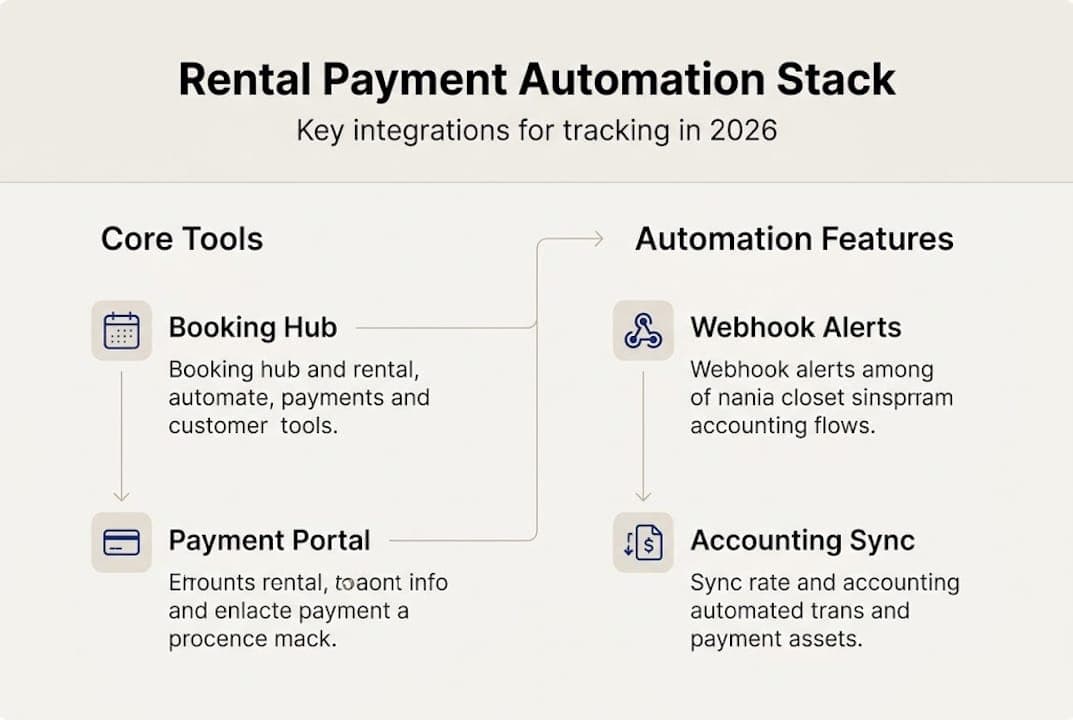
Here is a breakdown of the core tools you need and what each one does:
| Tool | Role | Automation capability |
|---|
| Rental management software | Central hub for bookings, contracts, payments | High: automates billing cycles, reminders, records |
| Payment processor (e.g., Stripe) | Handles card charges, holds, refunds | High: tokenization, webhooks, recurring billing |
| Accounting integration (e.g., QuickBooks) | Syncs invoices and reconciles transactions | Medium-High: auto-match, export, reporting |
| GPS mileage sync | Links vehicle usage data to billing | Medium: triggers mileage-based charges |
The features you should specifically look for in any platform include card tokenization (storing a secure card reference instead of raw card data), deposit hold management, recurring billing for long-term rentals, and webhook alerts for failed payments.
Common payment challenges that automation directly solves:
- Late or missed payments with no automatic follow-up
- Missing payment records when cash and card transactions are mixed
- Duplicated charges from manual data entry errors
- Deposit refund delays caused by disconnected systems
- Reconciliation errors between your rental system and accounting software
For smaller operations, explore rental software for small fleets to see which feature tiers match your current volume. You can also review software use cases to see how other rental businesses have structured their stacks.
Pro Tip: Cloud-based SaaS platforms are almost always the right choice for small to medium fleets. Lower upfront costs, automatic updates, and 24/7 access from any device make them far more practical than custom-built or on-premise systems.
Step-by-step: Setting up automated tracking
With your toolkit defined, here is how to put it all into action, step by step.
-
Set up your payment processor. Start with a processor like Stripe. Enable card tokenization so customer card details are stored securely as tokens, not raw numbers. Configure webhook alerts to notify your system instantly when a payment succeeds, fails, or is disputed.
-
Connect your payment processor to your rental management system. Most modern rental platforms offer native integrations or API connections. Map your booking types (daily, weekly, long-term) to the correct billing rules within the integration settings.
-
Configure deposit handling. Set up pre-authorization holds for security deposits at the time of booking confirmation. Define your release rules so deposits are automatically returned within your stated timeframe after a clean vehicle return.
-
Enable recurring billing for long-term rentals. For customers on monthly or extended contracts, configure automated charge schedules tied to contract start dates. This eliminates manual invoicing and reduces late payment risk significantly.
-
Sync your accounting software. Connect QuickBooks or Xero to your rental platform. Enable automatic invoice creation and payment matching so every transaction is recorded without manual entry.
As the integration guide explains, auto-charge capture at return, deposit handling, and recurring billing are the key payment tracking mechanics that make the whole system work reliably.

Here is how the main setup approaches compare:
| Setup type | Cost | Maintenance | Best for |
|---|
| Cloud SaaS rental platform | Low monthly fee | Managed by vendor | SMBs, fast setup |
| On-premise/self-hosted | High upfront | IT team required | Large, custom operations |
| Manual spreadsheets | Free | High time cost | Fleets under 5 vehicles |
For guidance on reducing contract friction alongside payment setup, the article on streamlined contract workflows is worth reading. Once you are ready to evaluate specific tools, check the automated payment software options and compare against pricing details to find the right tier.
Pro Tip: Integrate Stripe first. It offers the cleanest webhook infrastructure, the most straightforward accounting exports, and the broadest documentation for troubleshooting edge cases.
Advanced tips: Handling payment issues and anomalies
Once your system is running, automation also protects you from the rare but costly payment pitfalls.
The most important mechanism here is the webhook. A webhook is a real-time notification sent from your payment processor to your rental system the moment a specific event occurs, like a failed charge or a dispute filing. Without webhooks, you find out about problems only when you manually check your dashboard. With them, your system can trigger an automated retry, send a customer notification, or flag the booking for review, all within seconds.
According to the integration guide, webhooks enable quick failed payment detection, idempotency keys prevent duplicates, and PCI tokenization avoids storing card data. An idempotency key is a unique identifier attached to each payment request that tells the processor to treat repeated requests as the same transaction, not a new charge. This is critical when network errors cause a request to be sent twice.
For fraud prevention, webhooks and anomaly detection tools help reduce fraud in vehicle rentals by flagging unusual patterns before they escalate.
Common edge cases and how to handle them:
- Failed payments: Webhook triggers automatic retry after 24 hours, then sends a customer email with a payment link
- Chargebacks: Automated dispute notification gives you time to submit rental contract evidence before the deadline
- Multi-currency rentals: Use a processor that supports dynamic currency conversion and stores the original charge amount for accurate reconciliation
- Deposit refund delays: Set automated release rules tied to vehicle return status in your rental system
- Duplicate charges: Idempotency keys at the API level prevent this entirely
The integration guide also covers chargeback and dispute best practices in detail, which is worth reviewing before you go live. For contract-level protections that support dispute resolution, see the guide on automation to prevent errors.
Critical compliance note: Never store raw customer card numbers in your system, database, or spreadsheets. PCI DSS (Payment Card Industry Data Security Standard) compliance requires that card data be tokenized by your payment processor. Violations can result in heavy fines and loss of payment processing privileges.
Measuring success: KPIs and continuous improvements
To justify your investment and sustain improvement, you need to track the right metrics and continuously optimize.
The metrics that matter most for rental payment operations are:
| KPI | Recommended benchmark | How to measure |
|---|
| Payment reconciliation time | Real-time or under 1 hour | Accounting sync reports |
| Late payment rate | Under 5% of total invoices | Payment platform dashboard |
| Automated reminder ROI | Positive within 60 days | Compare late fees before/after |
| Fleet utilization rate | 70 to 85% | Fleet utilization reporting |
As noted in the integration guide, you should monitor reconciliation time, late payment rate, and ROI from automated reminders as your primary operational benchmarks. Fleet utilization, which targets 70 to 85% for optimal revenue and maintenance balance, is directly supported by integrated payment tracking because it ties vehicle availability to billing status in real time.
One figure worth highlighting: businesses that implement automated payment tracking typically see an 80% reduction in manual data entry, which translates directly into fewer errors and faster month-end closes.
Actionable ways to keep improving your results:
- Refine your automated reminder timing based on which intervals produce the fastest payment responses
- Review your integration settings monthly to catch any failed syncs or mapping errors
- Analyze dispute data quarterly to identify which booking types generate the most chargebacks
- Use cloud solutions for car rentals to benchmark your metrics against industry patterns
- Adjust deposit amounts seasonally if your fleet sees higher damage risk during peak periods
The goal is not to set up automation once and forget it. Treat your payment workflow as a system that improves over time as you feed it better data and tighter rules.
Why most rental payment tracking guides miss the mark
Most guides on this topic walk you through tool selection and basic setup, then stop. What they rarely address is the messy reality of running a mixed-payment rental operation where some customers pay cash, some use cards, and a few dispute charges months after the rental ended.
The honest truth is that manual spreadsheets work for fleets under 5, but they scale poorly and cloud SaaS wins on both cost and access as soon as you grow beyond that point. What the guides also miss is the risk of custom software. Many SMB owners are tempted by the idea of building something tailored to their exact workflow. In practice, custom builds require ongoing developer support, break during payment processor updates, and rarely include the compliance features that SaaS platforms maintain automatically.
The other gap is anomaly handling. Industry advice often treats edge cases like chargebacks, multi-currency transactions, and cash-card mixing as footnotes. For rental businesses, these are weekly realities. Investing in a platform that handles them natively, rather than patching them manually, is what separates businesses that grow smoothly from those that plateau. The cloud transformation for rentals shift is not just about convenience. It is about building a payment operation that is resilient enough to handle real-world complexity without burning out your team.
Pro Tip: Even for a fleet of 8 to 10 vehicles, basic automation pays back within the first quarter through fewer billing errors, faster reconciliation, and reduced time spent chasing late payments.
Automate your rental payments with Nomora
If you are ready to move beyond spreadsheets and disconnected tools, Nomora brings together everything covered in this guide into a single platform. From payment processor integration and automated deposit handling to real-time reconciliation and fleet utilization reporting, the platform is built specifically for rental businesses that want to grow without adding administrative overhead.
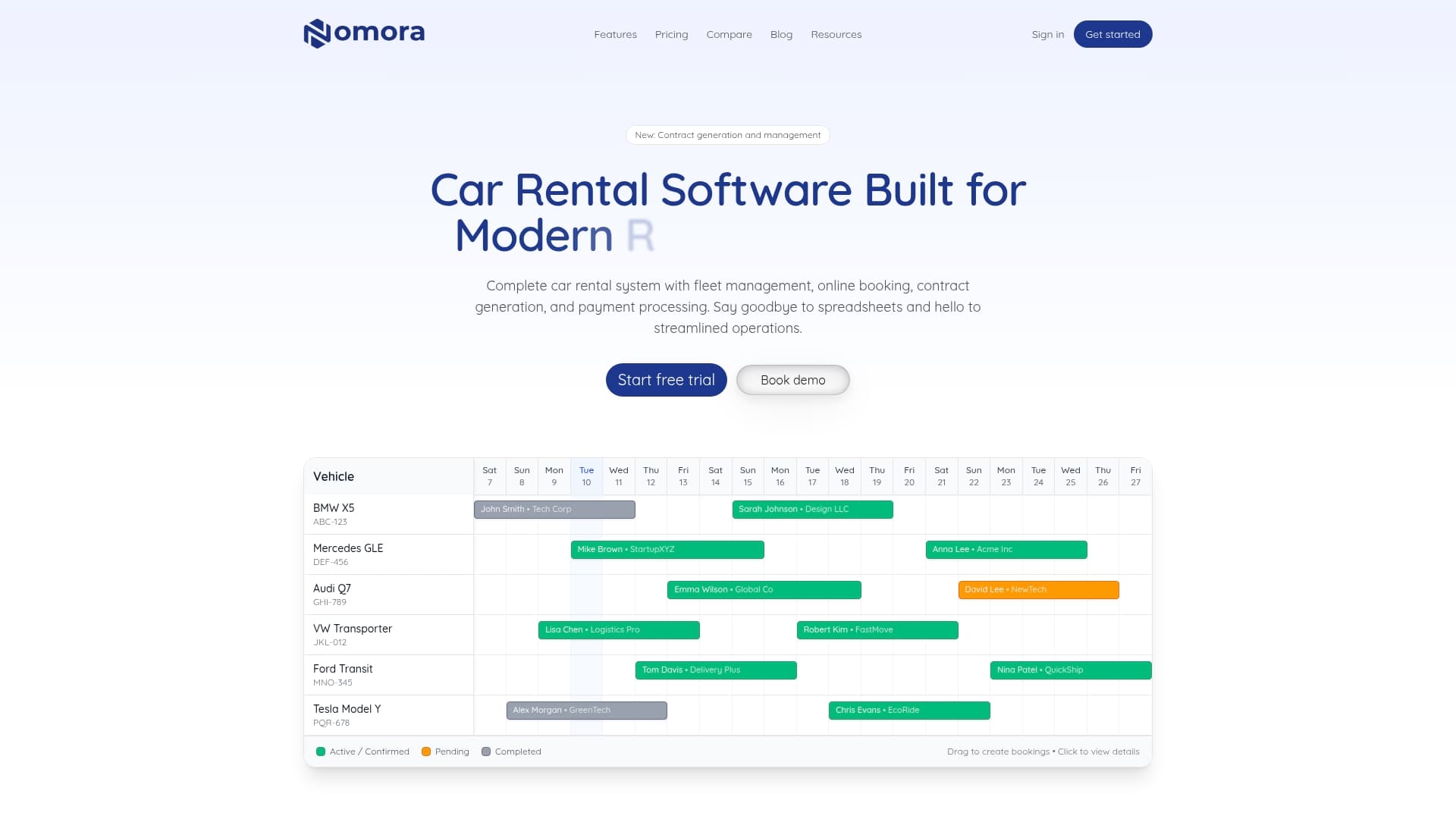
Nomora connects directly with leading payment gateways and accounting tools, so setup takes 24 to 48 hours rather than weeks. Whether you manage 5 vehicles or 500, the Nomora software use cases page shows how operators at every scale have structured their payment workflows. Explore the automated payment solutions or visit the all-in-one management platform to see how it fits your operation.
Frequently asked questions
What is the most cost-effective way to track rental payments for small fleets?
Cloud-based rental management software with a built-in payment processor provides automation and security at lower upfront cost than custom or on-premise solutions, making it the practical choice for small to medium fleets.
How can I automate late fee reminders for rental customers?
Integrate your payment platform with automated invoice reminders and scheduled notifications to reduce late payments and eliminate manual follow-up from your workflow.
How do I handle payment disputes and chargebacks efficiently?
Use payment system features like webhooks and automatic dispute notifications to catch and resolve chargebacks promptly, giving you time to submit supporting documentation before processor deadlines.
What are the key metrics to measure rental payment process efficiency?
Track payment reconciliation time, late payment rate, fleet utilization, and ROI from automated reminders as your core benchmarks for a healthy payment operation.
Recommended
Ready to streamline your car rental business?
Book 30 minutes with the founder. We set up everything in this guide on your own vehicles, and migrate you out of Excel for free.