Yes, a US car rental agreement can be signed electronically and still hold up. Federal law says a contract may not be denied legal effect solely because it is in electronic form. What decides whether your e-signed agreement is defensible is the process around the signature: clear consent, a record of who signed what and when, a verified driver, and storage you can retrieve years later. This guide covers each of those pieces and how to put them in place at a rental business.
You will leave with a working framework: what the law requires, what to capture, how to handle driver's licenses and scanned documents, and a step-by-step rollout plan.
TL;DR
- E-signatures on rental agreements are valid under the federal ESIGN Act and state UETA laws, provided the process shows intent to sign and consent to go electronic.
- A signature alone is a weak record. Keep the audit trail: signer name, timestamp, IP address, the exact document version and the signed copy.
- Scan the driver's license at the counter or during online check-in, link it to the customer profile and the contract, and store it in encrypted form.
- Roll out in stages: template, consent screen, ID capture, signing, storage, then train staff on the walk-through.
- Software that generates the contract, takes payment and stores documents in one record removes most of the manual handoffs.
Table of Contents
What an e-signature means for a rental contract
Under ESIGN, an electronic signature is an electronic sound, symbol or process attached to or logically associated with a record and adopted by a person with the intent to sign it. In rental terms, that covers a finger signature on a tablet, a signature pad at the counter, a typed name with a clear "I agree" action, or a tap-to-sign link sent to a customer's phone.
Two things are worth separating:
- An electronic signature is the act of agreeing to a record electronically. This is what your renter does.
- A digital signature in the strict technical sense is cryptographic and tamper-evident. Many e-signature tools use it behind the scenes to seal the finished document.
You will also see the phrase "auto signature" in search results. In the automotive trade it usually refers to signatures applied to vehicle purchase, title and financing documents in dealership workflows. A rental agreement is a different document, but the same legal principles apply.
Are e-signed rental agreements legal in the US?
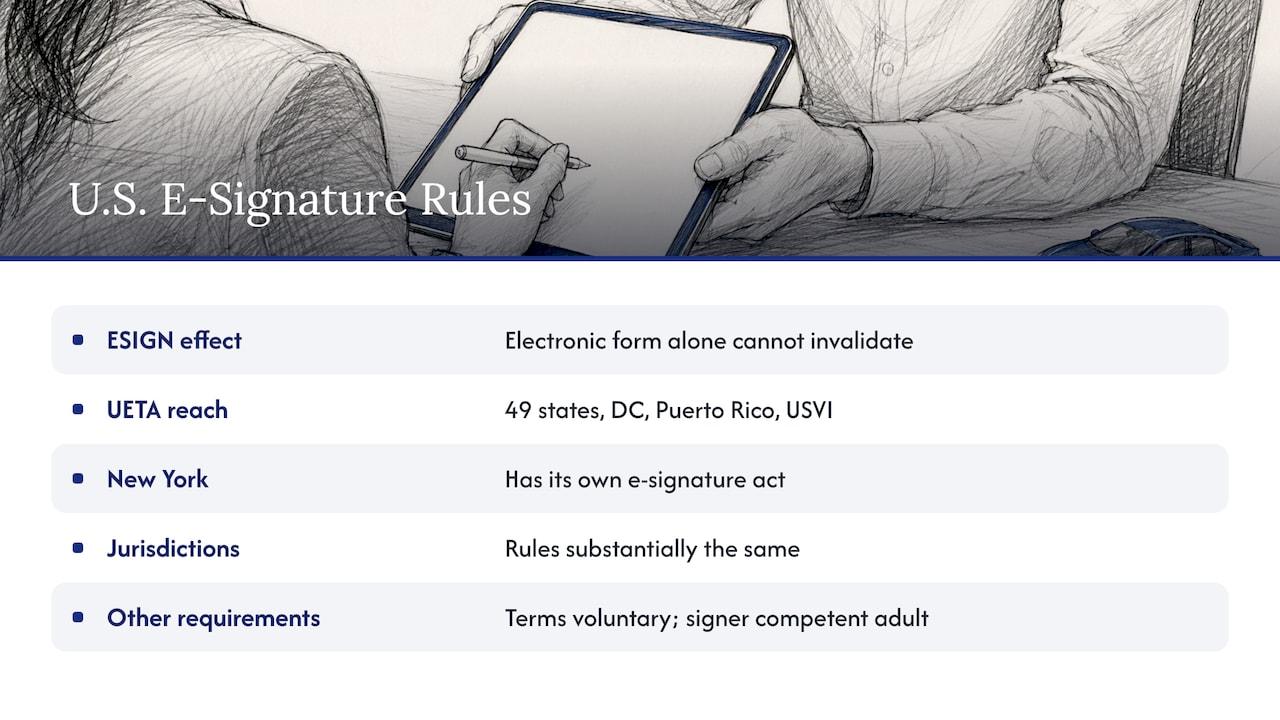
They are. Under 15 U.S.C. § 7001(a), a signature, contract or other record relating to a transaction in or affecting interstate or foreign commerce cannot be denied legal effect, validity or enforceability solely because it is electronic. A contract also cannot be denied effect solely because an electronic signature or record was used in forming it.
ESIGN works alongside state law. The Uniform Law Commission's UETA, drafted in 1999, has been adopted by 49 states, the District of Columbia, Puerto Rico and the U.S. Virgin Islands. New York is the exception, with its own Electronic Signature and Records Act. In practice, the rules are substantially the same across US jurisdictions.
That settles the form question. It does not settle everything. ESIGN removes the objection that a signature is electronic, but other doctrines that govern paper agreements still apply. Terms still need to be conspicuous, specific and voluntary, and the signer must be a competent adult. If you rent in several states, have your attorney review your template against each state's rules on fees, damage waivers and insurance disclosures.
What makes an e-signed agreement hold up
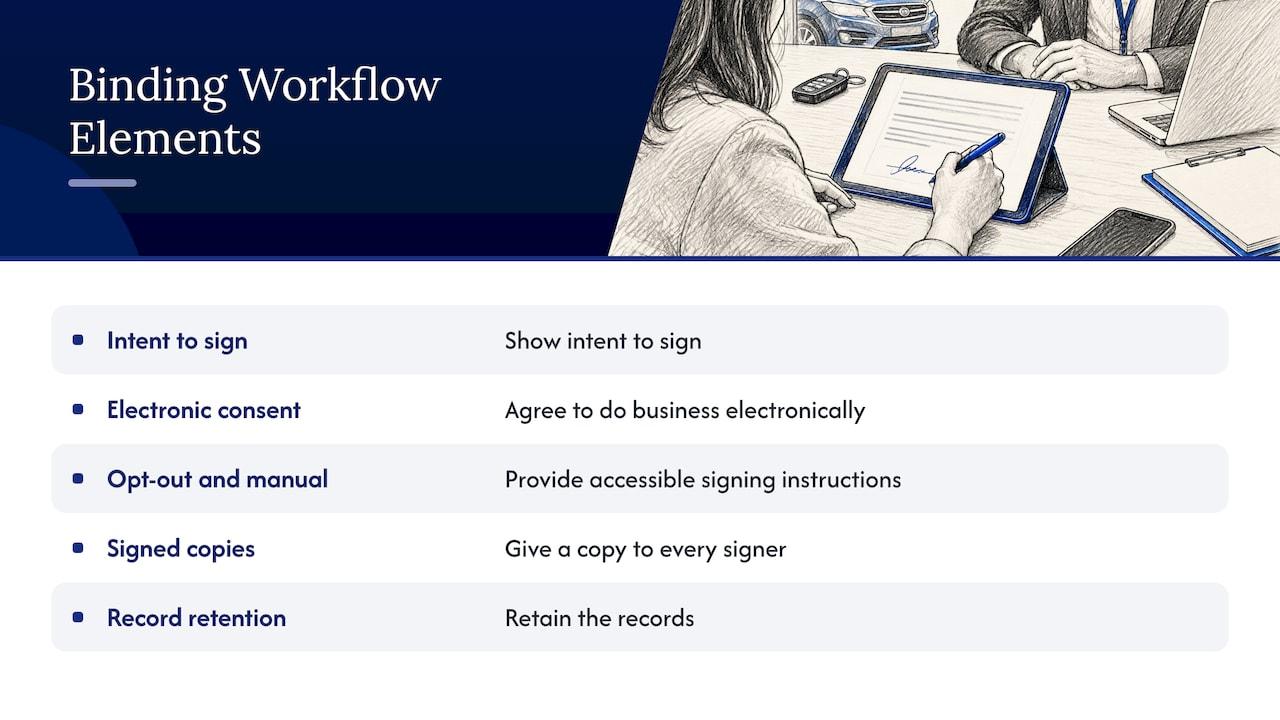
The recommended elements of a binding electronic signature workflow are intent to sign, consent to do business electronically, accessible instructions for opting out and signing manually, signed copies for every signer, and record retention. Here is how each one translates to a rental counter or an online booking flow.
Intent and clear actions
The renter should take a deliberate action: tap "agree", draw a signature, initial key sections. An older industry piece on signature pads notes that when customers choose agree or decline and initial the key portions of the agreement, it builds a sense of ownership and slows the process enough for a real conversation between agent and customer. That advice still works on a tablet or a phone.
Consent to electronic records
Where a consumer is involved, the consent steps matter. The consumer must have affirmatively consented to electronic delivery and not withdrawn that consent. Before getting consent, the business discloses the right to a paper copy, the right to withdraw consent and any consequences or fees, and the hardware and software needed to access and keep the records.
In practice, that means a short consent screen before the contract, with a checkbox that is not pre-ticked, a plain statement that paper is available on request, and a way to reach you if the customer changes their mind. A simple checklist of what a person should see and sign before a vehicle changes hands, such as the one in this guide to what to sign at pickup, is a useful model for building your own handover sequence.
A copy for everyone who signs
Email the signed PDF to the renter and to any additional driver who signs. Keep the same file in your system. This satisfies the "signed copies" element and removes the most common dispute: "I never got a copy."
Retention you can reproduce
Under ESIGN's retention rule, an electronic record satisfies a legal retention requirement only if it accurately reflects the contract and stays accessible in a form that can be reproduced accurately. Storing a screenshot or a flattened image on someone's laptop does not meet that bar. Store the finished, tamper-evident document in a system with permissions and backups.
What to capture beyond the signature
A signature image on its own proves little. Most e-signature tools confirm that a document was signed by recording a timestamp, IP address and name, and they do not check the signer against a government-issued credential. ESIGN and UETA do not set a specific identity-verification standard for ordinary agreements. The signature must be attributable to the signer, so the platform has to capture enough to show that the person signed. A typical audit trail for a service waiver includes the signature image, IP address, timestamp, user agent, verified email address and a hash of the document version the signer saw.
For a rental business, a practical audit record per contract looks like this:
| Item | Why it matters |
|---|
| Signer name and email or phone | Ties the signature to the person on the reservation |
| Timestamp and IP address | Shows when and from where the agreement was signed |
| Document version or hash | Proves which terms the customer saw |
| Consent record | Shows the customer agreed to electronic records |
| Initials on key sections | Documents that fees, deposits and damage terms were reviewed |
| Linked license image | Connects the signer to a checked ID |
| Final signed PDF | The record you retrieve in a dispute |
The last concern in that list is the most common in rental. Customers sometimes claim they did not agree to certain charges. The advice in the industry coverage is to make the paper terms available for review and to walk through all parts of the agreement, total charges and optional product selections before signing. The e-signature records that conversation. It does not replace it.
Driver's licenses and document scanning
The signature is only half of the file. The renter's license is the other half, and it should live in the same record.
Requirements differ by company. One large operator in the US, for example, requires the renter and every authorized driver to present a valid, unexpired and original driver's license at rental, and does not accept digital licenses, photocopies or learner's permits. Set your own policy, write it into your terms and apply it the same way every time.
What a good scanning workflow does
- Captures both sides of the license in good light, either with a scanner at the counter or through a phone upload during online check-in.
- Checks authenticity. Tools in this space range from UV scanners that read hidden security features to products that run forensic-level authenticity checks and store ID images in encrypted form. Rental businesses are expected to follow identity-related rules, including FTC guidelines and Red Flag Rules.
- Reads the data (name, license number, expiry, date of birth) into the customer profile so staff do not retype it.
- Links the images to the contract so one search returns the signed agreement, the license and the payment.
- Restricts access to the people who need it, since a license image is sensitive personal data.
For deeper detail on the verification step, see our guides on identity verification steps that speed up pickups and driver license verification for rental fleets. If you serve overseas visitors, the page on international driver verification covers that case.
How long to keep documents
Retention is a business and tax question as well as a contract question. Different records carry different retention periods, and your accountant and attorney should set the schedule. Our article on record retention for US car rentals explains how automation helps you keep the records you need and find them quickly.
How a signature moves through a rental, step by step
Long-term rentals show the pattern clearly. At one national operator, the first agreement is provided at pick-up. Later agreements are created remotely and emailed, and the renter reviews and signs each one electronically and provides the current mileage. Reservations over 28 days are processed in 28-day increments.
A smaller operator can follow the same sequence for any rental:
- Booking. The customer reserves and receives a link for online check-in, or you collect details at the counter.
- Consent. The customer sees the electronic-records consent and agrees.
- Identity. The license is scanned and checked, and stored against the customer.
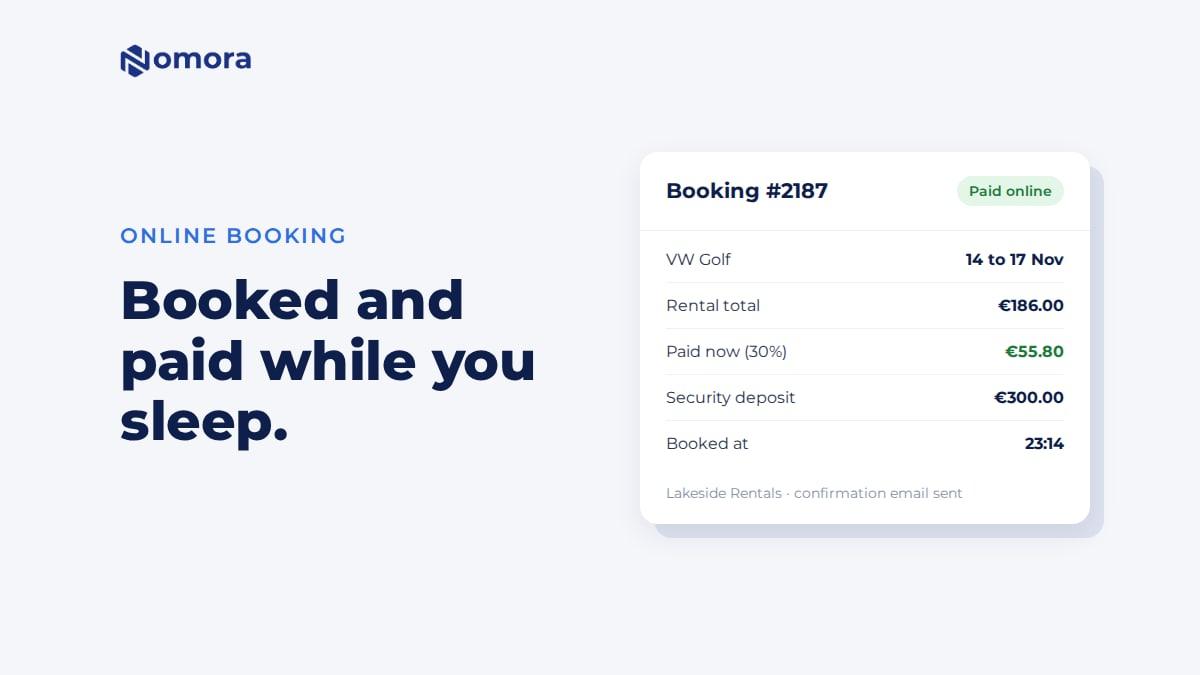
- Contract. The agreement is generated from the booking, with dates, vehicle, rate, deposit and fees filled in automatically.
- Review. The customer or agent walks through totals and optional products. Key sections are initialed.
- Signature. The customer signs on a tablet or phone.
- Distribution. A signed PDF goes to the customer and into the rental record.
- Return. Mileage, fuel and condition are recorded against the same record, so any later dispute starts from one file.
Benefits and the concerns worth planning for
The practical benefits are consistent across sources: administrative savings, shorter processing times and fewer paper files. Staff stop printing, scanning, filing and hunting through folders. Counter time drops because data flows from the booking into the contract instead of being retyped.
To get those benefits without friction, plan for three things:
- Customers who prefer paper. Offer it. ESIGN's consumer-consent approach expects a manual option, and it costs you little.
- Customers who sign on a phone with poor reception. Allow the agent to complete signing at the counter on a tablet.
- Disputes about charges. Show the total and the optional items on the signing screen, and keep the initialed copy.
Our related guides go further on digital contracts and customer experience, streamlining the contract process and fraud prevention for rentals.
Choosing e-signature software for a rental business
You can buy a standalone e-signature tool and connect it to your booking system, or use rental software that generates and stores the contract in the same place. Both can work. For most small and mid-sized rental companies, the second route means fewer places to check when something goes wrong. Use these criteria:
- Contract generation from the booking. The agreement should pull dates, vehicle, rate and fees without retyping.
- Audit trail. Timestamp, IP address, document version and final signed PDF, retrievable by customer or plate.
- Customer data and document storage. Licenses and agreements attached to the same customer profile.
- Payments. Deposit and rental charges tied to the same contract.
- Access from any device, so counter staff, field agents and managers see the same record.
- Data protection. Encryption, role-based access and compliance with the privacy rules that apply to your customers.
- Pricing you can predict. Per-vehicle or flat pricing that grows with the fleet.
A rollout plan for your first month
Week 1: Prepare the template. Have your attorney review the agreement, the consent language and the fee disclosures. Decide which sections get initials.
Week 2: Configure the flow. Set up the contract template, the consent step and the license capture. Test with staff acting as customers, on both a tablet and a phone.
Week 3: Train the team. Teach agents the walk-through: totals, optional products, deposit, fuel and mileage terms. The signature should follow the conversation.
Week 4: Go live and review. Move all new rentals to the electronic flow. Check a sample of contracts for completeness: consent recorded, license attached, signed PDF delivered.
Perspective: the contract as part of the operating record
We think of rental software as the central nervous system of the operation. Every booking, vehicle, payment and document sends signals through it, and the signature is one of the most important of those signals.
That is why we do not treat e-signing as a stand-alone feature. A signed agreement is most useful when it sits in the same record as the reservation, the customer, the license and the payment. Our platform is designed to replace spreadsheets and paper with one connected system for reservations, fleet management, automated contract generation, payments and customer data, so staff are not rebuilding the story of a rental from five different places.
We also believe speed should not come at the expense of control. Our onboarding is designed to get a business fully operational in 24 to 48 hours, and every plan includes the full feature set, so a small operator gets the same tools as a large network.
Dizzy
Put contracts, payments and customer records in one place
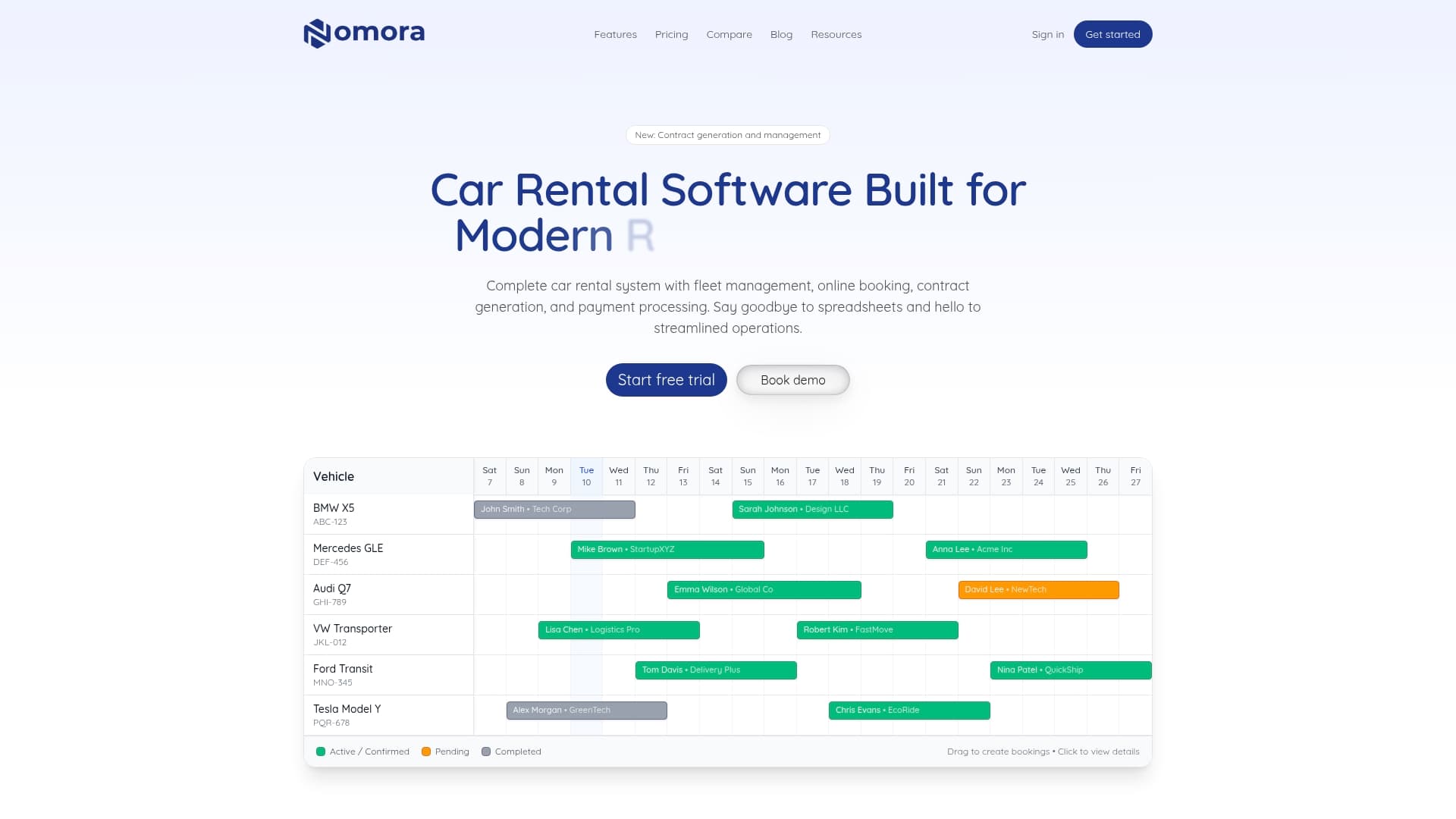
Nomora is cloud-based car rental management software for small and mid-sized rental companies, luxury and specialty vehicle renters and corporate fleet managers. It covers reservations, fleet management with GPS tracking, automated contract generation, integrated payments and customer data, with conflict-free booking and access from any device.
Plans are published on the pricing page: Starter is €45 per month, Business is €2.80 per vehicle per month and Fleet is €2.20 per vehicle per month. Enterprise and payment processing have no published price. To see how it works for your type of business, start with our car rental software overview or the page on automated car rental payments.
For a wider look at going paperless, read about digital rental agreements, the paperless rental process and our practical guide to e-signing.
FAQ
Can a car rental agreement be signed electronically?
Yes. Federal law provides that a contract cannot be denied legal effect solely because it is electronic, and nearly every state has adopted UETA. Keep evidence of consent, the signer's identity and the exact terms shown, and have your attorney review your template for your state.
Do I need to verify the renter's ID as well as collect a signature?
ESIGN and UETA do not set one identity-verification standard, but the signature must be attributable to the signer. Scanning the license and linking it to the signed contract gives you a stronger record than a signature image alone. Your own policy should say which documents you accept.
What should be stored with each e-signed rental agreement?
Store the final signed PDF, the signer's name, timestamp and IP address, the consent record, the document version and the license images. Keep them in a system where they stay accessible and can be reproduced accurately.
What if a customer wants paper?
Offer it. Where consumer consent rules apply, customers must be told they can receive records on paper and can withdraw consent. Print the agreement, have the customer sign it, and scan it into the same customer record.
Sources
Recommended